
Error Handling For Javascript Code In Gtm 8211 Best Practices

Management Summary
How can I implement sustainable and practical error handling?
In this article, I present best practices to avoid glitches and minimize the error-proneness of your tracking scripts.
Do Not Repeat Yourself (DRY)
The DRY principle is not just an abstract rule, but a proven method for making code less error-prone in general. Specifically, the principle states that you should not repeat code, but instead reference and execute it based on a central function. This is intended to ensure that configurations can be done in a central location, thereby significantly increasing maintainability.
In GTM there is also the possibility of defining custom Javascript functions that can later be called in other custom Javascript functions. This works with the help of so-calledCurry functions. This refers to functions that output a function in the return statement: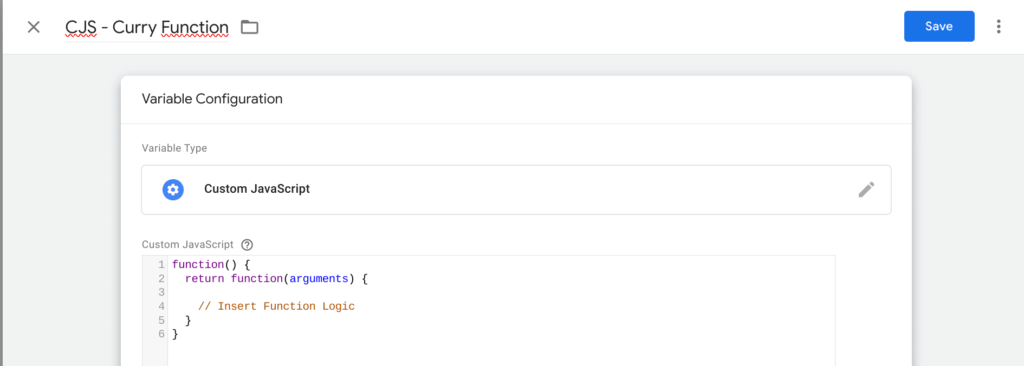 This function can then be called in other custom Javascript functions by referencing the variable as usual and executing it as a function using round brackets:
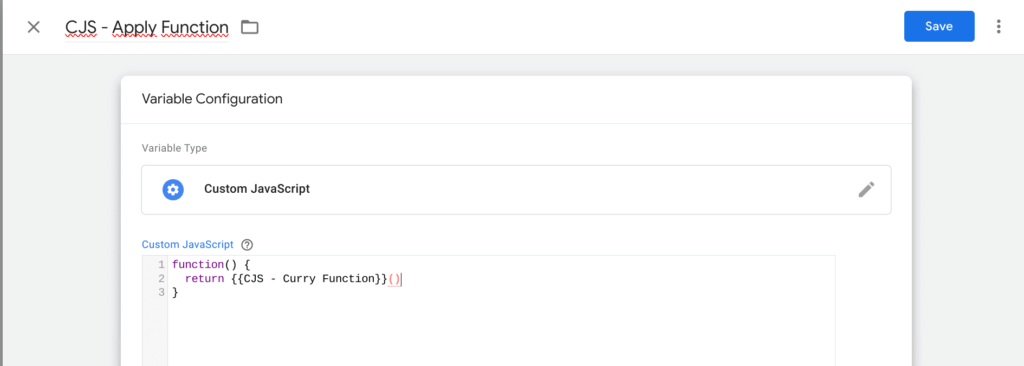 I have more information about this technology and other techniques for an efficient and lean GTM setupin this blog articleexecuted.
Catch errors with try … catch statements
Javascript errors that occur can prevent the execution of an entire code block. Since you rarely want to do this, you “catch” the errors and thereby ensure that the rest of the code can continue to run.
The GTM itself has mechanisms for catching errors from custom JavaScript variables through try-catch, so that only the code of the variable is affected by the error and the rest of the script continues to run. Errors in Custom Javascript variables initially only affect the variable itself. However, caution is advised with Javascript in Custom HTML tags! These are not automatically caught via try-catch! This can therefore lead to extensive defects if potential errors are not dealt with. A try-catch statement surrounds the executing code in the try block. If an error occurs here, the code within the catch block is executed and then the rest of the script. This is what it looks like within a custom HTML tag: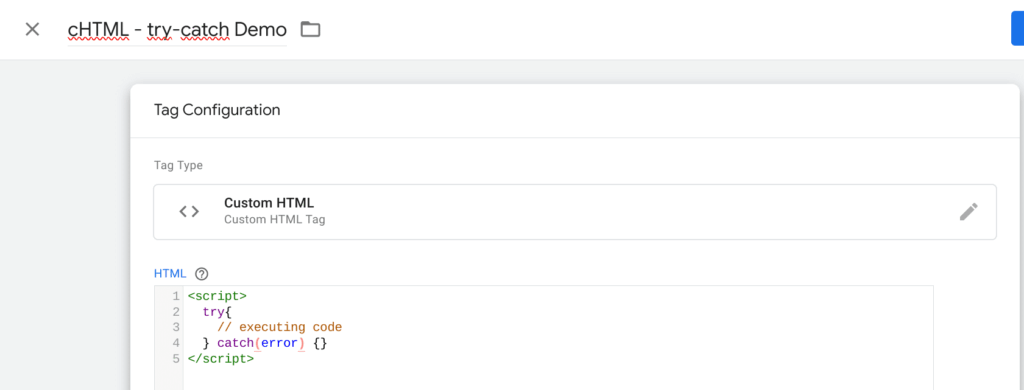 This is not only recommended in custom JavaScript variables, but should definitely be expanded to include a component that is not already implemented in the GTM code: namely logging or tracking the error.
This naturally happens in the catch block. Pay attention to the “error” argument that is passed in the catch statement. This represents the error event and makes the error message tangible. You can and should at least output this in the console: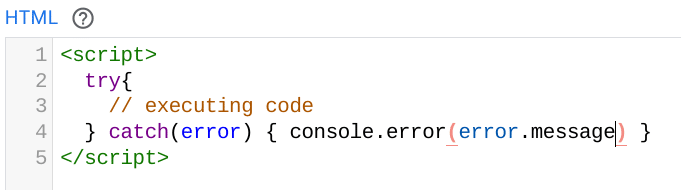 So far we guarantee two things:
- A Javascript error does not lead to the interruption of the entire script, which jeopardizes the complete functionality of a website or application.
- Printing the error in the console at least gives us a chance to detect the error and fix it afterwards.
However, the second point can be expanded further and errors reported systematically. This can be achieved, for example, with a data layer push, on the basis of which a tag is implemented in the GTM: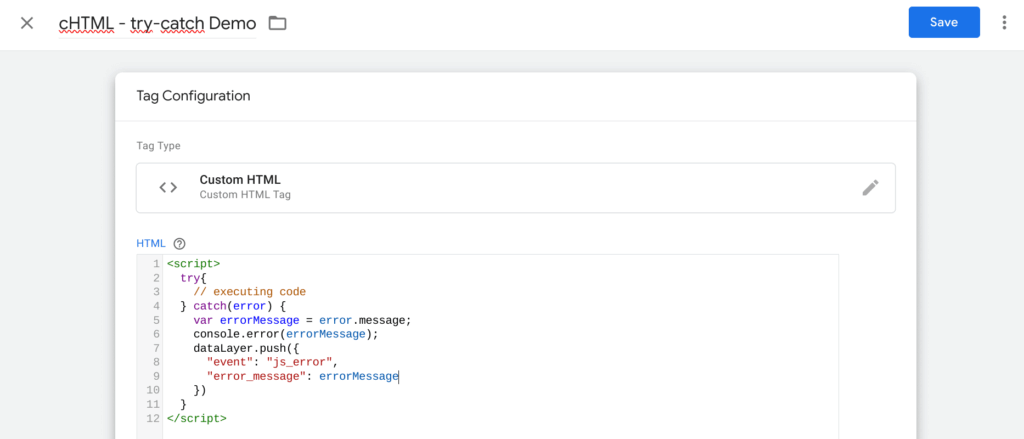 This can of course be expanded as desired with useful information for identifying the error. For example, the name of the custom HTML or custom JavaScript element also helps a lot in identifying errors quickly and efficiently.
Conclusion
The effective organization and structuring of the code in Google Tag Manager (GTM) plays a crucial role in robust error handling. The clear and modular code structure not only improves readability but also makes maintainability easier.
The “Do Not Repeat Yourself” (DRY) principle ensures that code becomes less error-prone. In GTM, curry functions can be used to create central functions that can be called in various custom JavaScript functions. This not only enables efficient code reuse, but also increases maintainability by making configurations in a central location.
When dealing with JavaScript errors in GTM, the use of try…catch statements is crucial. These mechanisms allow errors to be caught to ensure that the rest of the code continues to execute. Systematic handling of errors through logging or tracking improves error detection and elimination.




