Integrate And Use The Google Search Console Correctly In Ga4

Management Summary
The blog post covers integrating Google Search Console (GSC) with Google Analytics 4 (GA4) to gain insights into organic website traffic and search queries. You can find out what an important but often overlooked step is in our blog post.
Google Search Console & Google Analytics 4
In online marketing, linking different tools is essential for in-depth analysis. By integrating Google Search Console into GA4, valuable insights into organic traffic and search queries can be gained. This gives marketers the most important SEO information without needing direct access to Search Console.
But there is a lesser-known hurdle lurking here – the Google Search Console report must be activated in order to be able to analyze the data in the standard reports.
The path to Google Search Console report activation
In order to activate the GSC report, the Google Search Console must first and foremost be stored in the product links. If you haven’t implemented this yet, you can find the link in the admin area -> Product linksNotice: It is only possible to link a Search Console to one web stream per property.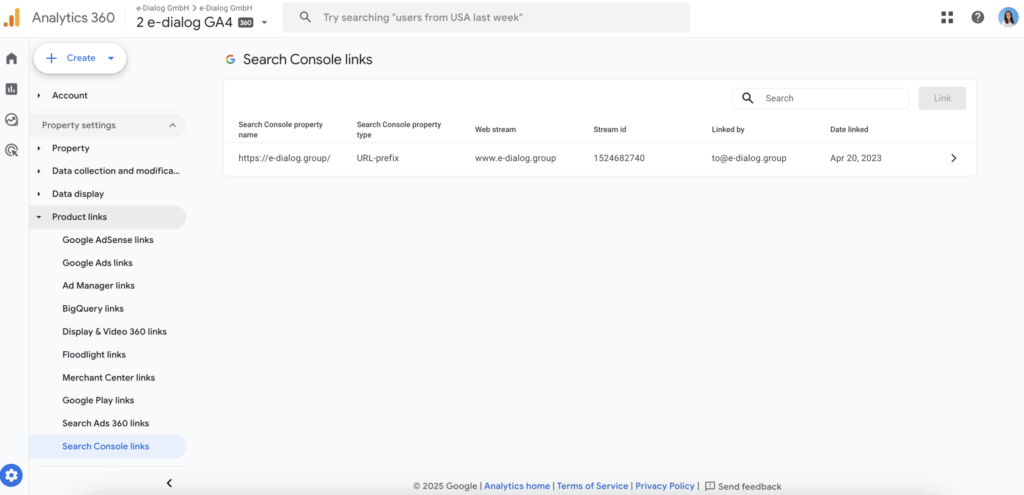 After successfully linking to the Analytics account, the report can be released. Under the path Reports -> Library contains all predefined report collections in the “Collections” area. For each collection it is possible to show or hide them in the report area by clicking on the three dots. In our case, we will publish the Search Console collection.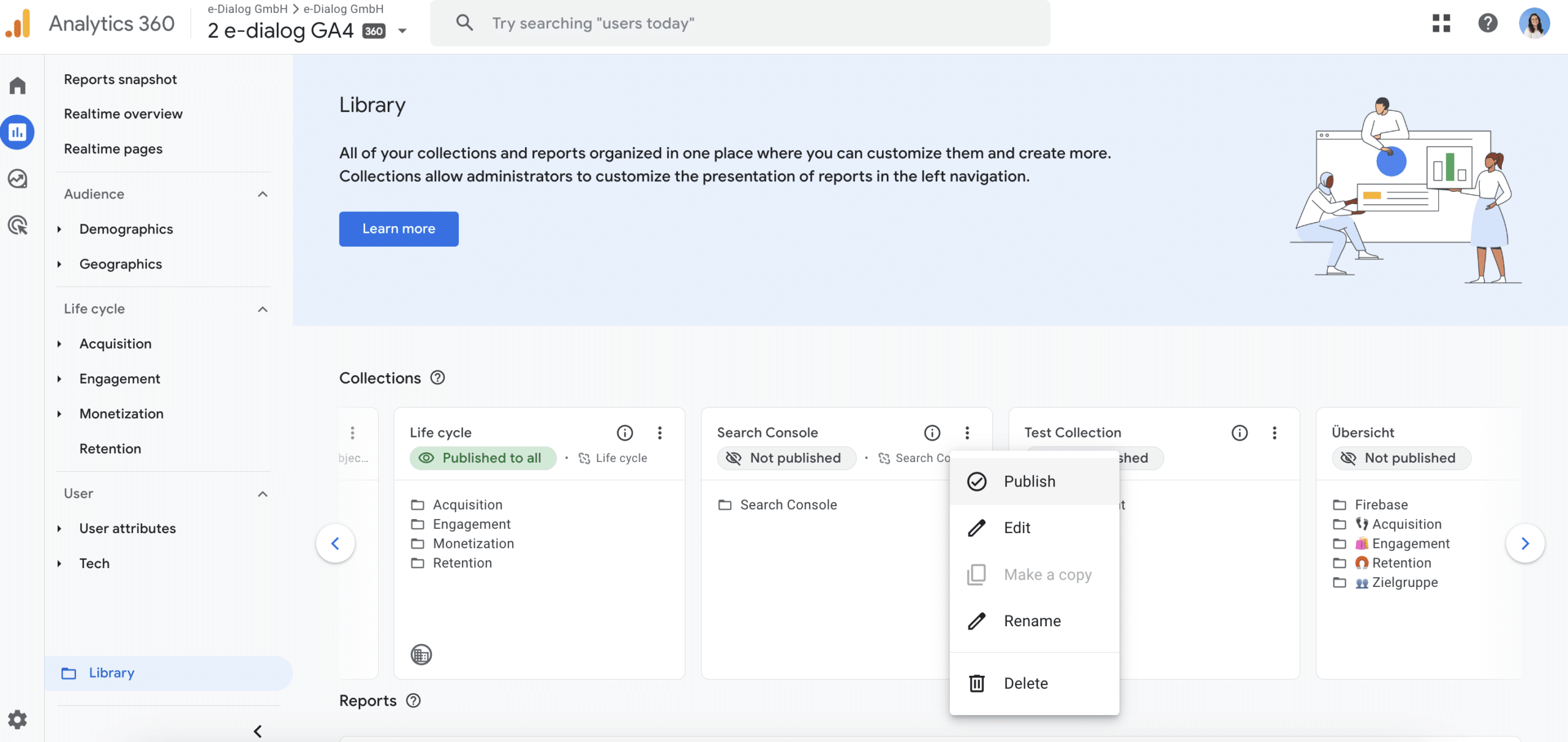
But what data are available to us now?
Through the integration, we now have two standard reports available:
- Searches via organic Google search: This report shows the search queries that lead to the website along with associated metrics such as impressions, clicks, and CTR from Search Console. The data can be broken down by Search Console dimensions – but it cannot be broken down by Analytics dimensions.
- Traffic from organic Google searches: This report contains information about the landing pages viewed from organic searches and their corresponding metrics such as impressions, clicks, and CTR from Search Console and Analytics. The data can be broken down by country and device.
Notice: Search Console only stores data from the last 16 months. Therefore, the data in the GA4 reports goes back up to 16 months. Additionally, in both Search Console and GA4, Search Console data is not available until 48 hours after data collection.
Conclusion
Google Search Console integration with Google Analytics 4 provides insights into organic website traffic and search queries. Marketers can analyze important SEO data directly in GA4 without needing direct access to the GSC. This feature enables the creation of detailed reports on search queries and traffic to capture valuable metrics and support data-driven decisions.