
10 Tips For Sustainable Google Ads Search Campaigns

Management Summary
Have you recently created your first Google Ads search campaign full of euphoria, which has been running for a few weeks now, but the performance leaves something to be desired?
When it comes to Google Ads, time is money. If you don’t have an overview of your campaigns and don’t know how to optimize them, you’re losing valuable advertising budget every hour due to poor optimization or a confusing account structure.
We’ll show you10 simple measuresHow you can spice up your Google Ads search campaigns yourself.
1. Account structuring
The more campaigns, ad groups and keywords you enter, the faster you will lose track. Here you should find a remedy, true to the motto: “Keep it simple”.
Remove or consolidate unnecessary keywords and ad groups that are not performing well. By properly structuring your campaign, you will make your life much easier and save valuable time.
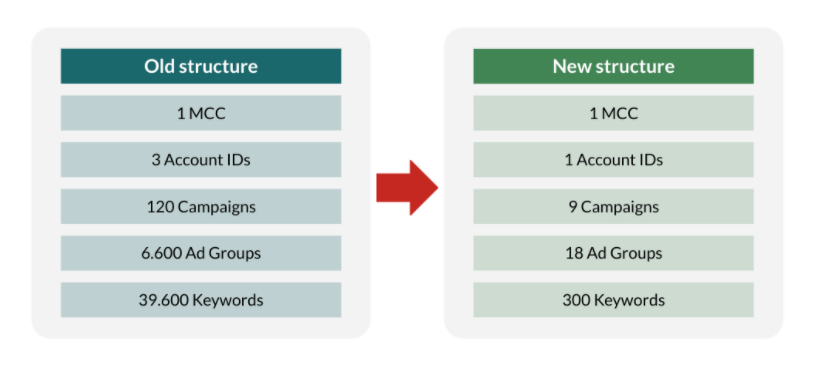
Tips for your account structure, source: Google Ads
2. Check ad extensions
Ad extensions are an important part of your Google Ads search campaigns and make your ad more prominent in search results.
But here too, once you’ve implemented your ad extensions, it’s not over. Check their performance regularly. Remove poorly performing or outdated extensions and add new, up-to-date ones.

Check ad extensions, source: Google Ads
3. Check search terms
A very important point is monitoring your search terms. Check carefully which of your keywords generates which search terms. Here you will always find relevant search terms that you can add to your campaigns as new keywords.
Of course, from time to time you will also find search terms that may only partially match your campaigns or not at all. It is better to exclude these to avoid unnecessary costs.
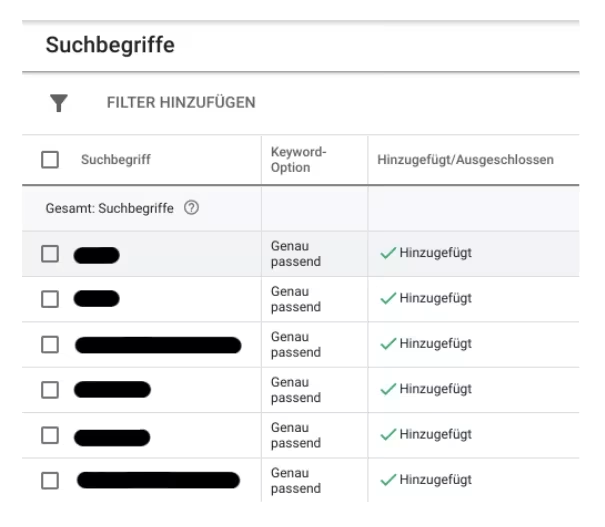
Check search terms, source: Google Ads
4. Negative keywords
These excluded search terms described above can be found as negative keywords under “List of negative keywords”. It is advisable to summarize these in lists so as not to lose track. You should also check these lists regularly to ensure that excluding these keywords continues to make sense for your strategy.
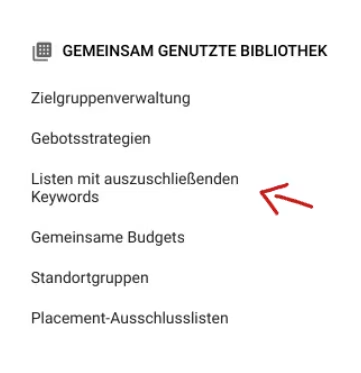
Negative keywords, source: Google Ads
5. Observation level audience segments
Every good Google Ads search campaign also has relevant target group segments stored, at least at the observation level. Regardless of whether you want to reach managers or book lovers – store relevant target group segments at the observation level to see how different target groups interact with your company.
A lot of relevant data can be collected here and you can adapt your campaigns according to the data.
6. Use the recommendation column
In the recommendation column in your account, Google Ads offers you current and useful optimizations for your account. Take your time and read through this carefully. Often the Google algorithm comes up with ideas that you may not have even thought of.
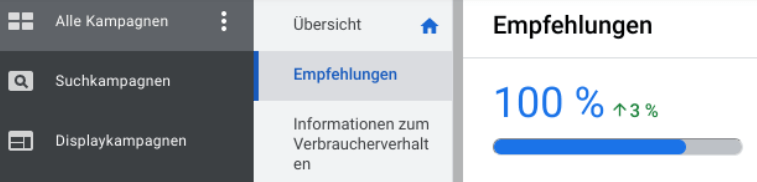
Recommendation column in the Google Ads account, source: Google Ads
7. Use automatically applicable recommendations
Automatically applicable recommendations can save you a lot of time. Here you determine which recommendations Google can implement automatically. Take your time to look at the proposed options and select the ones that are relevant to you. You can of course monitor or deselect the recommendations applied by Google at any time in the change history.
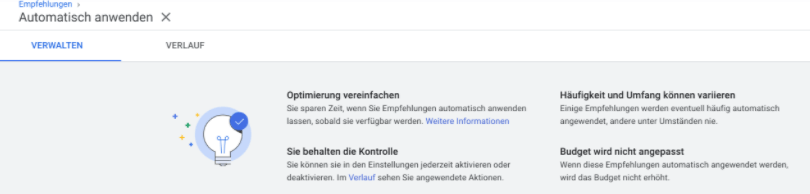
Use of automatically applicable recommendations, source: Google Ads
8. Check ad copy
An important point is checking your ad texts to ensure they are up to date. If you have stored promotions or prices in the ad title or ad text in the past, you should of course remove them if the promotion or price in question is no longer current. If you forget this, it can cause a lot of confusion for the user and may even leave an unprofessional impression.
9. Ad Effectiveness of Your Responsive Search Ads
Google shows you the relevance of the ad for the user in the “Ad Effectiveness” column of your responsive search ads. If this is only “average” or even “poor”, this can have a negative impact on the performance of your search campaigns.
But don’t worry. In most cases, Google will also give you suggestions on how you can improve the ads.

Ad effectiveness of responsive search ads, source: Google Ads
10. The Advertising Scheduler
Are your Google Ads search campaigns relevant to users at any time of the day or night? People often forget that their own ads can be played around the clock. However, this does not always make sense. For example, if you run a taxi company that doesn’t operate at night, you’ll use up huge amounts of your budget at night. There is also a risk that potential customers will be annoyed if the taxi company found on Google is not available.
In such cases, you should use the advertising scheduler. Here you can easily set when your search campaigns should run and when not.
By the way, this applies to many of your extensions. For example, you can only play the call extension if someone can also answer the phone call.
Of course, every Google Ads account is individual and there are many other ways to optimize your campaigns. But with these 10 tips you’ll be taking a big step in the right direction.




