
3 Sa360 Updates You Should Consider For 2024

Management Summary
Both “New SA360” and GA4 bring a lot of change. In this article we will show you what effects these changes have.
The old SA360 interface disappears
The end is near – something similar is the case with the shutdown of the old SA360 interface. After various indications in the account have been indicating this for some time, the option to migrate to the new interface will end at the end of January. January 8th is the last day to plan the migration here and the last migrations will be carried out between January 10th and January 31st. Between February and April 2024, access to the old SA360 interface will no longer be possible.

The end is near, source: Giphy.com
Important: Anyone who has not migrated by this point will be forced to migrate!
At this point it is important that the migration is carried out before this forced migration if possible in order to avoid any problems.
Enable GA4 conversions in SA360
With the help of the new SA360 it will also be possible for GA4 conversions to be used for ATB and intraday bidding. Depending on the advertiser, the function is already available or will be rolled out soon.
If you already use UA Conversions in SA360, the following steps will help you replace UA with GA4 Conversions.
Use GA4 Conversions in SA360 in five steps:
- Create conversions in GA4
- Import conversions into SA360 as a secondary goal
- Monitor conversion volume in SA360
- Replace Universal Analytics Conversions with GA4 Conversions as “Primary Goal”.
- Monitor campaign performance
However, UA and GA4 conversions are not directly comparable, and so a lot needs to be considered for this change
Enable GA4 conversions in SA360
There are some differences when switching to GA4. Above all, comparability is not 1:1 due to the different data models.
GA4 is event-based and Universal Analytics is session-based, and this is of course reflected in the numbers. Furthermore, GA4 uses AI-based solutions to carry out various modeling – these simply do not exist in UA.
Differences in setup
- Website coverage of UA tags and GA4 tags
- Different conditions for firing the tags
- Ecommerce schemas can cause conversions to vary
Enable GA4 conversions in SA360
- Conversion counting method
- Attribution model
- Different lookback windows from UA and GA4
More about the different counting methods in GA4 can be found in the blog article by my colleague Larissa Längle with the title“Conversion counting methods in GA4 – what changes for reporting?”to read.
New reports for Campaign Manager 360, Display & Video 360, and Search Ads 360
New reports were recently introduced in GA4, which are primarily designed for analysis from the 360 platforms.
The following reports are available in Google Analytics 4:
- Campaign Manager 360
- Display & Video 360
- Search Ads 360
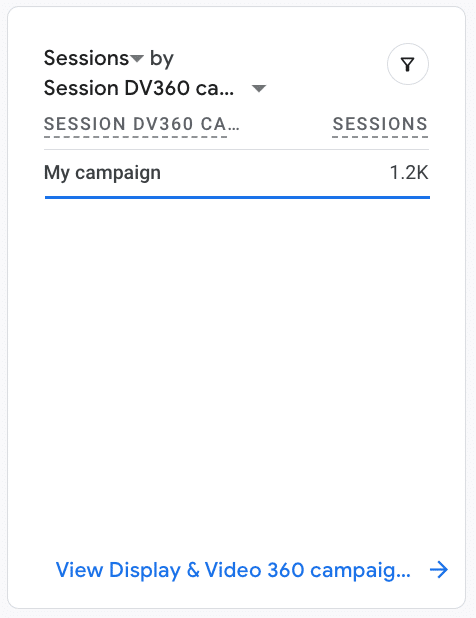
GA4 Reports, source: Google
These reports can leverage cross-channel dimensions such as source, session source, and first visit source to better analyze cross-channel user behavior.
For example, it is also possible for data such as advertising costs and ROAS to be visible directly in GA4.
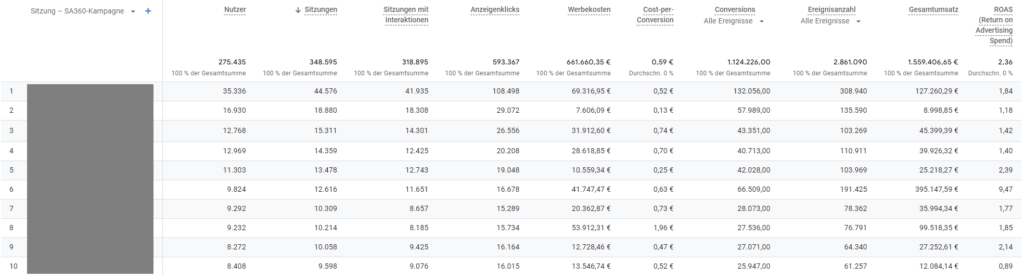
GA4 Insights, source: Google
Both as a comprehensive evaluation option across all 360 platforms, but also separately for looking at the pure search numbers from SA360, this offers new opportunities for evaluating individual campaigns, but also for general performance.
Conclusion:
Switching to New SA360 is now unavoidable and also brings with it various advantages. Thanks to the interface based on Google Ads, a change is now relatively easy.
The switch from Universal Analytics to Google Analytics 4 probably requires a little more effort at this point, as there is a lot going on under the hood and, above all, the different counting methods initially make direct comparison difficult.
When GA4 and SA360 are linked, the analysis options across the 360 platforms have increased significantly. In this way, informed decisions can be made that ultimately lead to greater efficiency and better ROIs.




