
Campaign Manager 360 8211 The Most Important Functions As An Overview

Management Summary
CM360 can work directly with the GMP toolDisplay & Video 360 (DV360)which enables the placement of programmatic campaigns, but also with the GMT toolstudio, which enables the creation of advertising material and the management of creative assets.
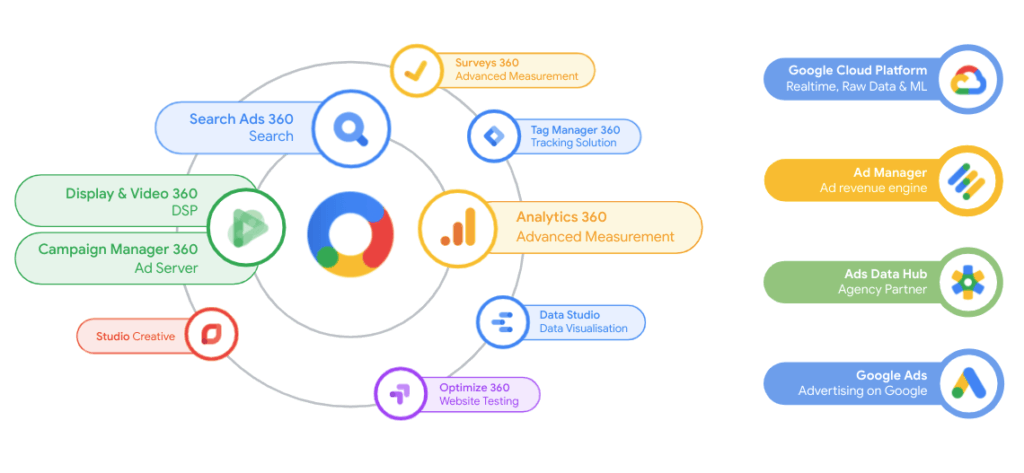
How does Campaign Manager 360 work?
CM360 is the ad server that hosts advertising media (e.g. display ads, video ads and audio spots) but also tracking. If this is linked to DV360, the DSP, the advertising materials are automatically pushed into DV360 and can be played out there directly in programmatic campaigns. Furthermore, tracking/tags can be created for advertising media that are hosted by publishers, for example, and thus enable the tracking of impressions, clicks and costs.
The CM360 tool is in3 major areas of applicationdivided:
- Trafficking
- Planning
- Reporting & Attribution
We have summarized the most important functions of CM360 for you below.
Trafficking
The Trafficking application area is the heart of Campaign Manager and the most important area. The campaigns, conversion tracking concepts and audience lists are created in this area. In addition, you can store the most important account settings here and create links to other GMP tools such as DV360 or Studio.
When you open the trafficking application area, all previously booked campaigns are automatically displayed. The campaigns always consist of 3 important components:
- Placement/placement
- Ad/Advertisement
- Creative/advertising material
Detailed information about the trafficking workflow and the respective campaign elements can be foundherebe read.
Floodlight and audience concepts are created within an advertiser and are therefore created specifically for an advertiser. It is therefore advisable to create different advertisers according to brand, communication (B2B or B2C) or products. If floodlights (conversion tracking) or audience lists have been created in CM360 and there is a link to DV360, these will be pushed into DV360 and can be used there for campaign placement.
Planning
Planning is an application area in CM360 that makes it possible to plan new projects with all work steps and then execute them. It especially makes media planning in the team easier.
The functions include:
- Sending requests for quotations and negotiating with publishers about inventory
- The creation and sending of advertising, change or removal orders
- Synchronization of the media plan with Campaign Manager 360
Access to Planning:https://ddm.google.com/ddm/planning/
Reporting & Attribution
Reporting & Attribution is the third and final important application area of Campaign Manager 360 and enables the success of advertisements that were previously created in the trafficking area to be measured.
The area itself is divided into 4 categories:
- Summary
- Report Builder
- Attribution
- Verification
Summary
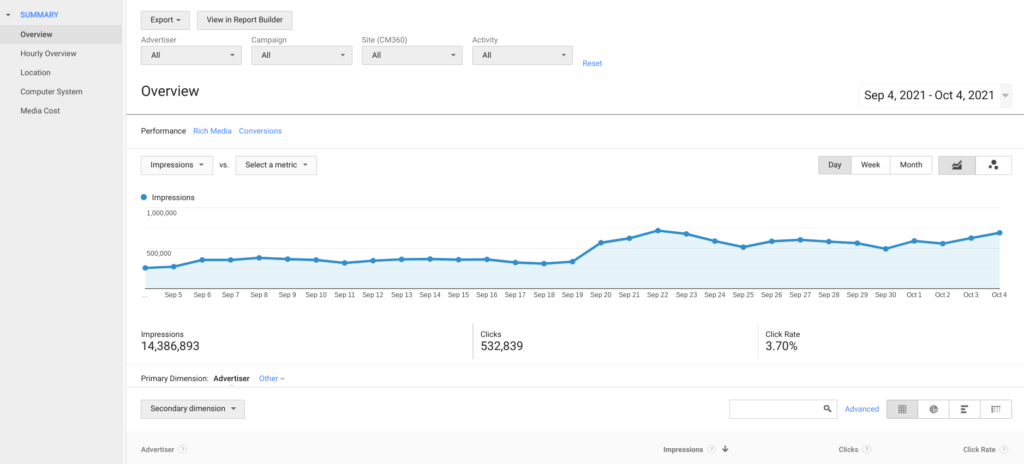
If you want to visualize the current campaign performance with just a few clicks, “Summary” is the right place for you. By selecting the campaign and the desired metrics and floodlights, you can view the performance over time. However, this view only supports the most important metrics such as impressions, clicks, CTR or conversions and is therefore not suitable for comprehensive and very granular reporting.
Report Builder
In this area it is possible to generate performance reports on current and past campaigns. You can also choose between creating instant and offline reports. Instant reports display the data directly, while with offline reports you first have to wait until the report has loaded before downloading and opening it in the next step.
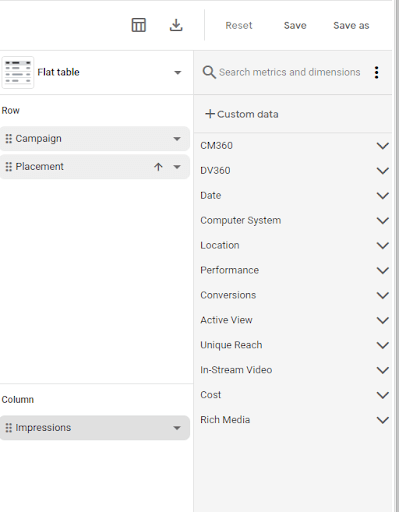
With Instant Reports you start with an empty report or with a template into which you can add dimensions and metrics using drag & Drop slides into rows and columns. The corresponding report is generated automatically in real time.
With offline reports, you first select what kind of report you want to generate. The choices include:
- standard
- Floodlight
- Path to conversion
- Reach
- Cookie reach overlap
- GRP
- Full path
- Path attribution
These templates can be edited accordingly by adding or removing dimensions, metrics and filters. It is also possible to schedule the creation of a report (e.g. on day X or weekly every Monday). These reports can also be shared with other people. This is either sent as an Excel or CSV file to the respective email address or the person receives a link with which they can access the report themselves in Campaign Manager and edit it.

Attribution & Verification
After selecting the desired advertiser, the conversion attribution is displayed in the “Attribution” area. Here, similar to “Summary”, dimensions and floodlight activities can be selected, which enable deeper insights into conversion generation.
“Verification”, the last category of “Reporting & Attribution”, offers the opportunity to check and protect the integrity of online advertising. For example, you can see which domains are currently showing advertising and whether Google classifies these domains as sensitive (e.g. due to violence, weapons or drugs).




