
Cookieless GA4 with Server-Side GTM & Firestore

Management Summary
1. The Challenge of Cookieless GA4
The digital landscape is fundamentally shifting towards enhanced privacy protection. As browsers restrict cookies and legal frameworks evolve, traditional web analytics methods are under scrutiny. For Google Analytics 4, this is a significant challenge, as the ability to recognize users and track their journey often directly depends on browser cookies.
Enforcing a Cookieless Status
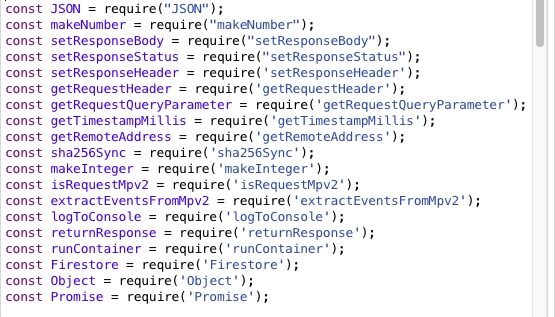
To operate with maximum respect for privacy, we can utilize Google Consent Mode. This mechanism adjusts the behavior of Google tags based on user consent. By setting the parameters analytics_storage and ad_storage to “denied” by default, we instruct GA4 not to write or read analytics cookies. This single measure achieves a truly cookieless operation from the user’s perspective – but it has direct technical consequences.
Disappearing Data
Without cookies, GA4 is effectively “blind.” Every incoming event appears as if it’s from a brand new visitor. Crucial information that links the user journey is lost or re-randomized with each page view. This includes critical parameters such as:
- Client ID (cid): The unique identifier for the user’s browser.
- Session ID (sid): The identifier for a single user session.
- Session Count (sct): The number of sessions for this user.
- First Visit (_fv) & Session Start (_ss): Flags that mark these key events and are central components of GA4’s internal user and session management.
The consequence is a breakdown of data integrity. Meaningful analysis of channel attribution, user behavior, and conversion funnels becomes almost impossible. We collect hits, but we lose the story they are supposed to tell.
2. The Server-Side Solution
An Overview
Given the data gaps in the cookieless browser, the solution is not to force the browser to store data, but to shift the location of the “memory.” We transfer the responsibility for identifying users and sessions from the client browser to our own tracking server. Simply put: if the browser cannot have a memory in the form of cookies, we give our server one in the form of a database.
The combination of server-side GTM and a database allows us to restore lost information and reconstruct user and session context. Due to Firestore’s native integration with sGTM and its high read and write speeds, it is the preferred choice.
The two core components of this setup are:
- Server-Side Google Tag Manager (sGTM): It acts as our new data hub. It receives anonymous raw data from the browser; this is where our logic is applied.
- A database (such as Firestore): It serves as the system’s persistent memory. It stores the necessary information to recognize returning users and merge their journeys.
By combining both systems, we can intelligently reconstruct the missing analytics parameters on the server before forwarding the complete, correct data to Google Analytics.
The Architecture
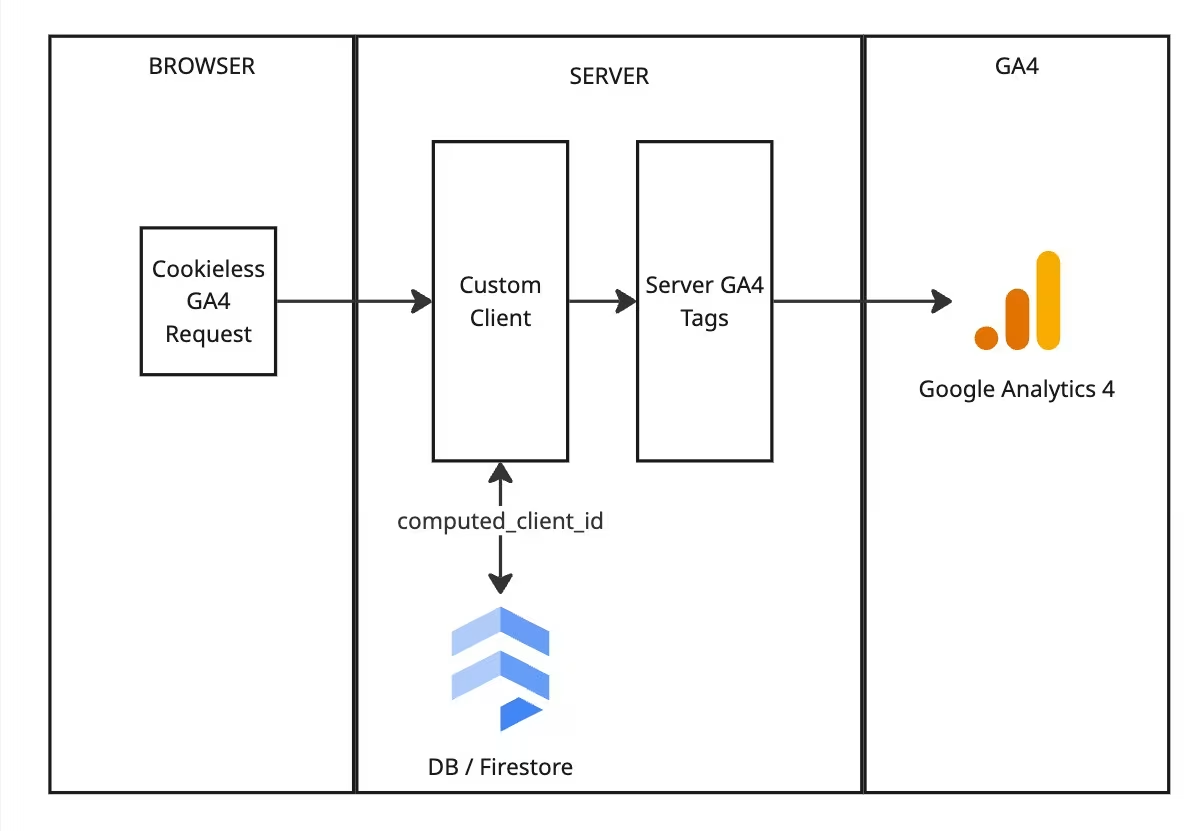
Both systems work sequentially to process and enrich the analytics data. The data flow is as follows:
-
01
The Initial Request
A user action on the website triggers a standard GA4 event. This is sent to the server hosting the sGTM container. At this point, the request lacks stable user and session identifiers.
-
02
Interception by the Custom Client
Within sGTM, a specially developed client is configured to claim all incoming GA4 requests. This client intercepts the request and prevents the standard GA4 client from processing it immediately. Its task is to pause the event flow to allow for data enrichment.
-
03
Firestore Database Query
The Custom Client uses signals from the request (such as IP address and user agent) to query our Firestore database. The goal is to find a matching data record. Each record in Firestore contains essential session and user information, such as a computed_client_id, the current session_id, and the timestamp of the last event (last_event_ts).
This query provides the entire context needed to understand the user’s status. The sGTM now has both the raw browser data and the historical context from Firestore.
3. The Engine Room: Reconstructing Lost GA4 Parameters
This chapter describes the logic that the Custom Client executes at a high level. Here, the cookieless raw request is transformed into a complete event.
Creating a Stable User Identifier
The most important missing piece of the puzzle is the Client ID (cid). To restore this, the Custom Client generates a computed_client_id. This is an SHA256 hash created by combining the IP address, user agent, and a unique, private “salt.” This creates a consistent, pseudonymous ID that reliably identifies returning users without cookies.
The Firestore User Record
For each unique computed_client_id, a corresponding entry is stored in our Firestore database. This serves as persistent memory and contains fields such as the session_id, the session_number counter, and the session_sequence (number of events within the current session).
Reconstructing the Session Context
Once the user is identified, the client checks the timestamp of the last event in Firestore. A new Session ID (sid) is generated if it is a new user or if the last event was more than 30 minutes ago. In this case, the Session Count (sct) is also incremented. The GA4 events are enriched with these constructed values by manipulating the event data in the Custom Client.
Overriding Consent for Full Processing
This is the final, crucial step. The original request from the browser arrived with a “denied” status. If we were to send the data to GA4 as is, it would only be treated as a restricted “cookieless ping” or, depending on the user’s location, not displayed at all.
To prevent this, the Custom Client overrides the consent status on the server to “granted.” This ensures that our reconstructed data is actually used and that we receive a complete and accurate picture in GA4.
Conclusion
By shifting user and session identification from the browser to a server-side environment using sGTM and Firestore, the data gaps caused by cookieless operation can be effectively closed. This server-side methodology not only restores vital channel attribution but also provides a future-proof blueprint for privacy-compliant analytics in a post-cookie world.
Implementing a Server-Side Tracking architecture is a significant and powerful step towards future-proofing your analytics. If you are ready to ensure data integrity in a cookieless world, our team of experts will be happy to assist you.



