
Custom Templates In Gtm 8211 Tags By Users For Users

Management Summary
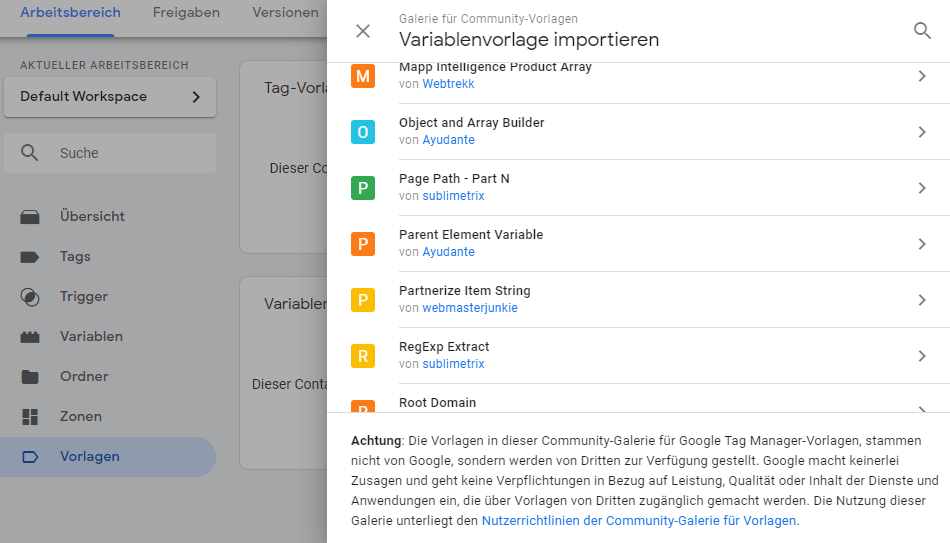
In the GTM menu there is a new item “Templates” under which you can manage them. In addition to creating your own templates, the GTM also offers the ability to browse templates from users. In the so-called gallery we find numerous ready-made templates for immediate use.
Templates work in exactly the same way as the previous tags and variables in GTM. You select a template, configure it and add it to the container. With tags, you select the desired trigger.
With variables, you set the desired configuration to control what the variable from the template should do.
So if you don’t want to extract a specific URL parameter from the URL with Regex for the 10th time, you can get a template from the gallery that covers the desired requirements.
In addition to URL tools, the GTM users, for example, expanded the search tables with advanced functions.
Also with the Tag templates contain very useful, pre-made tags in the gallery. For example, consent management providers have published their tags there to simplify the control of consent settings (example: Cookiebot).
Another example would be the Facebook Pixel, which is not offered by Google in the GTM by default.
Create GTM templates yourself
Thanks to the new templates in the Google Tag Manager, you can forego the use of the often criticized custom HTML tag and the custom JavaScript variable. Why were these criticized? With both tools you can easily embed malicious code on websites.
If you just use custom templates, this would be the end – because – custom templates work in a sandbox environment. This means that the codes of the custom-created templates are first processed in a secure system and then converted into JavaScript. Executing malicious commands is therefore impossible. The developer also specifies which permissions the template tag or template variable requires (e.g. access to the URL, access to the website content, cookies, localStorage, etc…)
In addition, Google has set a milestone in the flexibility of the tag manager with the template editor (which can be accessed directly in the GTM under Templates -> [Tags/Variables] -> New).
The editor allows tags and make variables freely configurable by the user. To configure the template, you can ask the user to fill out text fields, drop-down menus, checkboxes, radio buttons and tables.
If the user fills out these fields, you can intercept them in the template’s code editor and work with them.
However, a little experience with using JavaScript is necessary to create templates.
Last but not least
The templates you create can be tested immediately in the template editor, which saves a lot of time when providing (debugging, testing).
Conclusion
Google Tag Manager templates can, but do not have to be, used. It is an additional component of the GTM, which is constantly growing through the participation of users. Missing functions in the GTM are simply added by users using custom templates.
Marketing companies can also benefit from this by creating their own pixels as a custom template in the GTM and sharing them with other users in the gallery. To name a few, Custom Template Tags are available from AppNexus, Facebook, Heatmap.com, Outbrain, Reddit, Salesforce, Snapchat, Yandex, among others.




