
Data Clean Up In Looker Studio 8211 Remove Empty Ga4 Parameters

Management Summary
It’s time for a New Year’s cleaning! Start 2023 with a clean data view in your Looker Studio dashboard and use our tricks to hide empty fields in your charts.
Where do empty values come from in Google Analytics?
Especially in Google Analytics 4, parameters often appear with empty fields that are not filled but are still passed. There are several reasons for this: on the one hand, the GA4 parameter can be intentionally passed empty, e.g. if no option was selected in the multiple choice selection or if a previous selection of options is removed again. However, if the empty fields have no analytical meaning in the graph, they should be filtered out of the visualization. The following example can be illustrated with the data from the Google Analytics demo account ‘GA4 Google Merchandise Store’: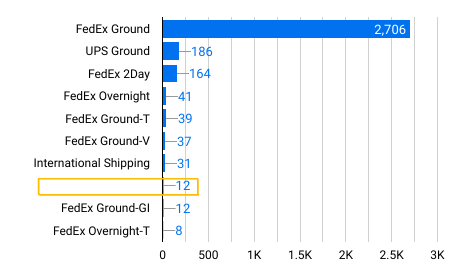 Dimension = shopping_tier
Metric = Event Count
problem
In 12 events, the custom dimension shopping_tier was passed with an empty value. These results are not relevant for the analysis.
There is currently no easy solution in Looker Studio to exclude empty fields, for example with a filter.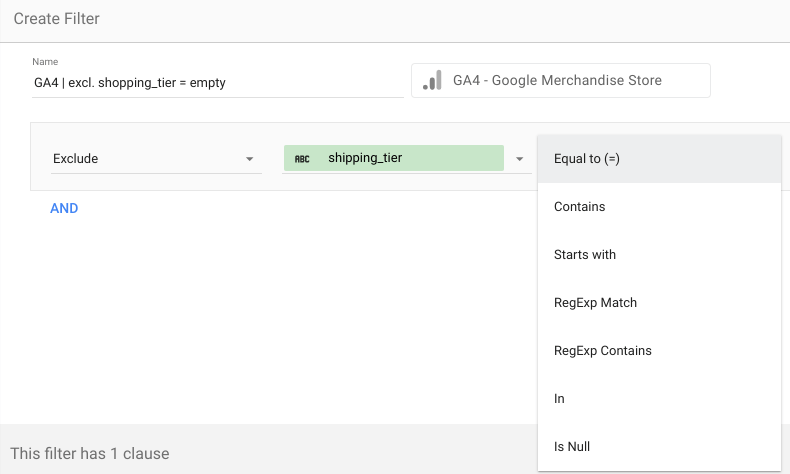
Solution:
A possible solution consists of two steps:
- Create a new custom field that uses the CASE WHEN function to replace the empty value with a placeholder value, here ’empty’:
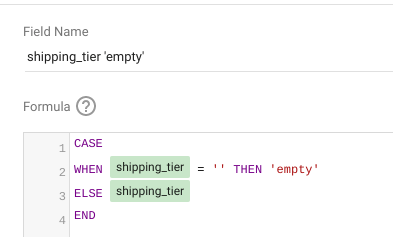 This function replaces the empty field (= no value, including no space) with the string ‘empty’. If a value is already passed, the second part of the function ensures that this value continues to be passed (‘ELSE shipping_tier’).
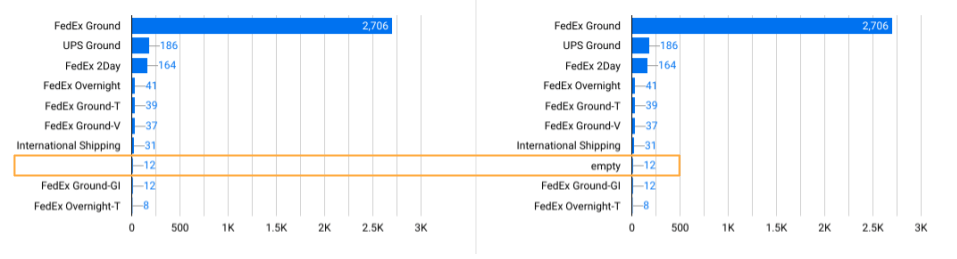 left: Dimension = shipping_tier
right: Dimension = shipping_tier ‘empty’
- With the newly created field, the value ‘empty’ can now be extracted with a filter.
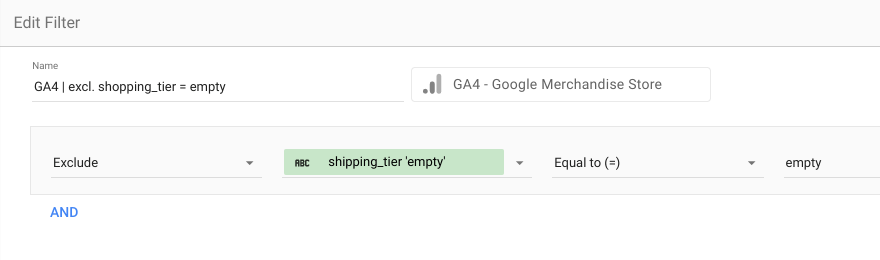 The empty GA4 parameter value no longer appears in the final data view.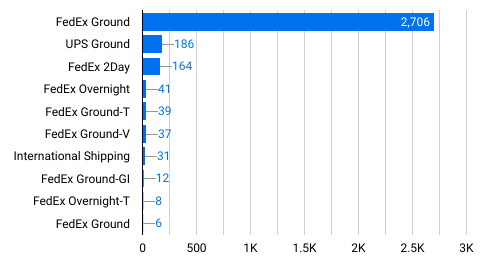
Conclusion:
Depending on the GA4 setup, values passed empty can have different meanings in the statistical evaluation. This should always be compared with the concept so as not to manipulate or eliminate important insights. However, if the empty values do not have statistical meaning, dashboards can be optimized using this solution.




