
Discover Metas Automated Advertising Tools An Overview Of All Meta Advantage Products

Management Summary
Below you will find an overview of the Advantage products and at which level of campaign creation (campaign, ad group or ad level) which functions can be found.
Advantage and Advantage+ in comparison
Basically, a distinction must be made between 2 groups:
- Advantage+(Advantage Plus): Automation functions throughout campaign creation, i.e. target groups, budget/bids, destination, placements and ad design
- Advantage:Automate “only” a specific part or function of a manual campaign
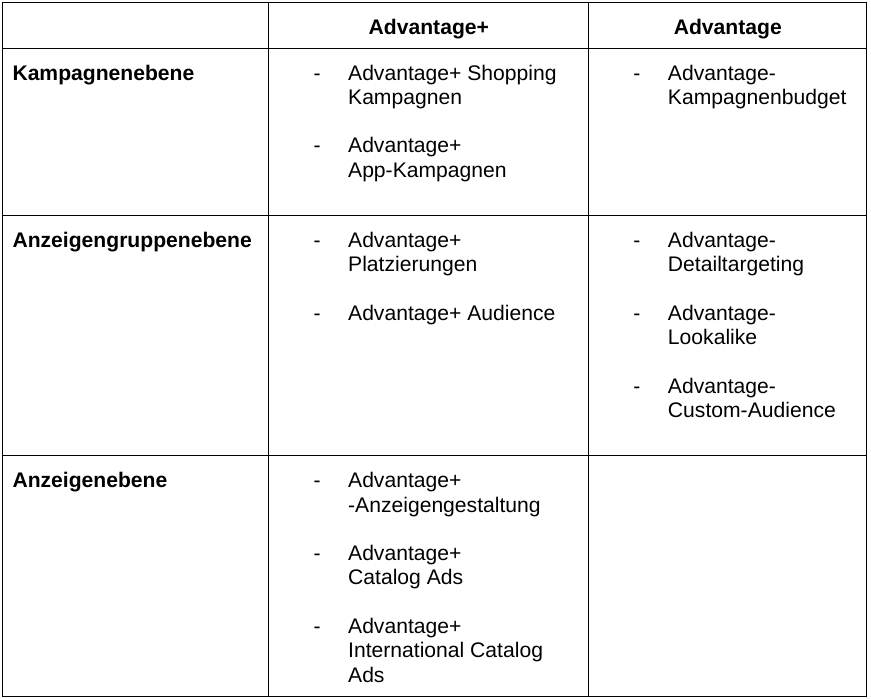
Advantage and Advantage+ in comparison, source: e-dialog
Advantage+ products
Campaign level
Advantage+ Shopping campaigns
With Advantage+ Shopping campaigns, Meta offers advertisers the opportunity to create campaigns more quickly and efficiently. By removing manual steps from campaign and creative creation and increasing automation, the aim is to enable better performance, personalization and greater efficiency.
In thisBlog postThe function will be discussed in more detail and where you will find out how an Advantage+ Shopping campaign is created, what functions it offers and what the advantages and disadvantages are.
Meta recently announced that it is launching the following two features for the Advantage+ Shopping campaign:
- Setting the minimum age: Previously, the age of the target group was set as 18-65 by default, with no changes possible. With the new function, a minimum age of up to 25 years can be set.
- Exclusion of specific locations: It will also be possible to add geographical exclusions. Federal states and/or cities or postal codes can be excluded.
Advantage+ app campaigns
Advantage+ app campaigns make app install campaigns even more effective with less effort. Unlike manual app ads, Advantage+ app campaigns require less advertiser input to create. This means, similar to the Advantage+ Shopping campaign, fewer settings are necessary. A big advantage of Advantage+ app campaigns is the ability to optimize specifically for app installs in just one campaign with app events. Additionally, Advantage+ app campaigns also support Advantage+ Catalog Ads, which automatically use images and details from the catalog.
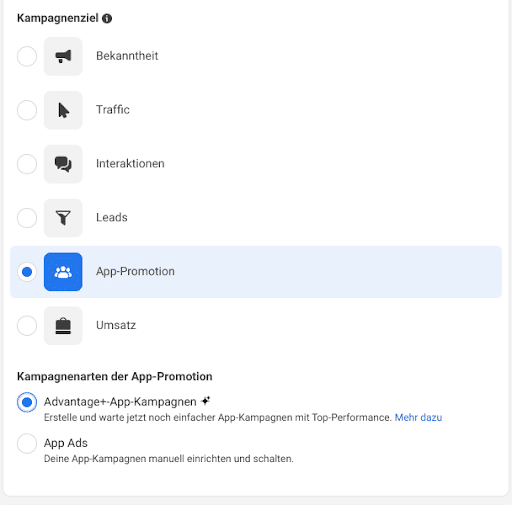
Advantage App+ campaigns, source: Google
Ad group level
Advantage+ placements
Advantage+ placement can be activated with a checkbox. If the box is checked, you give the algorithm some control. This means that the platforms (Facebook, Instagram, Audience Network, Messenger) and the placements (feed, stories, reels, in-stream ads, etc.) where the ads are broadcast cannot be adjusted. The budget is automatically distributed to the more effective target group and the higher-performing placements. Meta itself recommends activating the function because with automatic placements the budget can be specifically distributed across a combination of placements and thus the best results are likely to be achieved. However, this feature must be chosen carefully as different formats need to be provided due to the different placements and the ads may appear in unwanted placements within Meta. Depending on the campaign goal, different placements are available. In a traffic campaign, for example, a total of 19 placements are activated by this function, as can be seen below.
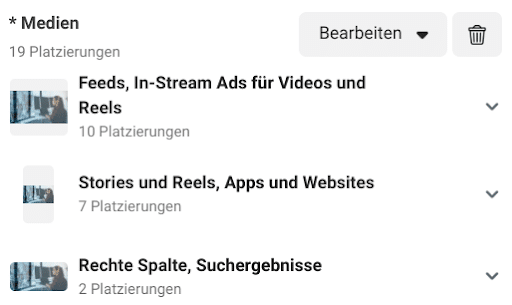
Advantage+Placement, source: Google
The ad formats are grouped together depending on placements and can be edited as a group. This means that the recommended 1:1 format can be uploaded for all feed placements, 9:16 for stories and reels and 1.91:1 for the right column or search results.
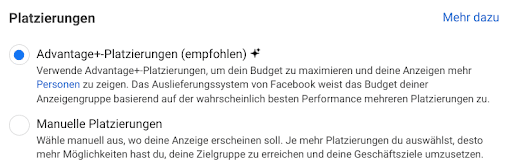
Placement settings, source: Google
Advantage+ Audience
The Meta Advantage+ Audience is used to identify a target group for the campaign. This feature creates a comprehensive audience that allows Meta’s flexible AI to specifically search for potential prospects.
The Advantage Audience feature is partially activated automatically when creating a new campaign and if you want to switch to the original audience options, this must be selected.
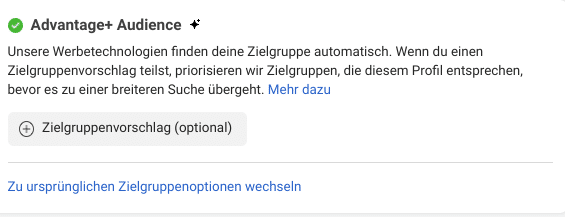
Advantage Audience+, source: Google
Meta’s AI analyzes extensive information, including past conversions, pixel data and interactions with previous advertisements, to create a target group. This target group is continually being developed.
Suggestions can be entered, and Meta prioritizes target groups that match the suggestions before expanding the search.
Despite these automation options, age or location restrictions can be set.
Ad level
Advantage+ ad creative
This feature is available for ads with a single image or video. Advantage+ ad design automatically creates multiple variants of an ad with different text combinations and modified design, such as automatically adjusting the aspect ratio of the image or video and applying a template to the image.
Meta tries to show users a personalized version that is tailored to their interests and preferences. This optimization is available for ads targeting Traffic, Leads, Interactions, Revenue, and App Promotion.
The following optimization settings can be made:
- Standard optimization:
- Applying templates for images in the feed: Templates are used to help the image fit optimally into the feed placement.
- Adjusting the aspect ratio: Depending on what is more beneficial for performance, the image is displayed either in its original size or in a cropped form.
- Text combinations: Text elements can be displayed as body text, heading or description
- Adjust image brightness and contrast: This adjusts the brightness and contrast of the image.
- View most relevant Facebook comments
- Image filter
- Apply artistic filters: Use filters that sharpen the image, change the color temperature, or add a vignette or radial blur.

Image filter, source: Google
3. Music: has recently offered the option to select a song for advertising either automatically or yourself. The selected music will be shortened and synchronized accordingly so that it is optimal for all suitable placements.
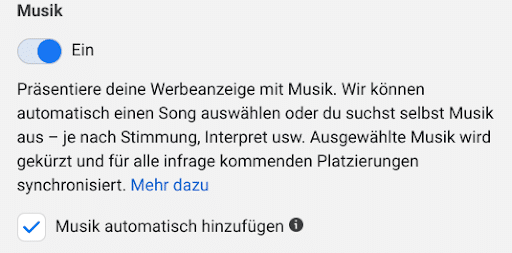
Music settings, source: Google
4. 3D Animation: 3D motion and depth effect can be added with this feature if it could improve performance.
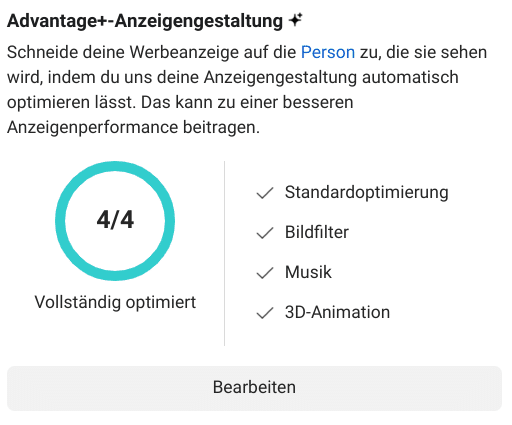
Advantage+ ad design, source: Google
Facebook recommends discontinuing Advantage+ ad creative completely. However, it is important that advertisers are aware that this may lead to over-editing of the ads and therefore the ads may deviate from the company’s CI (Corporate Identity).
Advantage+ Catalog Ads
This feature is similar to Advantage Image and Video ad creative and is available specifically for ads linked to a catalog or product feed. The product set and descriptions are given. With the connected product feed, different versions of the ad are automatically created with different formats, goals and optimizations. Users see the version of the ad they are most likely to respond to.
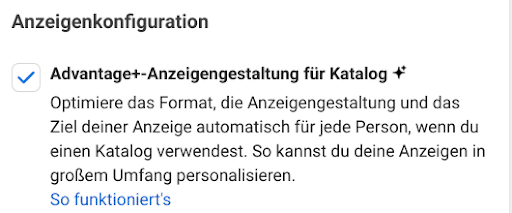
Advantage+ad creative for catalog, source: Google
Advantage+ International Catalog Ads
Meta Advantage+ Catalog Ads (formerly Multilingual and Cross-Country Dynamic Ads) can be used to create ads for multiple countries and languages. Meta lists this feature as a separate item, but it works fundamentally the same as Advantage+ ad design. The ad automatically presents items from the catalog in the language and information for the target country. This way, for example, US customers can see item descriptions in English and prices in US dollars, while French customers see a French description and prices in Euros. After the ad design for the standard language has been added, the other languages must also be added.
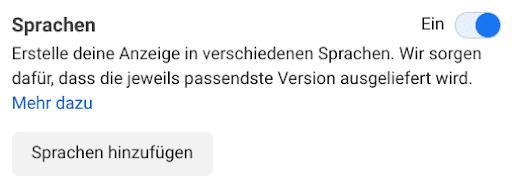
Language settings, source: Google
Important: If the Sales campaign objective is selected, the Advantage+ ad creative for catalog option must be disabled in order to select the language settings.
Advantage products
Campaign level
Advantage campaign budget
The Advantage campaign budget enables automatic and efficient budget allocation across ad groups to achieve maximum results based on your chosen performance goals and bidding strategies. This means that the budget is set at campaign level and is distributed by the system to the different ad groups depending on performance.
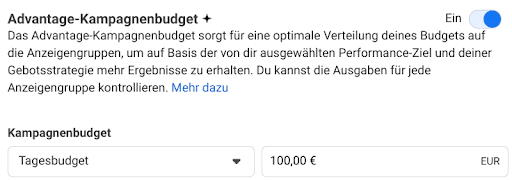
Advantage+ campaign budget, source: Google
A min. and max. budget can still be set for an ad group if you want individual ad groups not to receive too much or too little of the campaign budget.

Spending limits, source: Google
Ad group level
Advantage detailed targeting
This feature can be selected when interest targeting is selected. It makes it possible to target people outside of the defined audience settings if this is likely to lead to improved performance.
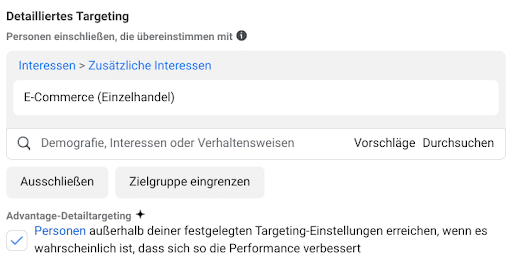
Detailed targeting, source: Google
This feature may be enabled automatically in some advertising accounts, as shown in the following case:
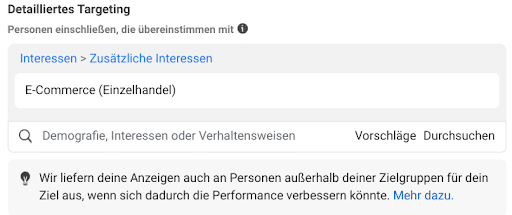
Detailed targeting, source: Google
After selecting interest targeting, an information box appears explaining that the ads will also be delivered to people outside the target group.
Advantage Lookalike
This function may also be activated automatically when a lookalike audience is added. The advertiser receives the information that the ads will also be delivered to people outside the lookalike audience.
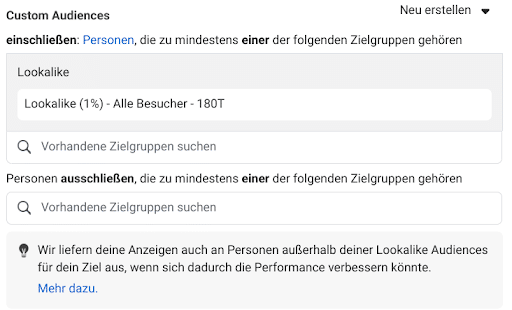
Lookalike, source: Google
on which the lookalike audience is based to deliver the ads and continuously evaluates performance and identifies potential. If the system detects further opportunities for better performance beyond the specified lookalike audience, the ads will be displayed accordingly. This expands the target group to improve performance.
Advantage Custom Audience
The Advantage Custom Audience works similarly to the Advantage Lookalike. It expands the functionality of the Custom Audience. Once activated, people outside of the included Custom Audience can be reached if the Facebook algorithm detects that this may help improve performance. This feature is not activated automatically like the Advantage Lookalike, but requires a tick to activate it.
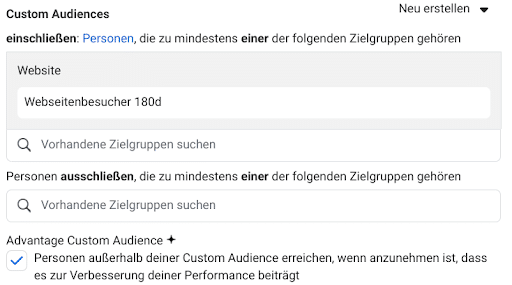
Custom Audience, Source: Google
Conclusion:
In total there are 7 Advantage+ and 4 Advantage functions that Meta provides as automation functions. The question arises here as to whether one wants to give the system more and more control by using these functions. Experience has shown that the meta algorithm is already extremely effective, which is why more and more campaigns are being automated. With the motto “Creative is the new targeting,” the focus is increasingly shifting to creative creation. In summary, it is important to test the different features and find what works best for each case. It is recommended to test functions such as the Advantage+ shopping campaign, while other functions such as the Advantage+ ad design should be used carefully.




