
Dv360 8211 You Need To Know These 6 Features

Management Summary
1. Audience Analysis and Combined Audiences
Existing collections can be adapted just as easily. To do this, for example, click on “Edit Collection” in the “Life cycle” collection and you will be taken to the same editing menu. In the following screenshot, we have completely removed the monetization area for demonstration purposes and adjusted the order of the topics within the “Life cycle” collection.
Function:
Several 1st and 3rd party audience lists as well as interest-based audiences from DV360 can be combined into one list. This can then be targeted in various campaigns.
To find:
This feature is located onAdvertiser level. Simply click on “Audiences” → “Analysis” on the left side and you’re ready to go.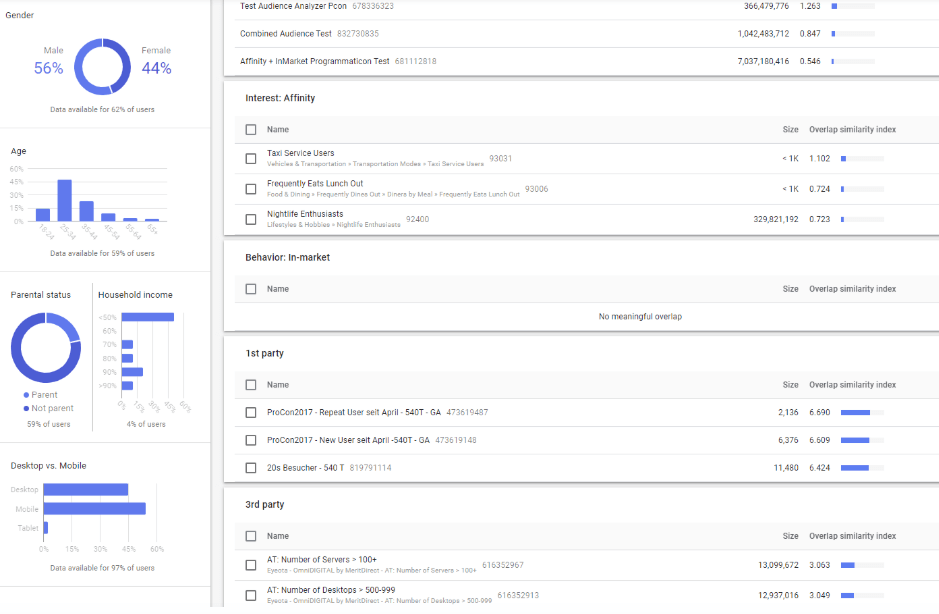
Advantages:
The audience analysis has2 key advantages.The selected one1st Party Audienceis analyzed in terms of age, gender, device distribution, etc. You can see which Google and 3rd-party segments have the highest similarity to the selected seed audience. Based on this, a new audience can be created (=Combined Audience).
Use case:
Acquisition of new customers:Valuable audiences for acquiring new customers can be put together based on similarity to existing visitor/buyer lists.
2. Format Gallery
Function:
In the display & Video 360 Format Gallery can be used to create attractive display, video, or native formats without any graphics knowledge. We have a detailed description of the functions inFormat GalleryBlog article described.
To find:
Like the Combined Audience List, the Format Gallery can also be found at advertiser level: Creative → Format Gallery.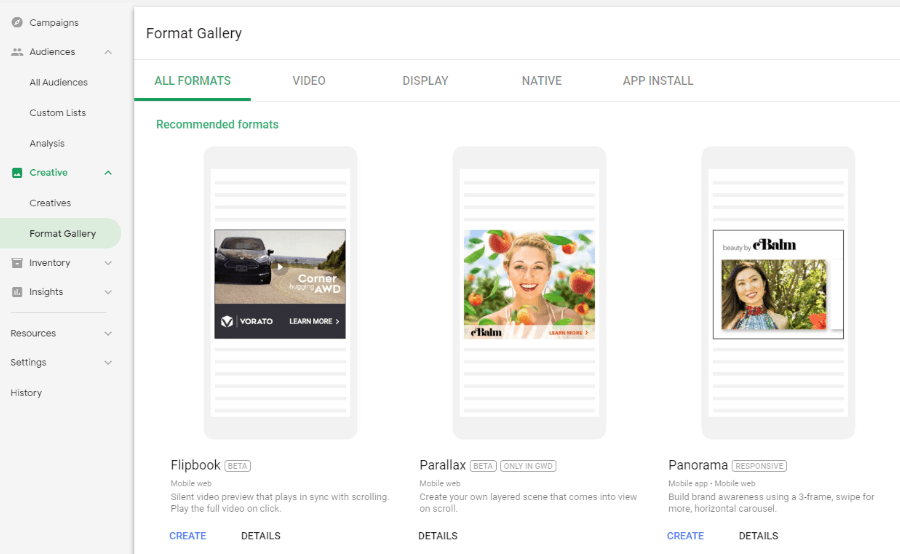
Use case:
This feature is particularly interesting for advertisers who do not have large budgets for advertising material production or who want to test new and innovative formats without much effort.
3. Storytelling and sequencing
Function:
What storytelling is to display and video, sequencing is to YouTube.
The features enable the user to show a defined sequence of creatives. We have a detailed description of the functions inStorytellingCompiled blog article.
To find:
Story is its own insertion order type that you select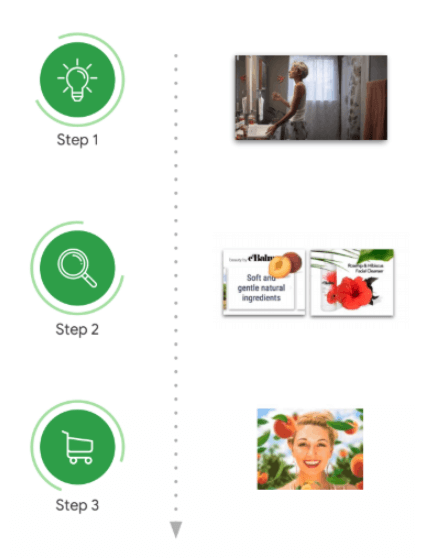
Use case:
The storytelling function is a wonderful way to tell the story of a product or service and create desire without having to immediately set a call to action. The user should be presented with a story over several steps using various banners or videos. For example, first a video to create (brand) awareness, and then banners that present the products and encourage purchases.
4. Real time triggers
Function:
Real-time triggers make it possible to get in touch with customers directly at crucial moments using a digital campaign. With this feature you canmanual triggersorSports triggerscan be created to automatically start campaigns based on it. With Sport Trigger, events can be set based on different sports that trigger the campaign. For example, when a team wins, during halftime, at a touchdown, when the game ends, etc.
To find:
Advertiser Level → Resources → Triggers.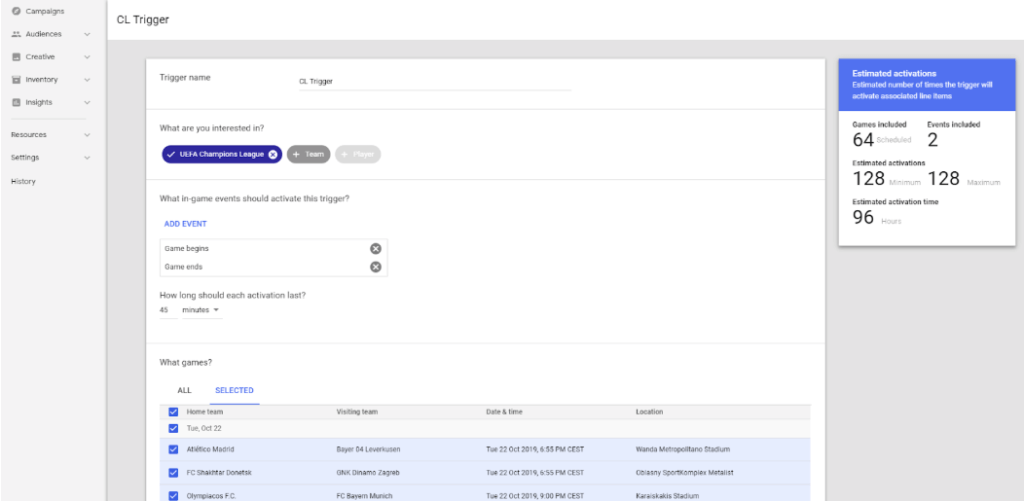
Use case
For advertisers whose products or services are related to sports or can create a connection in a creative way. For example, creatives with different messages can be easily created in the Format Gallery with little effort.
5. Youtube Life Events
Function:
These targeting options are exclusively available on YouTube. Events (life events) such as Business Creation, Graduating Soon, Getting Married Soon, Recently Purchased a Home and much more can be organized here. be targeted.
To find:
In the Trueview Ad Group under “Audience Lists”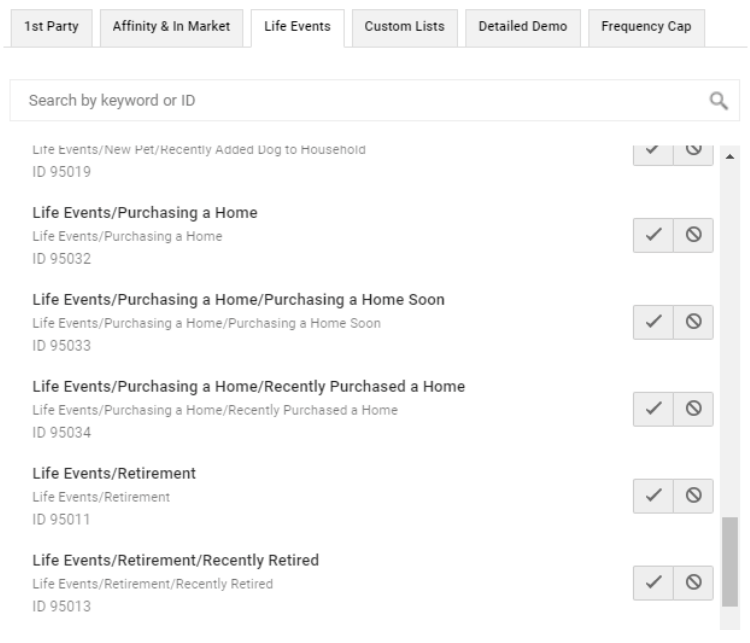
Use case
When products/services are advertised for which the need is higher than usual in certain life situations.
6. Experiments
Function:
With this function you canA/B experimentscan be created if, for example, different targeting or creatives are cleantested against each othershould be. The experiment ensures that a cookie split takes place in the campaign between the IOs or LIs to be tested.In this way, a reasonable statement can actually be made about which variant performs better.
To find
at Advertiser Level → Resources → Experiments and Lift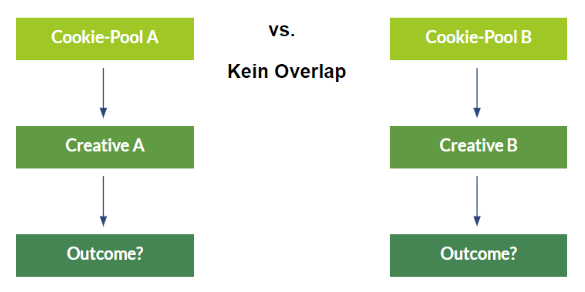
Use case
For testing different creatives, bidding strategies or targeting.




