Dv360 Profile Analysis 8211 What Data Is Available

Management Summary
What is a target group profile analysis and what is it used for?
Display & Video 360 offers the possibility of analyzing target group profiles. The analysis presents the composition of a specific audience based on their overlap with other audiences in Display & Video 360 fixed. This happens through Google data, partner data and other data sets to which there is access.The tool recognizes similar target groups and thus increases the reach of campaigns.The following dimensions and metrics are available for each target group:
- Audience ID
- Category and name of the target group
- Size: The total number of users in the target group
- User overlap: The overlap of the target group with other target groups
- Individual users: Number of users who are not included in the source target group
- Crossover Similarity Index: Compares audience lists and potential to reach similar audiences.
What are the benefits?
- A high overlap value compared to the source target group indicates similar behavioral or interest characteristics. A high index therefore means better chances of finding new users with similar behaviors.
- More unique users in the reference target group mean high potential for expanding reach.
- Least match lists may be suitable for negative targeting
Where is Profile Analysis found in DV360?
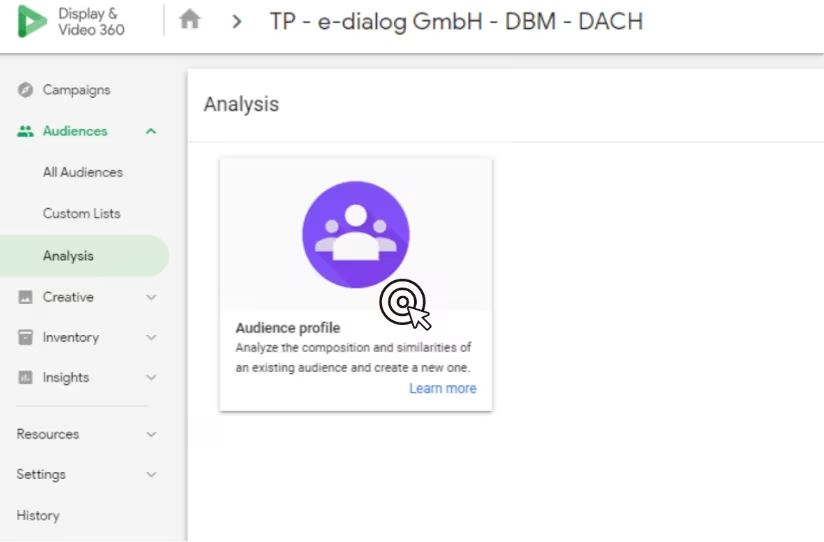
Practical example of target group profile analysis
Using our annual Programmatic Marketing conference as an exampleProgrammatiCon, we show how to carry out the target group profile analysis:
Select and analyze seed audience
In the first step, the seed audience is selected. There you have the option to choose from first party data or combined audience lists.
In our example we select “Seed Audience”All visitors to ProgrammatiCon”
Based on our selected audience list, the following display appears in the DV360 dashboard: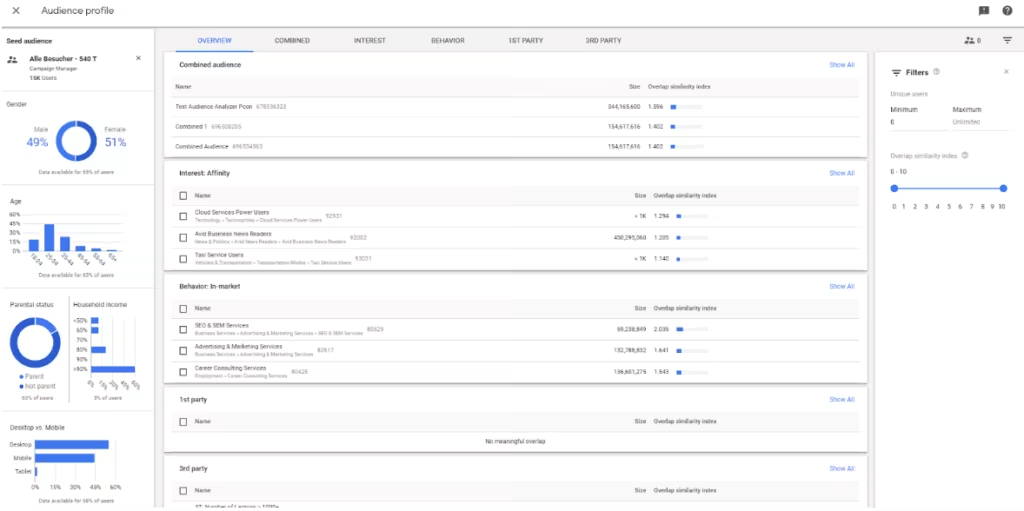 The first column provides graphical information about the most important dimensions– Gender, Age, Parental status, Desktop vs. Mobile. Below this is always the percentage of the data determined, ie. When categorizing the mobile vs. desktop playout, the information relates to 98% of users.This is how we learn the following from our audience list “All Visitors to ProgrammatiCon”:44% of our visitors are between 25-34 years old, while the 18-24 age group represents only 18% of visitors. The distribution of desktop vs. mobile is also exciting; the majority, almost 55%, access via desktop.
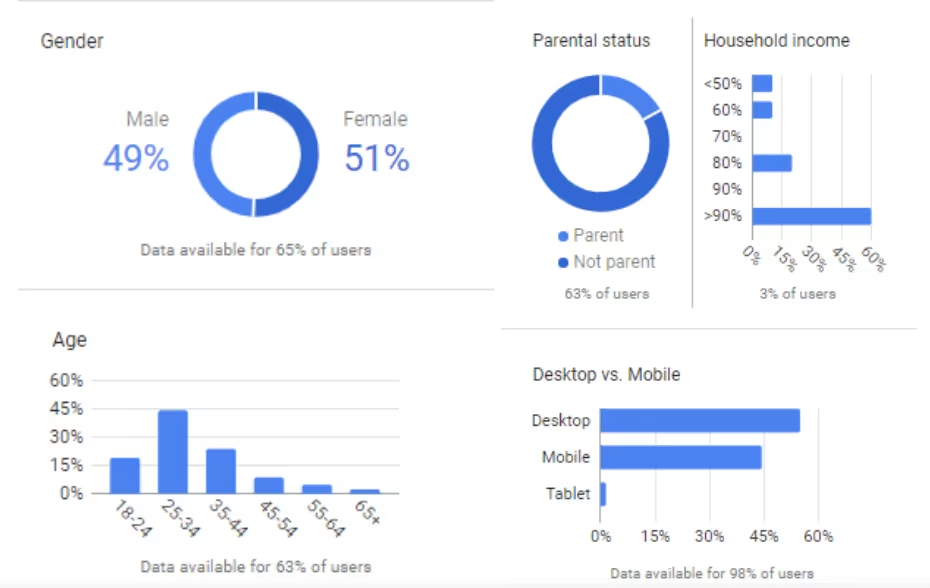 In the middle part of the dashboard are located at the top6 different tabs:
- Overview
- Combined
- interest
- Behavior
- 1st party
- 3rd party
TheTab Overviewshows the 3-5 largest overlaps in our seed audience list“All visitors ProgrammatiCon”with the remaining categories.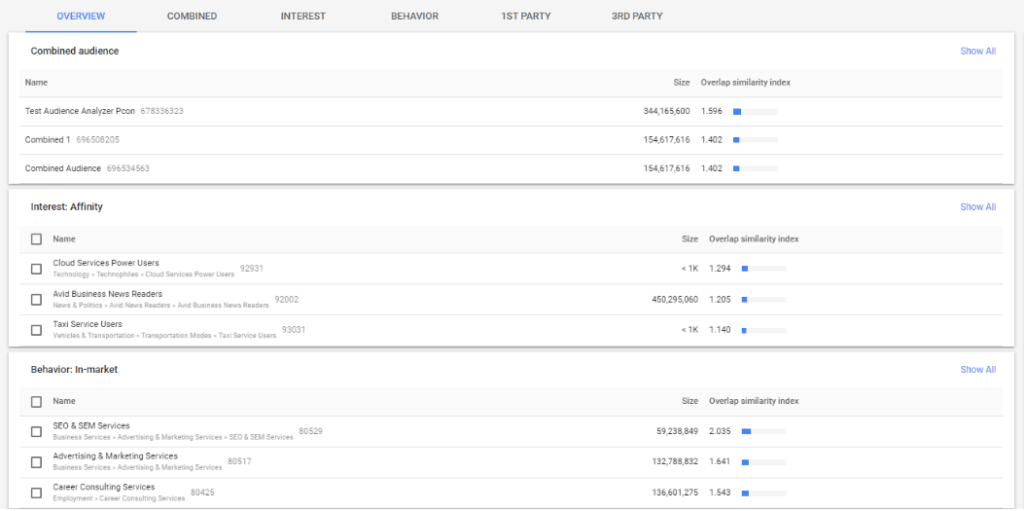 This tab provides onequick overviewHow large the overlap is between our seed audience list and the respective audience lists from the Combined, Interest (Google Affinity Audience lists) and Behavior (Google In-Market Audience lists) tabs.
In the individual tabs Combined, Interest, Behavior, 1st Party & 3rd Party, you can compare all audience lists from the respective category in detail.
For example this oneTab Interest. In this tab you can see all existing Google Affinity Audience lists: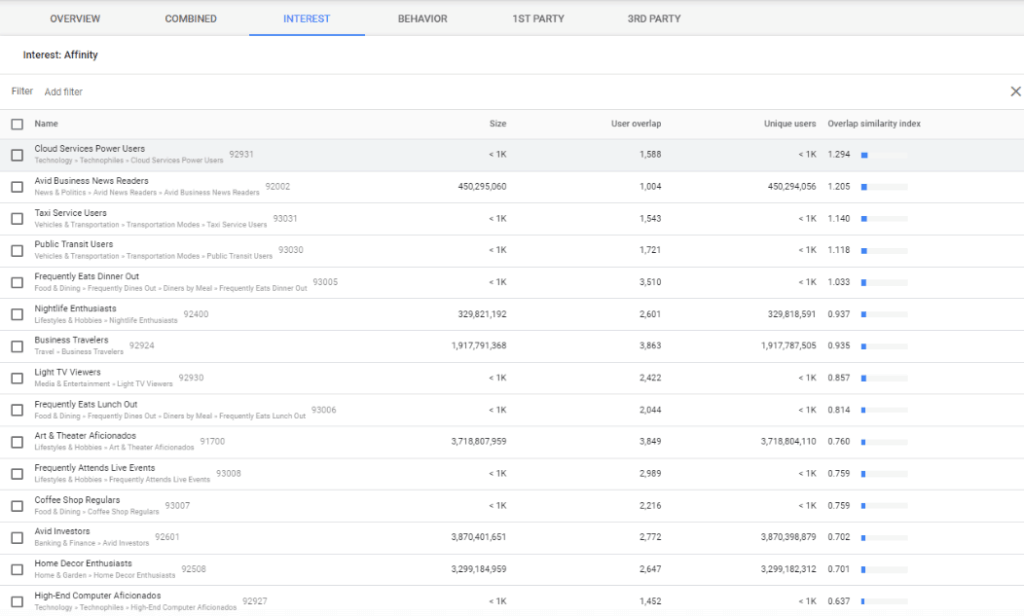 About theFilter functionwe can according to certain onesAffinity liststo look forto put these in relation to our seed audience.
This plot shows the following metrics:
- Size– the size of the list
- User overlap– the overlap of the selected audience with all the audiences you access in Display & Have Video 360 access
- Unique users– Number of unique users (number of users in each target group that are not also included in the source target group)
- Overlap similarity index– Likelihood of reaching new users who do not overlap with the source and reference audiences
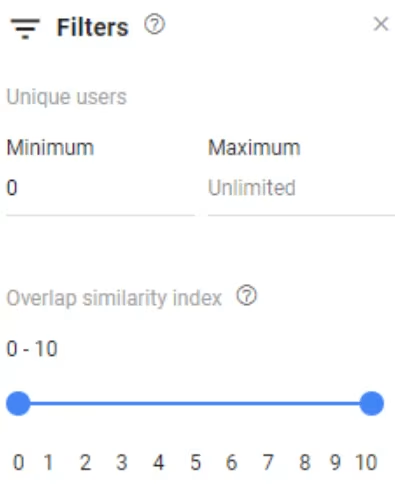 The filter is located in the upper right area and can filter for specific values and, for example, search for lists that have a minimum or maximum number of unique users or a specific overlap similarity index value. To do this, simply move the slider accordingly.Example: the Affinity Audience list “Avid Business News Readers”
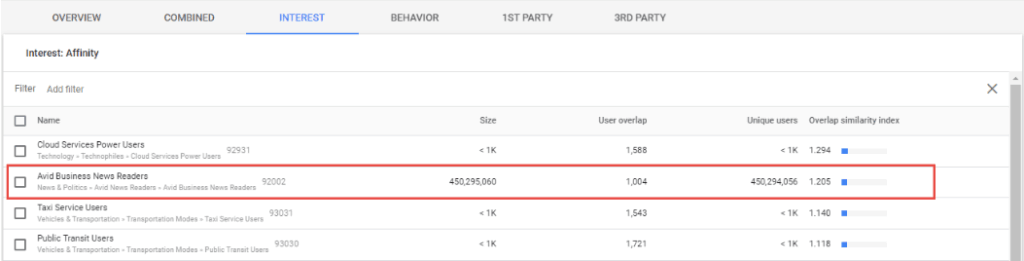 This audience list shows oneOverlap similarity index of 1.25to. If we consider that the values are rated on a scale of 0 – 10, the similarity of the users in relation to our selected seed audience list does not seem very great. But this list has 450 million for that. Unique users and therefore a lot of potential for our strategy to address new users.In the Behavior tabAll relevant Google In-Market Audience lists are displayed.The illustration shows the following:
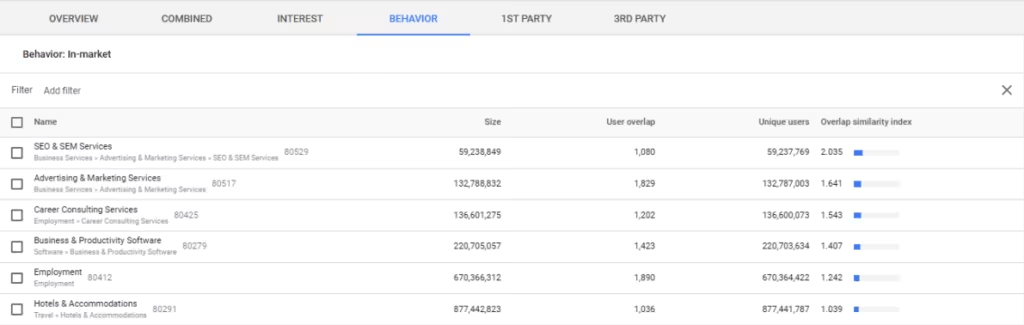 Here the Overlap Similarity Index seems to be larger for the In-Market Audience list “SEO & SEM Services” (2.03), but the number of unique users is also lower, namely only 59 million. Unique users.
In the last one3rd party tablet’s see which 3rd party audience lists represent potential for us.
The overlap similarity index is highest for the 3rd party data, in our case this value is 3.4. This is not surprising because the data we have available is very granular. In order to do this, the reach must be lost here, because with the data pool of the first 3rd party data audience list we only have 5.2 million unique users available.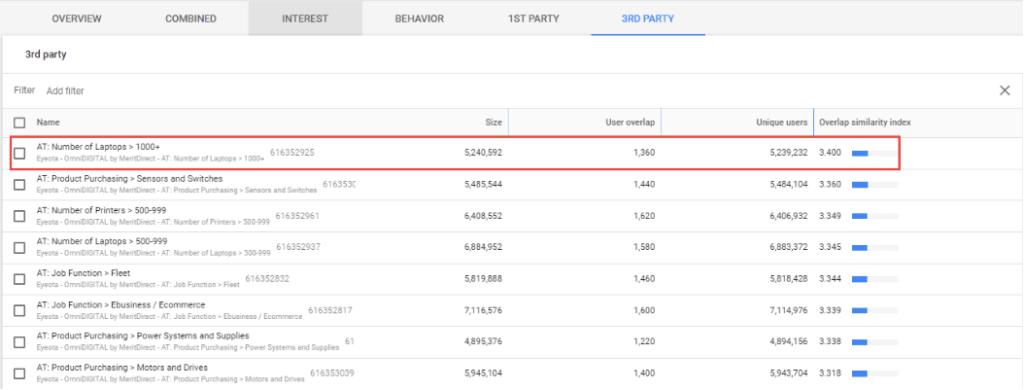 Since the highest similarity index is in 3rd party data, we recommend using combined audience lists to test different data sets.
It should be noted that, depending on the campaign goal (reach or performance), Google data or 3rd party data can be used in the strategy!
Create combined audience lists
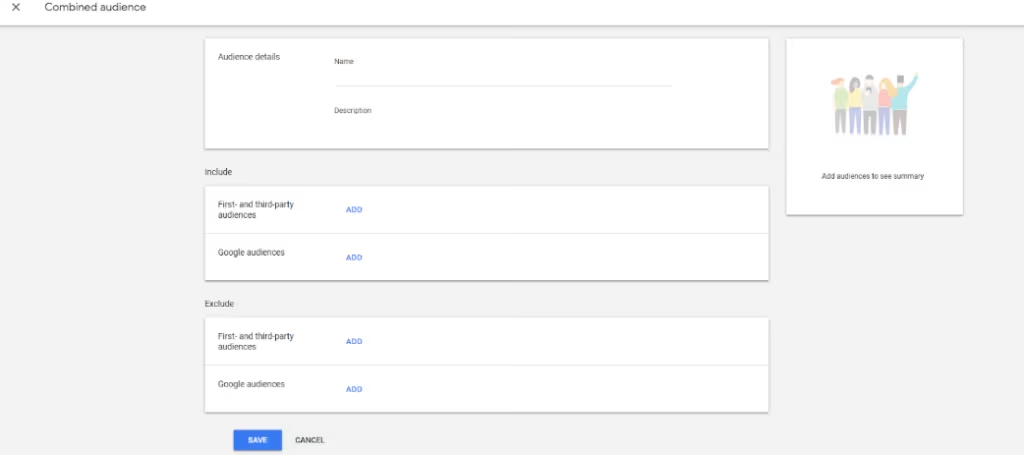
Using Combined Audience Lists, you create a single target group from multiple target group lists (from 1st and 3rd party data).This audience list can then be used in current or future advertisements.
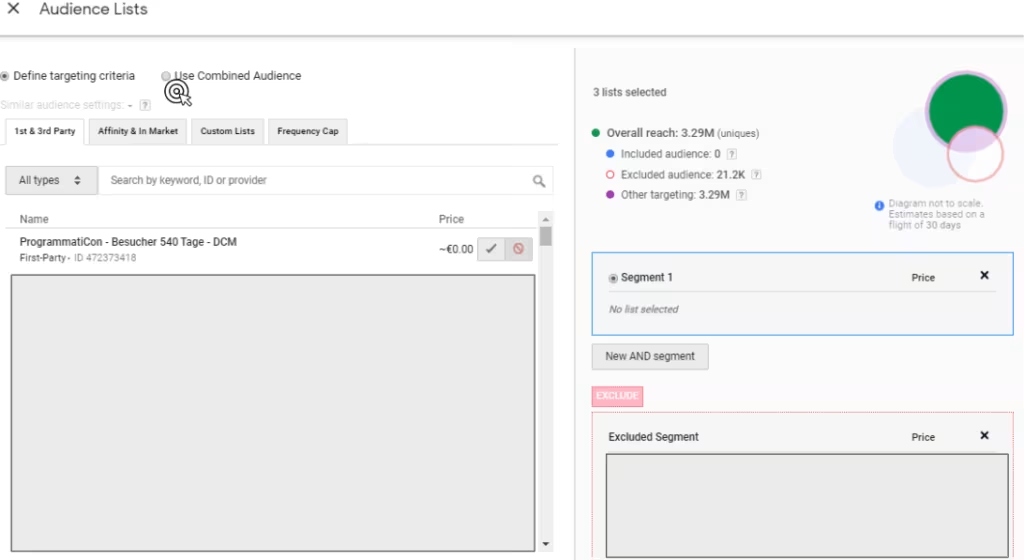
Creating a combined audience list in detail:
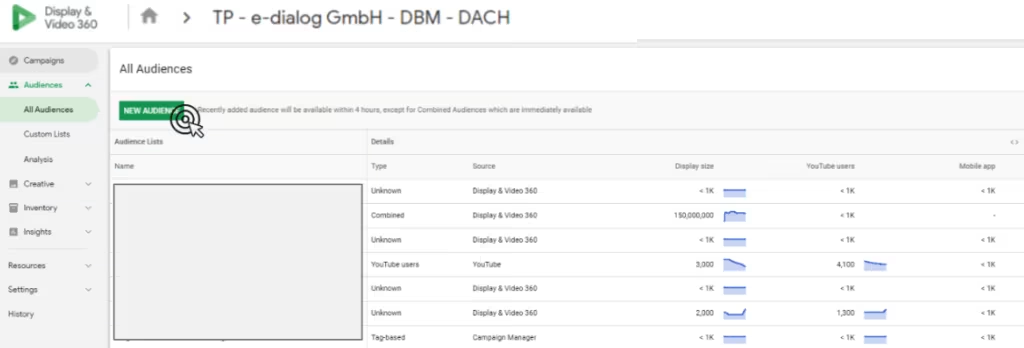
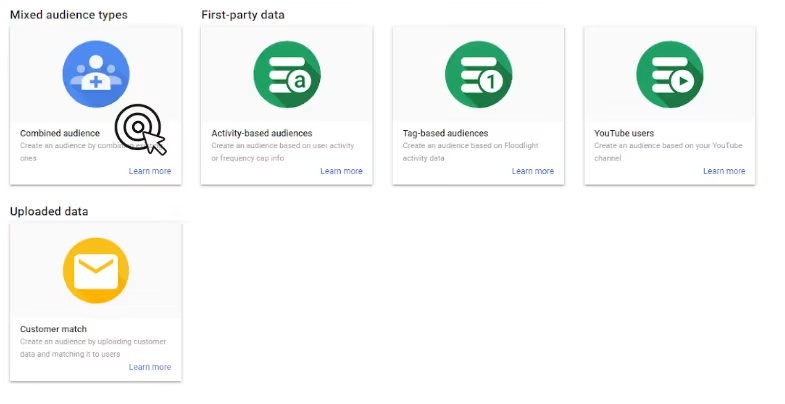 In this mask you can nowboth 1st & 3rd party dataas well as include and exclude Google Audiences (Affinity + In-Market Audience lists).
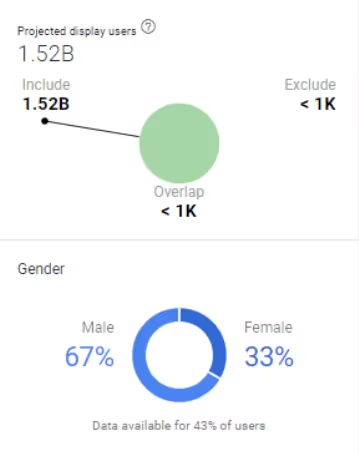
 In this view you can see overlaps and the demographic distribution of users, displayed graphically.
There is currently only an OR connection between the 1st / 3rd party data and the Google data.
With 1st/3rd party data it is possible to define the target groups through aANDLinkrestrict or through aOR linkto expand.As soon as the Combined Audience list is saved, it appears in the DV360 in the Audience Lists area.