
Dynamic Advertising Media How It Works Benefits 038 Practical Examples
Management Summary
What are dynamic advertising media?
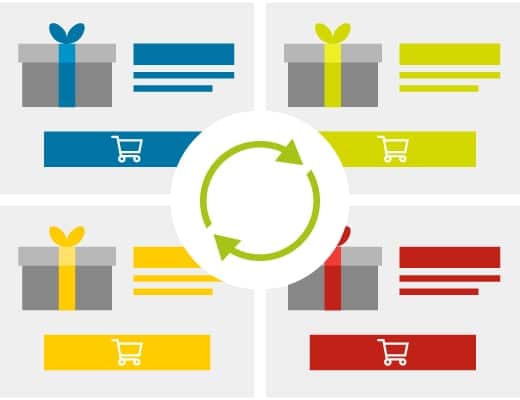
“Classic” advertising materials consist of static content. There is a fixed slogan, a motif and a call-to-action for each banner. In contrast,personalized advertising materialsMultiple versions are stored for each element. So, for example, three different slogans, four different motifs and two different call-to-actions. When the banners are displayed, these elements are loaded in real time. The individual characteristics and circumstances of each person can be taken into account – this is where the data comes into play.
The aim is to show each user an optimally suitable advertising medium – depending on attributes such as weather or location, but also on interests, purchase phases, dates or the information and articles last viewed.
ThisPersonalization increases relevance for the user – and that in turn increases efficiencyevery campaign – verifiably.
How do dynamic banners work?
A banner template is created for the advertising material in which the customizable text and image elements are defined. The texts and graphics are stored in a data feed and can be continually supplemented and changed without the advertising material having to be re-booked.
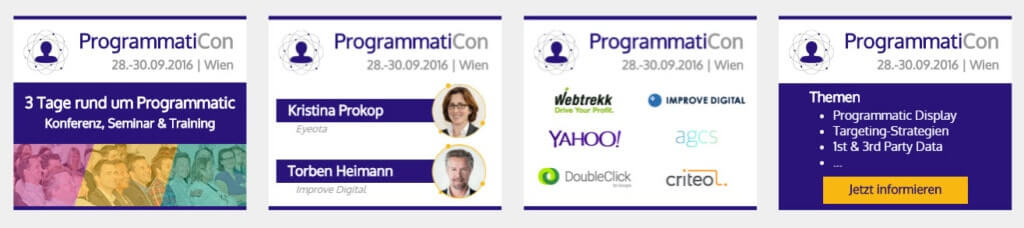
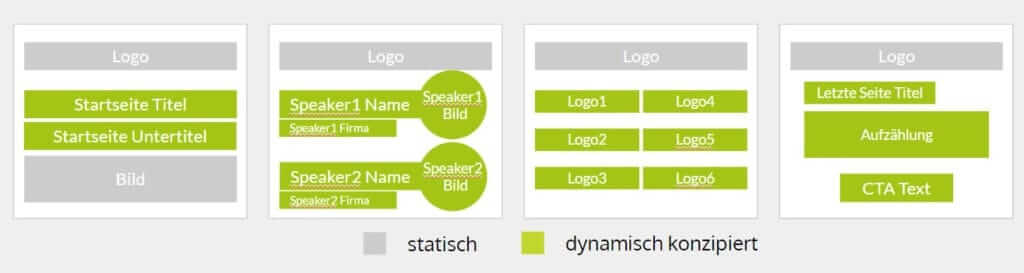
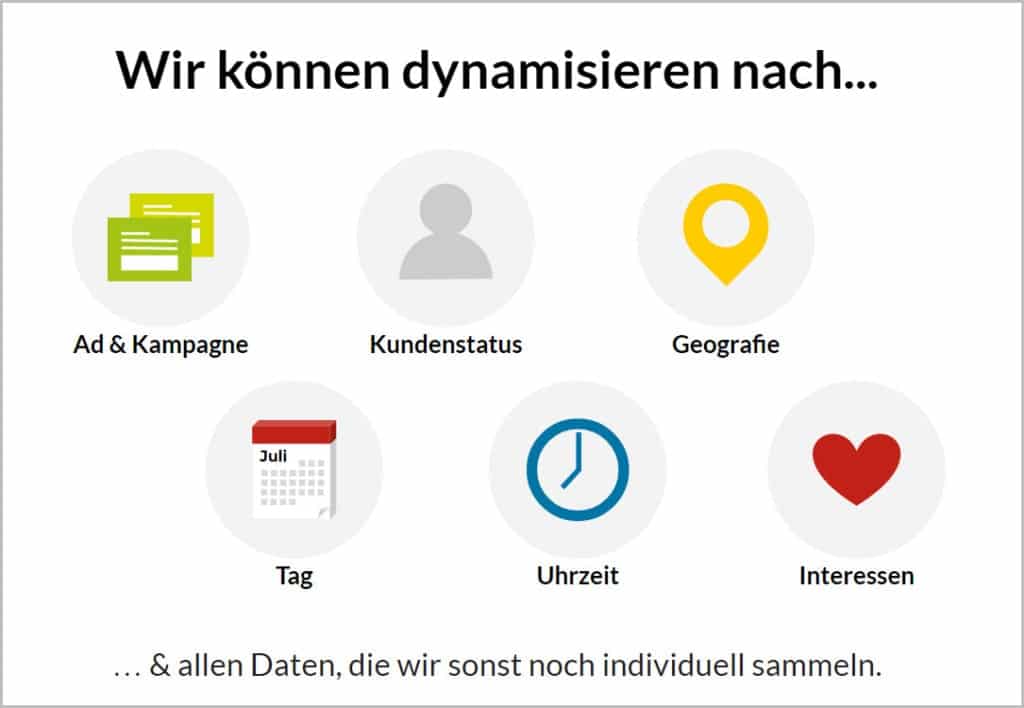
The advertising material is controlled based on rules based on predefined criteria. There are no limits to the type and number of criteria. On the contrary: the more accurately a user is recognized, the more specific the banner shown can be. Possible triggers include geographical origin, time and day, but also customer status, interests and any additional data that is collected (or purchased).
The advantages of dynamic banners
Dynamic advertising media offer advertisers several advantages:
#1: Your information is always up to date
Product prices, inventory levels, new products and delivery times can be stored dynamically in the template. Your banners no longer “go out of date” as quickly, but can be updated easily and in real time.
#2: The relevance of your banners increases
Whether slogan, call-to-action or images: each element of the banner can be individually dynamic for each user, depending on demographics, interests and external circumstances. Through targeted targeting, potential customers can be optimally addressed along their customer journey.
#3: You save time and money
A separate banner no longer has to be produced for each motif, but one template is used for all advertising materials. All text and image elements can be continuously updated via dynamic feeds (even without the support of a graphic designer).
#4: You are constantly learning and can constantly optimize
The uncomplicated control allows you to test different versions against each other at any time and see which call-to-action, which slogan or which image performs best with which users.
How are dynamic advertising materials created and delivered?
The most important features and requirements are the dynamic, personalized delivery of messages to the user in real time! To do this, the system used must be able to read user data at the moment the advertising material is delivered, compare it with 3rd-party data if necessary, decide which content should be assembled in the banner and then deliver it individually.
We use thisDoubleClick Suite, in particular DoubleClick Studio and DoubleClick Rich Media (DRM). Here we define the HTML5 layout (with all the finesse including streaming video and maps integration), define the dynamic elements (texts, images, prices, disruptors, colors, and much more) and then link this with the corresponding data feeds.
The data feeds can be product feeds (XML), CSV files or – very practical – Google Spreadsheets, in which every online manager can easily create variants by copying and pasting and control the content. Of course, one and the same banner can also be dynamic to multiple data sources at the same time, e.g. geographically and by customer status at the same time.
Areas of application of personalized banners
In addition to the typical, obvious areas of application, there are an incredible number of possibilities:
Dynamic Product Ads
These are mainly used in remarketing / retargeting and show the user the products they last viewed in the banner. It annoys many of us, it’s very obvious – and yet it works brilliantly. Several systems from Google, Criteo and many others offer this with very similar ready-made templates. All you need is a product feed.
Dynamic remarketing
Reference can be made not only to products, but also to recently viewed articles and topics; If you don’t do this completely face-to-face, it creates a very high level of impression.
Adaptation to geography
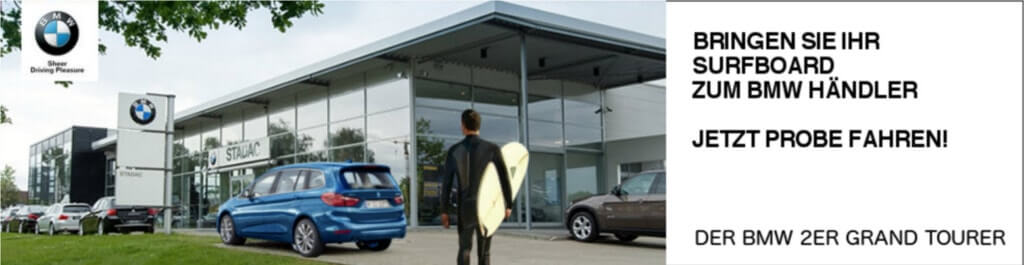
By simply referring to the place where the user is currently or at home, we are referring to something familiar – we have long known that this has a psychological effect from conversion optimization and neuro-marketing. Even the simple display of the place name or the federal state coat of arms creates a bond and thus trust. This was brilliantly implemented by BMW: Users don’t see just any BMW dealer in the background, but the one closest to them – they probably know it from driving past:
Weather not just for targeting
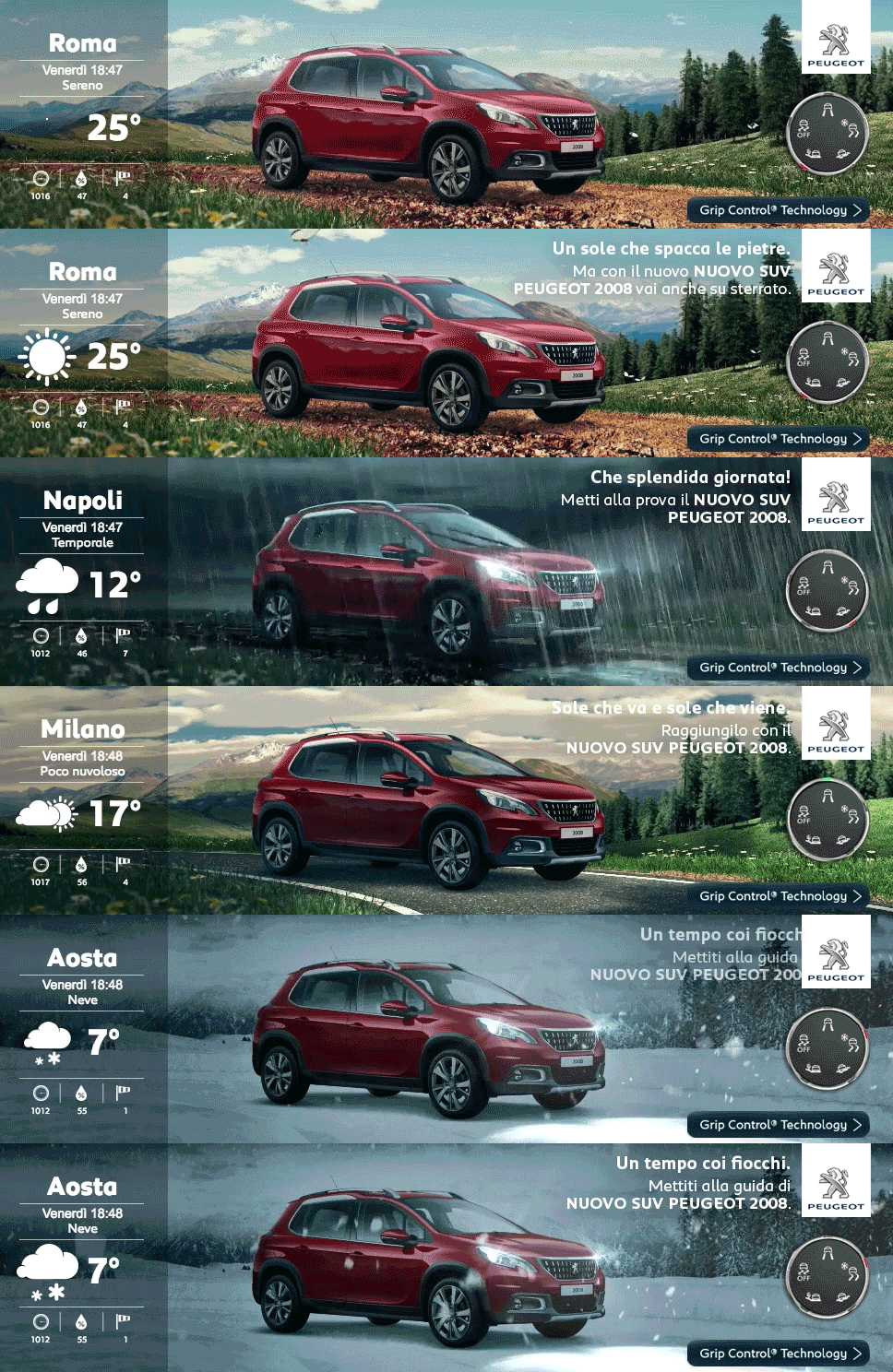
Another example from the car industry shows that you can refer to the user’s external environment: Peugeot shows in an Italian campaign that information and relevance bring a higher response rate if you refer to it in the product presentation:
User status, customer status
This is where valuable 1st-party data comes into play: If we know whether the current viewer of the banner is already a customer, or even what lifecycle they are in, not only can the product be adapted towards upselling, we can even decide whether promotions, discounts or what price will be offered.
Interests & inclinations of the user
RTB shows its strengths when you intelligently use the appropriate, countless available 3rd-party data – in targeting. Now – in the right systems – these data lists can also be used to adapt advertising material. If the user to whom the banner is about to be shown is in the “Cat Lover” group, he may see the following start screen:

Date and time
Do you perhaps have different offers starting Sunday than the week before? Or is there a special prize on Sunday that you want to feature? All of this can easily be stored in the configuration of the advertising material and then runs automatically.
A classic example is in multichannel commerce: While during the day, during store opening hours, an element (frame) of the banner may feature the nearest branches and route planner, from 6 p.m. only the online shop with its 24-hour availability is featured.
Even backgrounds that are activating in the morning, busy during the day and relaxing in the evening make a serious difference in the effectiveness of the advertising material.
Advertising formats & sizes
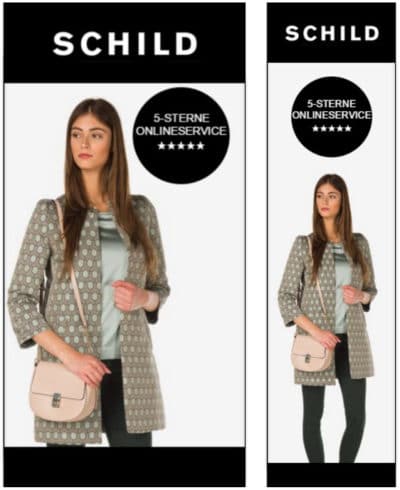
Even if you “only” book the IAB standard formats of advertising materials such as the UAP (Universal Ad Package) and an HPA (Half Page Ad), that is already four very different advertising formats (from square to portrait to landscape). The images always have to fit perfectly, which leads to enormous effort if optimized manually. The following is an example that uses the same images that are already stored in the online shop and are optimally scaled and positioned for both banner formats – an incredible saving in production:
Variety of product ranges, dynamic updating of promotions
Providers with a wide range of product ranges often only advertise the top categories or run general campaigns because the production and administration (!) is too complex even for the top topics, let alone for the long tail (unfortunately they only do this in remarketing). However, if the most important product range areas could be easily addressed in dynamic banners, the advertising would be more relevant and therefore successful.
A feed could easily take over the current promotions entered by the website’s editors on the homepage: the image, title and price would always be up-to-date in the banner – without any further effort.
Ad-hoc adjustments and mutations
Adaptations of any content (from text to images) help, on the one hand, to show the optimal content to the appropriate target groups, and on the other hand, to always be able to use the optimal messages in the phases of the customer journey (also in the sense of storytelling). But they can also just be used for testing – or do you think that the one banner delivered “coincidentally” is the best? We often also incorporate disruptive elements that can be used spontaneously in ongoing campaigns for actions or messages – just as in your CMS.
Publisher Pass
This is information that publishers collect about the environment, behavior or characteristics of the user at the time of the impression and pass it on to the ad request. This allows the content of the advertising material to be adjusted – for example, whether the user is currently interested in politics, business or leisure, or whether he was looking for a flight from Vienna to Paris or Vienna to Rome.
Practical example: dynamic banner for a travel provider
We designed a banner template for the remaining space exchange that contains various dynamic elements, which in turn depend on different triggers.
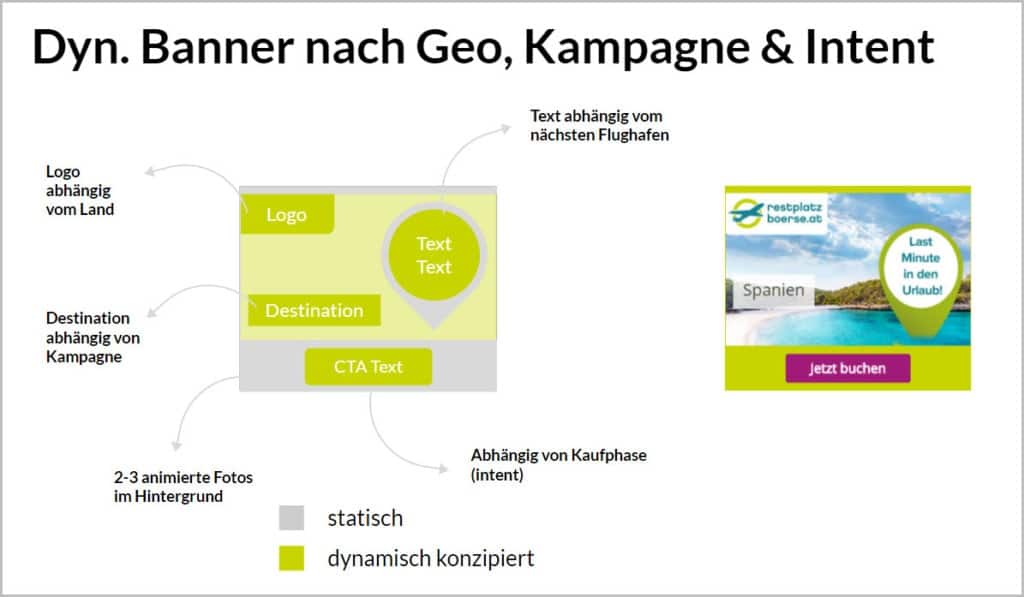
- logo: Depending on whether the user’s geographical origin is Austria or Switzerland, the appropriate logo (restplatzboerse.at or resplatzboerse.ch) is displayed with the appropriate click URL
- Destination: Depending on the campaign, the appropriate destination is displayed here. Instead of having to produce separate banners for each destination as before, Spain, Greece & So only the content has to be stored correctly.
- text: The text depends on the nearest airport. A user from Baden receives the message “Flights from Vienna only €399”, while a user in Gleisdorf receives “Flights from Graz only €359”.
- CTA text:The call to action depends on the purchase phase. Users who first want to find out more should be motivated to click through “Discover dream trips”. As part of the retargeting campaign, however, stronger requests such as “book now” are used, although this can be tested against “save the last tickets”.




