
Effective Use Gtm With Regex How To Optimize Your Tracking Implementation

Management Summary
Discover the world of advanced tracking techniques in Google Tag Manager! Our article walks you through the steps of using Regex and illustrates how you can use this powerful feature to meet your tracking needs precisely and efficiently.
Regex in Google Tag Manager
Regular expressions (Regex) are a powerful tool that can be used in Google Tag Manager to recognize and process complex patterns in data.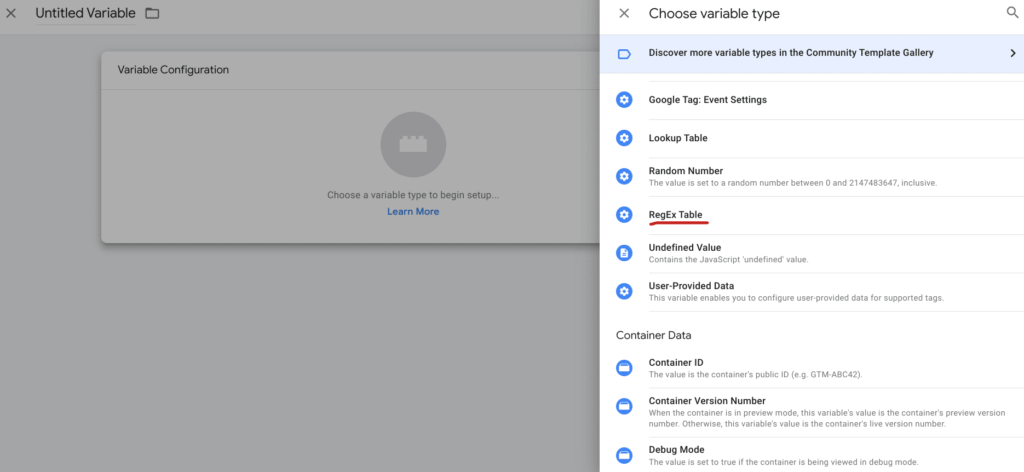 Screenshot GTM, source: e-dialog
Here are some use cases of how you can use Regex in GTM:
- Extract dynamic variables:By using Regex in Google Tag Manager, you can extract dynamic parts of URLs or text and use them as variables. This is particularly useful when you want to capture specific information from different pages or URLs.
- Optimize trigger adjustment:Use regex to define triggers more precisely. For example, you can create triggers that only respond to pages with specific URL patterns or referrer information.
- Consolidation of events:Use Regex to consolidate different variations of an event. This is particularly helpful when different elements represent the same core process but have slight variations.
- Improve data filtering:Implement regex patterns to filter data and capture only relevant information. This is especially useful if you only need specific parts of form fields, page paths, or other data elements.
- Dynamic tag configuration:Dynamically adjust tag configurations with Regex. This allows you to modify tags based on specific conditions or patterns without having to create separate tags for each variant.
Examples of applications for this could be:
- Monitor clicks on external links:In this example, you only want to track clicks on external links. The Regex function allows you to create triggers in GTM that only respond to links with specific patterns. For example, you could create a trigger for links that don’t belong to your own domain using a regex pattern like “^(?!.*example.com).*$”. This would capture clicks on external links.
- Extracting product categories from URLs:Your website uses product page URLs such as “example.com/category/product1”. To extract the product category, you can use the following pattern “/([^/]+)/”. That would capture “category” from “example.com/category/product1”.
The following links are helpful for this:
- On this onePageYou can find detailed information, as well as examples, about regex expressions.
- With thisRegex builderYou can create, test or debug regex queries.
Conclusion
By targeting regex in Google Tag Manager, you can simplify your tracking implementation, increase the accuracy of your data, and increase the efficiency of your tag management.
Using regular expressions in Google Tag Manager may seem complex at first, but mastering the use of this powerful tool takes tracking needs to a new level.




