
Exclusion Of Url Parameters Before Data Collection In Google Analytics

Management Summary
What are URL parameters?
URL parameters are basically used to give the URL (Uniform Resource Locator).Add information.They are used in a variety of ways, such as in internal website searches, filter functions in web shops and in web analysis, especially as tracking parameters to identify traffic sources, for example.
An example of building a parameter URL:
The internal search for “analytics” on e-dialog.at results in the following URL, in which the search term is passed via the “s” parameter:e-dialog.group/?s=analytics
URL parameters as a source of errors in web analysis
This functionality is also oneSource of errors in web analysis.Data flows – often unconsciously – into the page report in Google Analytics via URL search parameters.
This results in some major problems:
Problem #1: many lines in the page report
In thePage reportThere are a lot of them for one URLindividual lines shown– namely one line per parameter. This makes reading the report extremely difficult.
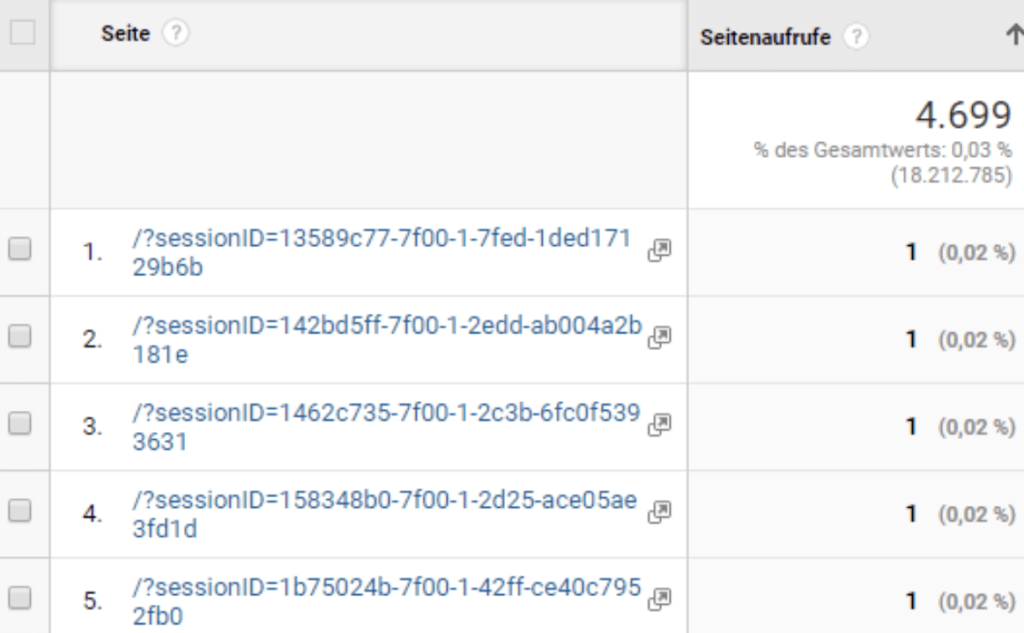
Problem #2: URL aggregation
With regard to theCardinality(=total number of individual values for a dimension) the problem arises with the maximum number of rows that can be recorded being 50,000 in the Google Analytics page report. If this limit is exceeded, all other URLs will be summarized in the “other” line.
Problem #3: Collection of personal data
It is particularly problematic when using URL parameterspersonal databe recorded in Google Analytics. Forms can be transferred using POST or GET, for example. With GET, the parameters are part of the URL and would therefore be sent to Google Analytics.
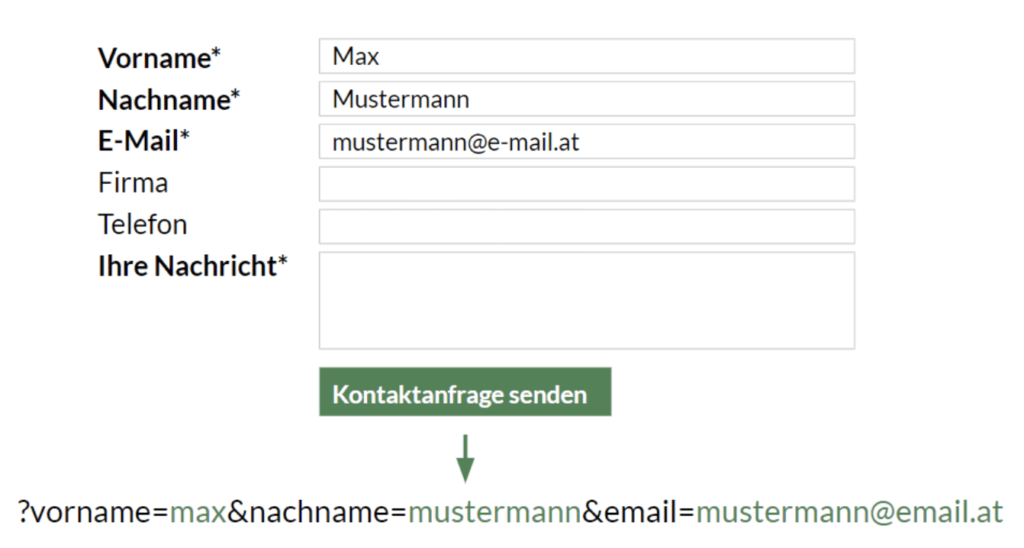
LoudGoogle guidelinesIt is strictly forbidden to collect personal data such as first name, last name and email address in Google Analytics. This is of course also with regard to theGDPRcritical. For this reason, the POST method should be used, in which parameters are not part of the URL.
You can find out how to delete user data from Google Analyticshere.
e-dialogue best practice:
- Only send search parameters required for evaluation to Google Analytics
- Personal data may not be transmitted to Google Analytics
Create a whitelist – this is how we filter URL parameters in practice
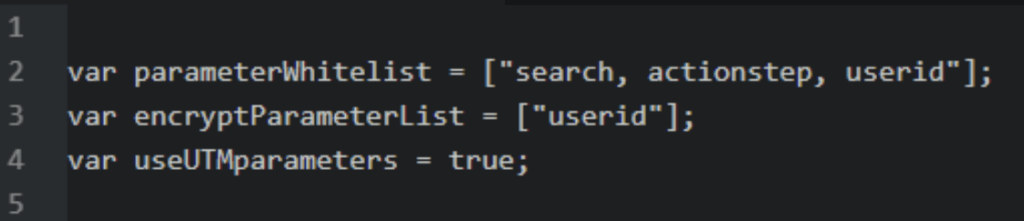
For the reasons mentioned above, it is advisable in practice to have oneImplement whitelist via Google Tag Manager, which only allows previously defined parameters. All parameters that are not on the whitelist will be removed from the URL string appended to the Google Analytics request. We have created a script specifically for this purpose.
Required steps:
1. Create an overview of the URL parameters to be excluded.For example, the URL search parameters can be queried using an API query. This gives us an overview of the URL search parameters.

2. We then define which URL search parameters will be whitelisted.
3. Then this whitelist is implemented via GTM.
Advantages of this approach
- The URL search parameters are not even sent to Google Analytics via the GTM (Google Tag Manager).
- The data is excluded at the property level (excluding the URL search parameters at the data view level is not sufficient because the data is stored at the property level).
- For the desired UTM parameters, which are used to record campaigns in Google Analytics, for example, there is a variable that can be set to True or False.
- If email addresses are sent to Google Analytics using parameters that are on the whitelist, our solution provides for pseudonymizing them.




