
Facebook 8211 Offline Conversions Measure
Management Summary
How are offline conversions measured on Facebook?
Step 1: Set up offline conversions set
The basic requirement is that you have a Facebook page. To properly measure offline conversions, follow these instructions:
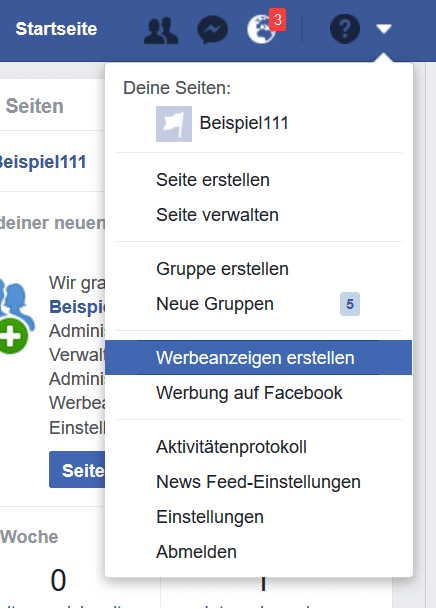
Click on the small arrow on the right and then on the “Create ads” field (see image).
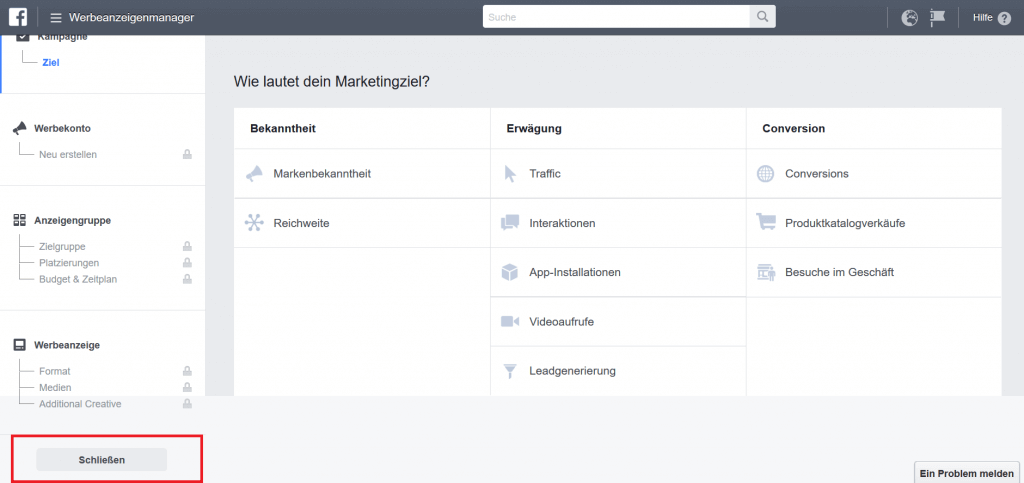
You are now in Ads Manager. If you want to run an ad, you could start here.
However, we’ll cover Ads Manager in a future blog post, so we’re closing this one. This gives us access to other tools.
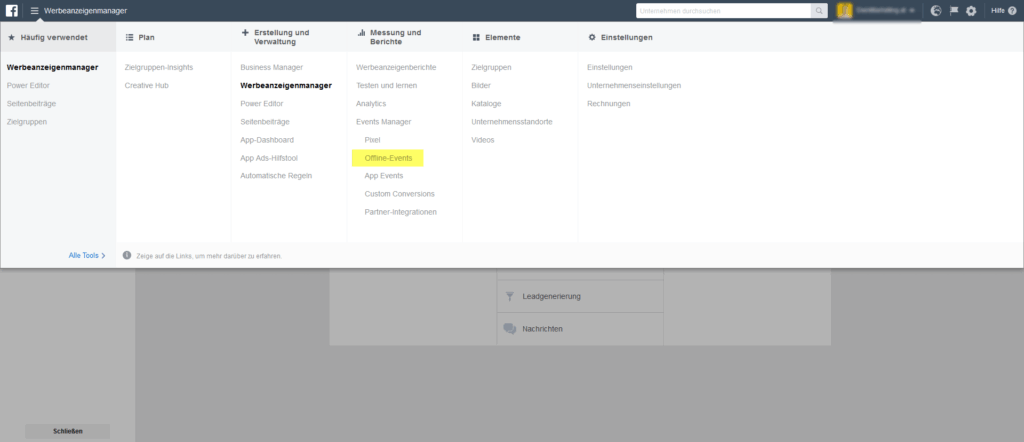
In the next step, go to “Ads Manager” and in the “Measurement and Reports” section select the “Offline Events” field.
Now you are in the Events Manager, where you have the option to either convert conversions from a data source, Facebook Pixel basedon-lineManage conversions or conversions from a platform integrated with Facebook.

If you use a partner integration platform (BidCommerce, Mahanto, shopify, WooCommerce, Squarespace, WiX.com, WordPress or Segment) and simultaneously collect your customer data (which comes from offline conversions) there, you can link the platforms directly to Facebook. This means you can also assign all the conversions that you have recorded on your platform to your Facebook campaigns.
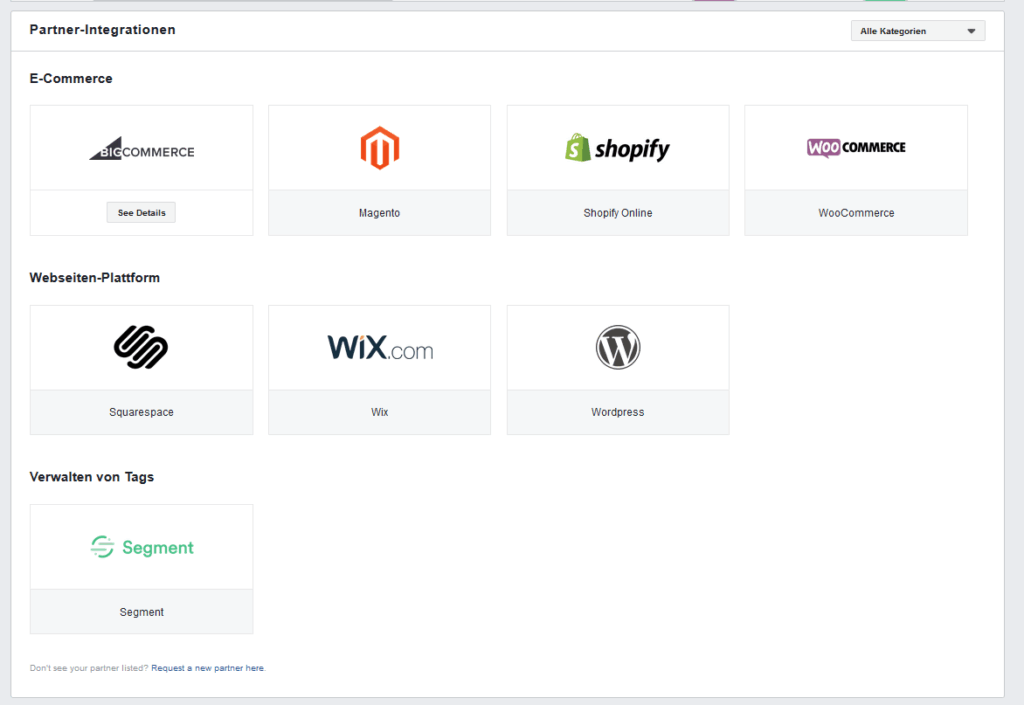
Each of these platforms listed provides detailed integration instructions on their website.
It is also possible to integrate the data using your own API.
However, the easiest option for offline conversion tracking is to read conversions from your uploaded data source and link them to Facebook.
To do this, you need to click back on the “Data Sources” area, select the “Add Data Source” option on the right, and then select the “Offline Event Set” field.


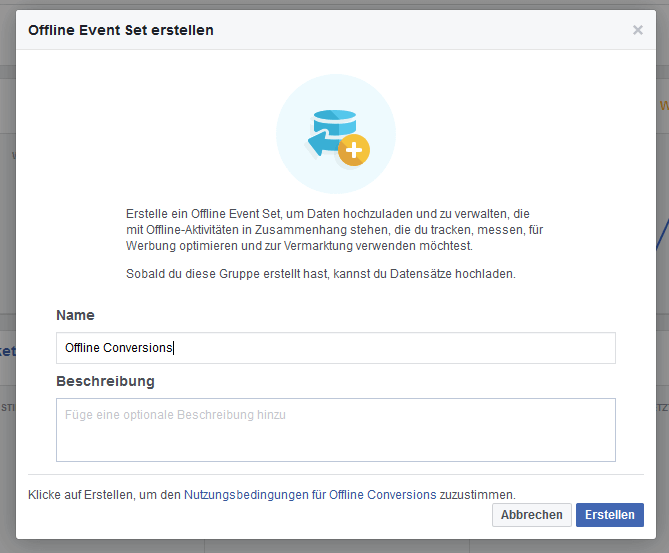
The next step is to create a name for the offline event set. To do this, choose a name and a concise description and click “Create”.
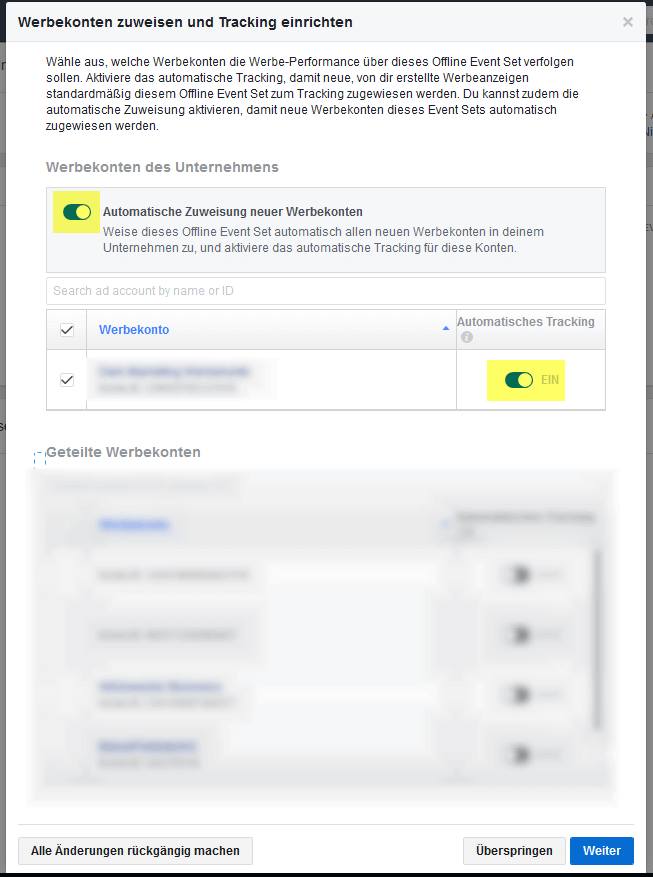
Then select the advertising accounts for which you want to set up this offline conversion set. At the same time, you can also decide whether you want to use automatic tracking or not.
Automatic tracking allows conversions to be automatically assigned to individual campaigns and advertisements.
After you have clicked “continue”, the offline conversions set will already be set up and you only need to define which people (who also have access to the advertising account) should be authorized to upload the data to this offline event set.
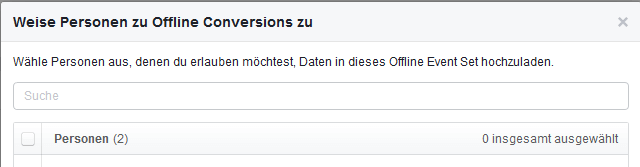
You have now set up your own offline conversions set and can now start uploading your data!
Step 2: Upload data to Offline Conversions Set
To do this, click on “Upload offline events”
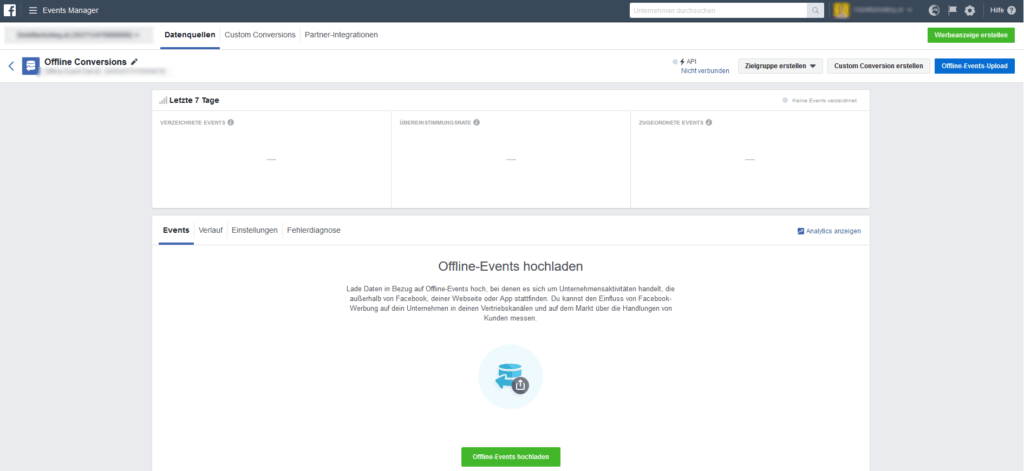
Now you can simply upload your CSV file and immediately afterwards you will be able to see which ad led to which conversions and when.
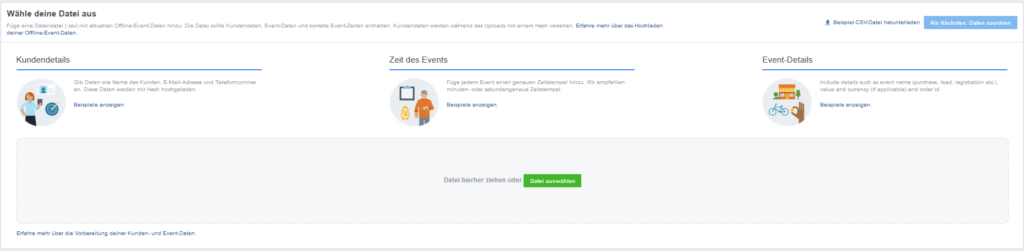
You can upload the exact data with the individual conversion types, conversion values and conversion completion times.
Hereyou can see what such a file could look like.
However, it is enough if you at least have the email addresses or telephone numbers of your customers in order to be able to assign the individual conversions to your campaigns.
By querying the email addresses, you also have the opportunity to send a newsletter, which can strengthen brand loyalty. You can also create other target groups on Facebook based on these email addresses. So-called lookalike audiences – i.e. target groups that most resemble your existing customers.
If you have already uploaded the data, your data will be compared with the data of the Facebook user. This allows Facebook to determine exactly whether these people (from whom you uploaded the data) actually saw your ads.
We have the legal aspectsin this postdiscussed, but in summary “Yes, you can”.
Congratulations, you can now see exactly which campaign and target group was responsible for your sales!
If you would like to learn more about Facebook Ads, we havehereWe have put together 5 tips for regional companies for you.




