
Finally Its Here The Linkedin Business Manager We Tested It

Management Summary
Benefits of a LinkedIn Business Manager account
Anyone who has never worked with a business manager is probably wondering what advantages the LinkedIn version offers you and the company.
The tool primarily helps advertisers to bundle all elements and access on LinkedIn and to therefore be able to edit them more easily. These elements include the following:
- Company pages
- Advertising accounts
- Users with access to advertising accounts and company pages
- Matched Audiences
- Corporate Partner
- Bills
Where previously individuals were added to the LinkedIn Ads Manager and had to be laboriously removed again when collaboration changed, people can now easily be added to the Business Manager and assigned roles and corresponding rights individually.
In addition, collaboration with agencies or other companies is made immensely easier thanks to the partner function. Here, the other company is linked to your own, which means that the admins of the partner company can in turn assign roles and rights to employees within their own business manager structure.
Basically, it can be said that with LinkedIn Business Manager, most of the functions useful for advertisers are clear at a glance.
Creating a LinkedIn Business Manager account
It is best to create a LinkedIn Business Manager account by a user who already has admin access to advertising accounts or LinkedIn pages. Also always have your LinkedIn log-in data ready; these will be requested during the creation process.
To create the Business Manager account, the first step is to go to the following page:
https://business.linkedin.com/marketing-solutions/business-manager
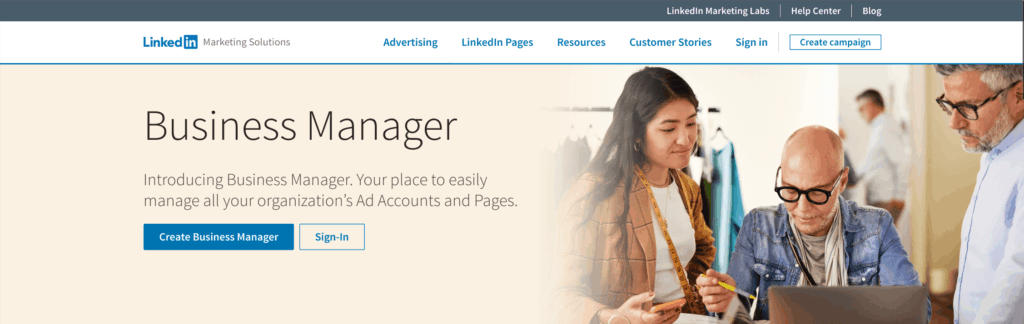
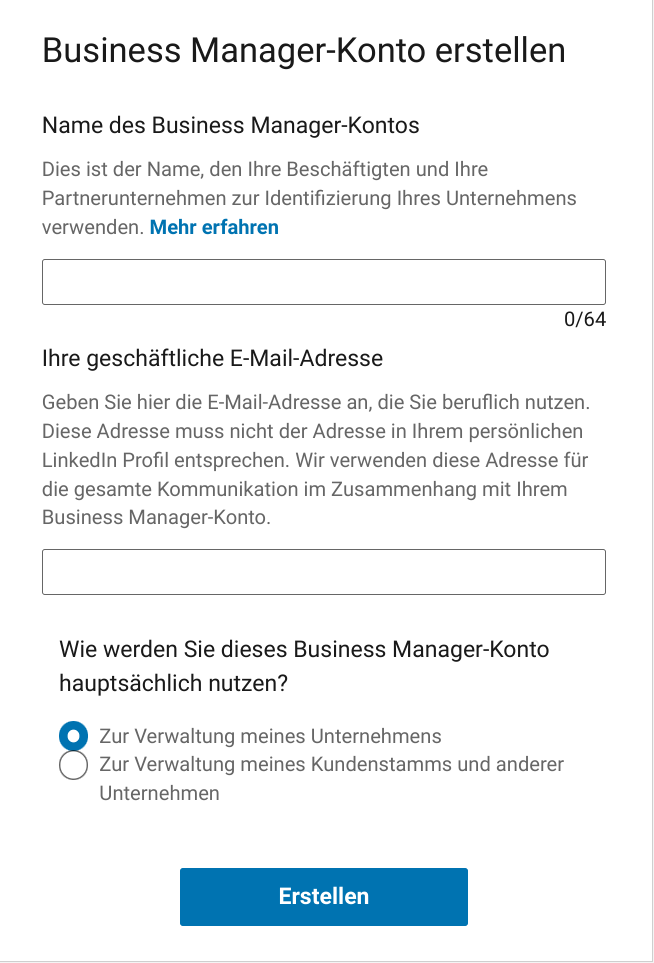
Use the “Create Business Manager” button to access the following form – see image on the right:
Now that a name for the account and the business email address have been entered and the intended use of the account has been selected, the account can be created using the button at the end.
Getting started in Business Manager
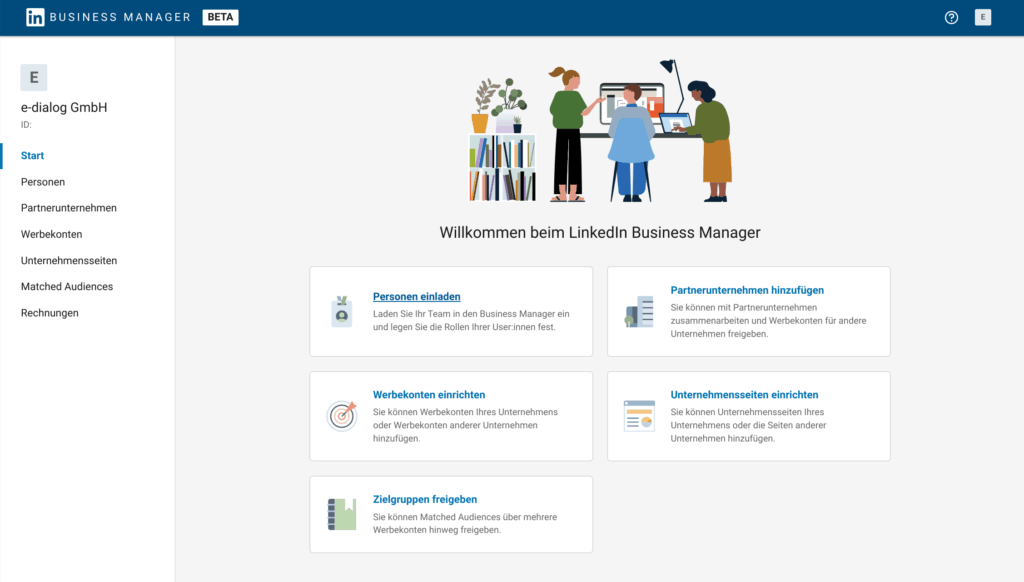
Now it’s time to use the functions of the Business Manager.
Important: To ensure that everyone working on the accounts has access, first add them using the People tab with their business email addresses. In the beta version of LinkedIn Business Manager, all users with page rights are automatically taken over when the page is added, unfortunately so far with the personal LinkedIn account and without corresponding notification.
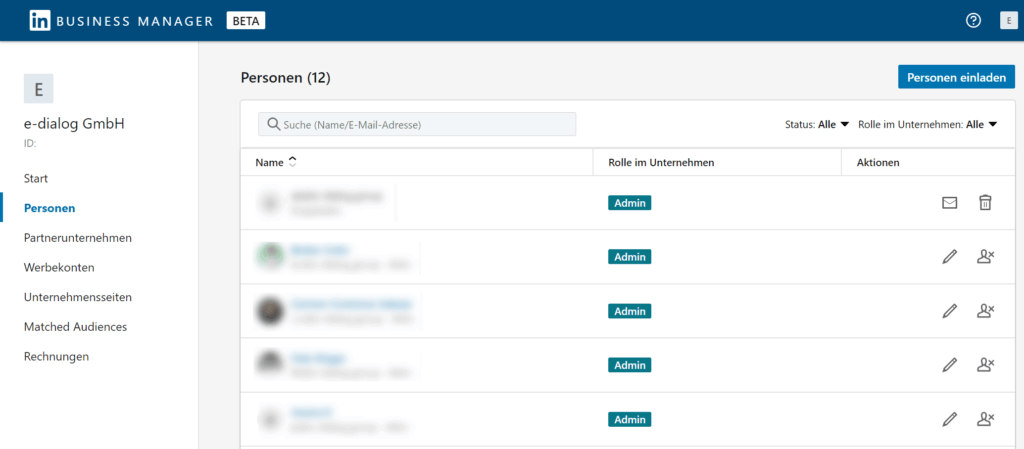
Once all active people have been invited to Business Manager, add the Pages and ad accounts your business uses.
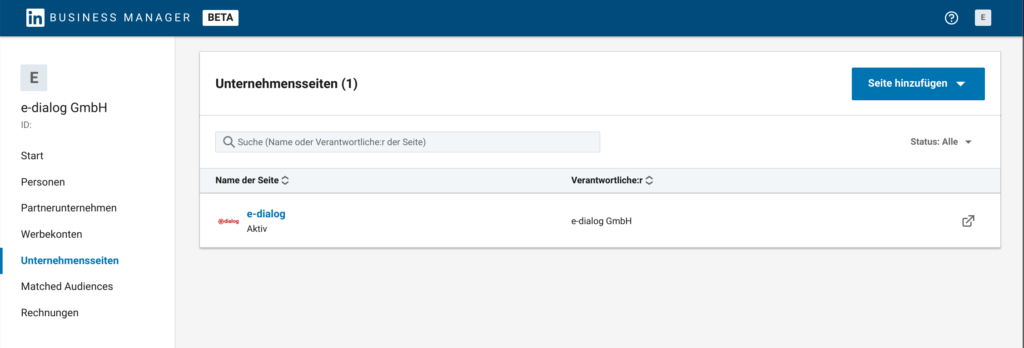
It may initially happen that when adding company pages, some users are displayed twice in the Business Manager. Users with LinkedIn profiles that were incorrectly added twice can easily be removed under People using the trash can symbol.
If an agency works for your company, it is now easy for you to add them as a partner. From now on, the admins in the partner agencies will be responsible for distributing the corresponding user rights within the agency. Other companies can easily be added under partner companies using their Business Manager ID.

The Business Manager ID can be found directly below the business name on the left and can be copied directly with one click.
Where else is it bugging?
In addition to the above-mentioned problem of duplication of users when adding company pages, there are a few inconsistencies that arise when using the Business Manager – which are due to the beta version:
Company Pages, Advertising Accounts & Partner companies can currently be added easily. Unfortunately there is no function to remove them again. To do this, you just need to contact LinkedIn Support.
A nice feature is the listing of all matched audiences that are in the advertising accounts within the Business Manager. However, these can be shared among individual advertising accounts within the company, which should be accompanied by a big question mark regarding GDPR. Audiences for which consent has not been obtained should not simply be shared with other advertising accounts.
Conclusion:
Was the wait worth it? So far the answer is “partly”. In any case, the launch of LinkedIn Business Manager is a step in the right direction. For agencies and larger companies with multiple pages, advertising accounts, etc., LinkedIn Business Manager is definitely an asset to get a better overview and more easily manage pages, advertising accounts, rights and invoices. So far, the functions are still significantly limited – especially compared to Meta’s bigger brother. Since this is a beta version, one can still hope that some bugs will be fixed quickly and more features will be added. We still recommend that you definitely switch to LinkedIn Business Manager. The previous functions make everything much clearer and this means that advertising on LinkedIn is much more relaxed compared to the time without Business Manager.




