
Generate More Conversions With Custom Affinities 8211 Incl Case Study 038 Tutorial
Management Summary
What are Custom Affinities?
Affinity Audiences are an established targeting option on the Google Display Network that allows advertisers to reach predefined target groups. This means if you want to target people with a passion for cooking, the predefined audience segment canCooking Enthusiastsbe selected. However, if advertisers want to advertise a very specific niche product, a finer definition of the audience is necessary. And that’s exactly where they come fromCustom Affinitiesfor use. The advantages of this targeting option are both the better granularity compared to the predefined affinity audiences, as well as the individuality or personalization of the target group.
Depending on the customer and product, you can create any segments based on a combination of interests, URLs, keywords, apps (only for video & YouTube), etc. when creating custom affinities. Through self-defined segments tailored to the product, target groups can be reached who may be interested in the same products and/or services.
Case Study Reed Exhibitions
Reed Exhibitions, the world’s leading exhibition organizer, uses programmatic marketing to drive conversions.
The aim of the campaign described was to increase awareness (visibility) for an event and to generate sales support for new & to strengthen similar target groups.
An important part of the programmatic strategy was the use of custom affinities. Various segments were formed that could be relevant for the customer and the product. These segments should reach target groups that show the same interests in the topic or product based on their surfing behavior.
Some of the custom affinities used were:
- Competitors
- Energy & Heat
- keywords
- Fair
- Housing & Furnish
Example of the Custom Affinity “Energy & Heating”
Both URLs and relevant keywords on the topic of energy & Heating can be selected:
www.wienenergie.at
www.energie-tirol.at
www.energiesparcheck.at
energy comparison
price comparison association
heating with electricity etc
Case Study Results
Thanks to the special target group targeting, the campaign achieved excellent performance.
- 77% of conversions came from custom affinities
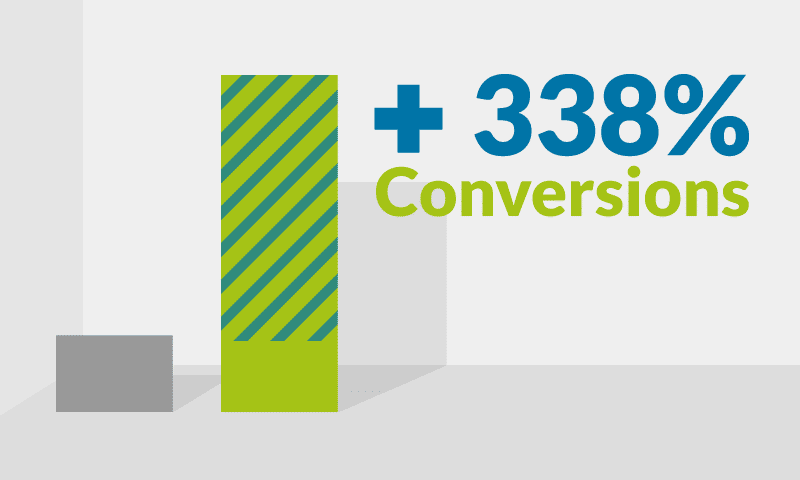
- 338% more conversions than other targeting
- 35% better CPA values compared to other targeting
Custom Affinities Benefits
- The interests of the consumer are in the foreground, which increases the relevance of the advertising material
- Increasing relevant reach and conversions (see above)
- Flexible customization, controlled targeting and transparency
- The specially adapted/tailored message reaches the user based on their specific interests and surfing behavior
- Excellent for branding and image advertising
- Can be used for both display and video bookings
Creation of custom affinities and booking in Display & Video 360
In this example we show how to use differentCustom Affinities Segmentsin Display & Set up Video 360 (formerly DoubleClick Bid Manager). The goal is to create new audiences on the topic“Marketing prospects”to form. Here you can be creative and select relevant websites as well as include keywords and interests.
The Custom Affinities settings are in Display & Video 360 can be found at the advertiser level. Several categories are listed on the left in the sitebar.
If you select Custom Affinities in the list, you will be taken to an overview view in which all Custom Affinities are stored together.
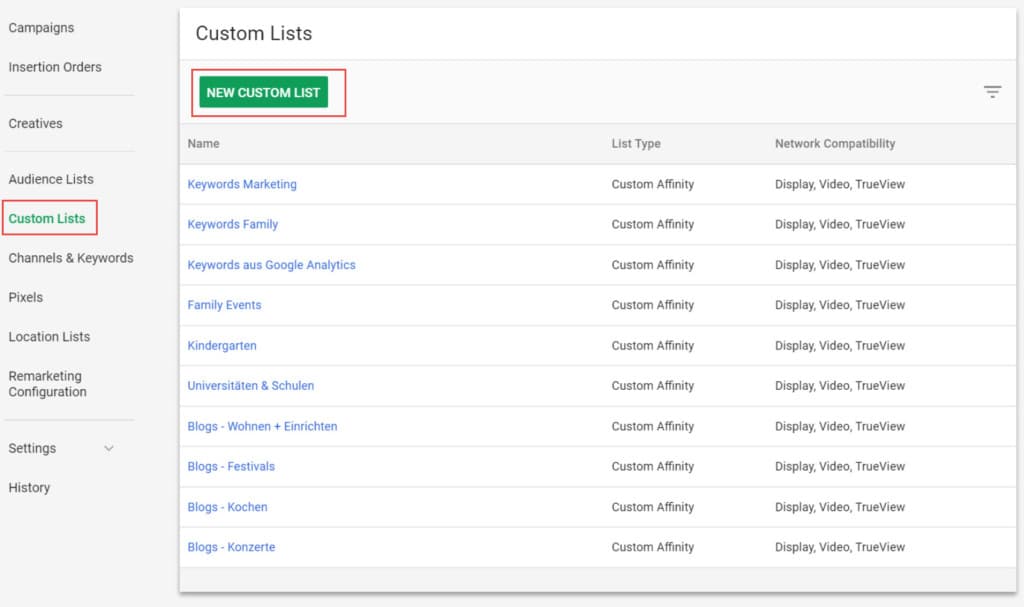
With a click on the “New Custom List” tab, a field appears in which you can save the desired segment.
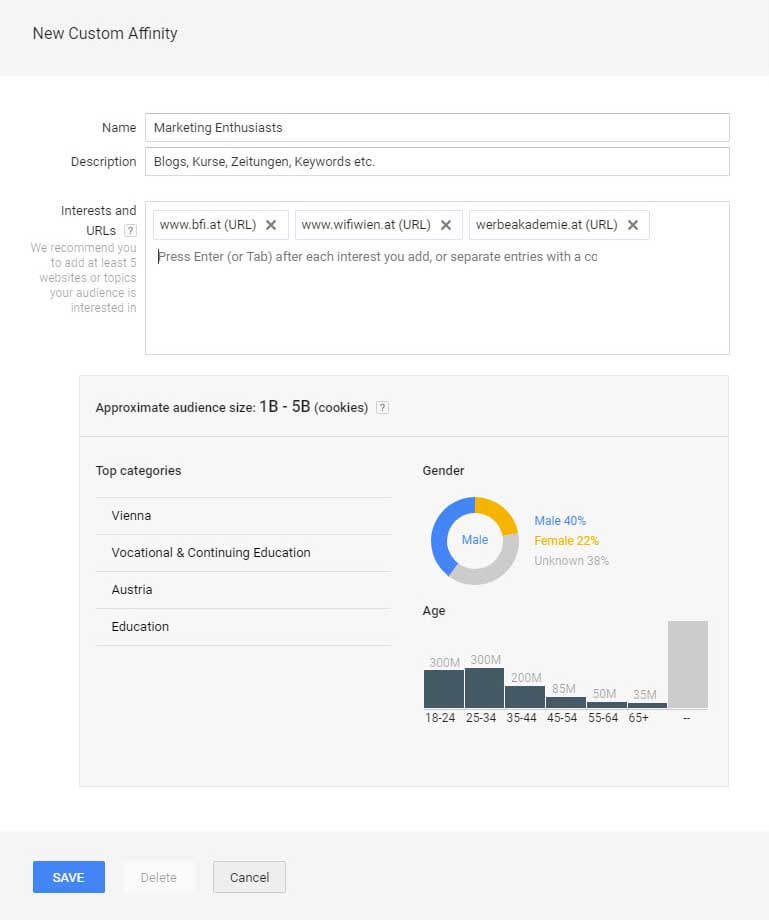
After the desired custom affinity segments have been created, they can be used for targeting.
Depending on the campaign strategy, the “Audience Lists” category is selected in the settings overview of any LineItem and under the “Add Targeting” menu item.
Tip:A uniform nomenclature is advantageous when creating LineItems. In order to prevent the different targeting from mixing up, it is recommended to name the LineItems and the respective targeting the same. This saves a lot of time when comparing performance, especially when booking a campaign with several LineItems.
Example:
LineItem 1: <>
LineItem 2: <>
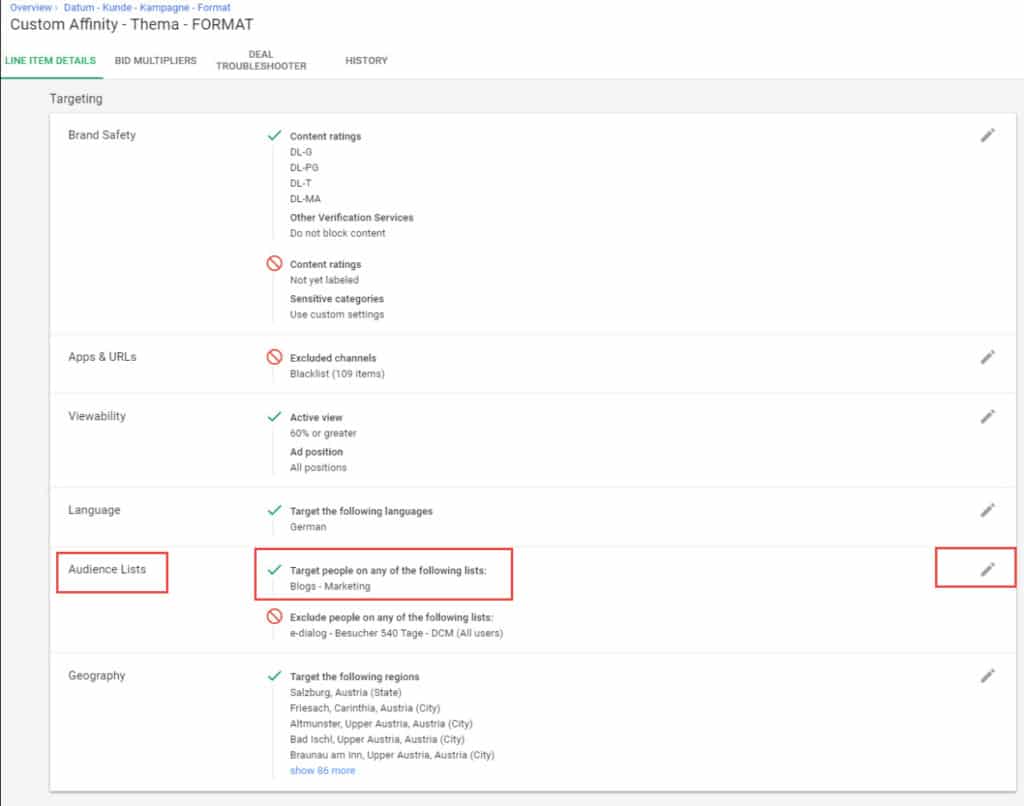
By clicking on “Edit”, a new window opens. In this overview you can see the 1st & 3rd party data, affinity & In-market categories and the custom lists can be accessed in order to assign them to a LineItem.
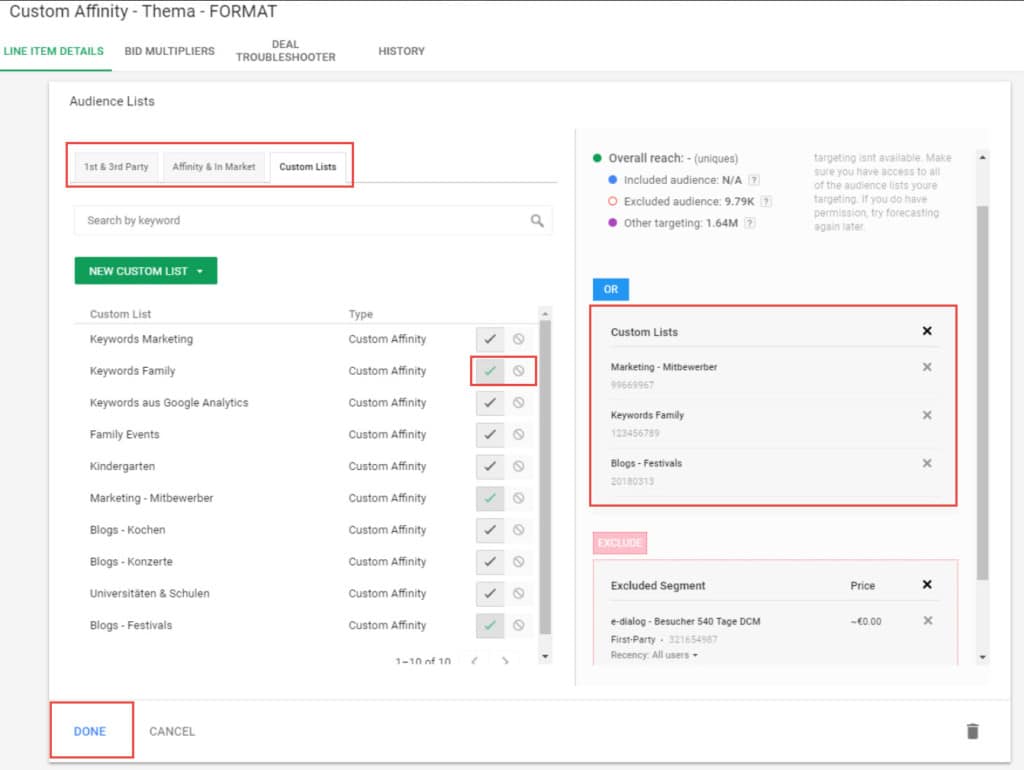
In the 3rd tab “Custom Affinity”, you select the various Custom Affinities segments, which you define in advance & created.
The custom affinities can be selected, i.e. added, or excluded if you do not want to take a specific segment into account.
As soon as you have selected the custom affinities, they appear on the right in the view. Here it is possible to target several custom affinities at the same time using the “OR” connection and to exclude certain 1st party data.
An example: You want to target users who fit your “marketing prospects” category but have never visited your website.
What you should consider with custom affinities
- Custom Affinities are good for branding measures and increasing conversions.
- Custom Affinities should be used in combination with other targeting, such as Affinity and In-Market Categories.
- The custom affinities should be regularly evaluated and adjusted.
- Once a Custom Affinity is active as a targeting, it is no longer possible to make changes. However, existing segments can be duplicated and new keywords, interests, URLs, etc. can be added.
- The new custom affinity must then be added to the LineItem.
- In order not to get confused with the different custom affinity lists, it is recommended to have a well-structured nomenclature.




