
Google Ads 8211 New Interface 2024
Management Summary
In 2023, Google introduced a new interface for Google Ads, which will be fully implemented in 2024. LoudGoogleThe final changeover date in all countries is August 30, 2024. Users will then no longer have the option of returning to the old design. The new changes to the Google Ads interface affect several areas designed to improve user experience and campaign management efficiency.
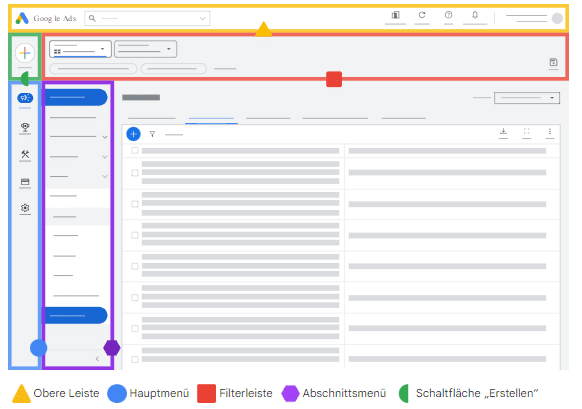
Areas affected by the interface update; Source:Google
Modernized design and improved navigation
The structural change makes the new interface look more modern and appealing. In the new design, instead of the previous two navigation bars (horizontal and vertical), there is only one horizontal page navigation on the left edge. Two section menu levels can be opened from this main menu.
Google Ads structures the following 5 main menu items:
Campaigns: Here marketers can analyze, optimize and manage campaigns.
Targets: Here advertisers can define, monitor and update conversion goals.
Tools: Here, users have access to tools for planning, bid strategies and budgets, troubleshooting, and more.
Invoice: Here advertisers can monitor their spending and payments.
Administration: Here advertisers can manage their team, security and account settings.
Where can I find tools & settings?
One of the most important menu items in the old interface, “Tools & Settings”, is no longer present in this form in the new menu. The functions of this menu item have been divided and integrated into the five different main menu items.
Where can I find linked accounts?
This item has been renamed and can now be found under Tools as “Data Manager”.
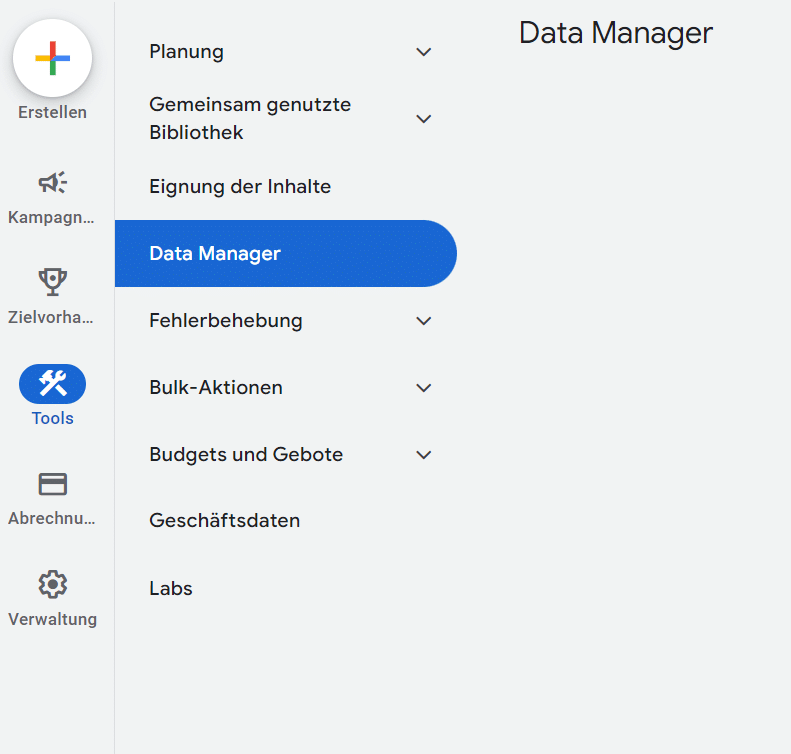
Source: e-dialogue
Where can I find the search terms report in the new interface?
You can find the search term report under the menu item Campaigns and then under “Statistics and Reports”
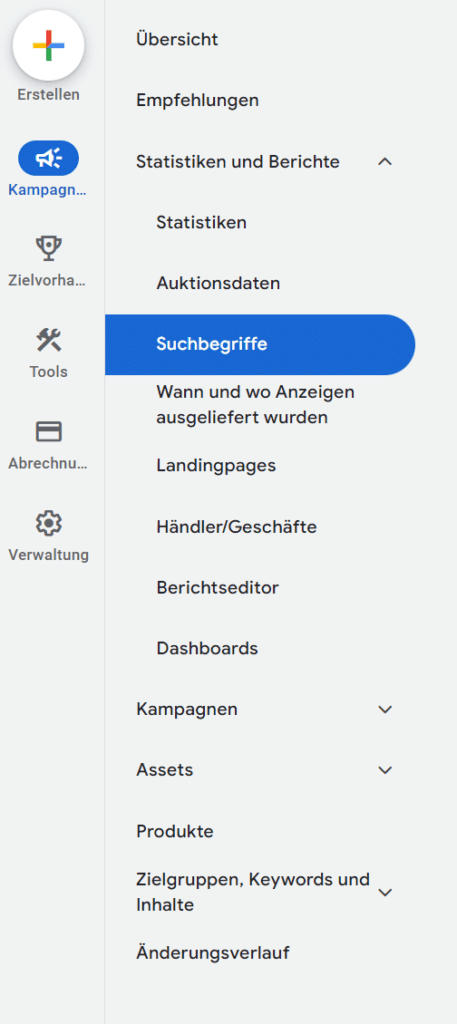
Source: e-dialogue
Where can I see my negative keywords?
In the old interface, the negative keywords are located under the Keywords menu item. In the new interface there is no separate menu item for this, but rather a tab.
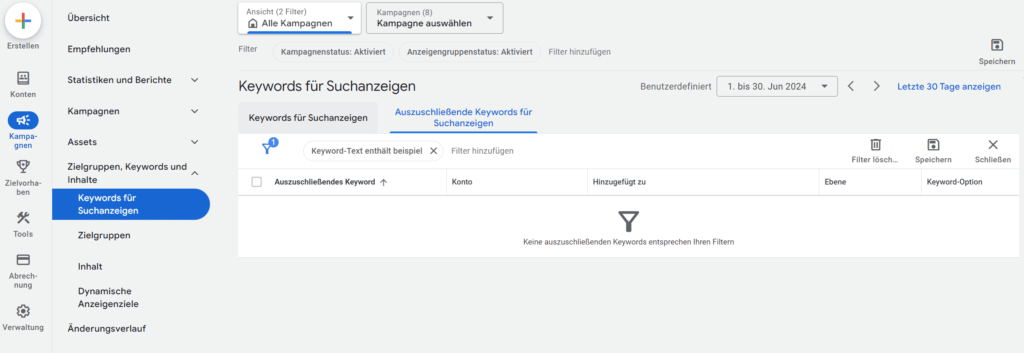
Source: e-dialogue
Where can I find the campaign settings?
There are two different options here – see image below. Either once via the top bar –Campaign settingsor via the tabSettings.
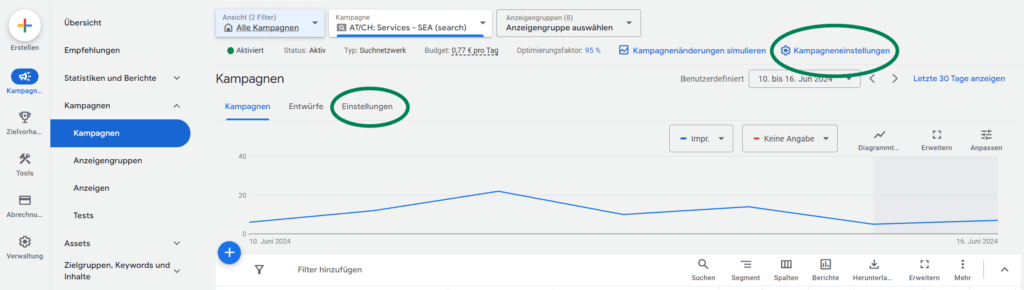
Source: e-dialogue
Where can I find the Google Analytics and Merchant Center link?
The two tools are currently not directly linked anywhere in the menu structure.
Where is the policy manager located?
The policy manager can be found under the menu item “Tools > Troubleshooting”.
The functions are in this areaPolicy violations, appeal historyandWarning historyavailable.
Under the menu item “Troubleshooting” you can also find the menu item “Ad preview and diagnostics“, which in the old interface was structured under the menu item “Planning”.
Conclusion
All of the features of Google Ads are still there, and once you get used to the new processes, using them is very pleasant and efficient. Operation is smooth and the overall user experience has improved. Another advantage is that the views seem to load faster, which significantly increases the efficiency of use.




