
Google Ads Asset Library For Images And Videos

Management Summary
Haven’t we always wanted a central location for all of the advertising materials we use in Google Ads? We used to upload the various advertising materials for each display campaign individually in the interface or via bulk upload, for example via the Google Ads Editor. If we wanted to use these again in a later campaign or with different targeting, we had to upload the advertising material again. If changes to the creative were possible, it was easy to lose track! Finally these times are over.
The Google Ads Asset Library – central and clear advertising material management
Asset Library is a new account-level feature in Google Ads. As the name suggests, Google creates a central storage location for all assets that can be used to create ads in Google Ads campaigns. With the introduction of the Asset Library, Google collects all advertising materials in the form of images and video material centrally and provides a good overview of them. Stand in the form of a tabular viewInformation about file names, type (image or video), time of upload, file size, dimensions for images or duration for videosavailable. TheGrid viewgives a good visual overview of the most recently used advertising materials – as can be seen here, for example, in an excerpt from the Bellaflora Google Ads Asset Library: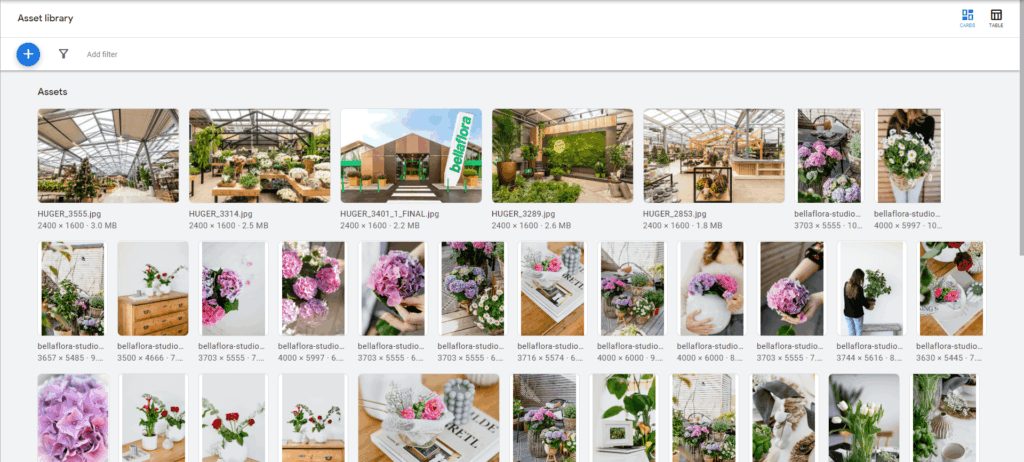
Advantages of the Asset Library
- Creation of a folder structure for better clarity
- Easily search for file names or image properties and use filters
- Easy upload of new advertising materials
- Deletion function for outdated advertising materials (if an asset has been deleted unintentionally, this can only be reversed immediately)
- Reusability of images and videos in various (new) campaigns
- Central management of all assets
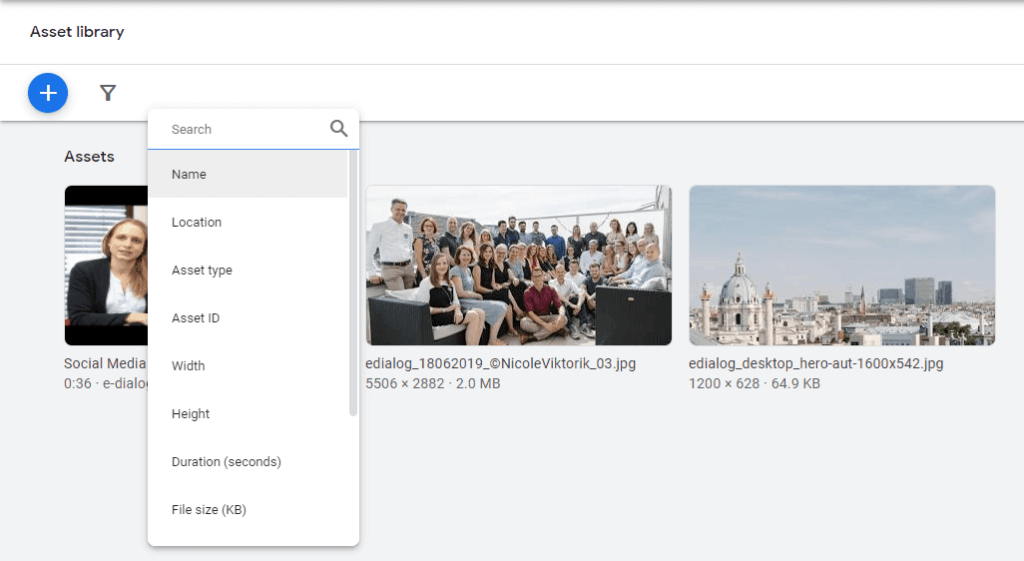
Our recommendations for working in the Google Ads Asset Library
As described there isextensive filter options, but it is recommended to have one right from the startclear folder structureto put on.Logos– be it your own brand or third-party brands – should be kept in separate folders. In addition, one canDifferentiation by topic/action or calendar year is recommendedbe. At theDeleteAssets that are no longer needed or are outdated are only removed from the asset library. TheThe associated history or the advertisements in which the assets were used remain unaffected.However, there are still a few downsides when working in the Google Ads Asset Library. For example, assets that have already been uploaded can no longer be assigned to a folder. Folders can currently no longer be deleted, and folder and file names can no longer be edited via the asset library.It is therefore important to use meaningful names and think about the structure before uploading.
New Tool: Create your own videos in Google Ads
The Ad Creation Solution is based on the asset library and makes it possible to create videos quickly and easily without any additional image editing knowledge. You can select the desired template from a number of existing templates and start creating the video. Existing templates are designed specifically for YouTube and offer optimal pacing, brand and product placements, and prominent calls to action. The Ad Creation Solution also provides various music tracks from the Google Audio library.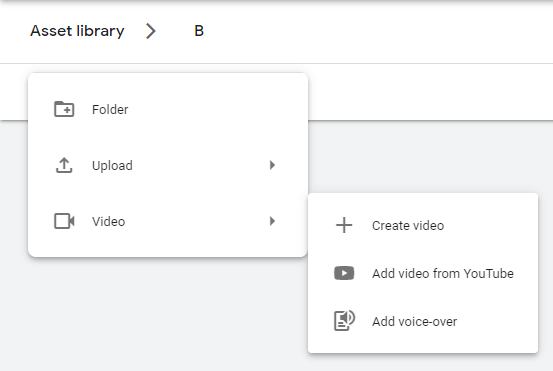
Conclusion:
The new Google Ads Asset Library makes organizing professional campaign assets much easier! We would be happy to support you in planning and implementing your individual campaign setup and performance optimization.




