
Google Cloud Platform Authentication

Management Summary
There are basically three different ways to authenticate requests to the Google Cloud APIs:
- API keys
- OAuth 2.0 Client IDs
- Service Accounts
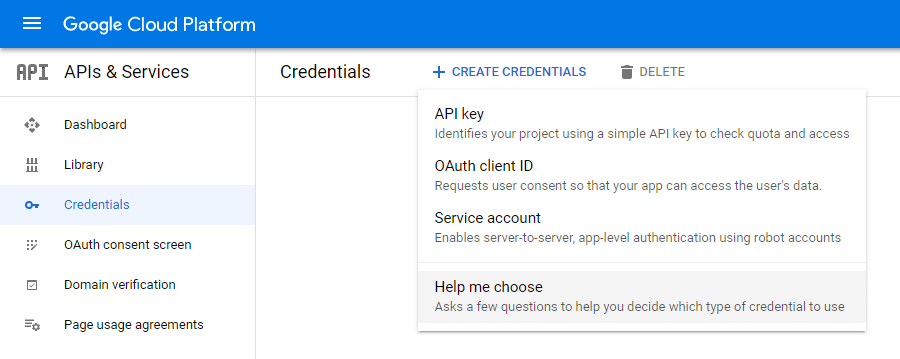
If you need help choosing the right credentials, GCP canCredential Wizardbe used. Depending on the API used (Google Maps API etc.), the environment (client, server, Chrome application etc.) and the data used (User data and Application data), the appropriate type is then displayed.
1 API Keys
An API key is simply a sequence of characters, here is a screenshot as an example. It is used to identify an application without a principal/user. They are used to access public data anonymously. In addition, they are always tied to a GCP project and can be done this wayAPI quotas(e.g. only 1,000 inquiries per day) and costs are charged.

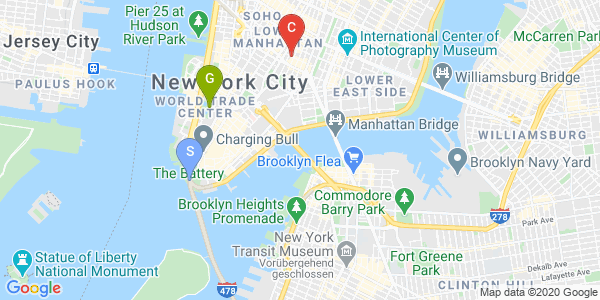
A classic example of using an API key is one of the Google Maps APIs. In order to integrate the following map section from Google Maps on your own website, an API key must first be generated and sent with the Google Maps query. It is important to ensure that the API key is not publicly visible.
2 OAuth 2.0 Client IDs
With this type of authentication there is the publicly visible client ID, which identifies the client / which in most cases is the developed application itself.
There is also the client secret, which is sent to Google in the background to enable authentication.

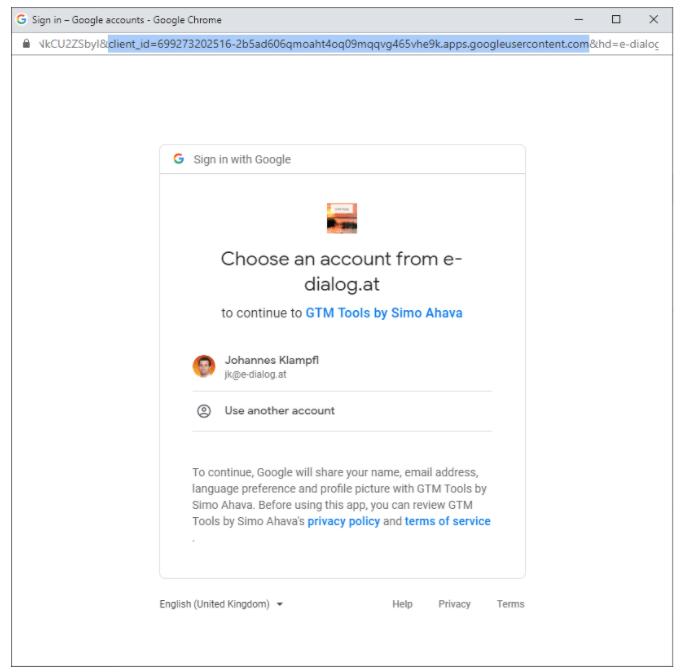
In practice, we all know the Google popup to log in to a website or app using our Google accounts, that isOAuth 2.0.As an example, I have attached a screenshot of the Google Login popup, which also appears when installing a Google Sheet addon. The URL also contains the one mentioned aboveClient ID visible.
This type of authentication enables an application to be accessed on behalf of the end userGoogle Cloud APIscan access. Examples include: the application can change Google Analytics accounts or retrieve reports, send and read emails via GMail, access Google Drive documents, retrieve Campaign Manager reports, etc.
If an application requests access using OAuth, it must always do soOAuth areas / OAuth scopesbe defined. These are the permitted rights per Google Cloud API.
A complete list of scopes can be found here:https://developers.google.com/identity/protocols/oauth2/scopes
For example, the Google Analytics Reporting API offers these two scopes:
- https://www.googleapis.com/auth/analytics(View and manage your Google Analytics data)
- https://www.googleapis.com/auth/analytics.readonly(View your Google Analytics data)
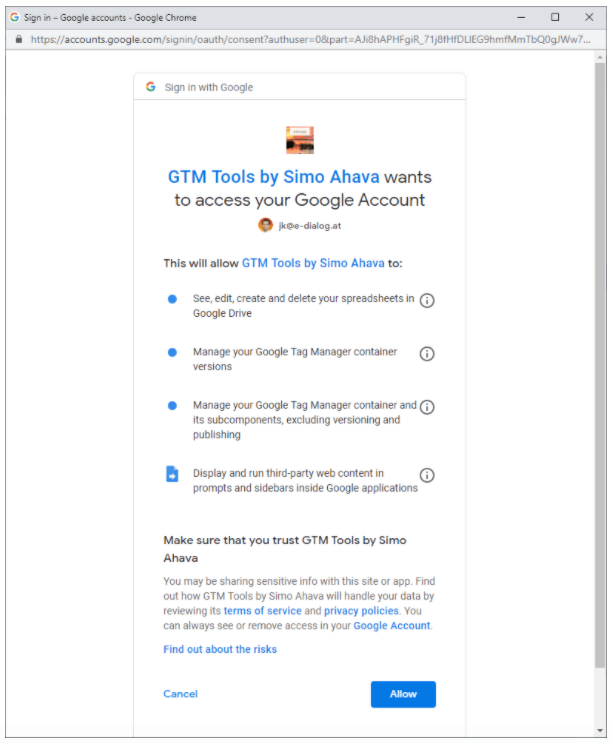
These scopes are translated into more understandable terms for the end user. The scopes are listed within the Google Login popup on the second page.
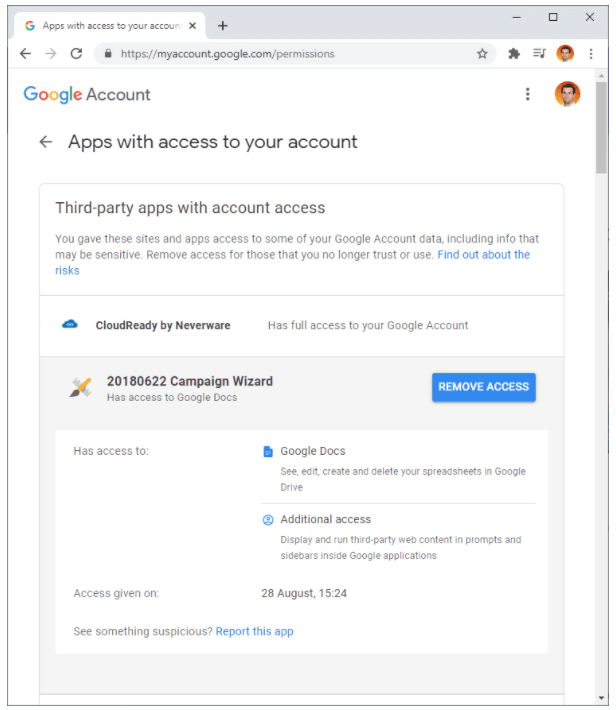
To see which applications have been allowed which scopes in the past, you can visit the page:https://myaccount.google.com/securitycall. Among the points“Third-party apps with account access”and“Singin in to other sites > Singing in with Google”All applications are listed and you can revoke their permissions if necessary.
3 service accounts
In oneGCP projectFour different member types can be added, one of which isService accounts / service accounts.
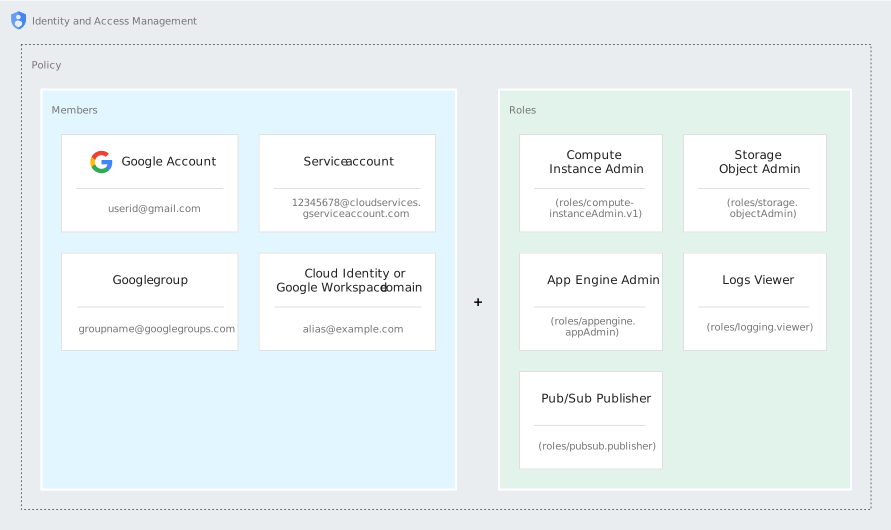
A service account is aspecial account type, which is not used by a person but by an application. A service account is defined by its email address, which is specific to the account.
Other important properties are:
- Service accounts do not have passwords and cannot log in via browsers or cookies.
- Service accounts are associated with private and public RSA key pairs that are used to authenticate with Google.
- These keys can be managed either by Google or by a GCP user themselves.
An example of a public key:
89850be783b604313d51f0c2bf225f35e12dd6ea
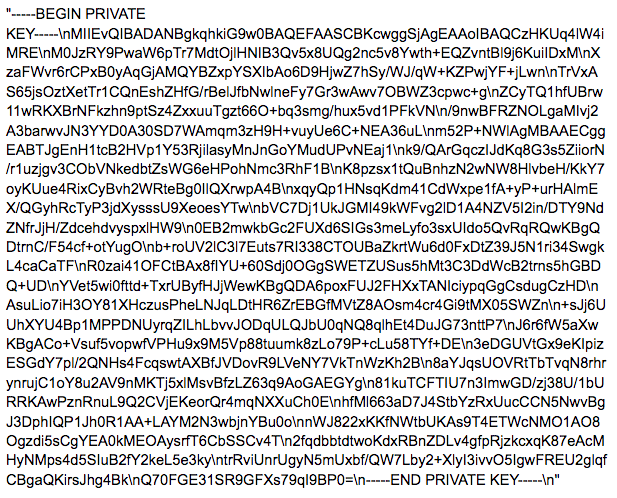
An example of a private key:
Applications can then be executed with the help of this “robo account”. For example, service accounts carry out the following activities for our customers:
- Daily upload of Floodlight offline conversions
- Daily import via the Google Analytics Data Import API
- etc.
AAdvantage of service accountsis that the execution of the application is independent of employees. If the employee who created the application leaves the company, the service account will continue to carry out its tasks.
If the application is implemented in Compute Engine, Google Kubernetes Engine, App Engine, Cloud Run, or Cloud Functions, a new service account does not need to be created. It can be a so-called“Default Service Account”which automatically exists in every GCP project. Accessing and using the keys is also easier and more secure in this case.
There is also a good overview of the authentication types in the GCP documentation:
| Requirement | Recommendation | comment |
|---|---|---|
| Access public data without credentials | API key | An API key only identifies the application and does not require user authentication. This is sufficient for accessing public data. |
| Access private data on behalf of an end user | OAuth 2.0 client | An OAuth 2.0 client identifies the application and allows end users to authenticate your application with Google. This allows your application to access Google Cloud APIs on behalf of the end user. |
| Access private data on behalf of a service account within Google Cloud environments | Service account provided by the environment | If your application runs in a Google Cloud environment such as Compute Engine, App Engine, GKE, Cloud Run, or Cloud Functions, it should use the service account provided by the environment. Google Cloud client libraries automatically find and use the service account credentials. |
| Access private data outside of Google Cloud environments on behalf of a service account | Service account key | You need to create a service account and download the private key as a JSON file. You must pass the file to Google Cloud client libraries so that they can generate the service account credentials at run time. Google Cloud client libraries automatically find and use the service account credentials using the GOOGLE_APPLICATION_CREDENTIALS environment variable. |
Source:https://cloud.google.com/docs/authentication




