
Google Cloud Platform Resource Hierarchy

Management Summary
Building the resource hierarchy
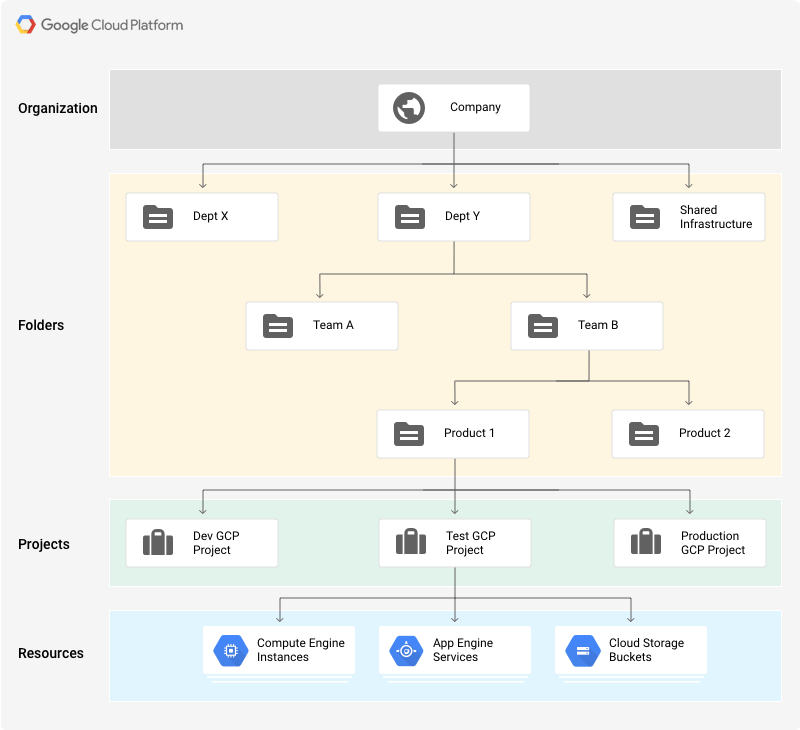
The image shows an example of a GCP hierarchy. At the top is the “organization”. The organization is an optional level; a project does not necessarily have to be assigned to an organization.
The advantage of the organization level is that projects do not belong to an individual employee, but to an organization. This prevents projects from being deleted when an employee leaves the company. In addition, all resources can be controlled centrally.
Optionally, folders can be created under the organization. The purpose of folders is to group projects. For example, folders can represent different legal entities, departments and teams within a company.
Create folders within the resource hierarchy
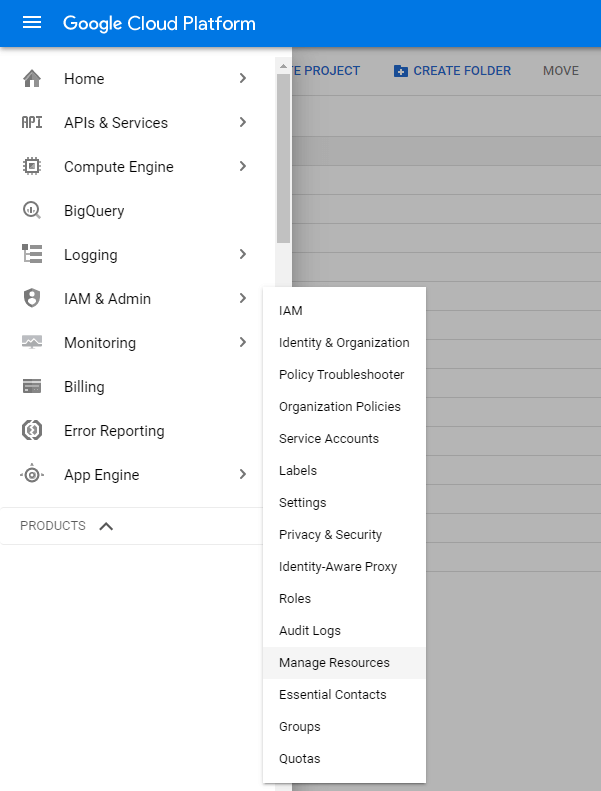
The ability to create folders is somewhat hidden. To do this, the menu item: IAM & Admin –> Manage Resources can be called. There you will find the “CREATE FOLDER” button.

Projects form the lowest level. This contains the actual GCP resources such as:BigQuery Datasets, Cloud SQL Instances, App Engine Services, Cloud Functions etc.
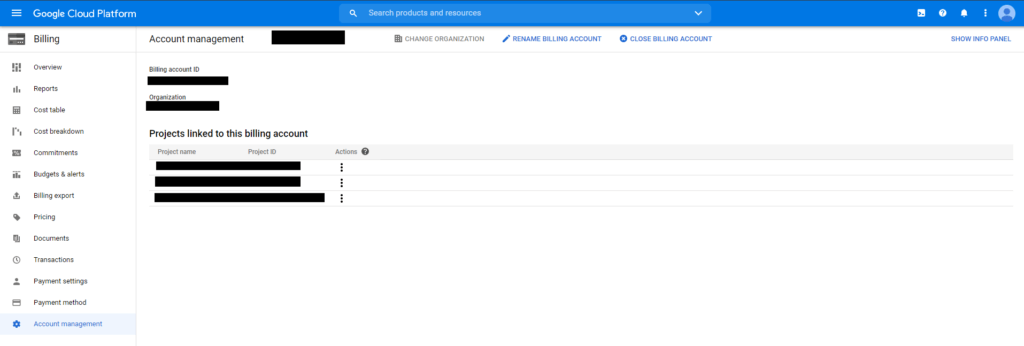
The billing/billing of the resources is also based on the project level.
Each project has a unique project ID (this can be freely chosen during creation, but cannot be changed afterwards), an automatically assigned project number and a display name that can be changed at any time.




