
How To Create An Advantage Shopping Campaign At Meta

Management Summary
Below we will look at how an Advantage+ shopping campaign is structured and what advantages and disadvantages it brings.
Building an Advantage+ shopping campaign
Advantage+ Shopping campaigns allow all audiences to be combined into a single campaign structure instead of creating multiple campaigns with segmented audiences. This simplifies creation and administration and at the same time reduces the overlap between target groups. This also means that in this campaign structure there are no ad groups after traditional campaigns, but the campaign only consists of the campaign and the ad.
4 steps to your Advantage+ shopping campaign
- The first step is to create a new onecampaignwith the campaign goal “sales”created. Advantage+ Shopping only works under this campaign goal

- The next step is thatSelectionbetween oneAdvantage+and a manual campaign is possible, with the former already preselected.
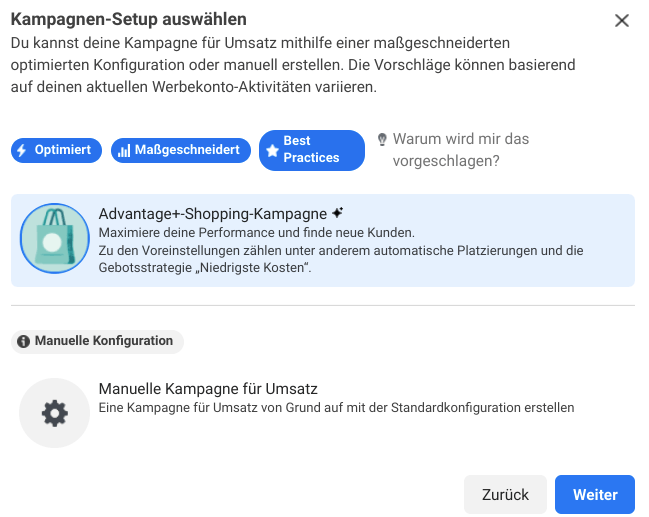
- Now there is oneSetting up the campaignpossible. In this step you can see in the bar on the left that instead of the usual 3 levels (campaign, ad group, ad), there are only 2 levels (campaign, ad).
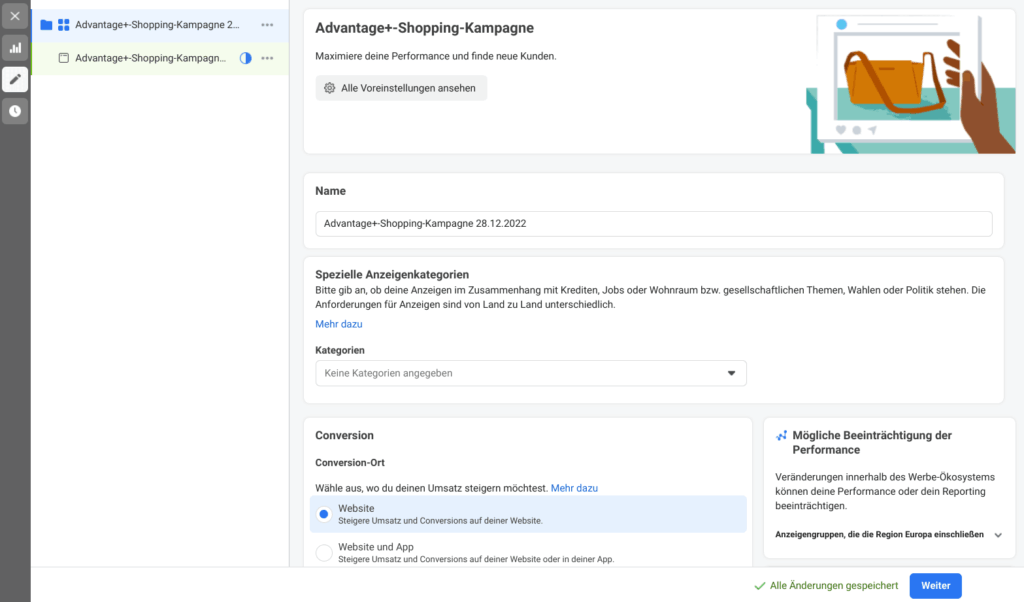 The following settings need to be made, all of which are familiar: Select the pixel and set the location, define the budget and set the schedule and make the attribution settings.
What is new in this case is the reporting.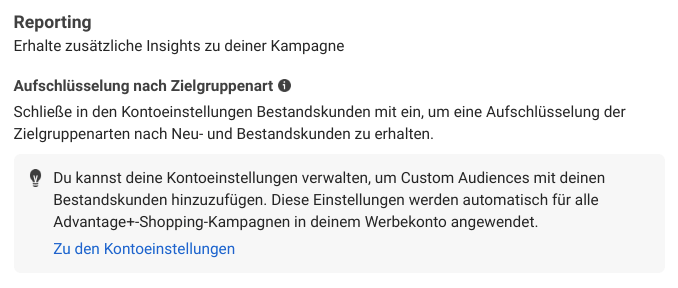 When creating a campaign, the options are limited when it comes to targeting and selecting audiences. However, to gain additional insight into the campaign, reporting should be set up through the account setting.
 Custom audiences can be added here. In this case, an audience with buyers from the last 180 days was included. It is advisable to divide the target groups into existing and new customers.
After the existing customers have been selected in the account settings, you can set what percentage of the campaign budget should be spent on this audience under “Budget and Schedule”.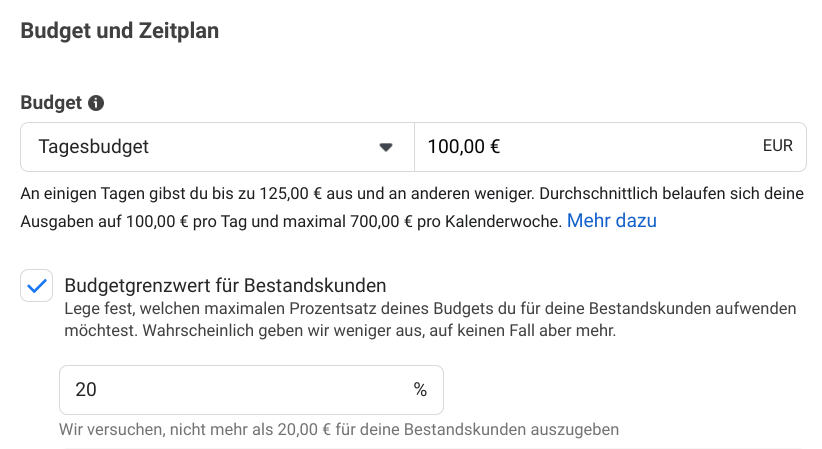
- The last step is theCreation of advertisementsto carry out. In this case, Meta suggests importing ads based on historical data. An overview of suggested ads appears that can be imported. These are ads that may show good performance based on past campaign results. This means that the best-performing ads from past campaigns can be automatically adopted. Ads added to the campaign can later be customized at the ad level. New ads can also be added, as with setting up manual campaigns. Up to 150 ads can be created in a campaign.
Advantages and disadvantages of the Advantage+ Shopping campaign
The greatAdvantageof Advantage+ Shopping campaigns is theeasy operationand creation. This means that a conversion campaign can be started after just a few steps. All default settings are basically set and only need to be adjusted minimally. The advertiser has to worry less about details and does not need to intervene during the runtime, which in turn is a disadvantage for other advertisers who like to control their campaigns themselves and optimize them manually. This campaign form is therefore less suitable for advertisers who would like to test different settings, placements, etc. and concentrate on details. Also a big oneDisadvantageis thatno specific, pointed audience targetingare possible. Greater automation also shifts theOptimization focustowards theCreatives. So the focus is more on creating creatives that convert.
Conclusion
Basically, it depends on what type of article is being advertised, which (funnel) phase you are in and how specific the target group is. For everyday items, Advantage+ Shopping campaigns can be a big advantage, but it is generally advisable to run an A/B test to see if it actually achieves better results than traditional campaigns.




