
Meta Verification For Political Advertising 8211 A Guide

Management Summary
Advertisers who place ads must identify election advertising or advertising on politically or socially relevant topics in the EU as such when creating the ad (General information from Meta). To do this, the following conditions must be met:
1st step – preparation:
Authenticate personal meta profile
All advertisers who want to work with political ads (and their campaigns & ad groups) need a personal meta profile. Here it is important to make sure not to use a generic profile but your real one.
This must also be verified during the preparation. This means that the name of the profile must also match the person’s ID card.
1. Visit the following page with the profile that should be authenticated:https://www.facebook.com/id/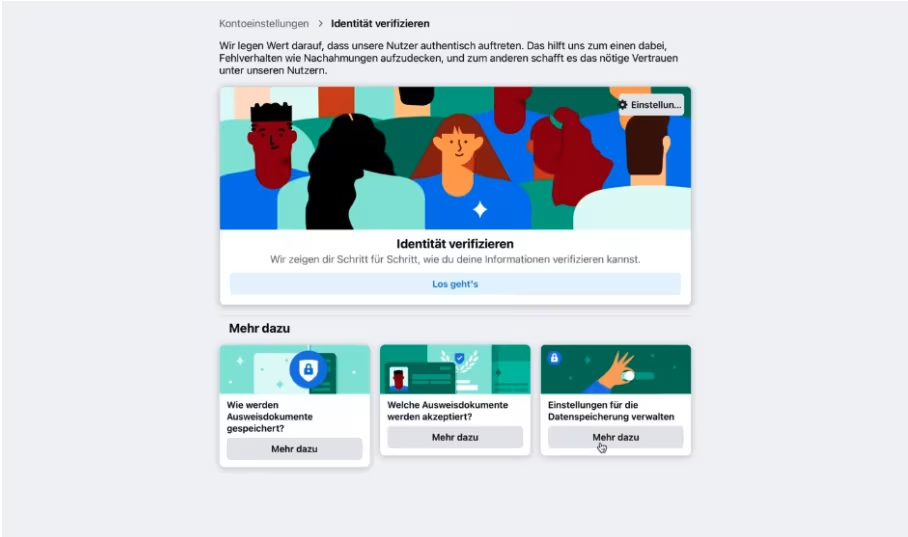 2. Select “Facebook features” the purpose of authentication:
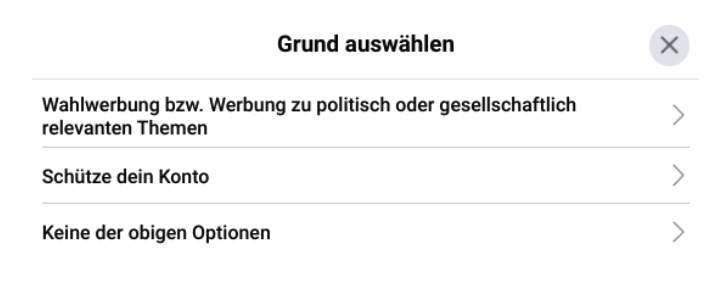
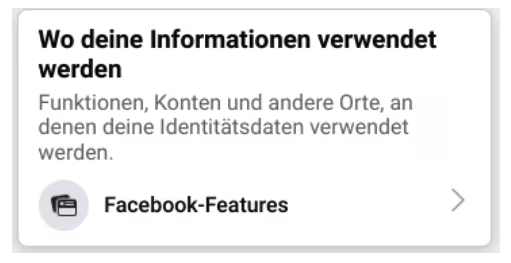 “Election advertising” or “advertising on politically or socially relevant topics”.
 The following window then opens in which the relevant country must be selected:
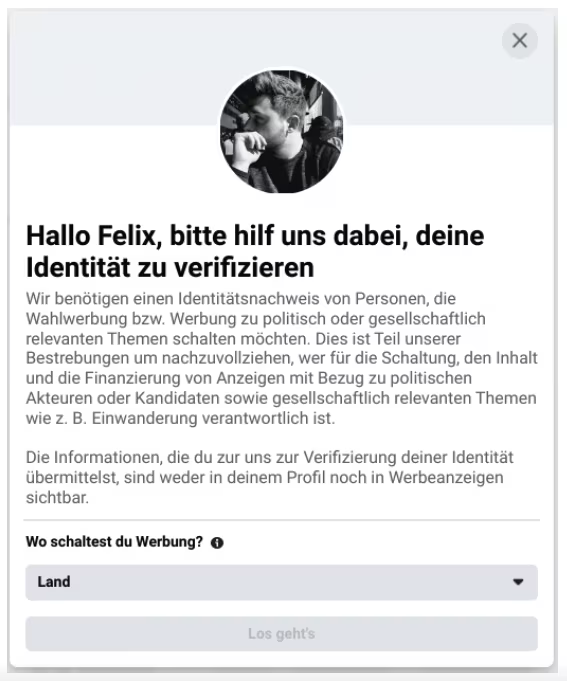 3. Account logins may need to be converted to two-step verification before proceeding to the next step. Simply follow theInstructionsfrom Meta, preferably via SMS verification.
4. Upload your driving license or passport as a photo or scan or use the Facebook app on your smartphone (both are explained by Facebook).
The name of the issuing country must be printed on each submitted document. The country must be the country in which you will be authorized. In theMETA help sectionyou will find a complete list of documents accepted as proof of identification. Your identification documents will be checked within 48 hours.
5. Complete the verification and wait for confirmation from Facebook. This usually takes one to two working days. The current status can be found athttps://www.facebook.com/idcan be viewed.
Step 2: Determine the source of financing
For reasons of transparency, every political ad on Facebook and Instagram discloses who is funding the ad. That’s why you should clarify beforehand who should be named as the source of financing.
This can be a political party or an individual such as a candidate or elected representative.
Validation requires a lot of information and data. This should be on hand during the verification process. Therefore, it is worth preparing them. Please note that all of this data will be published later.Website:A functioning website with full legal notice is required when listing a party as a funding source.E-mail:Enter a work email address with the same domain as your website that was specified when creating the disclaimer. This domain cannot be changed. An email with a six-digit confirmation code will be sent. This allows you to verify that you belong to this company.Telephone number:You need a phone number that can be called during verification. You will be given a code here.Address:Determines the address that Facebook can publish.
Step 3: Create a disclaimer for political advertising
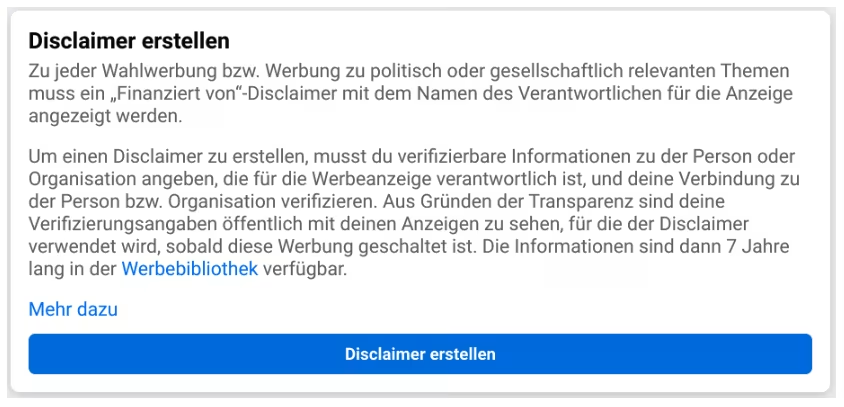
1. Open page settings and go to the “Election advertising or advertising on politically or socially relevant topics” area.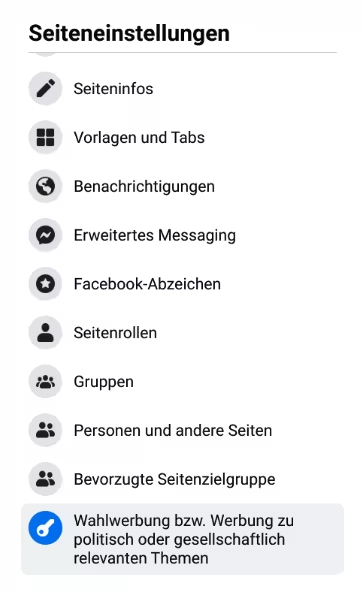 2. “Create disclaimer”
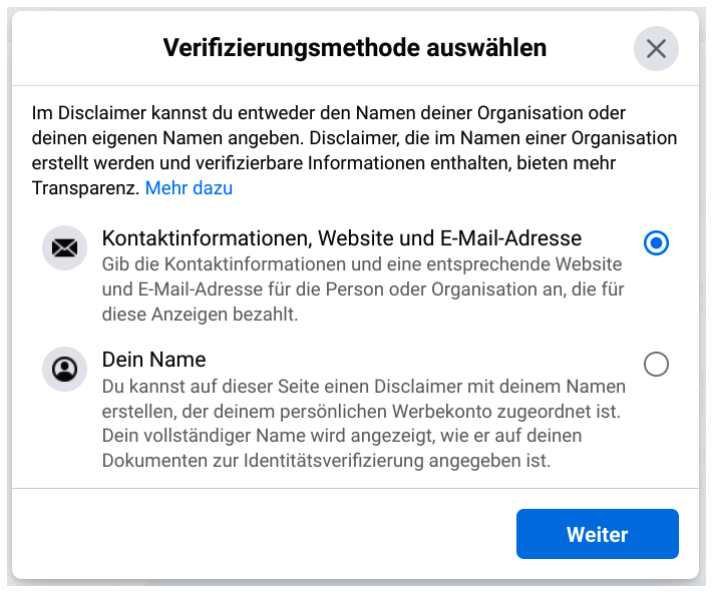
 3. Select whether the name of the Facebook profile used should be used as a disclaimer or whether the name of an organization should be specified.
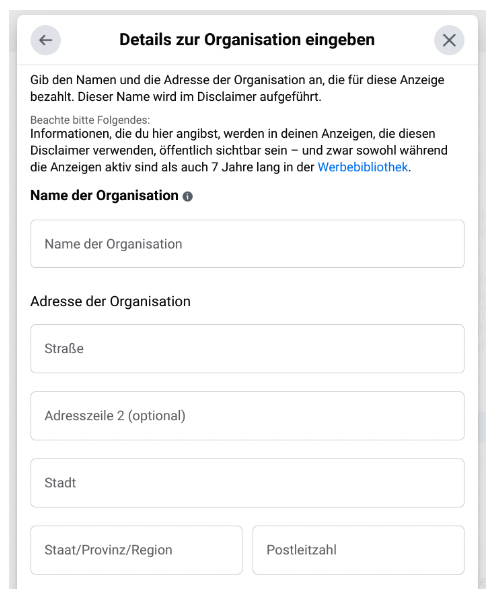
 4. Enter all information, which will then be verified by Meta by sending a code or announcing it over the phone.
 5. In the last step, the created disclaimer must be linked to an existing advertising account.
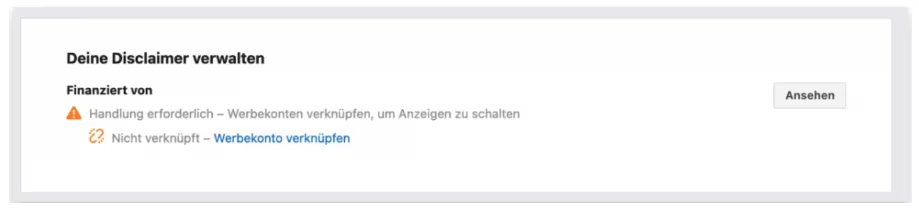 6. That’s it :-) Now it can take between 24 and 48 hours until the disclaimer is checked by Meta. The status can be viewed at any time in the “Election advertising or advertising on politically or socially relevant topics” area.
After all points have been successfully completed: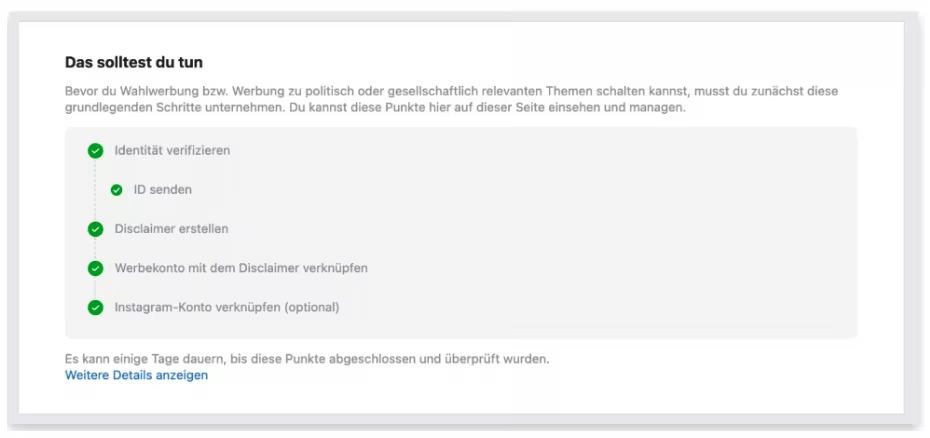 7. It is also recommended to link your Instagram account.
Step 4: Place political advertising on Meta
If all of the above steps have been followed, you can now place election advertising or advertising with political content.
All you have to do for a new campaign is the so-called“Special Ad Category”for election advertising select: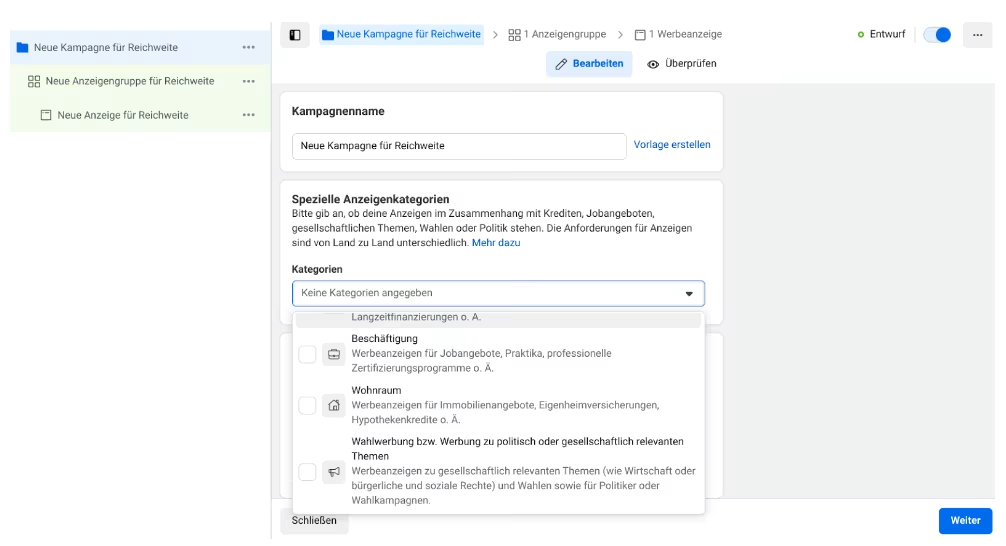 Danger:If the category in question is not selected and political content is still displayed, an account may be blocked.
It should be noted that these campaigns have limited functionality. For example, not all targeting options are available and you cannot use saved targeting groups.
Conclusion
It takes a lot of preparation to be able to place political content on Facebook and Instagram. However, these precautions are completely legitimate, as we have seen more and more in recent years how powerful election advertising via social media can be. This is precisely why full transparency regarding the financing of political advertising is essential.




