
New Data Studio Features 8222data Control8220 And 8222parameter8220
Management Summary
Data Studio is one of the newest tools in the Google Marketing Platform and gets new features almost every month. In this article we introduce the new features “Parameters” and “Data Control” and show how you can use them to improve your reports.Data control widgets(German: controls) can make your reports more flexible and user-friendly. By integratingparametersYou also give users the opportunity to directly influence the reporting.
parameter
User-defined parameters have been around for BigQuery for a long time. Since last week, they can also be used for standard accounts for Google Analytics reports. To do this, you must select the “Add parameters” field in the resource.

When creating the parameters you can choose whether they should be text, boolean or a number.
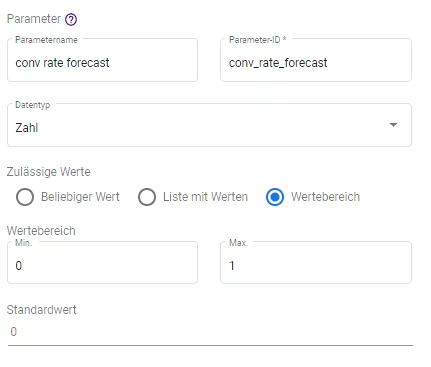
For our case, for example, we assume that youConversion rateYou want to simulate your campaigns in order to calculate a business case and create a parameter for this purpose.
To do this, you must select the following settings:
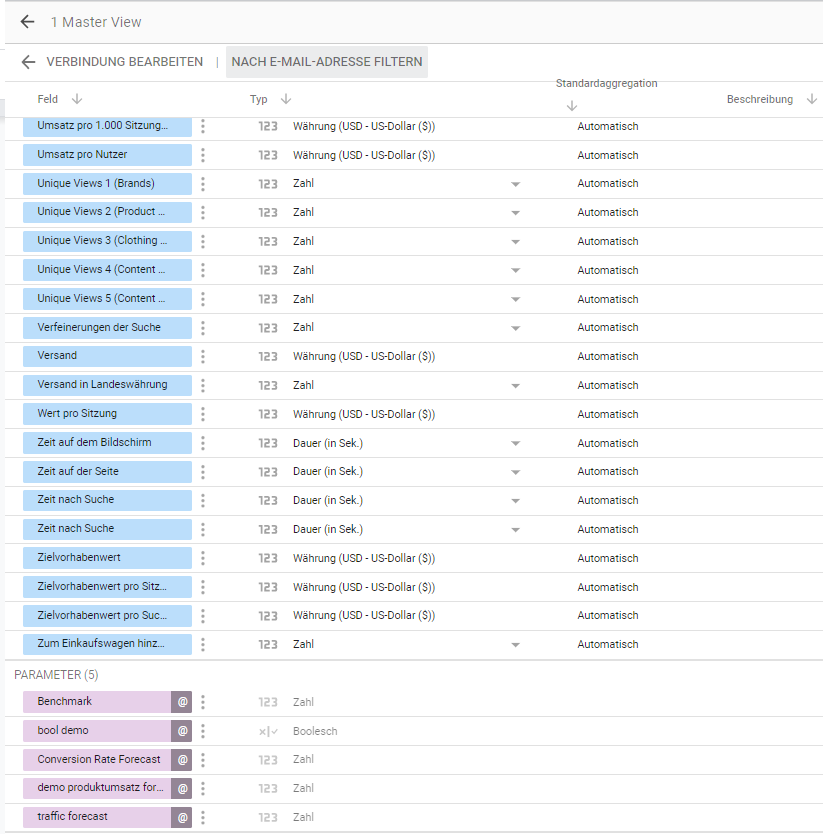
The created parameter (visible as a purple value in the resource) can now be used for Calculated Fields. How you can use the parameters in the new data control filters for interactive dashboards is described in the next sections.
Data Control
Until recently, data control meant either filter or date. Since last week there are also new features that bring Data Studio to the same level of flexibility as custom reports in GA:
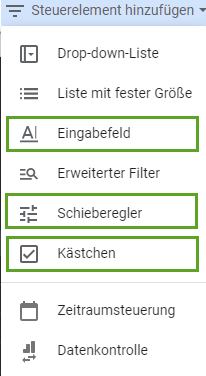
1. Input field
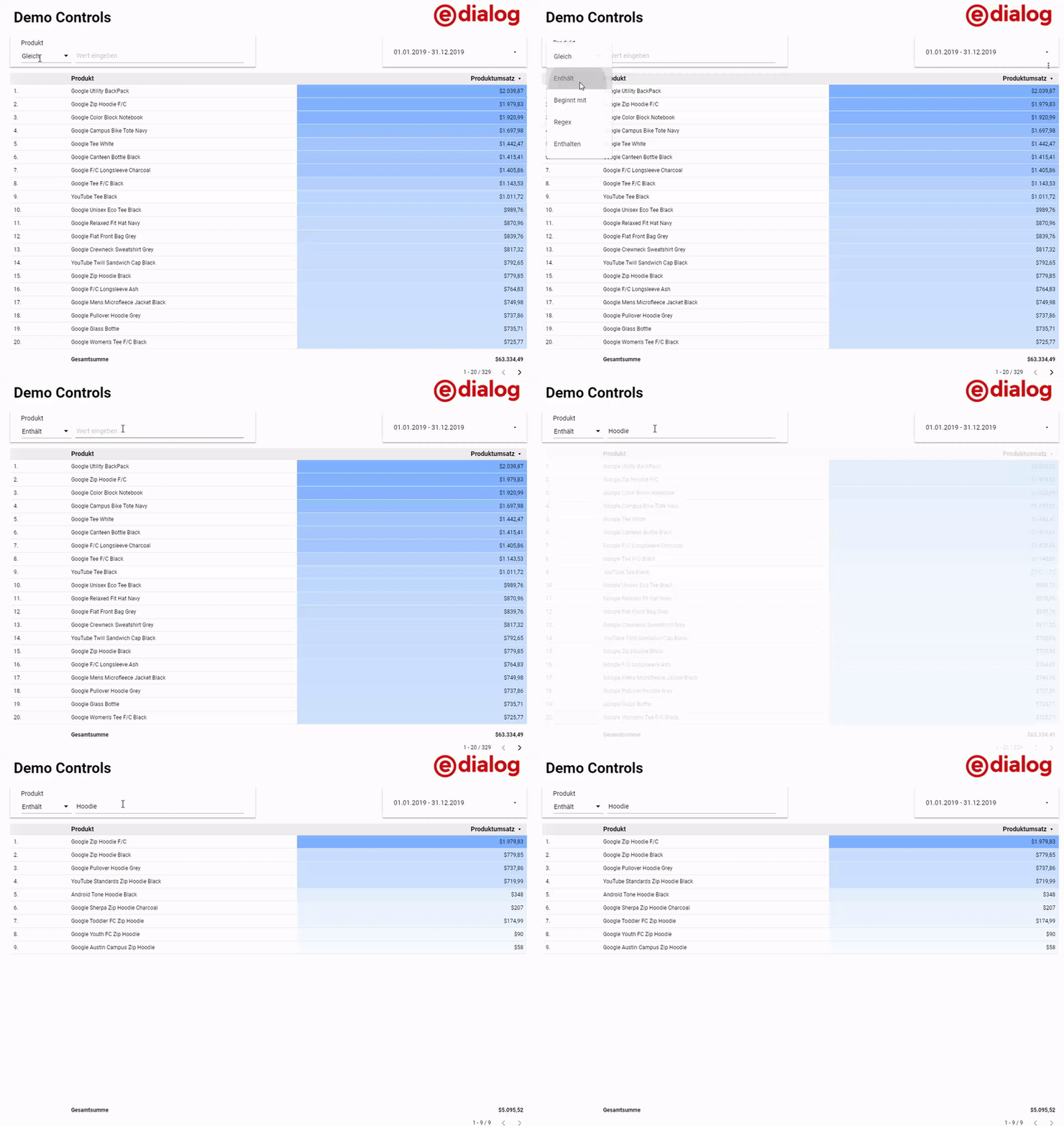
With input fields you improve the user experience of your reports; it becomes much easier for users to search for relevant fields. In this example from theGoogle Merchandise Store Demo Accountsee how users can filter the products independently:
2.Slider
In the medium term, sliders should become interactive filters for all numerical values; currently they can already be used in combination with the user-defined onesparametersuse. For the first time, it is now possible to influence dashboards as a user.
After the “slider” control has been selected, you can define the already created conversion rate parameter as a forecast value and thereby make it editable for users.
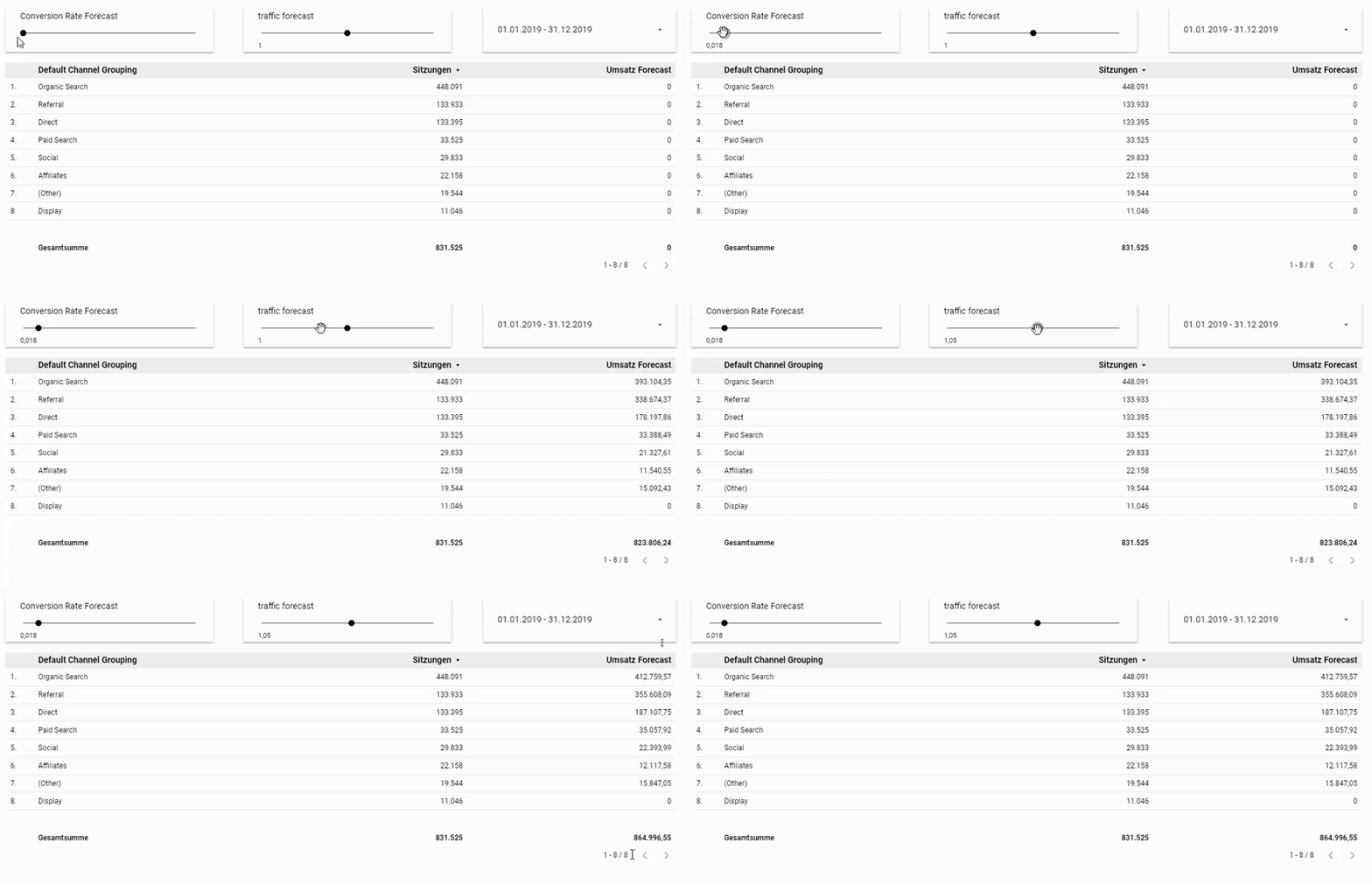
Two custom parameters have been created for this dashboard (Conversion Rate Forecast and additionalTraffic forecast) and defined the following calculated field:
Sales Forecast =ø Order value * Sessions * conversion rate forecast * traffic forecast
This allows the effects based on the sales data from the last periodan increase in conversion rate or traffic volume.
These approximate values can of course be replaced by more comprehensive formulas.
Tip:
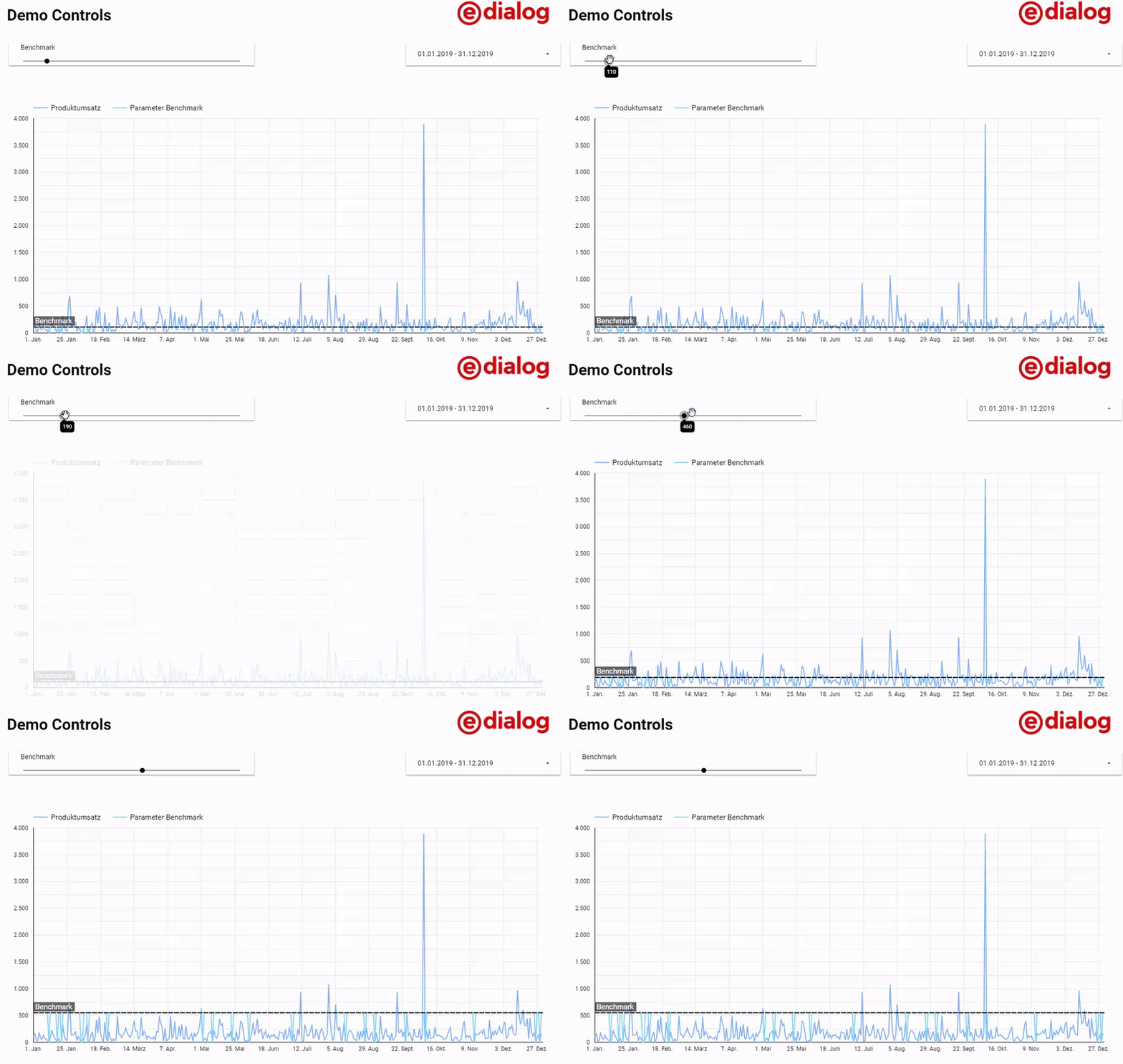
Parameters can also be used for benchmarks:
3. Checkbox
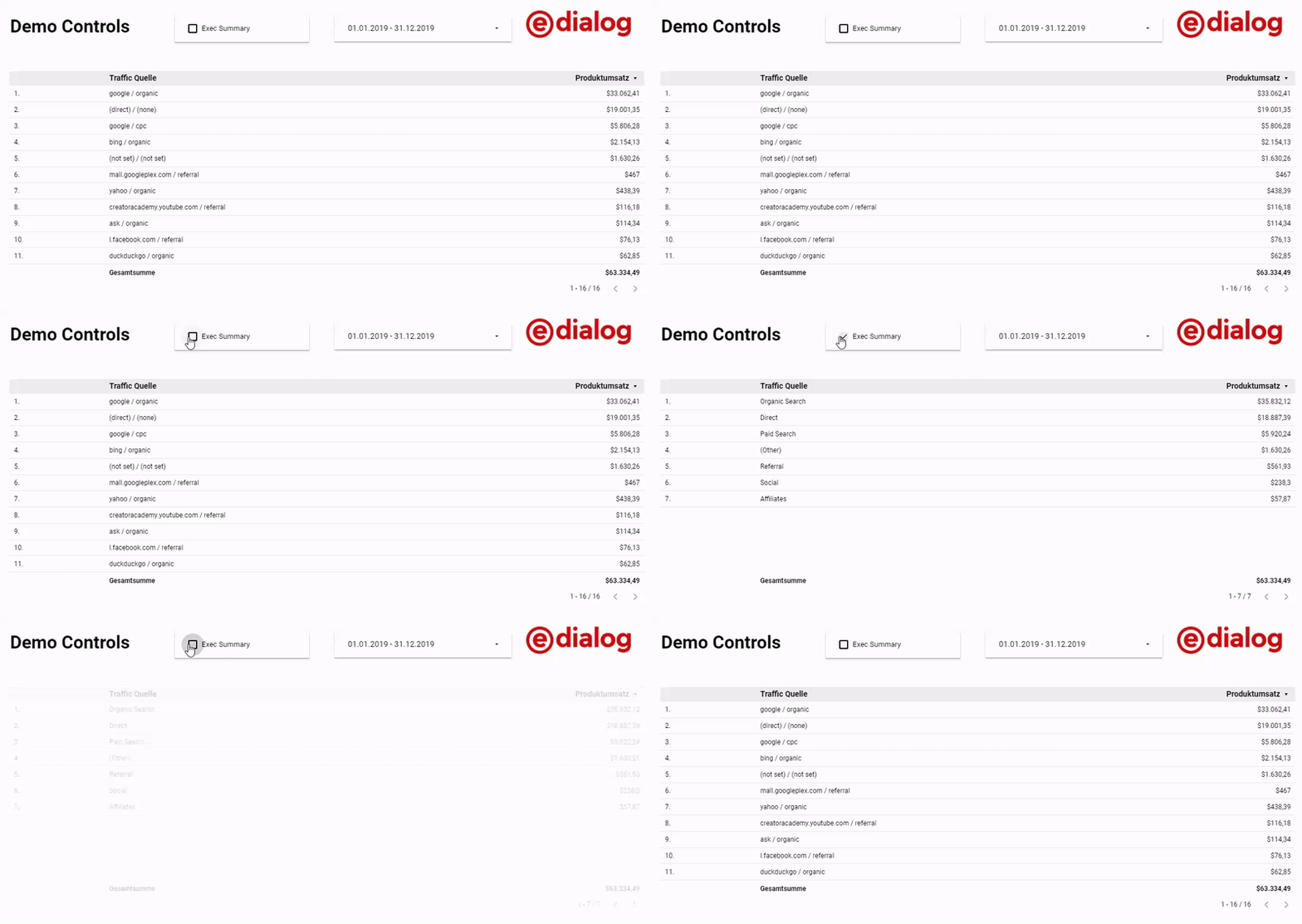
If you want to control all of your dashboard’s widgets with a single control, you can do this with checkboxes by defining binary parameters that are built into all widgets.
Suppose you have a dashboard with which you want to provide a management overview and detailed evaluations. For this you can define this parameter:
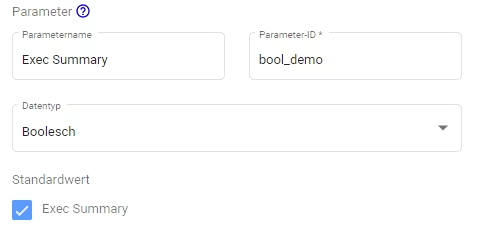
After that, you can integrate this parameter into a custom dimension and based on itcase whenCreate conditions.
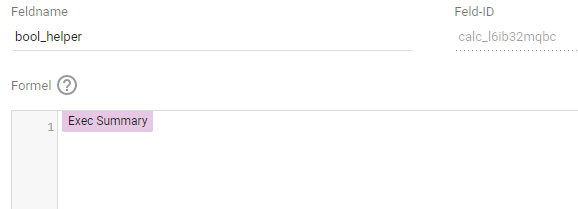
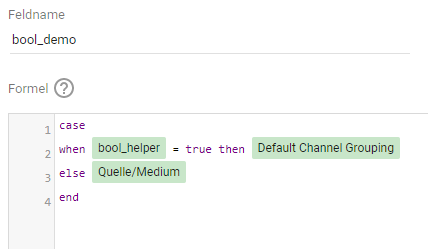
Here the Source/Medium dimension is combined into the higher-level channel groupings if the checkbox is checked:
Recap
The new parameters and interactive filter options show that Google is definitely planning to turn Data Studio into oneBI (Business Intelligence) toolto develop that is on par with solutions like Tableau or PowerBI. Especially in combination with BigQuery, the results are extrememany options for action, todata-driven insightsto democratize in companies. Exploratory analyzes become possible at a lower threshold without the colleagues having to deal with SQL or BigQuery; the report creation remains with experts like you! The new features make Data Studio a lot bettermore flexible.
P.S. Data Studio can now also be linked to Google Surveys. More on thisherein our blog article on the topic “Google Surveys and Surveys 360”!




