
New Google Analytics 4 Feature 8211 Customize Report Navigation

Management Summary
Structure of reports in the new Google Analytics
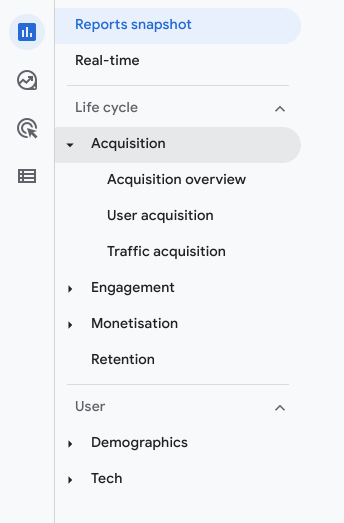
Under the menu item “Reports” or “Reports” the structure is structured as follows. At the top there is the “Reports Snapshot”as well as the report“Real time”. These include the so-called report collections with topics and associated reports. A Google Analytics 4 property currently contains two standard collections “Life cycle” and “User”. There are various themes within these collections. The “Life cycle” collection currently covers the topics “Acquisition”, “Engagement”, “Monetization” and “Retention”. The “User” collection includes the topics “Demographics” and “Tech”. These topics include overview and detailed reports, such as “Acquisition overview” and “Traffic acquisition” within the “Acquisition” topic.
A collection therefore consists of several topics and reports. The topics represent subgroups of reports and include an overview report and one or more detailed reports. The new feature within Google Analytics 4 allows you to customize these collections and the topics and reports they contain or create new ones.
Creating new report collections
The “Library” menu item has been newly added, which makes it possible to customize the reports that property users see. In order to see or use this menu item you need editing rights for the property.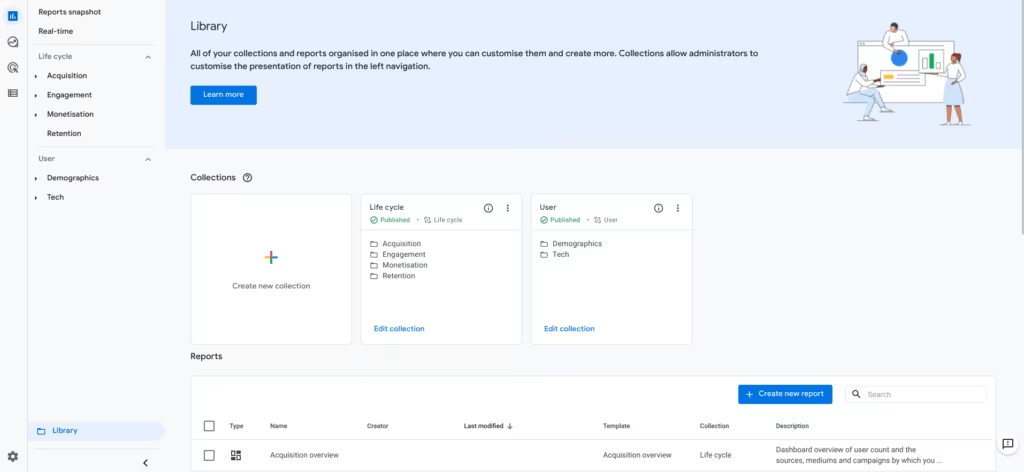 You can access the menu for creating a new collection by clicking on the “Create new collection” card. Here you have the option to select an existing template or start with an empty collection.
You then get to the editing menu, where up to five topics can be defined. Within the topics you can easily create up to one overview report and ten detailed reports using drag & Add drop. Once you have selected the topics and reports you want, you can click save and you will be taken back to the library.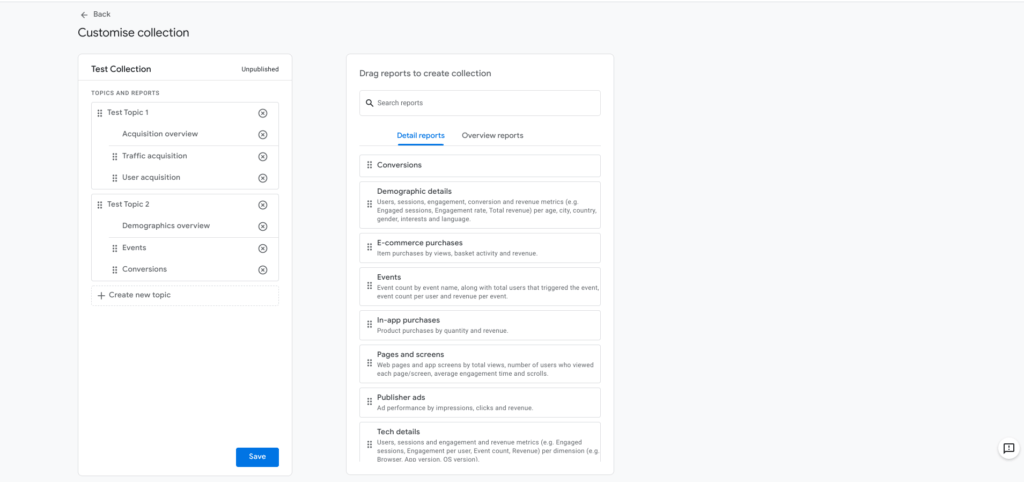 In order for the new collection to also be visible in the navigation, the collection must be published via the 3-point menu.
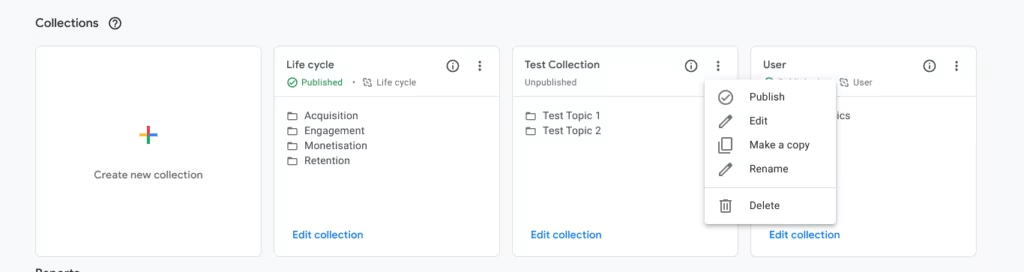 And voilà the collection is visible in the left navigation: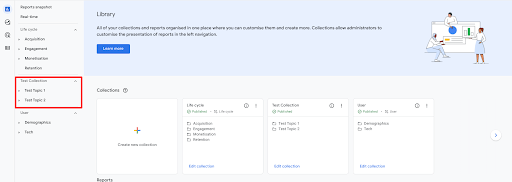
Customize existing collections:
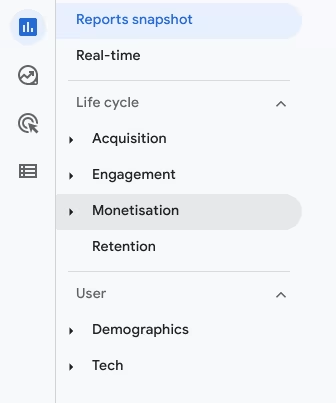
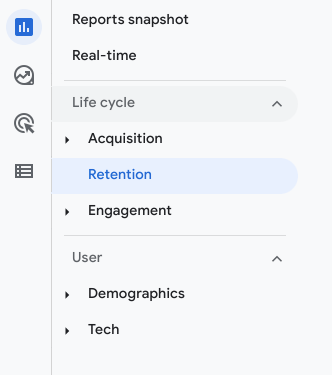
Existing collections can be adapted just as easily. To do this, for example, click on “Edit Collection” in the “Life cycle” collection and you will be taken to the same editing menu. In the following screenshot, we have completely removed the monetization area for demonstration purposes and adjusted the order of the topics within the “Life cycle” collection.
Don’t miss any updates from Google on reports
Standard collections (e.g. Life cycle, User) as well as collections created based on templates are updated automatically. So if Google adds a new report to the “Life Cycle” collection or changes the name of the topics, this update also affects the so-called linked collections. However, the changes do not affect reports or topics that were added or removed by a property admin. You also have the option to deactivate this link, which means you will not receive any updates. However, we advise against this, otherwise you could miss important innovations.
Conclusion:
This new feature enables unprecedented flexibility within the Analytics user interface and offers more design space for the user in report navigation and also in reports. Since the new Google Analytics is constantly evolving, we recommend maintaining the link to the standard collections or maintaining the standard collections so that you don’t miss any updates and stay up to date.




