Offline Reports In Dv360 8211 When Do I Need Which Report

Management Summary
Categorization of reporting templates in DV360
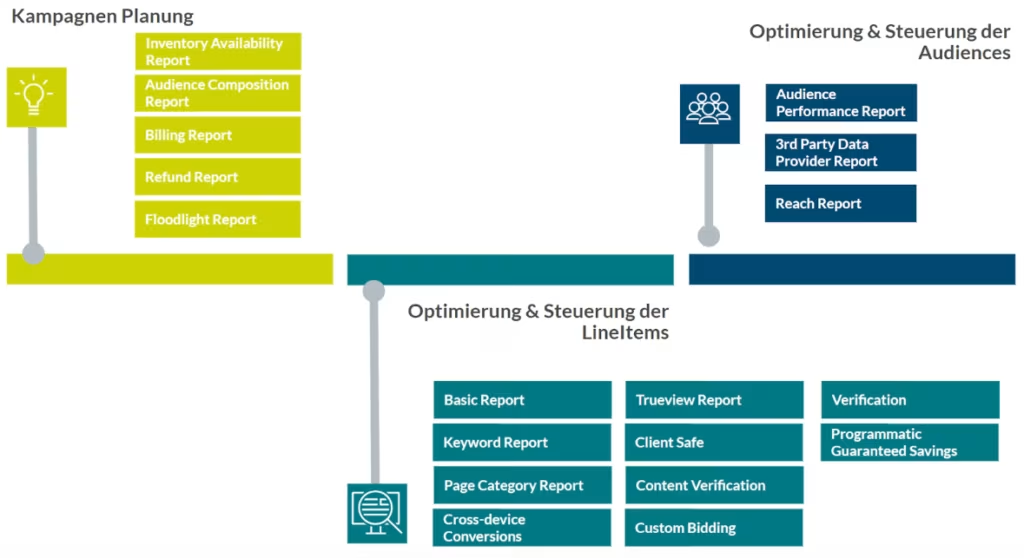
DV360 currently offers a total of 18 different reporting templates, which we summarize in three categories:
- Reports that are relevant for campaign planning
- Reports that help with optimization & Control of the LineItems are relevant
- Reports that help with optimization & Audience control is relevant
Report templates for campaign planning
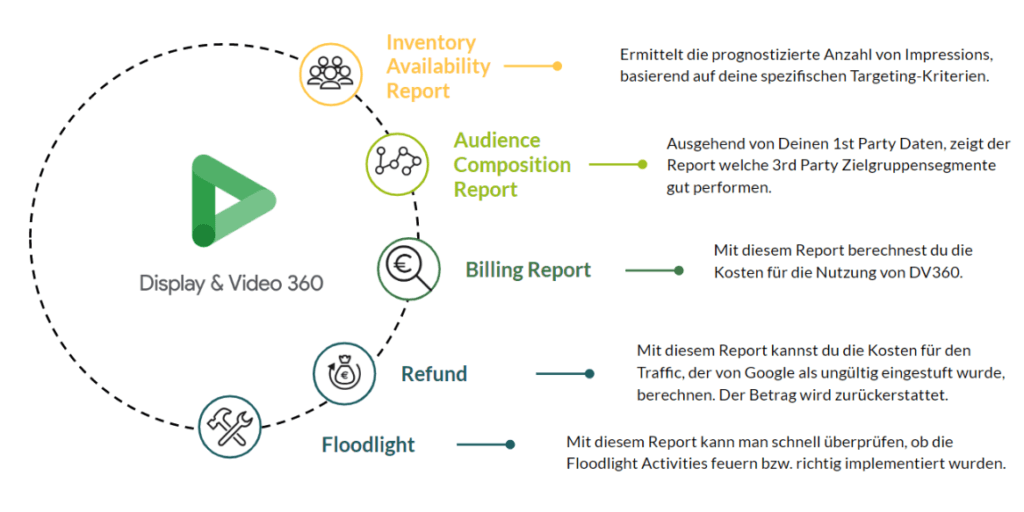
During the planning phase of campaigns, it is important to determine how much reach is available so that you can then plan the budget. Furthermore, it is important to define the audience and use the learnings from past campaigns. When setting up the campaign, it is also an advantage to be able to quickly check whether the floodlights are firing and data can be measured. All of these reports help form the framework of my campaign.
Report templates for optimizing and controlling line items
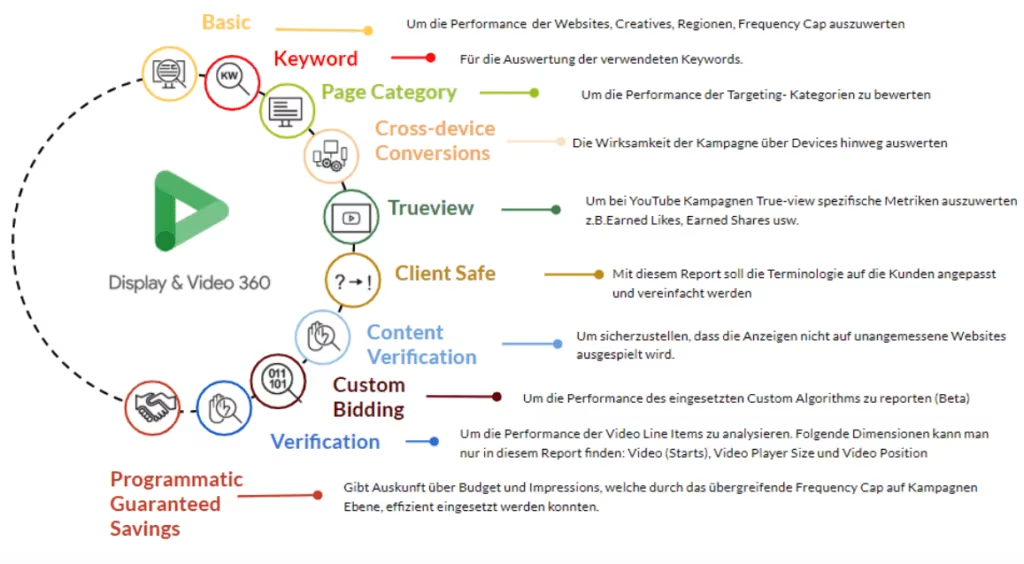
The reports listed below help you to better assess whether the performance of the campaigns corresponds to the target KPIs, whether the advertising materials are well received, and whether the correct audiences, keywords or categories were selected during targeting. In addition, whether brand safety is adhered to and how well the cross-device performance can be assessed.
Report templates for optimizing and controlling audiences
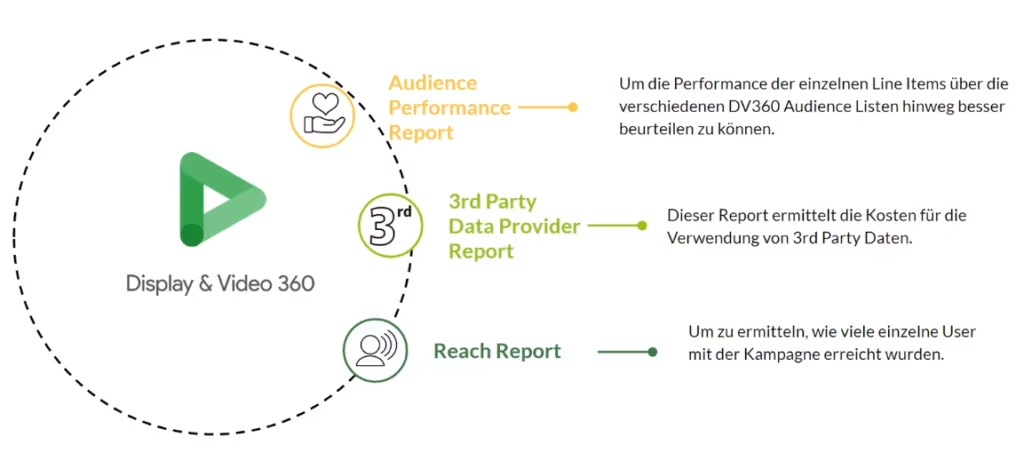
These reports help to evaluate the unique reach of my campaign, ie. How many individual users does the campaign reach? The audience optimization reports can also be used to assess the performance of individual Google Audience lists. A valuable advantage is that it can be determined based on individual criteria which 3rd party data is available for the campaign and would be interesting.