
Server Side Tagging Gtm Vs Tealium Iq Vs Tagcommander

Management Summary
Currently, tagging is mostly carried out on the client side, i.e. on users who access the website. However, this has a few disadvantages, such as:
-
- no complete control over the data sent
- growing page load
- the data sent is publicly viewable
- possible problems with a Content Security Policy (CSP)
- Tracking Blockers / ITP etc.
This is why the topic becomesServer side taggingmore and more popular and we are taking advantage of Simo Ahava’s webinarServer Side GTM(Google Tag Manager) as an opportunity to use this with theCompare tools from other manufacturers! There were three webinars in total, one forNorth America, one forEuropeand one forAPAC.
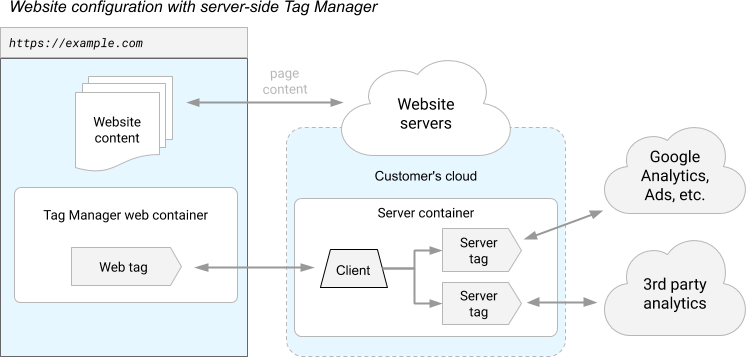
The basic setup is the same for all three providers:
- A tag is installed on the website.
- This tag sends data to the server.
- From there, the data can then be sent to various marketing and analysis tools.
GTM
The Server Side GTM is available for Free and GTM 360 customers. Overall, a web GTM container and a server GTM container are used for the setup. The GTM Container server is usually hosted in a cloud. For example, the Google Cloud Platform and the App Engine Service can be used for this. The costs are at least €100/month and can range up to €300/month for large eCommerce sites.
By the way: You can test the Google Cloud Platform without obligation and free of charge and even receive a voucher worth $500 through our partner program! All information here:https://e-dialog.group/gcp-voucher/
Tealium iQ + AudienceStream
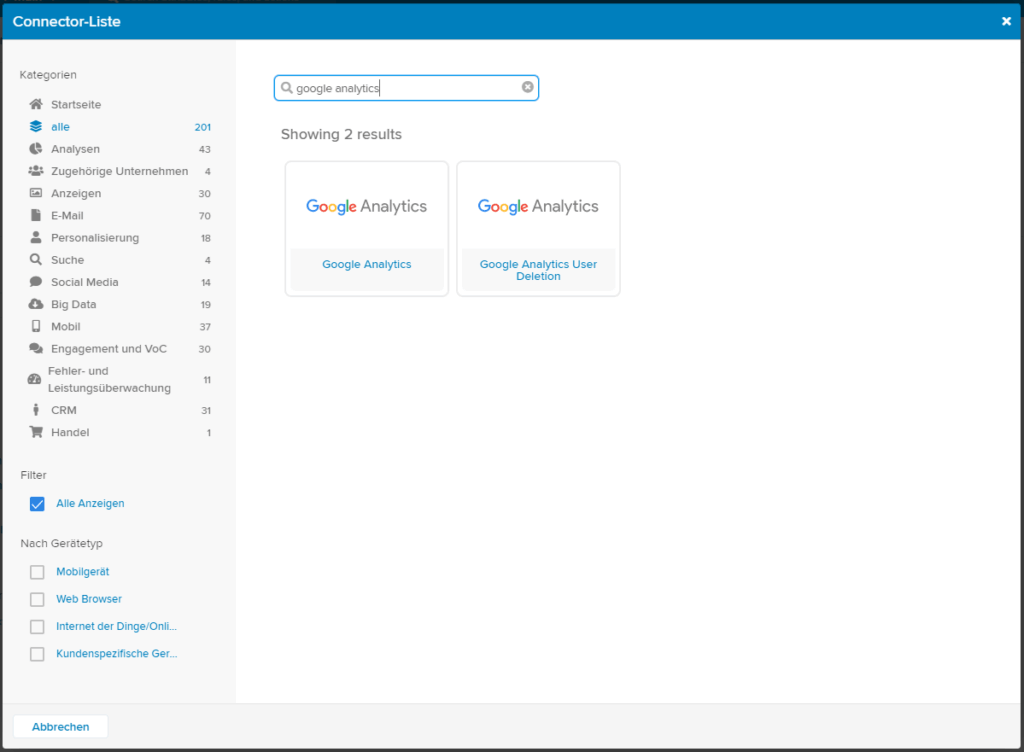
The tag to be installed in Tealium is called “Collect Tag” and can be implemented either via your own tag management system iQ or via another tool.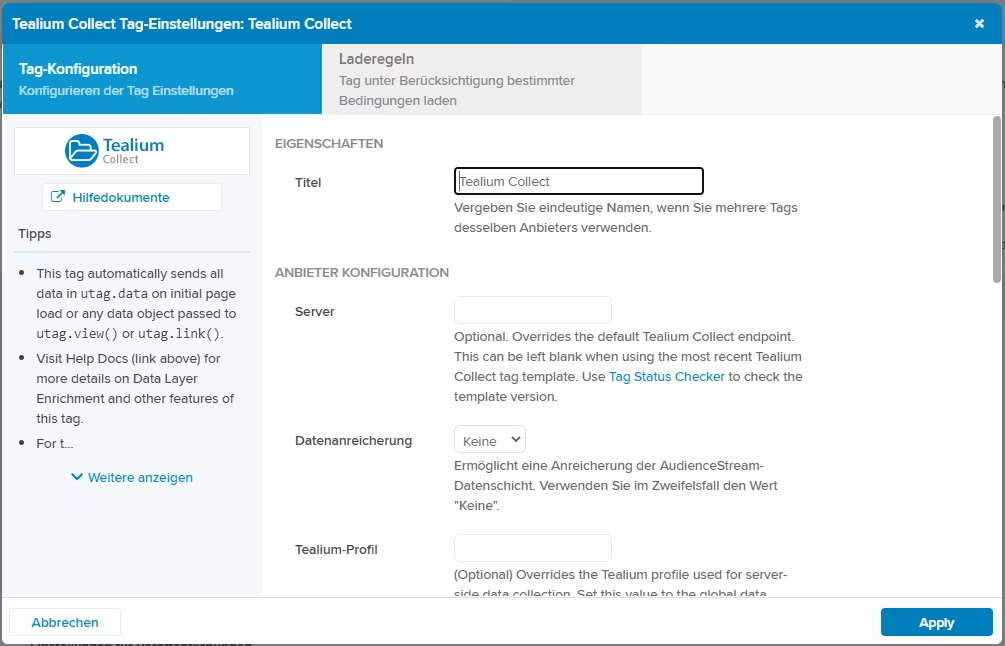 The collection and activation of audiences (email campaigns for shopping cart abandoners are an example) as well as the forwarding of data (e.g. to Google Analytics) is then implemented within Tealium’s “AudienceStream” tool. The pricing must be clarified individually here.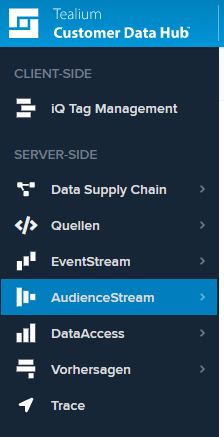
TagCommander
In order to obtain a cost estimate for TagCommander, you must also contact the provider. TagCommander’s documentation specifically distinguishes between a server-side and a hybrid server-side setup. This is not explicitly shown by Google and Tealium, but can also be implemented with these tools.
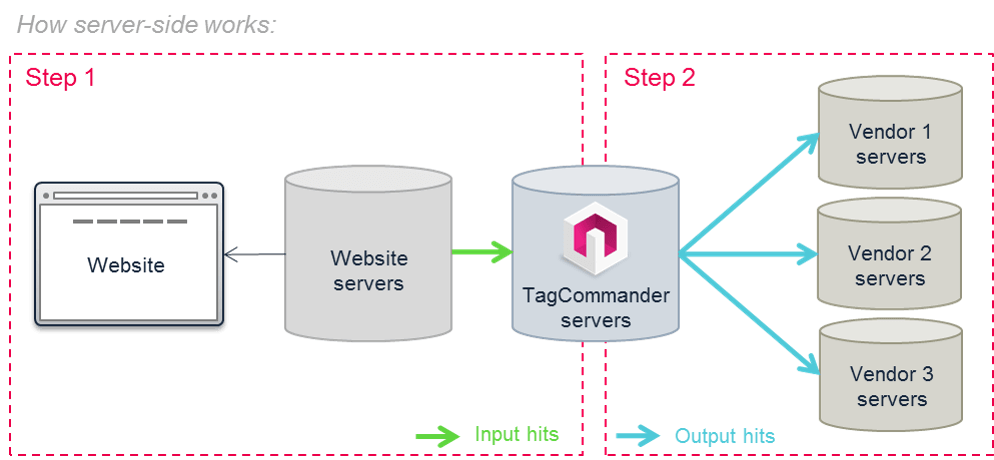
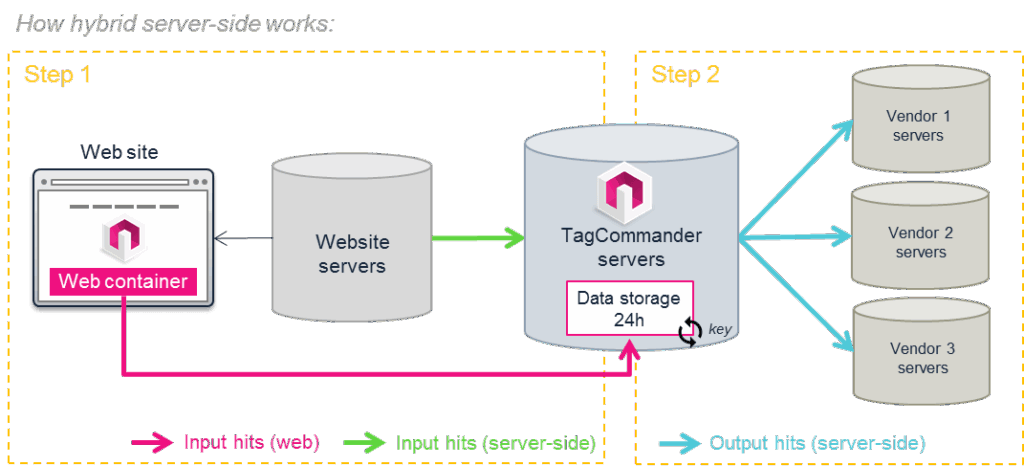
Comparison
For a better overview, we have finally compared the most important properties of the three tools in a table:
| Provider | Tealium | Commander’s Act | |
| Tool | GTM | iQ + Audience Stream | TagCommander |
| Client side tag | A Web GTM is usually implemented on the client side. This contains tags that send the data to the server side GTM.
For Google Analytics tags, the “transport_url” must be set to “tracking.e-dialog.at” in the “Fields to Set”. |
The Tealium “Collect Tag” collects the data on the website | With TagCommander, the web container also sends data to the server side container |
| Hosting the server container | Can be chosen by yourself –
Default: GCP App Engine, |
Cannot be chosen, AudienceStream is always hosted by Tealium itself | Within the Commanders Act CDN (providers: Edgecast and Akamai), or on your own web server |
| Connectors/Tags provided | Google Analytics: App + Web
Google Analytics: Universal Analytics HTTP request (you can use this tag to send requests for additional marketing/analytics tools) |
A total of 201 connectors are provided, e.g.: Google Analytics, various Facebook connectors, MailChimp etc. | Almost 1,000 different tags are currently available |
| Setup variants | Server side tagging
Hybrid: Client Side Tagging & Server side tagging |
Server side tagging
Hybrid: Client Side Tagging & Server side tagging |
Server side tagging
Hybrid: Client Side Tagging & Server side tagging |
| More features | Similar user interface to the Web GTM and probably soon expansion of functionality | The AudienceStrem module can not only be used for server side tagging, but is also a complete CDP | The Server Side TagCommander provides a monitoring dashboard to visualize incoming and outgoing data |
| Available for | Free and GTM 360 | – | – |
| Cost | 100 € (minimum) – 300 € (large eCommerce site) | Individual pricing | Individual pricing |




