Service Accounts Within The Google Cloud Platform

Management Summary
FormerArticleto read!
Service Account Types
Default service account
Certain GCP services automatically create so-called “default service accounts” that allow the service to deploy jobs that access other GCP resources.
The purpose of these “Default Service Accounts” is to make it easier to migrate to GCP. For productive systems, however, Google recommends creating your own service accounts and assigning appropriate roles.
Default service accounts are always assigned the IAM role “Project Editor”.
App Engine
If App Engine or a GCP service that uses App Engine is created, the following default service account is automatically created:
project-id@appspot.gserviceaccount.com
Cloud Functions
Cloud Functions use App Engine in the background, which is why the App Engine Default Service Account is also created in this case:
project-id@appspot.gserviceaccount.com
Compute Engine
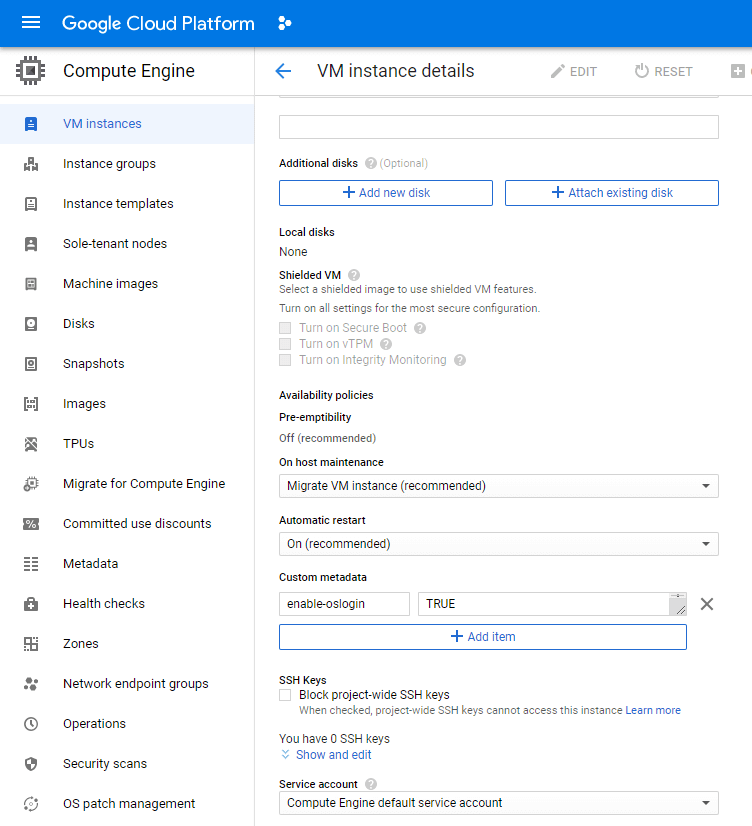
If Compute Engine or a GCP service that uses Compute Engine is created, the following default service account is automatically created:
project-number-compute@developer.gserviceaccount.com
User-managed service account
You can create these types of service accounts via the IAM API, with the Cloud Console or with the gcloud command line tool. You are responsible for managing and securing these accounts yourself.
By default, you can create up to 100 service accounts in a project. If you create a service account in a project, a name must be chosen, which will then be used within the following email address:
service-account-name@project-id.iam.gserviceaccount.com
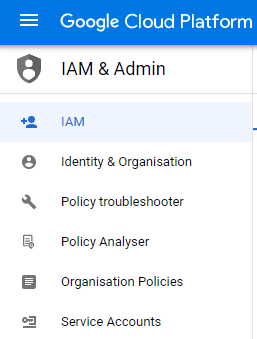
Nue service accounts can be found within the menu: IAM & Admin > Service accounts are created. If you now want to assign further rights to this service account, you must do this via: IAM & Admin > IAM can be made.
Google managed service accounts
For the sake of completeness, it should be mentioned here that apart from default and user-managed service accounts, there is a third type, namely: “Google-managed service accounts”. You often see these in IAM guidelines or audit logs.
Change of default service account
The following describes how a “User-managed Service Account” can be used instead of a “Default Service Account” for the most important compute resources.
App Engine
An App Engine Service always uses the App Engine Default Service Account; it is not possible to change this.
Cloud Functions
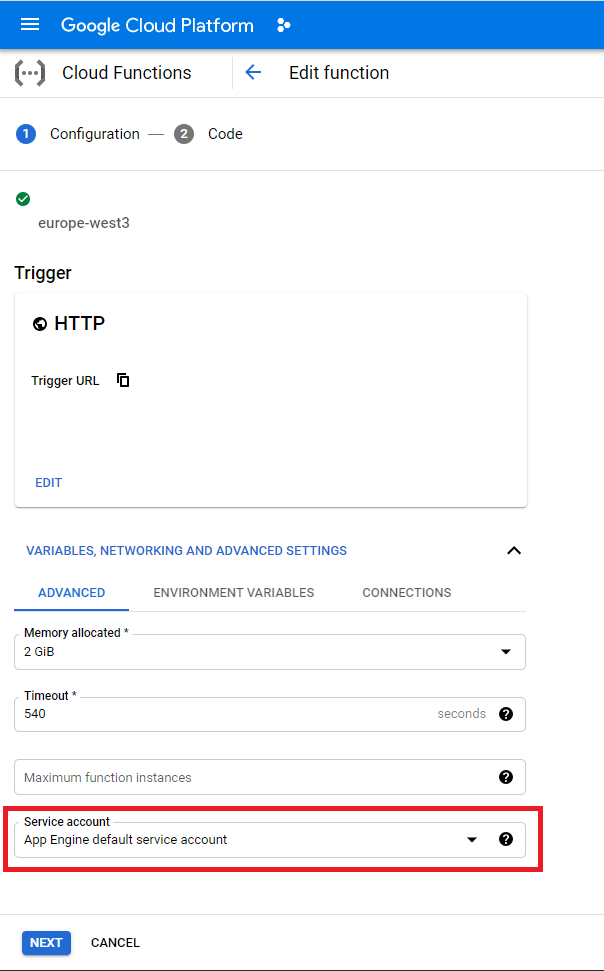
Standardmäßig verwenden Cloud Functions den oben beschriebenen App Engine Default Service Account. If you don’t want this, you can choose a user-managed service account in the advanced settings.
Compute Engine
Here too, the Compute Engine Default Service Account is used first, unless you change this in the settings.