
The Different Reporting Identity Options In Ga4 Advantages And Disadvantages At A Glance

Management Summary
Learn which reporting identity option in Google Analytics 4 is right for your business. Blended, observed or device-based? Understand the pros and cons of each option and optimize your user behavior tracking.
Reporting Identity in GA4
The reporting identity is based on various IDs and signals such as User ID, Google Signals and Device ID or on modeled data. There are three different reporting identity options available in GA4: Blended, Observed and Device-Based. Each option has its advantages and disadvantages, which we will look at in more detail below.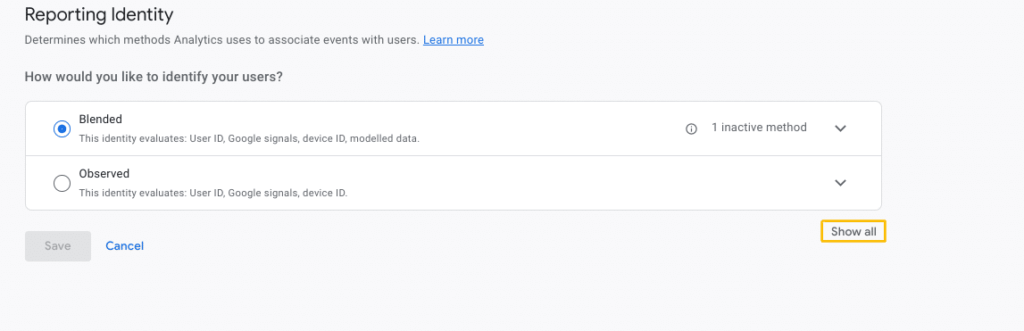 Reporting Identity in GA4 Show All, source: Google
Click on ‘Show all’ to display all reporting identity options.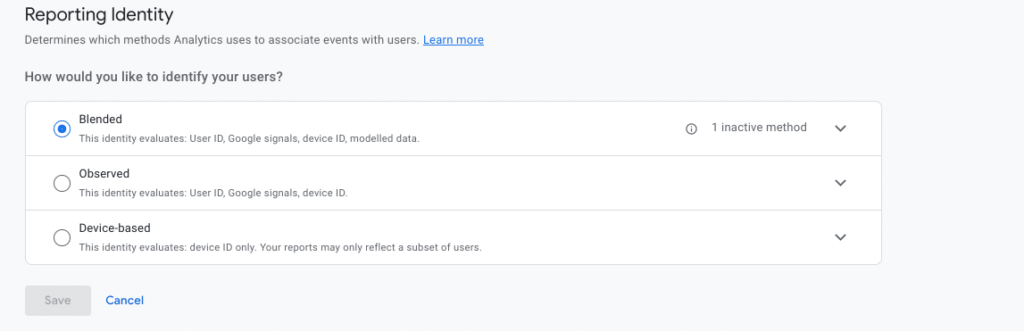 Reporting Identity Blended, source: Google
Blended reporting identity
The blended reporting identity attempts to link the different IDs to create a comprehensive view of user behavior across devices and platforms. Several identification features such as User ID, Google Signals, Device ID and Modeled Data are used.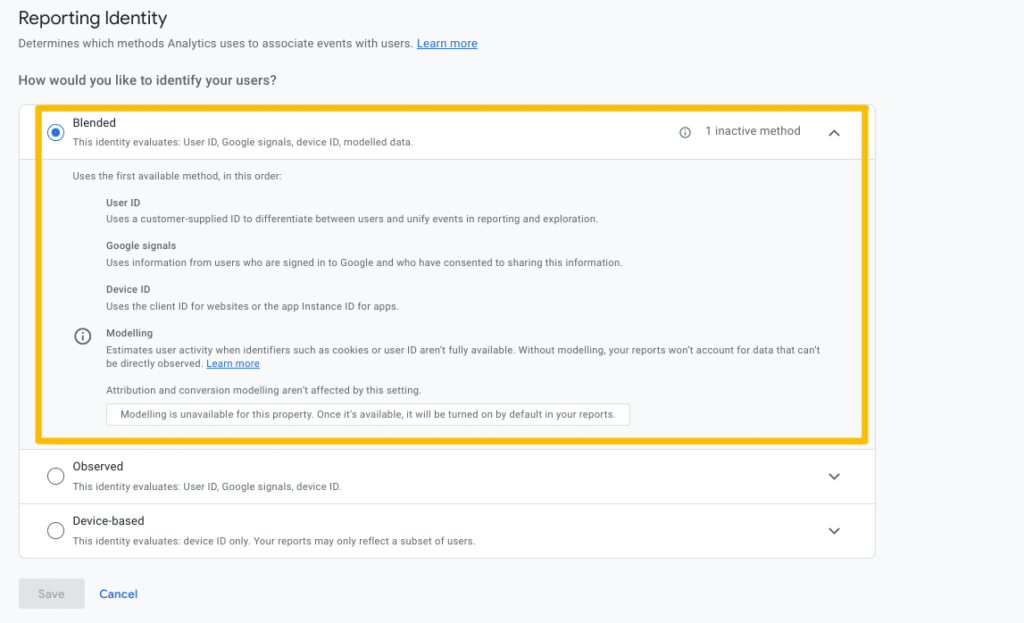 Blended Reporting Identity, Source: Google
As a basis, the use of the user ID enables users to be clearly identified, for example through a hashed customer number when logging in. If the user ID cannot be used or is not implemented, Google Signals recognizes users who are logged in with their Google account and have activated personalized advertising, as long as the property has enough activity from logged in users. In addition, the Device ID is an anonymous ID that uniquely identifies the device and the browser used if User ID and Google Signals cannot be applied to the user. Ultimately, if there is no consent and it is not possible to identify the user, GA4 uses machine learning using holdback validation to determine user behavior.
Holdback validation compares estimated user data with a portion of the collected data that was not taken into account when training the models. This optimizes the models and improves data precision. However, behavioral modeling is only carried out with sufficient qualitative data from users who have given their consent and therefore needs to be implementedConsent fashion.
Advantages and disadvantages of the blended reporting identity
The blended reporting identity provides a comprehensive view of user behavior across devices and platforms. This enables more precise identification of trends and patterns as well as a better understanding of user journeys.
However, this option requires the activation of the user ID. Care should be taken to ensure that no personally identifiable information (PII), such as name, telephone number or address, is tracked. In addition, the use of this identification on the website must be transparently communicated to users.
Google Signals requires Google login and consent to personalized advertising in order to be used optimally. This can lead to problems with data precision; For example, the age and gender of users who have not agreed to personalized advertising, who are not logged into their Google accounts or who do not have a Google account at all are not tracked and are instead passed as ‘unknown’. In addition, data from fewer than approximately 50 users is not displayed in the report to protect user anonymity, also known as thresholding.
Another disadvantage is that with the blended reporting identity, modeled data is only used once consent mode has been implemented. In addition, the minimum of 1000 users must be reached who have triggered the anayltics_storage = ‘granted’ event in at least 7 of the last 28 days.
Observed Reporting Identity
The Observed Reporting Identity also uses various signals such as User ID, Google Signals and Device ID, but without modeled data. Accordingly, actual user data is used with consent, without any modeling.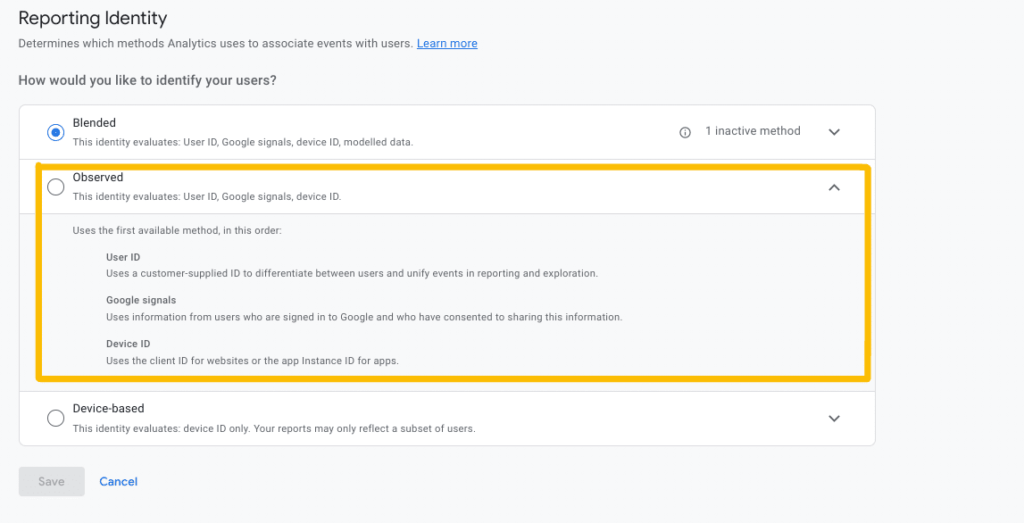 Observed Reporting Identity, source: Google
As already explained with the Blended Reporting Identity, the use of the User ID enables users to be uniquely identified, while Google Signals recognizes users who are logged in with their Google account and have activated personalized advertising. The Device ID identifies the device and the browser used.
Advantages and disadvantages of the Observed Reporting Identity
The observed reporting identity offers a closer look at user behavior compared to blended reporting. Using actual user data with consent enables a clearer understanding of customer journeys and touchpoints. However, this option also requires activation of Google Signals, Google Login and consent to personalized advertising.
It is important to note that not all users consent to personalized ads, which limits the accuracy of the reporting observed. Modeled data is not taken into account with this option. Here, too, the property must have enough activity from logged in users to adequately anonymize their identity.
Device-Based Reporting Identity
Device-Based Reporting Identity uses a single device ID to track user behavior. When a user visits a website or app on a device, Google Analytics assigns that user a client ID. This client ID remains the same as long as the user uses the same device and browser. This means that the user data when selecting the Device-Based Reporting Identity most closely resembles the data in Universal Analytics.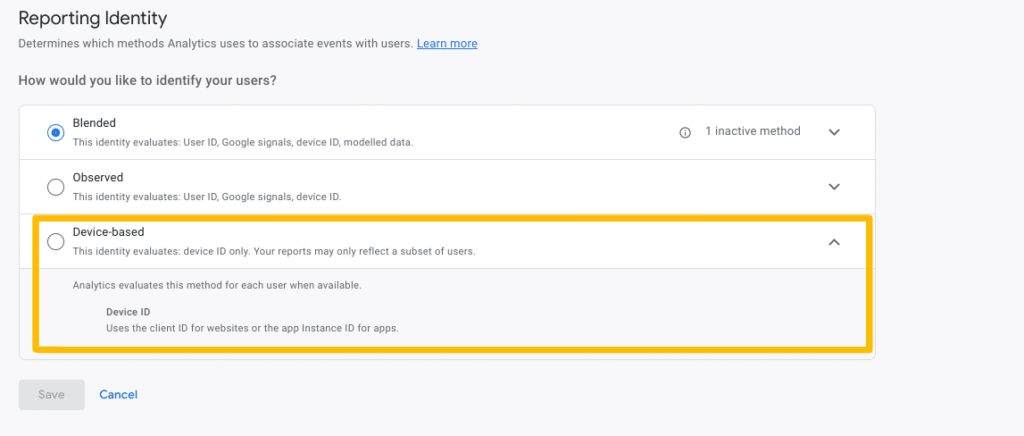 Device Based Reporting Identity, Source: Google
Advantages and disadvantages of Device-Based Reporting Identity
This option is useful for tracking user behavior on a single device. However, it does not provide a complete view of behavior across devices and platforms. What is also tracked is reported 1:1, without deduplication and thresholding. Thresholding is not used here; all data is always displayed. The identity of the user is protected because cross-device tracking is not possible.
However, Device-Based Reporting Identity is limited to a single device, which can lead to an incomplete view of user behavior and touchpoints. The accuracy of attribution across devices is also limited. Users are not recognized with Google Signals or User ID, which can lead to inaccurate user numbers. In addition, the identity of the users is not deduplicated.
Conclusion:
In conclusion, choosing the right reporting identity option in GA4 depends on various factors. It’s important to consider the pros and cons of each option, as well as the specific requirements. This is the only way to ensure optimal analysis of user behavior and accurate attribution.




