
The Insights Feature Recognizes Trends In Ga4 Data Faster

Management Summary
GA4’s Insights feature uses machine learning to support professional data analysis. This article explains how you can recognize and interpret general tendencies in your evaluations more easily and quickly.If the past evaluation period of your website/app in Google Analytics shows unusual data spikes or a sudden drop in the KPIs in the time chart, the reasons for this can be varied and range from bot traffic to bugs to inconsistencies in the analytics setup. When analyzing such sources of error, the time/cost factor is always essential: the sooner data anomalies are discovered, the sooner the search for the cause and troubleshooting can begin.
There is a useful insights feature to support this workflow: GA4 generates mini-reports by default, which are then available in the Analytics Console cards. This Insights feature, which some users may already be familiar with from Universal Analytics, has received further upgrades in GA4. Google’s “Analytics Intelligence” (German “Analytics Radar”) is used, which not only continuously checks the existing data using machine learning and AI support, but can also provide quick answers to simple, individual questions.
The Insight feature in GA4: Access and appearance
Both the automated and custom insights are accessible via the Analytics homepage, the Advertising Report and the Reports Snapshot (left navigation bar). In addition to the well-known overview cards, the card that shows the latest insights from your website with a date appears in list form (Figure 1). If you have not yet made any settings, an empty card will appear here, which you can use to create a new insight using the “Create” button.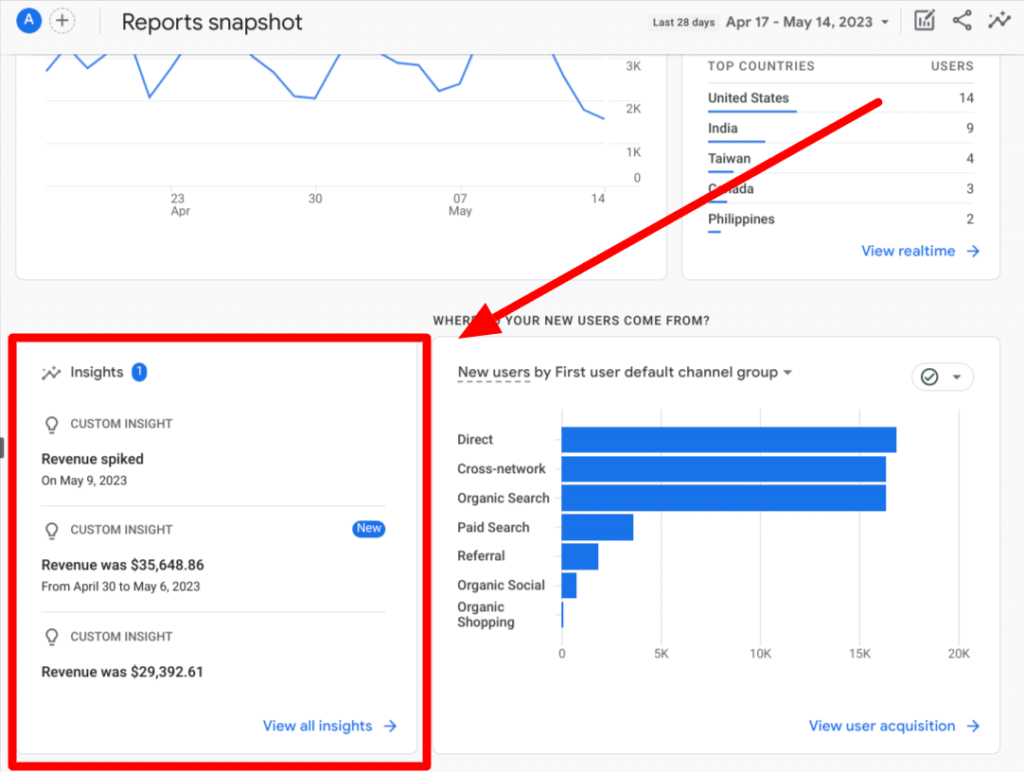 By clicking on “View all Insights” you get a complete overview of all existing short messages. With another click on the short message in question, a small detailed view opens on the right edge of the screen to further explain the data (Figure 2). Exciting: Every time you interact with one of the insights, Analytics Intelligence learns about your interests and prioritizes your new insights accordingly.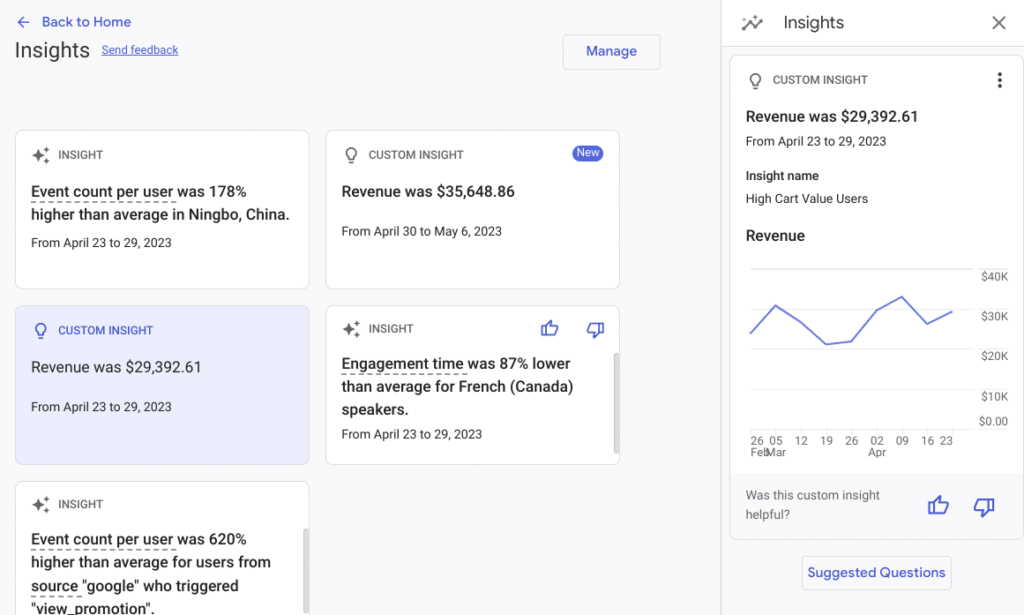
How to: Set custom insights and custom alerts
Starting from the menu item “View all Insights” it is possible to manage the cards or add new ones using the “Manage” and “Create” buttons. If you create a new map using the “Create” button, a list of recommended reports appears. Here the focus of the evaluation can be directed to specific KPIs.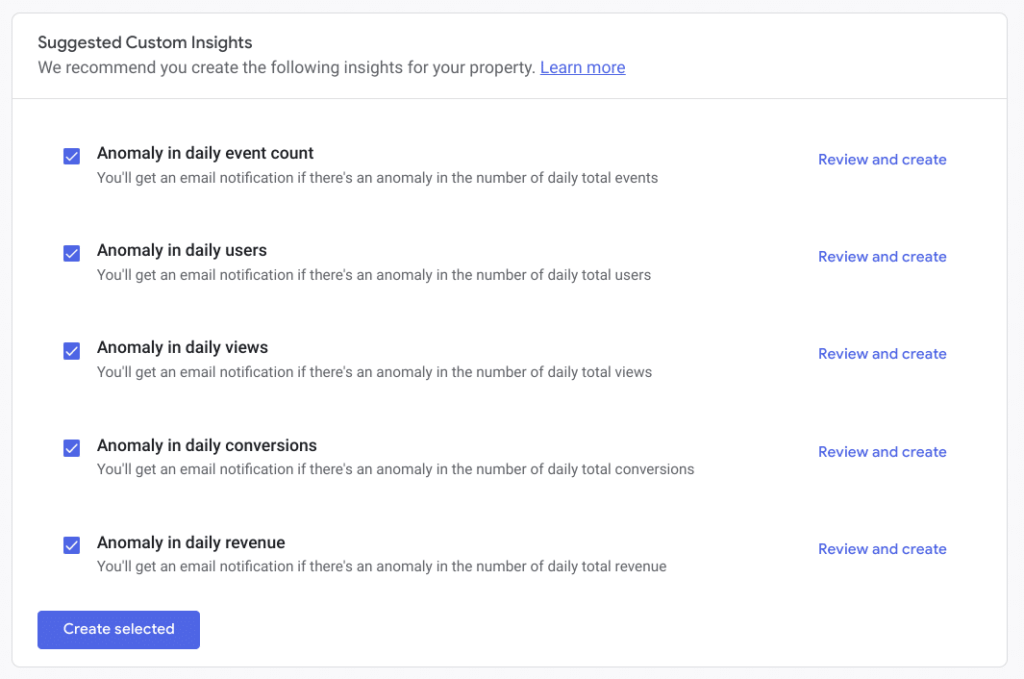 The following suggestions are available:
- Anomaly in daily event count
- Anomaly in daily users
- Anomaly in daily views
- Anomaly in daily conversions
- Anomaly in daily revenue
Custom adjustment of these areas is currently possible using the following parameters:
- Evaluation Frequency(hourly (web only), daily, weekly, monthly)
- Segmentationbased on various dimensions (e.g. age, gender, language, etc.)
- Metrics and Conditions(e.g. number of events/has increased by more than…%)
Once the appropriate adjustments have been made, they can be saved and viewed by all users of the respective property. Particularly noteworthy is the Custom Alert: the direct sending of evaluations via email. The predefined data changes serve as individual triggers to trigger the email alarm. To activate this feature, simply enter the desired email address in the corresponding setup area and then save the settings.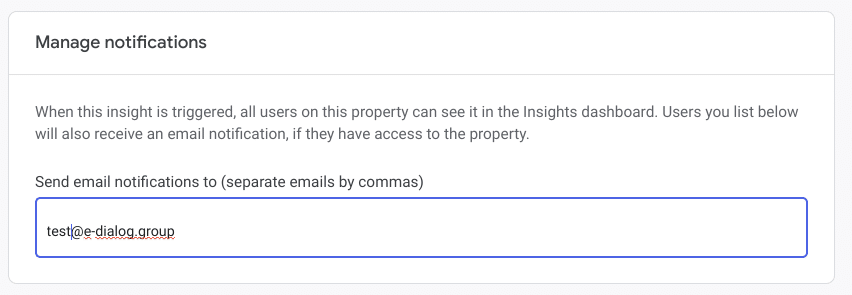 There is also the option to define additional insights for evaluation based on company-specific KPIs with “Start from scratch” (Figure 5). Currently, up to 50 custom insights can be created per property.
Analytics Intelligence: Simply ask questions
There is a small insight icon at the top right of the page. Here, users can have predefined questions answered on the topics of ecommerce or traffic analysis (Figure 6). By entering it into the search bar, free questions about basic information can also be answered, as long as they are specifically and clearly formulated. “Analytics Intelligence” also provides information on intelligent goals based on machine learning as well as user and conversion estimation data.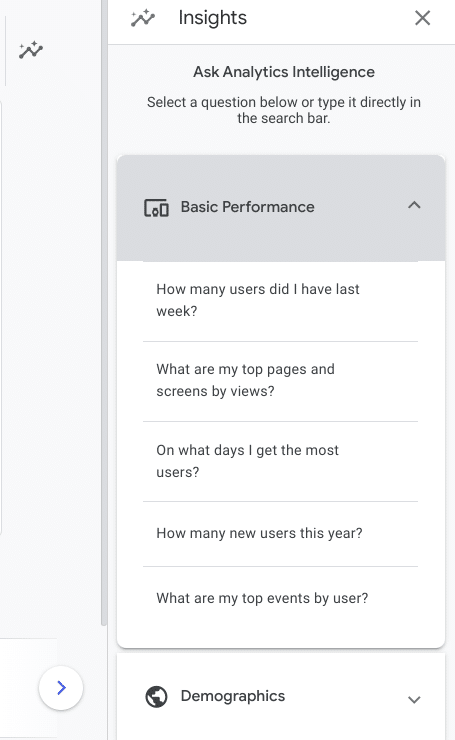
Conclusion
The increased focus on machine learning further increases the user-friendliness of the GA4 Insight feature. By sending email alerts, users receive new insights based on predefined parameters and are therefore always informed about unusual deviations. The ability to send questions to “Analytics Intelligence” complements the existing feature with an AI component, which can actually be helpful if there is a need for a quick overview or evaluation based on standard KPIs.
Predictive analytics can help identify deeper insights and opportunities in the data landscape. The custom insights are shareable with your team or other stakeholders, making internal communication easier. This saves time and money. Overall, it is a promising tool that we can already look forward to seeing its further development in terms of the application of AI and machine learning.




