
The Most Common Targeting Possibilities In Dv360 8211 A Comprehensive Guide

Management Summary
Are you interested in the different targeting options, but don’t know what’s possible and where to start? Then read on!
Targeting options in DV360
The currently available targeting options can be divided into inventory source, audience, content and technology targeting. (See also thisGoogle Support Resourcesfor further information.)
Inventory source targeting
This targeting determines whether the campaign runs in open inventory or through private deals (publisher agreements). At the Line Item level, navigate to the “Public Inventory” area to target Open Auction inventory, and use the “Deals and Inventory Packages” area to control the campaign through a deal.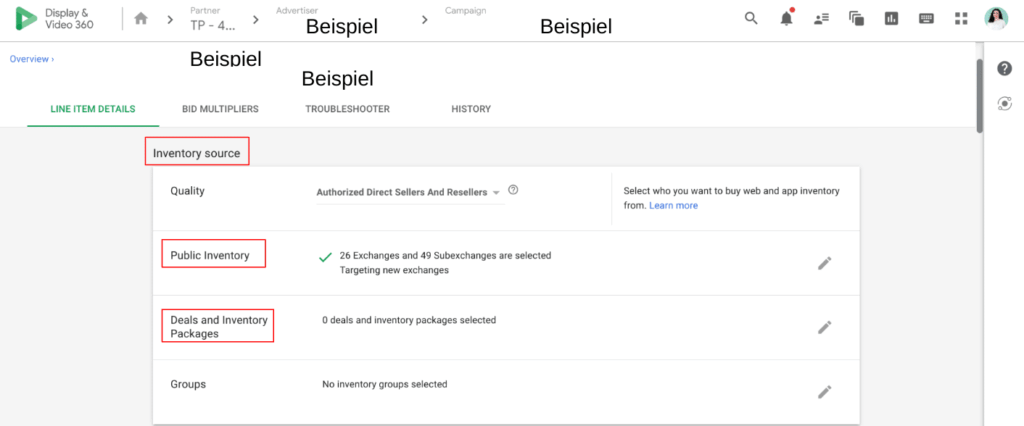
Audience targeting
This group includes a variety of targeting options around Audience List Targetings, Geography, Day&Time and Demographics.
Geo targeting
Let’s start with the most important targeting, namely geo-targeting. This restriction is essential for every campaign because if a line item is not geo-targeted, it will attempt to buy every impression that comes through Display & Video 360 is available. This large reach means the budget can be used up very quickly. Additionally, impressions are bid on from all locations, which is very inefficient for a campaign.
In DV360 you can choose between region and radius. Region targeting includes country, state, city, ZIP codes, airports and universities. With radius targeting, on the other hand, a location list including coordinates is uploaded, around which a corresponding radius can then be drawn in the form of kilometers (e.g. 5 or 10km).
In the image below you can see what region targeting looks like in DV360. The regions marked green are specifically targeted, while the regions marked red are excluded.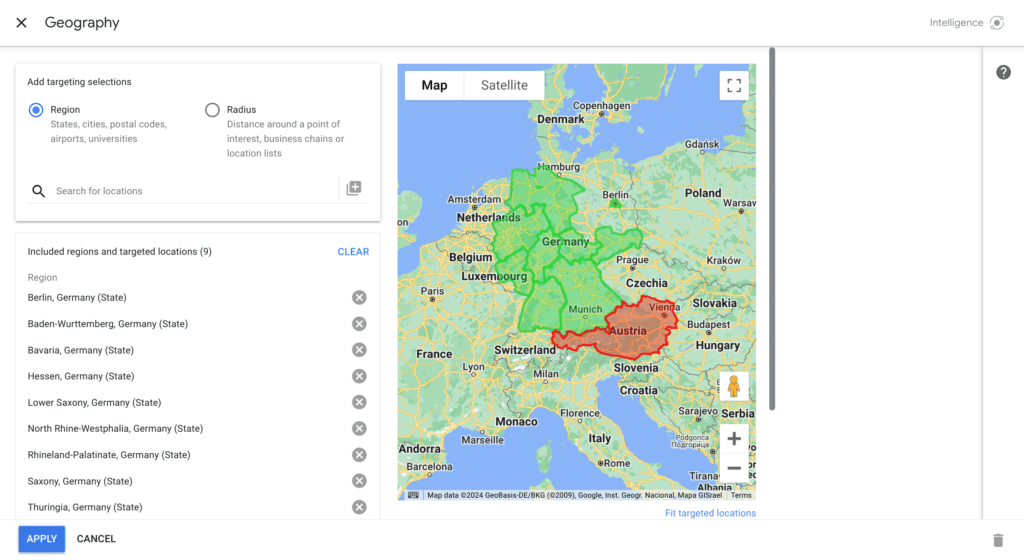 With radius targeting the whole thing looks like this:
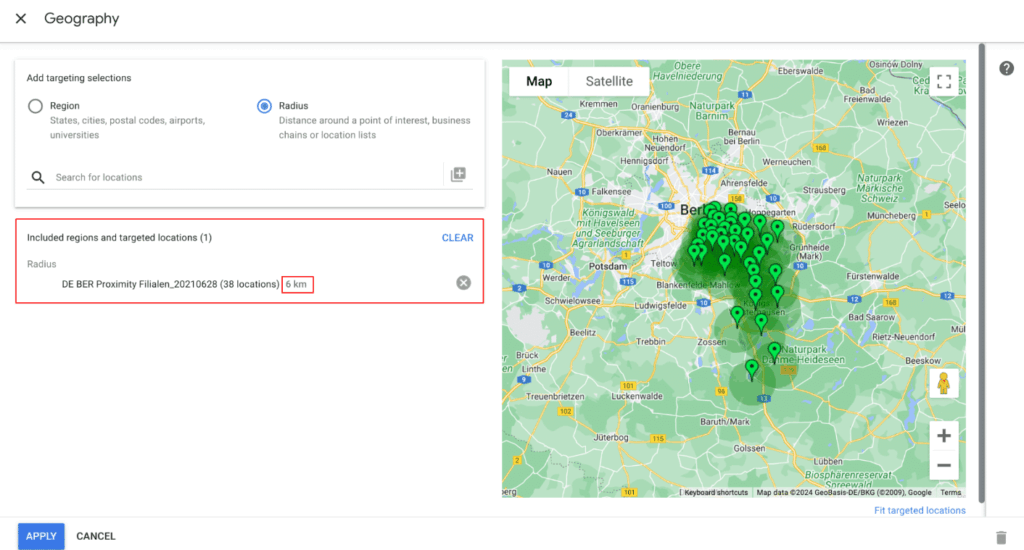 In this example we include all locations in Germany near Berlin with a radius of 6km around the branches. The locations can be stored in two ways:
- Click on the “+” under “Radius” and insert the coordinates individually. The following format must be used: “52.483681, 13.527651” (“longitude, latitude”).
- You create a list at advertiser level under Resources→Location lists → Create new, give it a name and select proximity targeting and insert the coordinate list. In the interface you can then enter the name of the list in the search field (“Search for locations”) and add it.
Audience list targeting
This category includes targeting of 1st and 3rd party audiences, Google Audiences, Combined Audiences and Custom Lists (Custom Affinity and InMarket).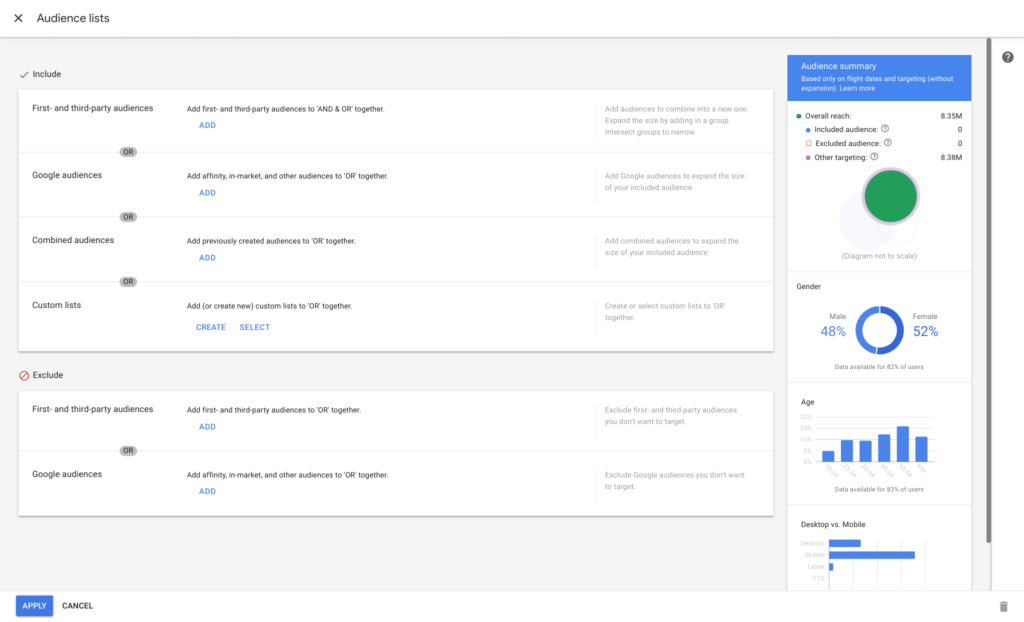 Audience lists contain users with certain characteristics. This user data is collected either by the company itself (1st party data) or by other companies, which in turn can be purchased for their own targeting purposes (3rd party data). 3rd party data providers are service providers who collect user profiles and make them available as targeting lists for a fee. However, your own DSP (such as Google’s DV360) often already offers a large number of lists free of charge, so it is advisable to first familiarize yourself with the existing audiences.
You can put together custom lists yourself and they offer the opportunity to expand existing targeting options. You combine keywords and URLs which should either reflect the interests of the target group (e.g. in the case of aCustom affinity list), or to represent users who are about to make a purchase decision regarding a product or service (Custom Intent List).
In the case of a so-calledCombined audience listYou have the option of combining Google Audiences with 3rd party audiences in order to increase the reach or make the target group even more relevant.
Day & Time targeting
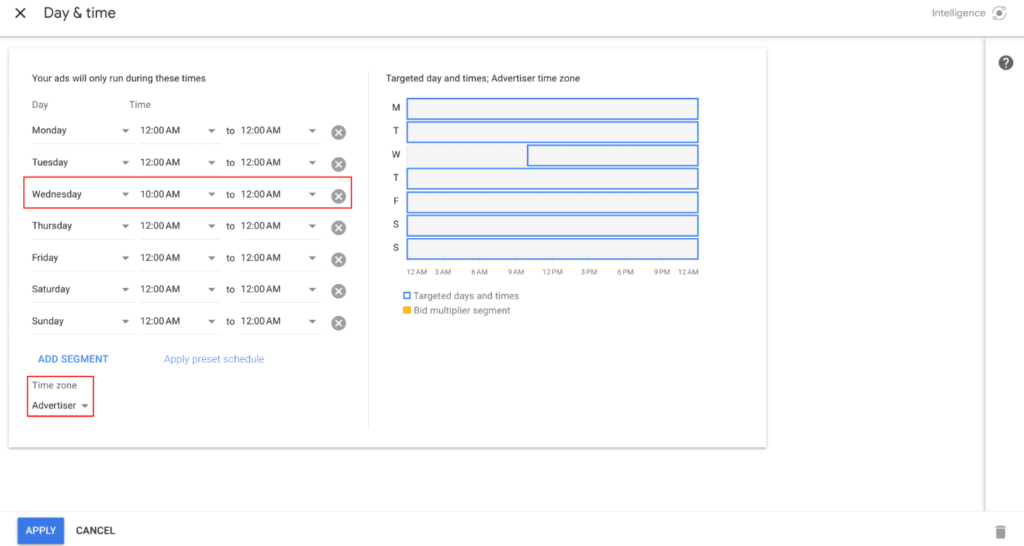
Day & Time targeting only lets your ads run on certain days and/or at times you select. This targeting makes particular sense if you notice that specific conversions (e.g. purchases) tend to take place in the afternoon/evening and you only have a limited budget that you want to use efficiently.
This targeting is also suitable for displaying a limited offer or if you want to change ads during the campaign. This can prevent the wrong action from running on one day. Specifically, it could look like this:
You have set up a campaign that will run for a week. During this week the action should be exchanged once (e.g. on Wednesday). You can then let the old promotion run until midnight on Tuesday, for example, and exclude the remaining hours until 10 a.m. on Wednesday. You can then exchange the promotion at your leisure on Wednesday morning without having to set up a new campaign, or the promotion will automatically go live at 10 a.m. on Wednesday. It is important to note that the time zone is always set to “Advertiser” and that the local time zone is not used.
Demographic targeting
You can set your targeting based on demographic characteristics such as age, gender, parental status or household income (note: household income is not supported in the DACH region). Often users cannot be identified according to the desired criteria, i.e. “unknown”. Excluding this “Unknown” group can drastically reduce the reach, so it is definitely recommended to include this group.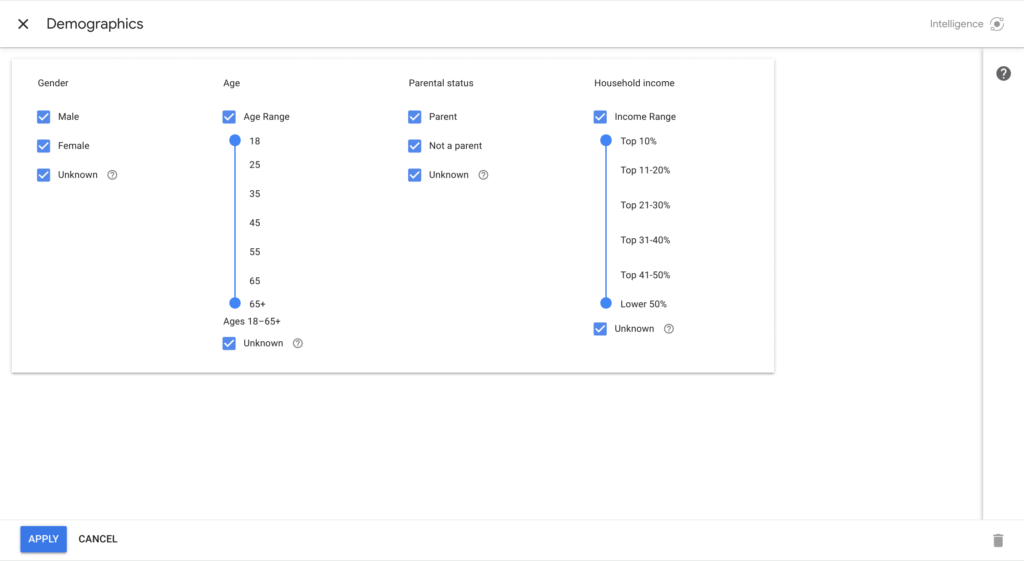
Content targeting
Content targeting describes a method where the focus is not on the user, but rather the advertising is displayed based on specific environments. These environments include, for example, brand safety settings, domain targeting, keyword targeting and much more. You can find a complete list including descriptionshere.
In this section we describe the most important targeting:
Brand safety
It is in the interest of every advertiser that the campaigns are played out in a brand safe environment. There are already different options for this in DV360, but you can also rely on third-party providers (e.g. DoubleVerify), which are already integrated directly into the DSP.
App, channel and website targeting
With this targeting you can – depending on the available inventory – choose exactly where the advertising should be shown. For example, if you only want to play on a handful of domains, you can store them in the form of an inclusion request. This works both ways. You can also create exclusion lists to ensure that advertising does not run on certain sites.
Keyword targeting
This targeting is used to display on websites that contain the desired keywords. Here you can also create positive and negative keyword lists and store them in the campaign.
Category targeting
Category targeting allows you to target your ads based on industries and website content. Categories are more general than contextual keywords.
Google defines categories (e.g. music, art, etc.) based on the content of the websites, which in turn can be targeted.
Environment targeting
Environment targeting is used to define whether you only want to advertise on the web or also in apps.
Viewability targeting
This targeting is particularly useful at the awareness funnel stage, where the goal in most cases is to generate many visible impressions. An impression is considered viewable if at least 50% of the ad is seen for at least 1 second. You can then set the percentage of cases in which impressions must meet this rule (e.g. “90% or greater”).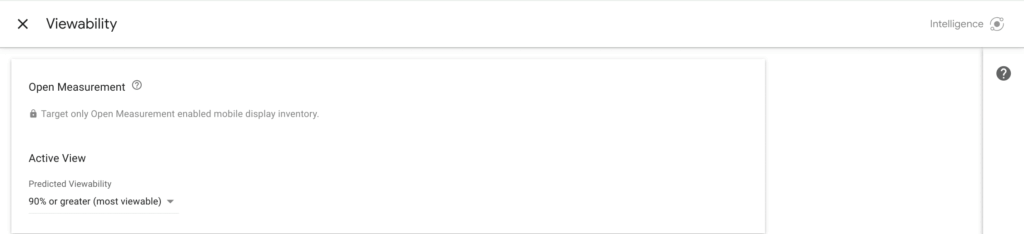
Language targeting
When targeting languages, the impressions in Display & Video 360 is selected based on the languages of a bid request specified by publishers. Publishers focus, for example, on the content or the users.
If a publisher has not specified a language, Display & Video 360 uses a combination of content and user-based signals to determine which languages are likely to be used in an impression.
Technology targeting
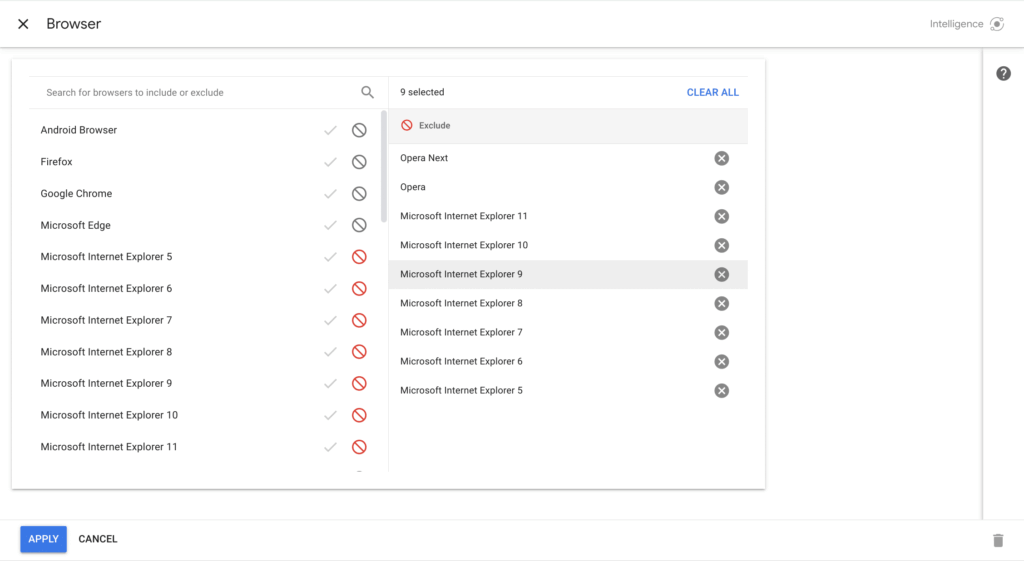
Technology Targeting enables Browser, Device, Connection Speed, Carrier & ISP targeting. Browser or device targeting would be useful, for example, if you know the performance of different browsers (Chrome, Opera, Safari, etc.) or devices (computer, smartphone, connected device, tablet) or want to test them against each other. Attention: With browser targeting you can create either an inclusion or an exclusion list, but you cannot combine the two.
A complete list and explanations can be foundhere.
Conclusion
There are now an incredible number of options for reaching online users using DV360, but not all of them make sense or can be implemented sensibly. The trick here is to know the right ones among the many options and to use them efficiently in the campaign.




