
Use Google Analytics 4 With Datastudio

Management Summary
Requirement: Google Analytics 4 Property
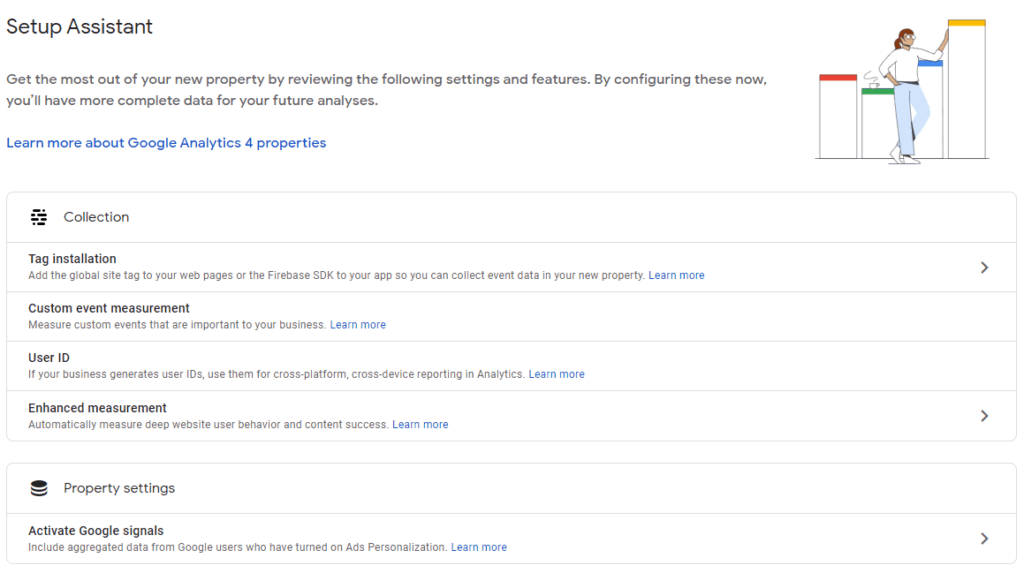
In order to be able to use GA4 with Datastudio, we need a corresponding property beforehand. This can be created in an existing or new Google Analytics account – GA4’s new Setup Assistant helps with setup and makes it easier to get started – the setup steps can be found in detailhere.
Link GA4 with Datastudio
If the GA4 property has been successfully set up and this data is running, Datastudio can be linked. What you need to know: The connection is not made using its own GA4 connector but works within the existing Google Analytics connector.
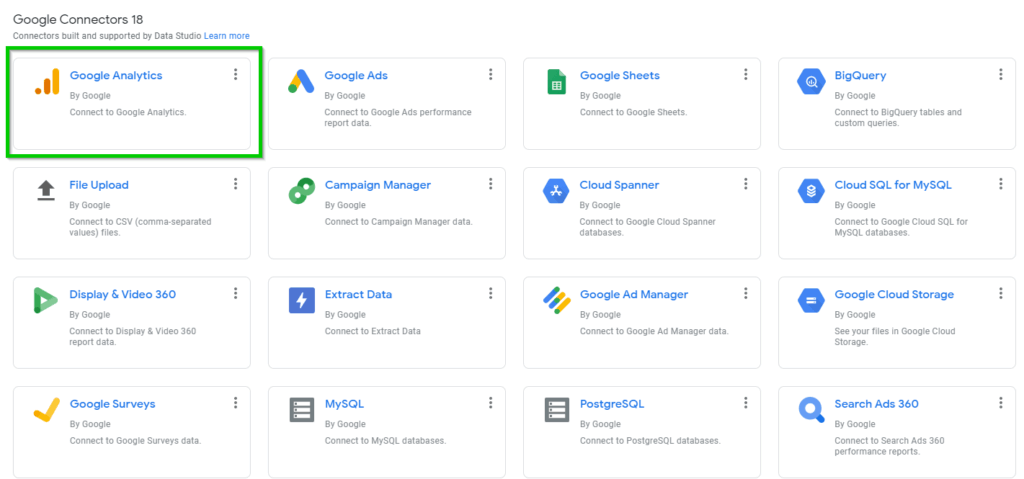
Anyone who has already used Datastudio with Google Analytics will quickly find their way around – create a new report and select Google Analytics as the data source. When selecting the property to be connected, the new GA4 properties can now also be selected – these always begin with the name “GA4” followed by the property ID.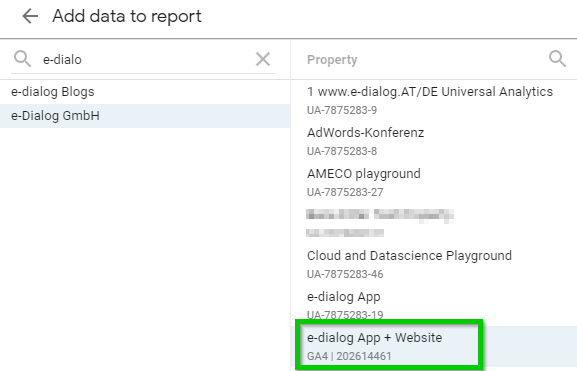 As soon as the GA4 property is connected, you can get started. What you quickly notice is that many dimensions and metrics in GA4 are different than what you are used to in Google Analytics. The new data model offers a unified view of app and web data and is based on events. Anyone who goes on a journey of discovery with GA4 in Datastudio will find both familiar values and a lot of new things. Datastudio offers a good opportunity to familiarize yourself with the next generation of Google Analytics.
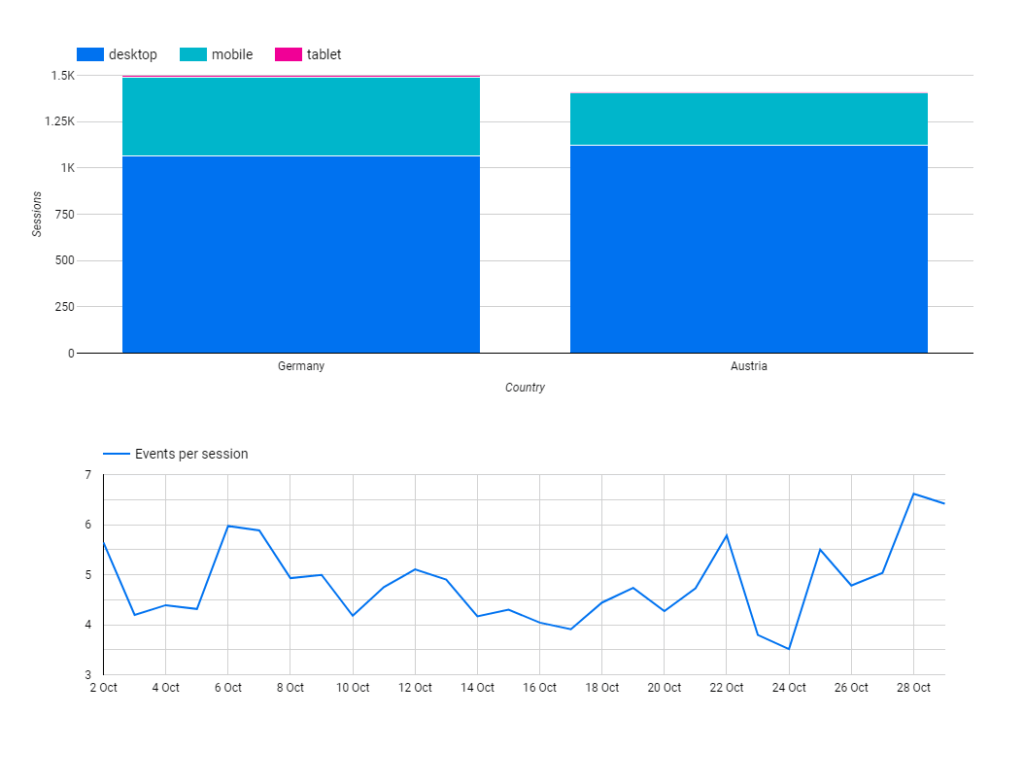
Note: Both GA4 and the link to Datastudio are still in an ongoing development process. There will therefore be additional dimensions and metrics added in the future – it will be exciting to see.
Next Level: Reporting via Datastudio and BigQuery
One of the most exciting new features in GA4 is the availability of raw data export to BigQuery for all users – a feature that was previously reserved for enterprise users of Google Analytics 360.
Using GA4 raw data in BigQuery brings with it the following advantages, among others:
- No sampling – evaluations are always based on the complete data
- Advanced analysis options
- Long-term data storage (with data location within the EU)
- Linking data (e.g. from CRM) within your own infrastructure directly in BigQuery
- Fast access to large amounts of data
- Very fast dashboards in Datastudio, which throughGoogle’s BI Enginebe additionally accelerated
Note: The link between GA4 and BigQuery is currently being rolled out and may not be available for your GA4 property until a later date.
Datastudio has its own BigQuery connector and therefore the raw data from GA4 can be used directly in Datastudio!
Link Google Analytics 4 with BigQuery
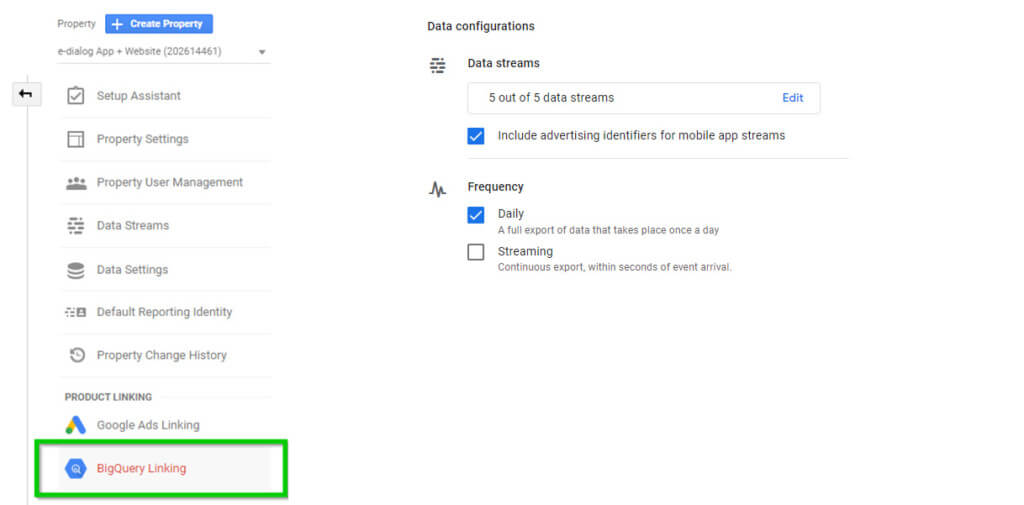 In the GA4 Property settings you can find the option to link BigQuery under “Product Links”. The prerequisite is an existing project in the Google Cloud Platform – detailed information about the connection is availablehere.
Link BigQuery to Datastudio
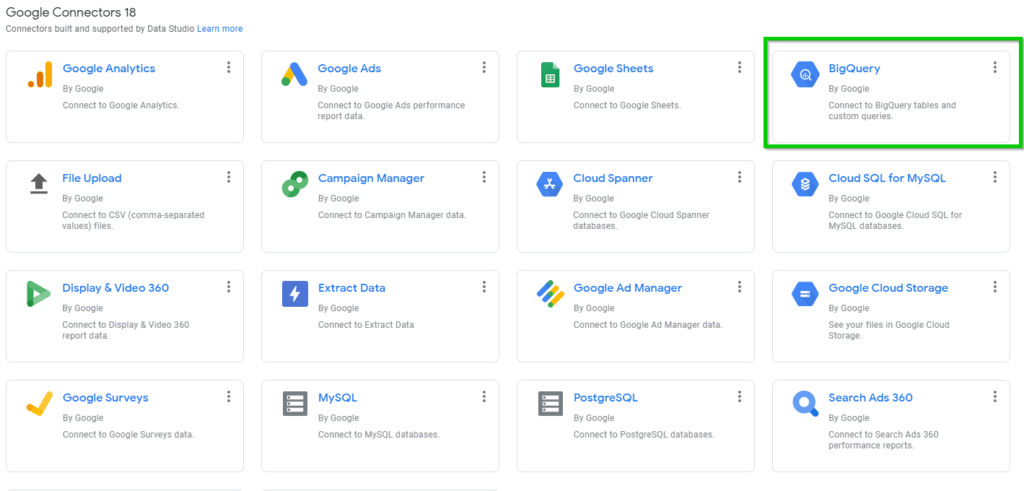
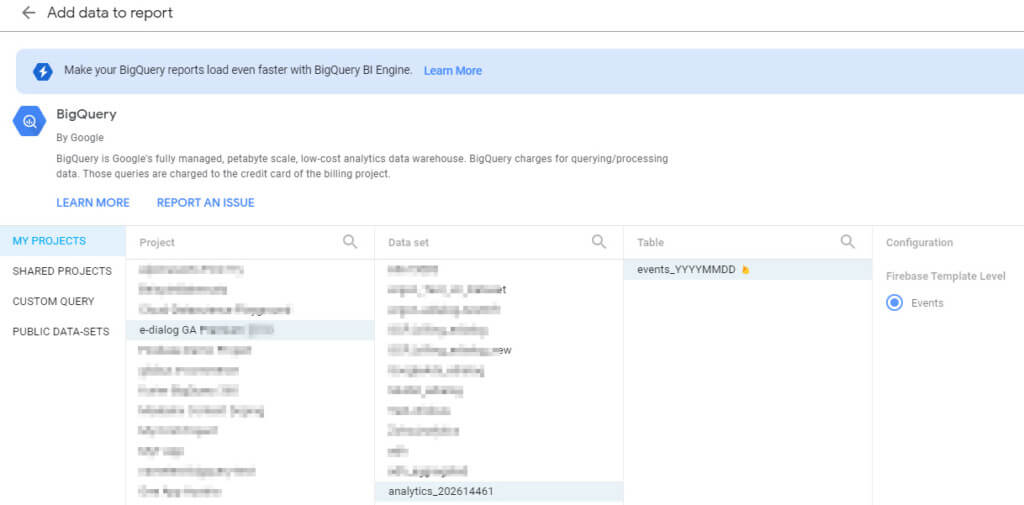 In order to be able to use the raw data from GA4 in Datastudio, select BigQuery as the data source and link the corresponding dataset. The dataset is always named “analytics_” followed by the property ID.
Once a Google Analytics 4 property is linked to BigQuery, the raw data will be visible in BigQuery within 24 hours. If desired, the data can even be transferred every second!
With these simple steps you already have access to the app and web raw data and can get started in Datastudio. Here the data from GA4 is now available in a slightly different form than via the direct connection via the Google Analytics connector. It is advisable to familiarize yourself with theSchema of datato familiarize.
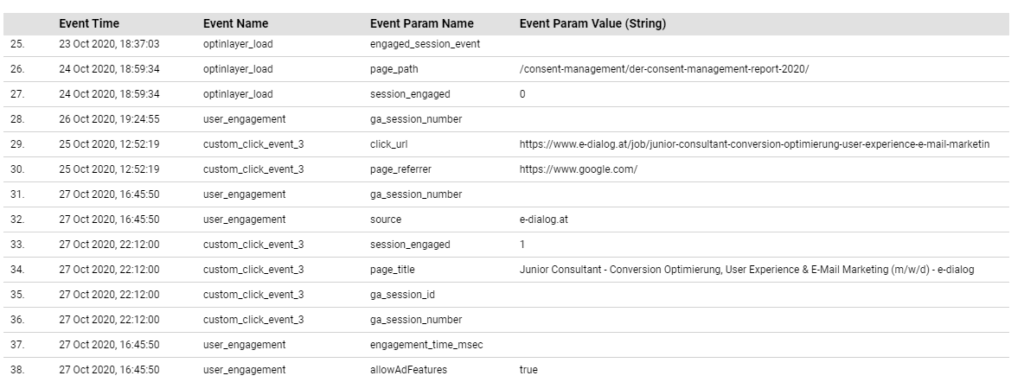
In addition to direct access to the individual data fields of GA4 from BigQuery, SQL commands can also be queried directly from Datastudio for specific analyzes to carry out data transformations and calculations – and to visualize these in Datastudio.
Conclusion:
The future of Google Analytics has already begun – it is called Google Analytics 4. If you want to familiarize yourself with the new possibilities early on and start with GA4 alongside the established Google Analytics, you should definitely take the first steps in Datastudio. A lot will happen here in the future and new features and reports can be expected on an ongoing basis, which will also be available in Datastudio. The raw data export for everyone in GA4 also significantly enhances the reporting of web analysis data in Datastudio and sustainably expands the scope of possibilities.




