
Use Google Recaptcha Gdpr Compliant

Management Summary
In the following article we will examine Google reCAPTCHA from a GDPR perspective and give tips for integrating it.
Use Google reCAPTCHA GDPR compliant
How to protect your website and your users
Bridges, motorcycles, traffic lights and cars have often accompanied us on forms in the recent past. Before that it was numbers and letter combinations that you (at least I) could never solve on the first try.
The new reCAPTCHA v3 and reCAPTCHA Enterprise automate this process and the days of puzzles are over.
But can these tools easily be installed on the website in view of the GDPR?
What is reCAPTCHA?
Google reCAPTCHA is a service from Google designed to protect websites from spam, abuse and malicious activity by verifying user identity. Google reCAPTCHA uses a combination of human behavior analysis and machine learning to ensure that interactions on a website come from real people and not bots or scripts.
There are currently two main versions of reCAPTCHA:
- reCAPTCHA v2(Checkbox reCAPTCHA): This version usually displays a checkbox saying “I am not a robot” that users must check. In some cases, images of objects or street signs are also displayed that users must select for identification. The user’s interaction with this box determines whether it is a real human user or a bot.
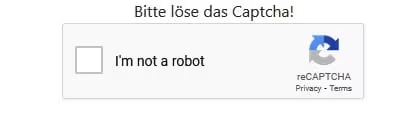
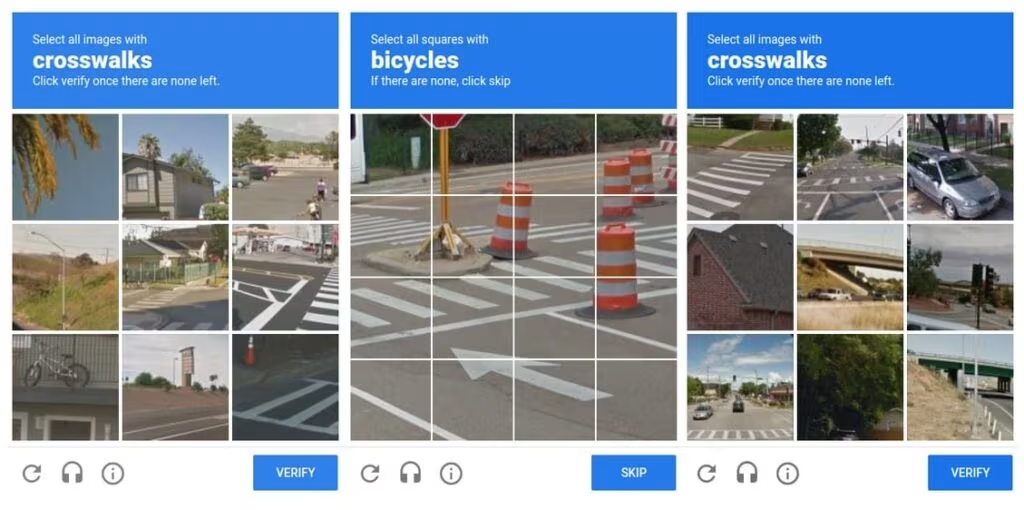
- reCAPTCHA v3(invisible reCAPTCHA): Unlike reCAPTCHA v2, reCAPTCHA v3 is invisible to users. It does not require any manual action from the user like checking a checkbox. Instead, reCAPTCHA v3 analyzes the user’s behavior on the website in the background and calculates a trust score. Based on this score, the website can decide whether it is a human user or a bot. If the score is suspicious, the website may take appropriate action, such as requesting additional verification through reCAPTCHA v2.
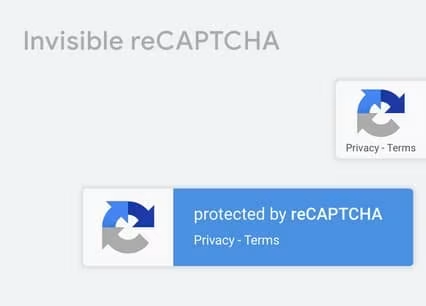 In the past there wereText or number reCAPTCHA. Here, users had to enter a displayed text or a combination of numbers into a text field. Google asks the user to pay attention to upper and lower case letters. Examples: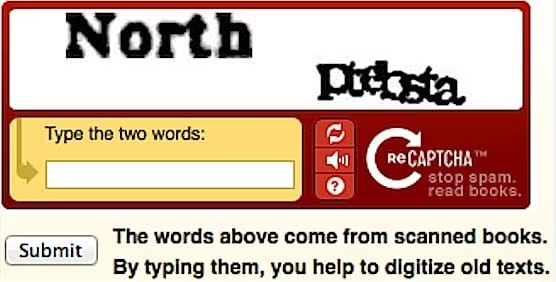

Benefits of using reCAPTCHA
Using Google reCAPTCHA can have many benefits for website operators and users. It helps prevent spam comments on blogs, protect against DDoS attacks, increase the security of registration forms, and ensure the integrity of online surveys and voting. It also enables a better user experience as real users are not bothered by constant security checks.
Another advantage is that Google reCAPTCHA can be easily integrated into websites.
What data is processed by Google reCAPTCHA?
Google reCAPTCHA processes various user data to verify the identity of users. The data processed may vary depending on the version of reCAPTCHA (v2 or v3) and the usage. These include, among others:
- User behavior: reCAPTCHA analyzes the behavior of users on the website to determine whether they are human users or bots. Examples of this are:
- Length of stay
- Mouse movements and keyboard strokes
- User time zone
- Page on which reCAPTCHA is integrated and referrer URL
- IP address of the user
- Browser and device information: Information about the browser used and the user’s device is collected.
- Cookies: reCAPTCHA uses cookies to track users’ behavior and interaction on different pages of the website. This makes it possible to identify repeat visits from users and increase their trust score.
- ReCAPTCHA widgets: Embedding the reCAPTCHA widget into the website code enables communication between the website and Google servers.
- Trust score: reCAPTCHA v3 calculates a trust score for each user, indicating how likely it is that the user is a real human user. This score is based on the user’s behavior on the website.
How do I use Google reCAPTCHA GDPR-compliant?
It is important to note that the data collected by reCAPTCHA is primarily used to verify user identity and prevent spam and malicious activities. Google has implemented privacy measures and policies to protect user privacy.
Nevertheless, the data is processed by Google and therefore requires consent. This means that in order to use Google reCAPTCHA, you must obtain consent via a consent management platform. Otherwise the use is not GDPR compliant.
It is also recommended to update the data protection declaration and specify the service including all information (purpose of processing, place of processing, storage period, etc.).
Contextual consent
“Contextual consent” means that consent should be obtained from users for the use of their personal information in certain situations.
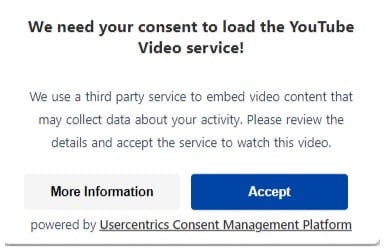
An example related to reCAPTCHA: A user visits a website and does not give consent in the cookie banner (clicks “Reject all”). The user then navigates to the contact form and wants to send an inquiry. Because the website operator uses Google reCAPTCHA, the entire form is blocked and covered with a pop-up that is intended to obtain consent for Google reCAPTCHA. If the user “rejects” again, the form cannot be used.
Alternatives
If integrating Google reCAPTCHA is not possible or too complicated, there are other alternatives that also work very well.
Four popular alternatives are:
- hCaptcha: hCaptcha is a captcha service that works similarly to reCAPTCHA. It offers a variety of captcha options including text captchas, image captchas, and invisible captchas. hCaptcha is known for its privacy friendliness.
- Friendly Captcha: Friendly Captcha is a privacy-friendly Captcha alternative focused on compliance with GDPR and other data protection regulations.
- Mathematical captchas: This type of captcha poses mathematical problems that can be easily solved by real users but difficult for bots. For example, users need to calculate the sum of two numbers and enter the result.
- Honeypot: Honeypot Verification, also known as the Honeypot Trap, works by creating a trap for bots and spammers that is invisible to human users. A checkbox or a text field is usually used for this.
Judgment of the CNIL 2023
In March 2023, the French data protection authority CNIL fined Cityscoot €125,000. The company rents out scooters in France and violated data protection regulations because it allegedly tracked users through Google reCAPTCHA during sign-up and registration without their knowledge or consent.
Cityscoot failed to inform its website visitors about the use of Google reCAPTCHA and the associated processing of personal data in the privacy policy. The company argued that it used reCAPTCHA exclusively to secure an authentication program and that its use was therefore exempt from the consent requirement under Article 5 Para. 3 TTDSG.
However, CNIL concluded that reCAPTCHA was used not only for authentication but also for other purposes, rendering the exception ineffective. It is the website operator’s responsibility to ensure that third parties do not use functions on their website that violate the GDPR or other data protection laws.
As early as April 2022, CNIL had banned the French National Police control center from using Google reCAPTCHA without obtaining user consent.
Conclusion
Using Google reCAPTCHA provides benefits such as spam prevention and increased security, but requires theObtaining consentaccording to GDPR. The service should also be mentioned in the privacy policy.
Contextual consent is a good way to obtain consent afterwards.




