
Usercentrics Cmp Version 3

Management Summary
Who is Usercentrics?
Usercentrics is a German provider of a consent management platform that has been on the market for several years.
Usercentrics’ CMP is used in over 180 countries worldwide, making it one of the leading providers on the global market.
The 3rd version (V3) of the CMP has now been launched, which we will take a closer look at in this article. For this article we are assuming the business license because all the features are available there.
CMP Version 3 – What has changed?
Optimized performance
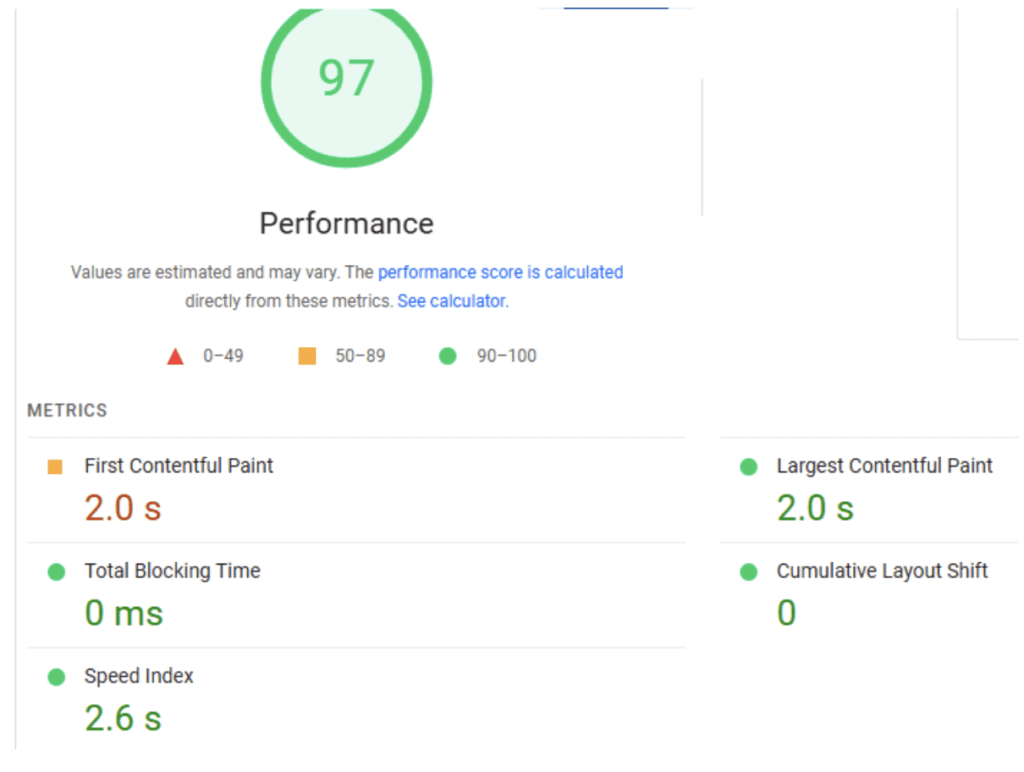
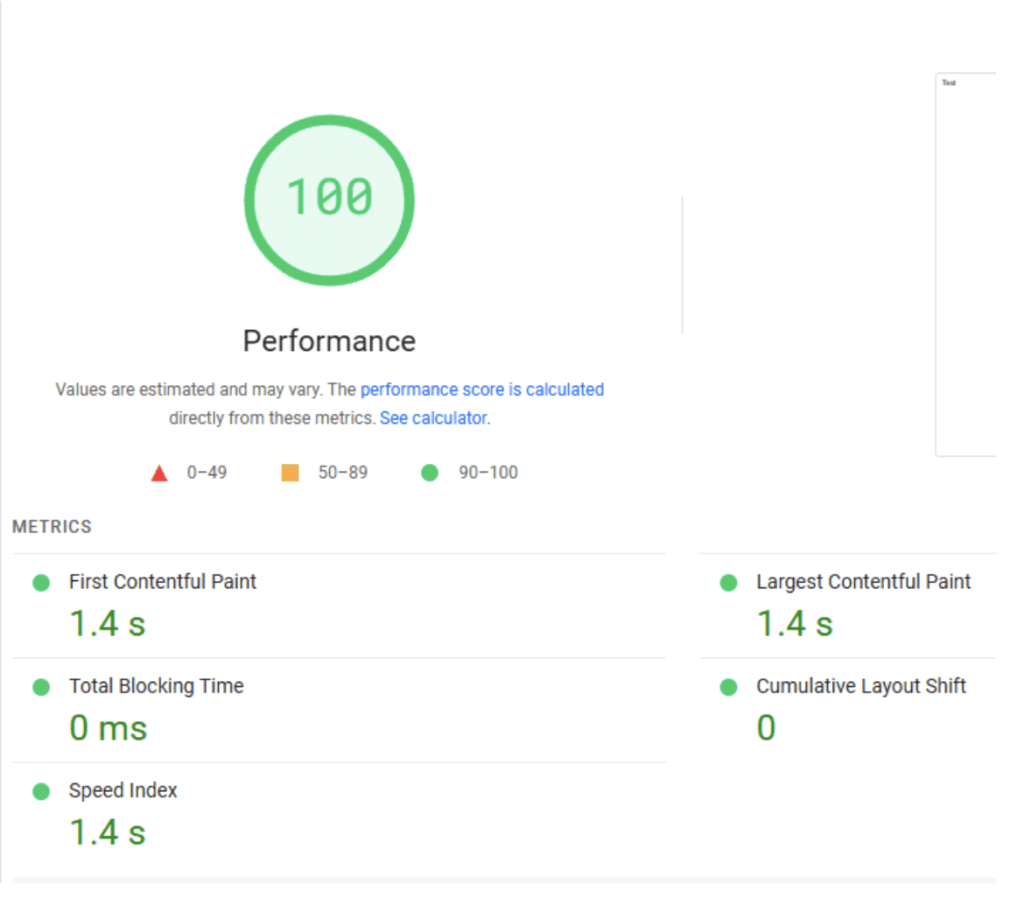
By reducing file size by up to 70% and network requests by up to 60%, the CMP loads faster, which can lead to better page speed and therefore a better user experience.
A simple test was carried out with a blank web page using the tool “PageSpeed Insights“. You can see that the performance has improved on both desktop and mobile.
The first two screenshots show the values for version 2 (desktop and mobile):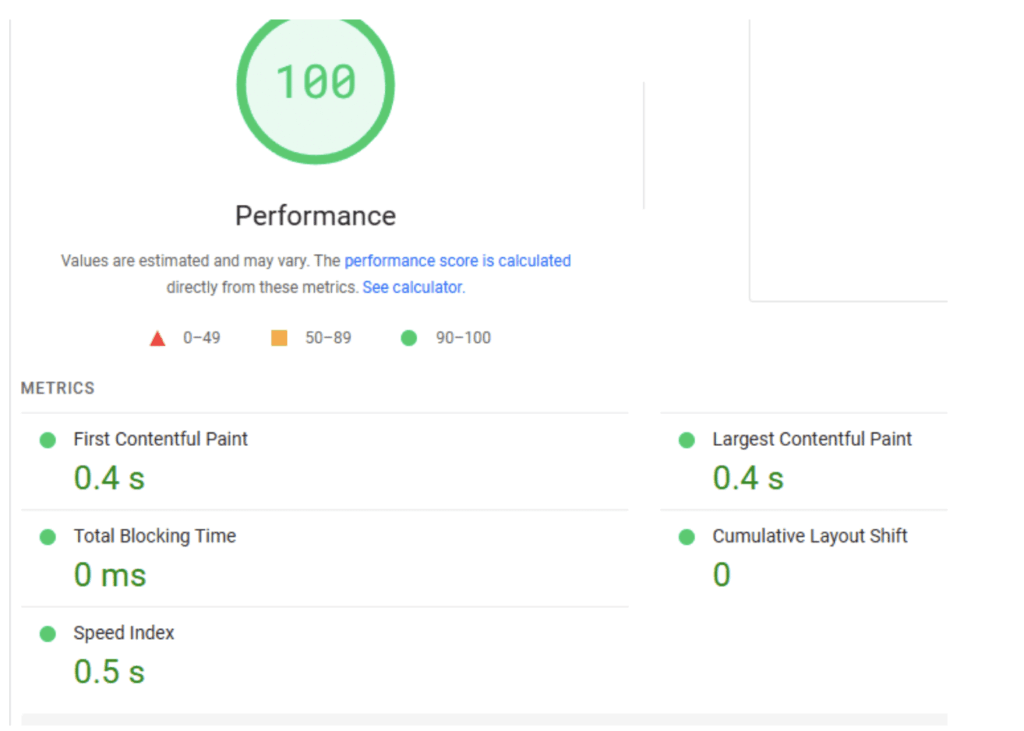
 The following screenshots show the values from the version 3 test (desktop and mobile):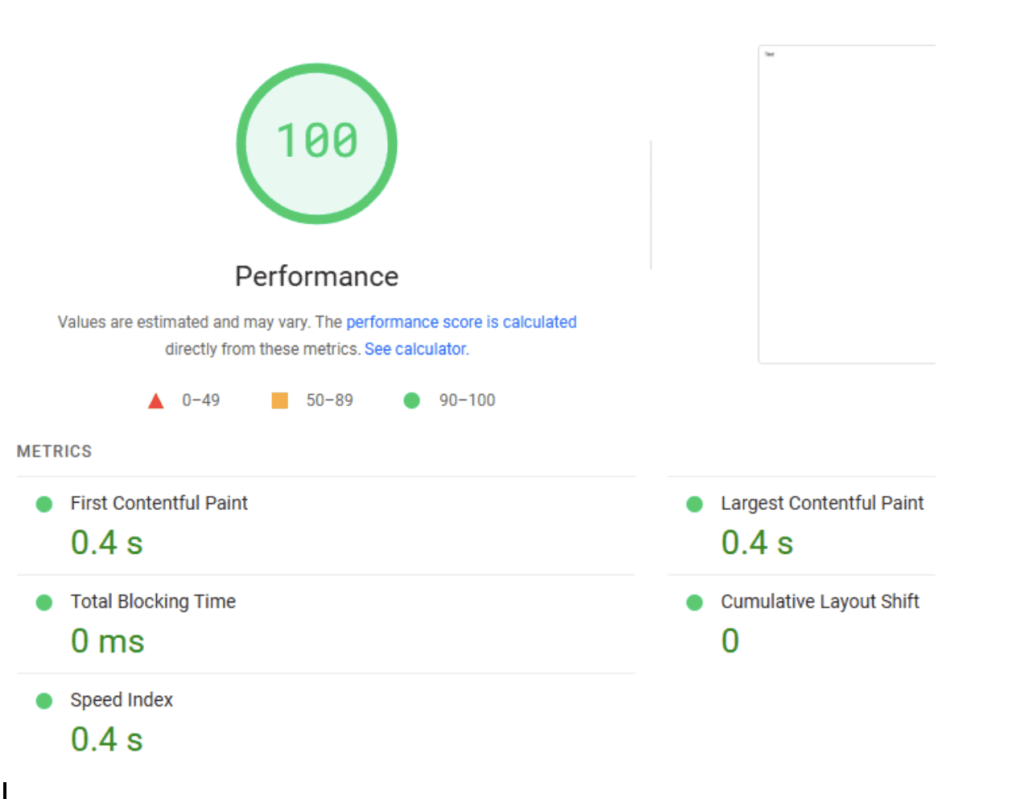
Advanced customization options
With V3, Usercentrics has significantly increased the flexibility in designing consent banners. Thanks to improved CSS options, banners can be better individualized and therefore adapted to the corporate design.Danger:The custom CSS feature is only available in theBusiness licenseavailable.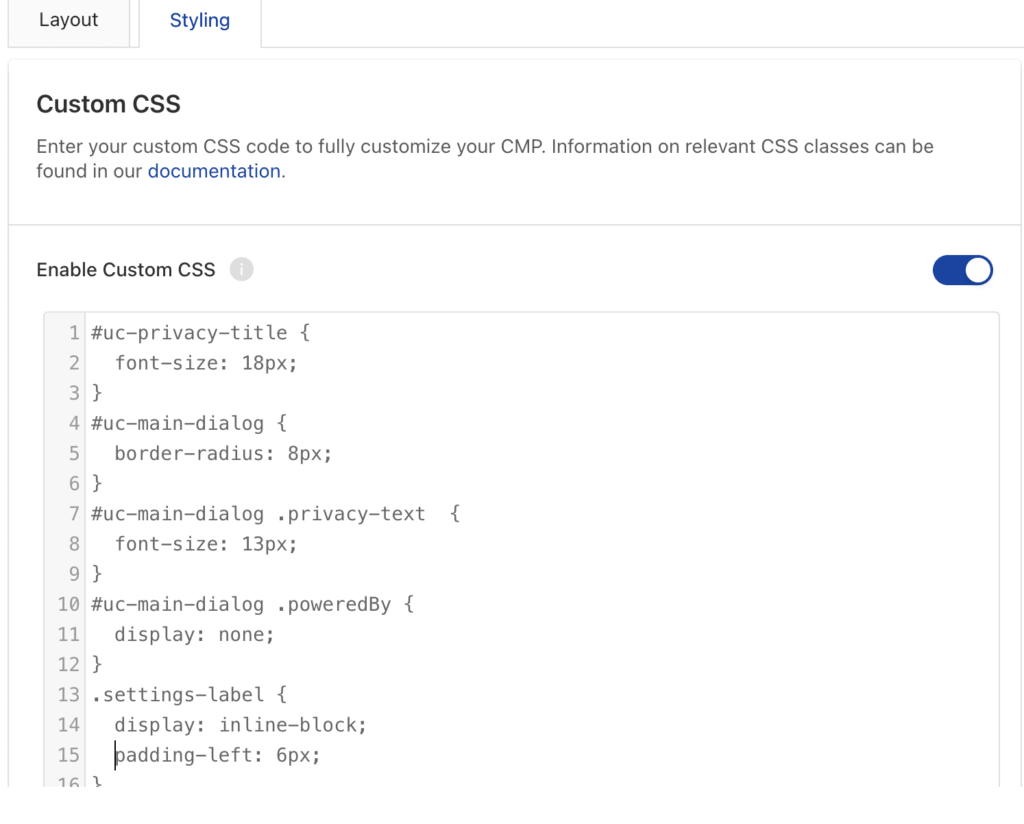 Example custom CSS
New features
The admin interface has been expanded to include the ability to download consent logs. This makes it easier for CMP users to efficiently document consent processes and respond to data requests. In addition, end users can now submit their ControllerID, further streamlining the workflow for data protection requests. Button for downloading the consent history
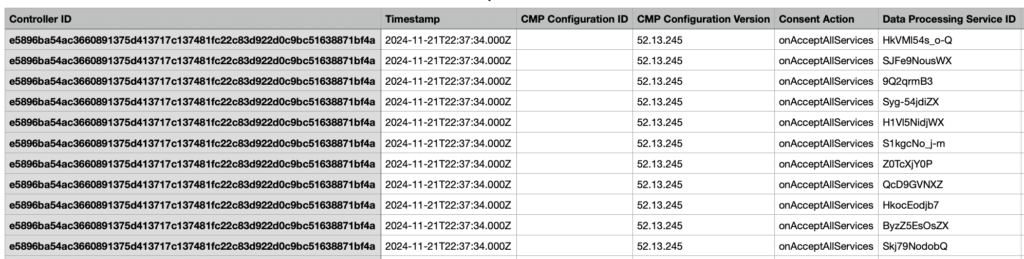 Download the CSV file with the ControllerID – Consent History logs
Implementation
The script for implementing the Usercentrics CMP has changed slightly. To make the change, you only need to change or replace one line of code. To make it clearer, here are two examples of the respective versions:Script V2:
Script V3:
LocalStorage
If you migrate from V2 to V3, the structure of the localStorage changes during the migration. If variables are used in the tag management system that refer to localStorage, they must be adjusted.
The changes are better visible in the following example:localStorage V2: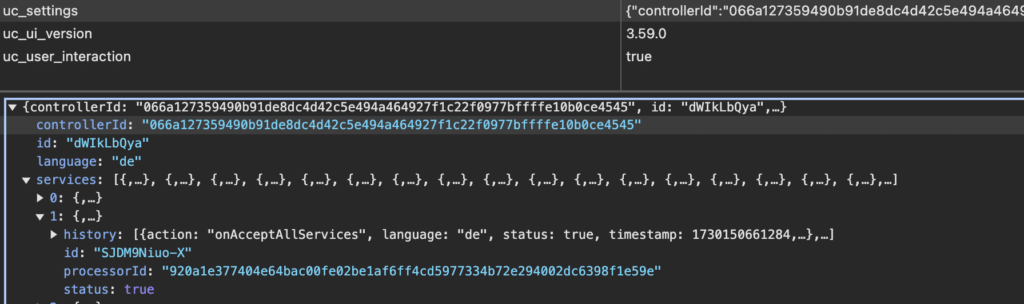 localStorage V3: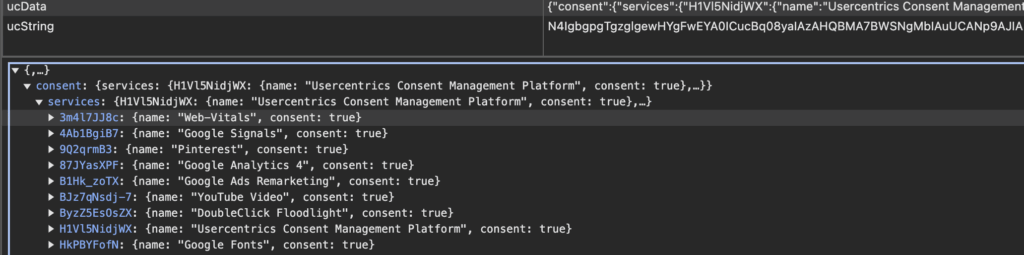
Behavior of the “action” in the dataLayer
So far, i.e. in version 2, the dataLayer with the “action” was filled with the value “onInitialPageLoad”” every time the page was accessed and the website was reloaded.
In version 3, the action “onInitialPageLoad” is saved in the dataLayer the first time the page is viewed, before the user interacts with the banner. As soon as the user has interacted with the banner, the action of the previous interaction is saved in the dataLayer each time the page is viewed or the page is reloaded, e.g. E.g. “onAcceptAllServices”.
In some tag management setups, problems can arise here, so this must be checked and adjusted if necessary.
Conclusion
Usercentrics CMP Version 3 brings with it numerous improvements and innovations that significantly increase both user-friendliness and technical performance. However, when it comes to additional features, it is important to ensure that a sufficient license is available.
Implementing the new version is straightforward: the migration can be done with just one changed line of code. However, adjustments may need to be made in the tag management system if localStorage or dataLayer is used. This must be checked to avoid tracking failures or incorrect data in the analysis tool.




