
With Chatgpt Ga4 Create Queries For Bigquery 8211 This Is Possible

Management Summary
With the progressive development of AI (Artificial Intelligence or Artificial Intelligence / AI’s), everyday work can be simplified more and more. But – as of today – is it already so far that AI’s can build complex SQL queries for us? We tried it!
Create BigQuery queries for GA4 with ChatGPT
With the switch from Universal Analytics (UA) to Google Analytics 4 (GA4) comes the challenge of rewriting all BigQuery queries that were (or are still) used for Universal Analytics for GA4. The problem with the whole thing is that the export schema of the data from Universal Analytics and GA4 differs significantly and the BigQuery queries have to be structured differently to achieve the same result.
For comparison, here are the links to the structures that Google provides for BigQuery from Universal Analytics and GA4:
BigQuery queries – the differences
In the Universal Analytics schema, the “totals” field was used to quickly and easily query aggregated data (such as the absolute number of page views, etc.). This option is no longer available with the GA4 export scheme. The GA4 export schema is based on the schema that was used years ago for the BigQuery export of Firebase data (=app tracking data).
Another important change is that the “products” from the Universal Analytics schema are now “items” in GA4 and should be treated differently.
Querying custom parameters in GA4 also looks completely different than querying custom dimensions & Custom Metrics in the Universal Analytics Export Schema.
For many users, GA4 is the first time that the issue has arisen, as the BigQuery export in Universal Analytics was only available for properties with a 360 license.
Now GA4 users can also use BigQuery and use the data for advanced reporting. The prerequisite for this is correct SQL queries in BigQuery.
With the advancement of AI / AI (Artificial Intelligence) technologies, a new possibility arises: Let’s just ask ChatGPT for our next BigQuery query!
‘Please write me a GA4 BigQuery query’
Long Story Short: ChatGPT can write and create GA4 BigQuery queries. ChatGPT can also find and fix errors in queries. But only in a healthy amount. At time of writing (at the time the article was created) GPT version 3.5 was used.
Basically, asking ChatGPT to build a query isn’t a bad way to get started. Even if you want to train your own SQL skills, good input can be gained here.
Currently it is only in English and the level of detail ChatGPT receives should be as high as possible so that a query is returned as expected.
But let’s start very trivially. ChatGPT can also generate BigQuery queries on its own and simply like this: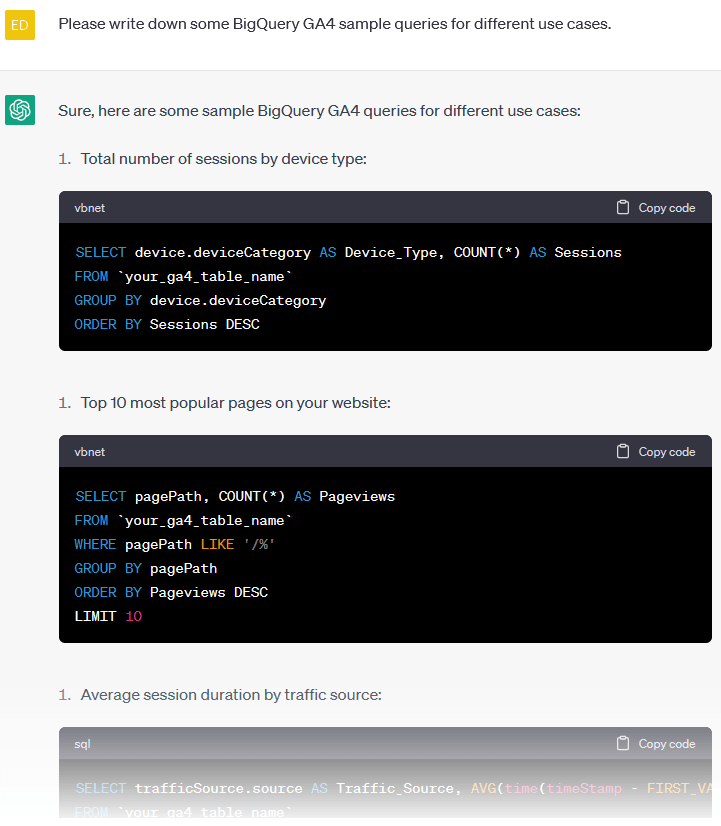 With a simple one-line question, ChatGPT 5 spits out BigQuery queries about GA4. In theory, the only thing that would need to be adjusted in the query is the table. Here the table is output as `your_ga4_table_name`. However, your own BigQuery data set would have to be specified, such as e-dialog-bq.analytics_242145219.events_20230416 (this query would then only be for this one day: 20230416).
However, if the query is now tested in BigQuery, BigQuery issues an error: This means that the query is not completely correct and the error must be corrected so that data can be output. Since ChatGPT is a chat program with chat history, the user can ask a query about the previously received answer. Interesting what ChatGPT says about this error?
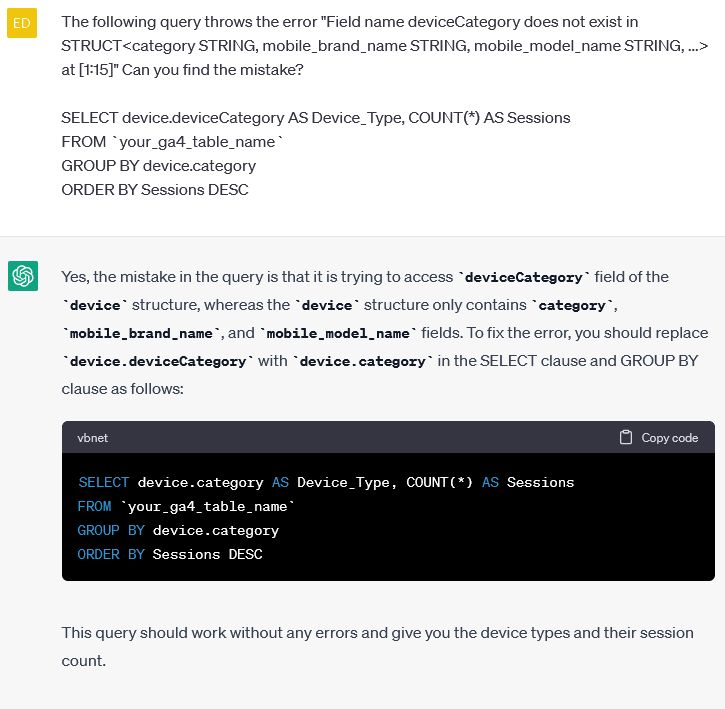 Lo and behold: The error specifically generated by ChatGPT is corrected with instructions and the query works:
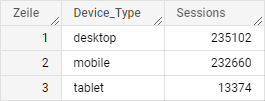 The second query that ChatGPT generated for us should list the top 10 most viewed pages.
However, BigQuery also gives an error here: Unrecognized name: pagePath at [3:7]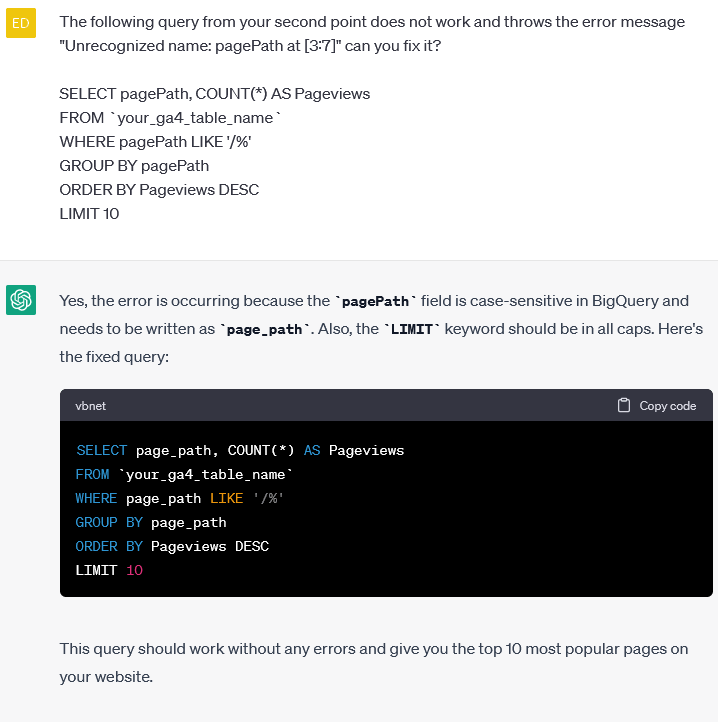
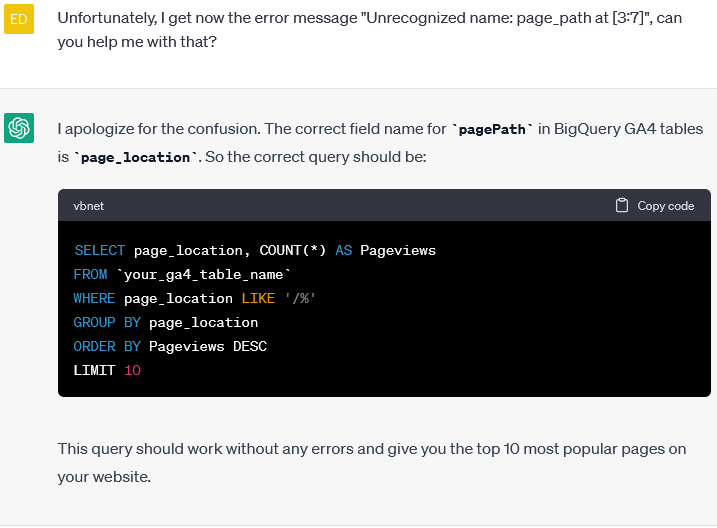 After further chat messages asking whether ChatGPT can solve the error, the AI says that “page_location” should now be used instead of the “pagePath” dimension, which is also wrong:
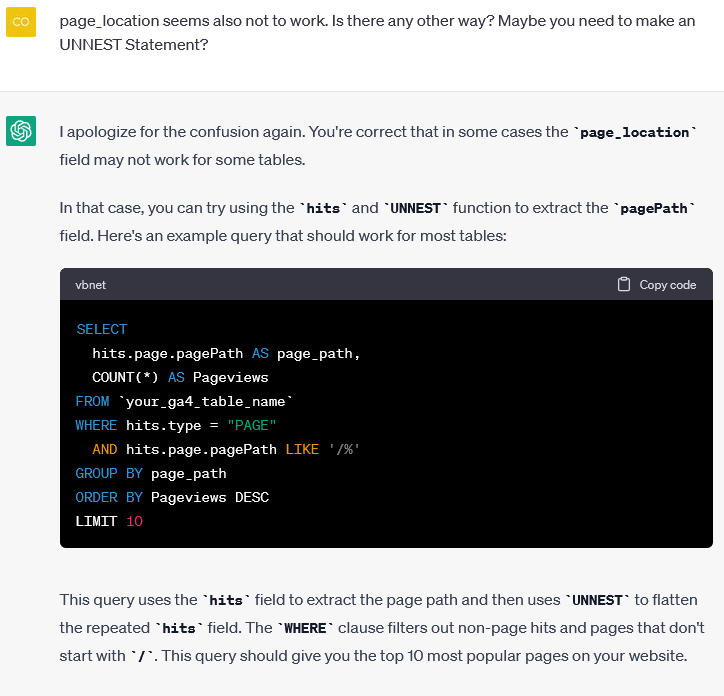 After asking whether an UNNEST command should be used in the query, ChatGPT ends up issuing a different query, but for Universal Analytics and not GA4.
What about the restructuring of UA Queries?
Unfortunately, the previous query was written by ChatGPT for Universal Analytics and not for GA4. After a short request, ChatGPT corrects this immediately: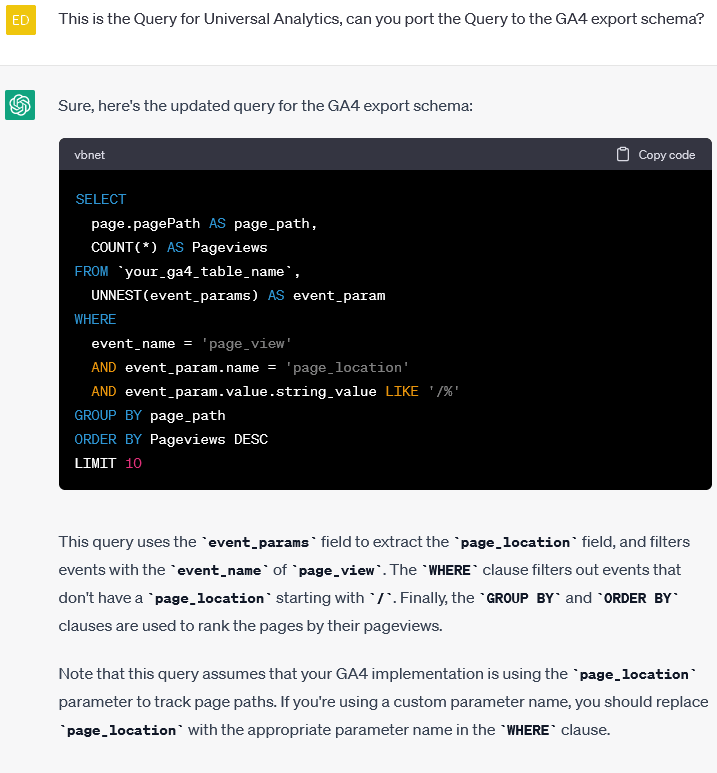 However, this query also has errors. In addition, the restriction ‘/%’ for the page path does not work (regular expressions would have to be used, for example).
The query would then correctly look like this:
What happens if requirements are complicated?
If a requirement for ChatGPT is formulated precisely, ChatGPT should theoretically be able to correctly build the query that is required.
The followingCase study: A BigQuery query of Google Analytics 4 data is needed to compare product sales figures with product views. To get the number of product views, ChatGPT can use the GA4 “view_item” event and to get the sales the “purchases” event. ChatGPT must access the “items” fields. The resulting columns should be as follows: Row Number, Date (%y-%m-%d), Item Name, Item ID, Purchase to Item View Rate, Number of Item Views, Number of Purchases.
The request must be formulated in English:Please write a BigQuery Query that uses Google Analytics 4 data that should compare product views against the sales count of the product. To get the product count you can use the count of the “view_item” event and to get the purchase count you can use the “purchase” event. The resulting columns should be: Row Number, Date (%y-%m-%d), Item Name, Item ID, purchase to view_item rate, count of view_items, count of purchases.The answer looks promising: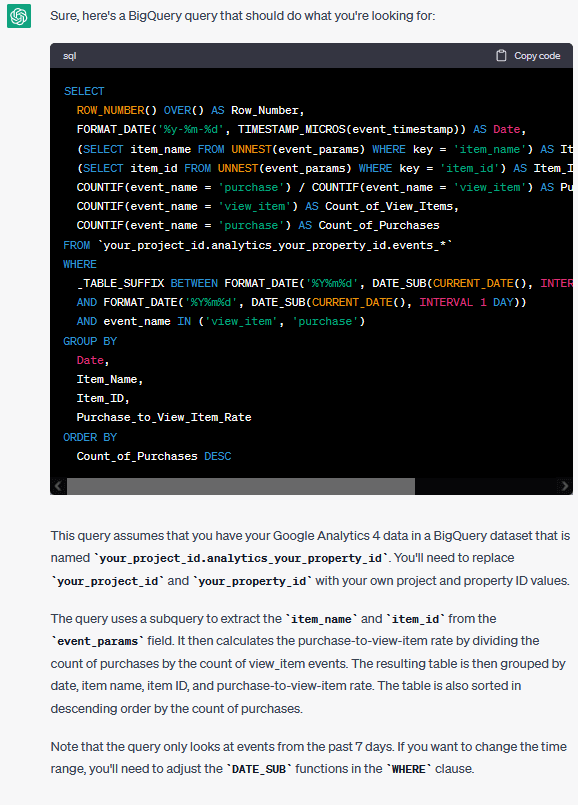 Unfortunately, the query generates a number of errors that need to be gradually corrected.
- If there is no item information in the “event_params” field, this must be replaced with “items” in both lines. The WHERE statement also needs to be removed there because there is no key field there.
- In the GROUP BY clause, “Purchase_to_View_Item_Rate” would have to be replaced with “4” because BigQuery does not understand the reference.
After these changes, however, an error is thrown: Scalar subquery produced more than one element
This means that a sub-query returned more than one row in the SELECT statement, which is not allowed. This requires an extended conversion of this query.
The request to ChatGPT can still be reformulated:Please write a BigQuery Query with Google Analytics 4 data that compares the view count and the purchase count of products. The query should return the following columns: Calendar week, Item Name, Item ID, Count of how often the Product was viewed, Count of how often the product was purchasedHowever, the output here is pretty much the same and the problem with UNNEST(event_params) is still there.
However, what offers added value and can save someone a Google search is, for example, the code for the calendar week:
Are there alternatives to BigQuery queries for GA4 with AI tools?
Alternatively, there are websites online that offer so-called query generators for GA4 & Offer BigQuery. However, these are characterized by limited flexibility. This means that only dimensions and metrics can be selected from a list and only simple queries can be created.
Conclusion:
ChatGPT can be a very helpful starting point for SQL beginners. ChatGPT doesn’t produce an out-of-the-box query, but it definitely provides the impetus to start creating a query. It is also very important to formulate the request to ChatGPT correctly, precisely and in detail, otherwise there may be misunderstandings. In the end, queries have to be corrected so that they can be used. ChatGPT’s AI model will most likely need to be trained longer before usable queries can be generated.




