
Youtube Shorts Ads 8211 How Do They Work
Management Summary
YouTube Shorts Ads are a new format on the market that can also be booked via DV360. In this blog article we’ll show you how to run ads on YouTube Shorts!
What are YouTube Shorts (Ads) and where can I find them?
YouTube Shorts was launched in India in 2020 and has been available in other countries worldwide since March 2021. YouTube Shorts are vertical videos (9:16) with a length of 10 to 60 seconds. They can be skipped immediately, so it is particularly important to catch the audience’s attention from the first second. According to YouTube, Shorts have 30 billion views daily and more than 1.5 billion users worldwide. They can be found under a separate tab in the navigation bar.
You can find more information about shorts and how to create them directly on YouTube here:Introducing short videos on YouTube
The advertisements appear between the organic YouTube Shorts videos and can be skipped immediately or otherwise run in a loop. The videos are labeled as “ads,” but the rest of the layout is identical to the organic shorts videos. For this reason, the ads are not perceived as advertising at first glance and are therefore less “disturbing”.
With the right call to action, you can invite viewers to your website or link to the products presented in the video.
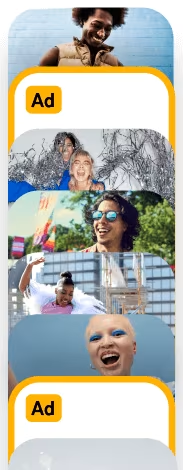
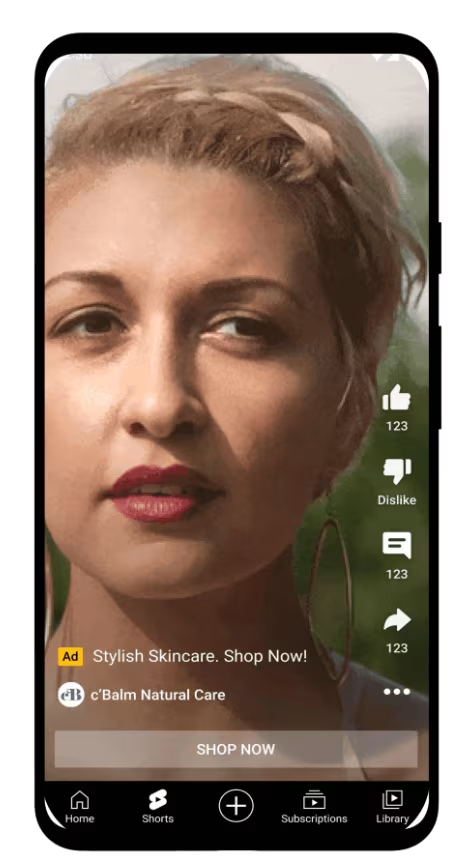
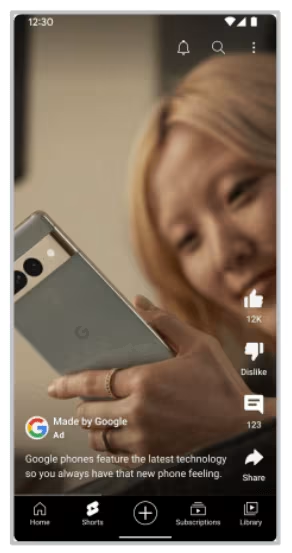
Examples of YouTube Shorts Ads
How can I book advertising on YouTube Shorts?
There are several booking types in DV360 that enable the shorts ads to be played out. We’ll show you how they work and what advantages each type of purchase offers.
YouTube Shorts Ads via Efficient Reach
Using the Efficient Reach purchasing type, YouTube ads can be purchased on a CPM basis with the aim of increasing brand awareness. Since the end of 2023, YouTube Shorts Ads can also be purchased via Efficient Reach. To do this, the following settings must be selected in DV360:
- New Line Item
- Line Item Type → YouTube & partners video
- Objective → Brand Awareness & Reach
- Line Item Subtype→ Efficient Reach + the checkmark “Include in-feed and Shorts ads” must be set
Attention: The settings cannot be changed afterwards, so if in doubt, it is better to check the box and then decide which ad formats to use. - Next
- In the second step you can choose between the ad formats InStream Ads, In-feed Ads and Shorts. It is possible to use all three formats together, two of them or just one.
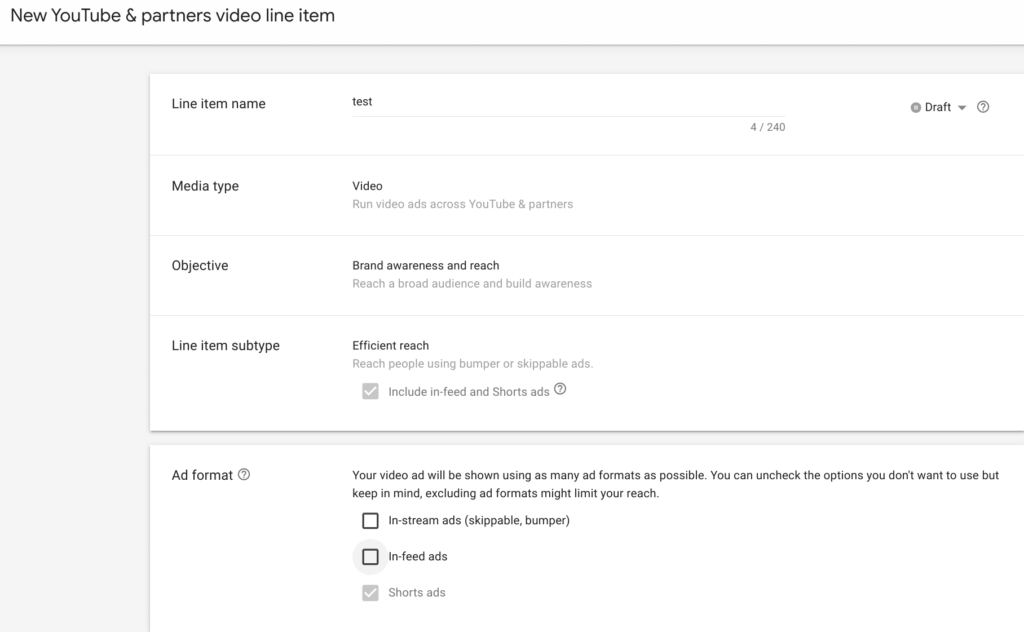
Screenshot: YouTube Efficient Reach settings in DV360
YouTube Shorts Ads via Video View Campaigns (VVC)
Video view campaigns lie deeper in the funnel and have product and brand consideration as their goal. Purchasing is carried out on a cost per view (CPV) basis and the aim is to achieve a high completion rate. Similar to the Efficient Reach subtype, different formats can be used at the same time, but individual formats cannot be excluded.
In order for YouTube Shorts to be booked via a Video View Campaign, the following settings must be selected:
- New Line Item
- Line Item Type → YouTube & partners video
- Objective → Product and brand consideration
- Line Item Subtype→ Video views + the checkmark “Use multiple formats, including Shorts ads” must be set.
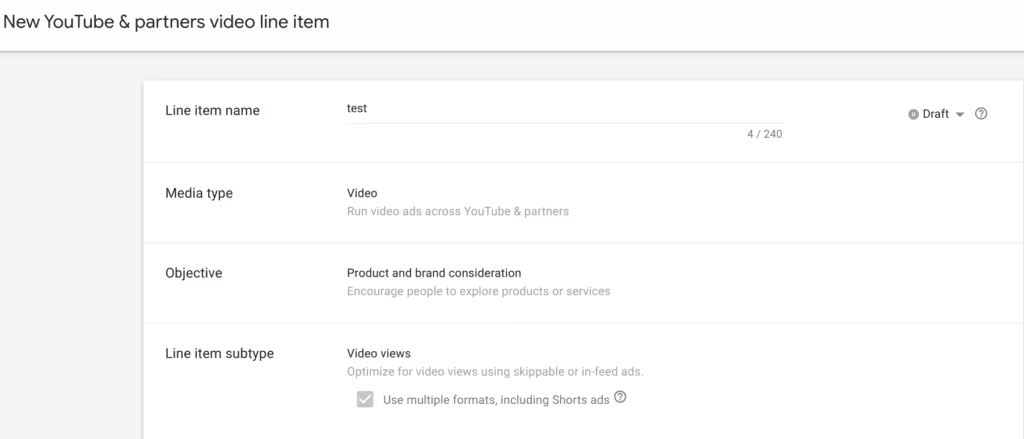
Screenshot: YouTube Video View Campaign settings in DV360
Attention: This YouTube type is optimized for a high completion rate, so it may be that formats with a better completion rate (bumper, instream) are preferred and shorts ads only receive a small share of the playout.
YouTube Shorts via Video Action Campaigns (VAC)
Shorts Ads can also be used in the lower funnel by booking them via video action campaigns. Video action campaigns optimize for conversions, so it is absolutely necessary to store Floodlight Activities. When it comes to the bidding strategy, you can choose between “Maximize Conversions” and “Target CPA”. Hard conversions such as transactions or soft conversions such as quality website visits can be selected as conversions. This booking type is particularly suitable for increasing on-site performance via YouTube.
Video Action Campaigns in DV360 are booked as follows:
- New Line Item
- Line Item Type → YouTube & partners video
- Objective → Drive conversions
- Line Item Subtype → Video action
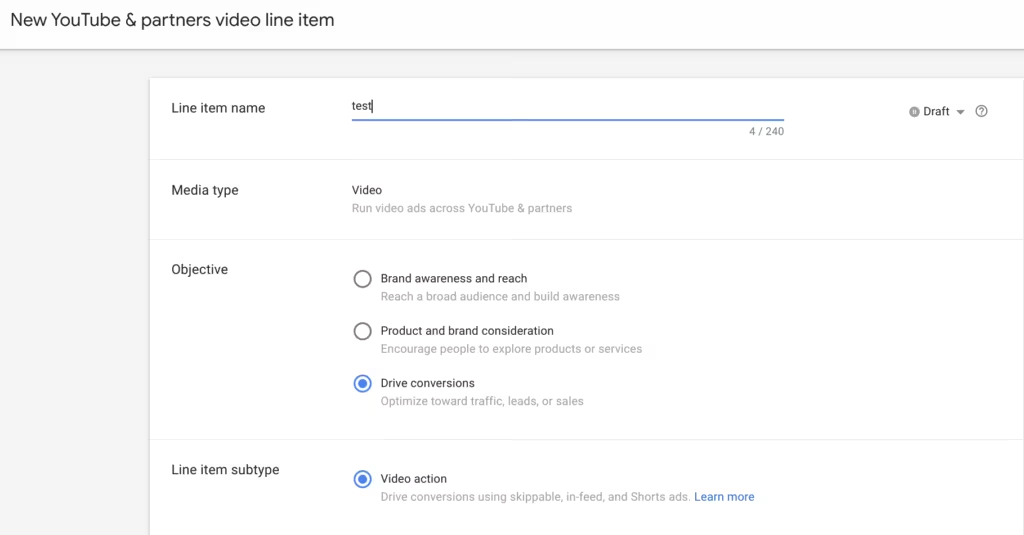
Screenshot: YouTube Video Action Campaign settings in DV360
Attention: For video action campaigns, the inventory cannot be limited to shorts ads; instead, a mix of different formats is played out.
What should I pay attention to?
Here are a few more tips to keep in mind when booking a YouTube Shorts campaign.
Pay attention to appropriate advertising materials and video design:
- Use for the YouTube Shorts campaignportrait format videos (9:16)with a length between 10 and 60 seconds.
- Load the videosas YouTube shortsand use this URL during campaign setup.
- Avoid the bottom 20% of the video containing essential componentsoccupy, as these parts may be covered in the view or not clearly visible.
- Place thatlogoin the visible area of the video over the entire video length
YouTube Shorts can be swiped away or skipped immediately
- it is important thatAttentionto wake up quickly and show the most important information at the beginning of the video.
- Customize the video contentVicinityand follow current onesTrends, so that the videos appear natural and are watched until the end.
YouTube Shorts offer multiple ways to interact:
- Use an appropriate oneCall to Actionto encourage viewers to take action. (e.g. “Discover now”; “More information”; “Go to shop”; “Buy”; “Shop Now”)
- Take advantageHashtags.
- With the help of oneYouTube ReportsYou can have metrics such as engagements, engagement rate, likes, new subscribers, etc. evaluated.
Reporting in DV360
Using the “YouTube Ad Format” dimension, shorts can be analyzed in detail in a YouTube report. This reporting dimension is particularly advantageous if several ad formats are booked in a line item. The dimension distinguishes formats as follows: skippable in-stream, bumper, non-skippable in-stream, in-feed and shorts ads.
Attention: This dimension is only available for Efficient Reach and Video View Campaigns, but not for Video Action Campaigns.
Conclusion:
The different types of purchases via DV360 enable the use of YouTube Shorts Ads along the entire funnel. With the help of Shorts Ads you can, on the one hand, increase your reach, interact better with users and, on the other hand, also increase on-site performance.




