
Dsgvo Delete User Data In Google Analytics

Management Summary
Google Analytics Data Retention – Google Analytics data retention feature
Before we explain the procedure for deleting individual user data, here is some information about the new Google Analytics feature – Data Retention.
Before the GDPR came into force, it was neither possible to delete clearly personal nor anonymized data. Since May 25, 2018, there has been the option to configure the data retention period individually. This means that it is now possible to specify the interval at which user data is automatically deleted.
The data retention feature can be found at:
Administration → Property → Tracking Information → Data Retention
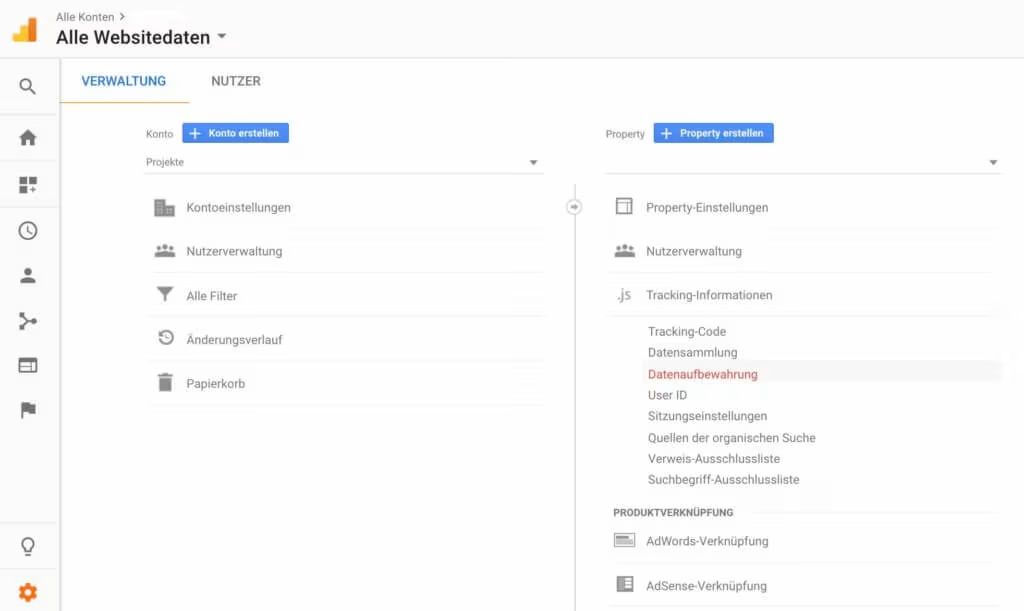
This is where the retention period of the data sent and linked to cookies, user IDs or advertising IDs is determined.
Most standard reports are not affected by data deletion as they are generated from aggregated data.
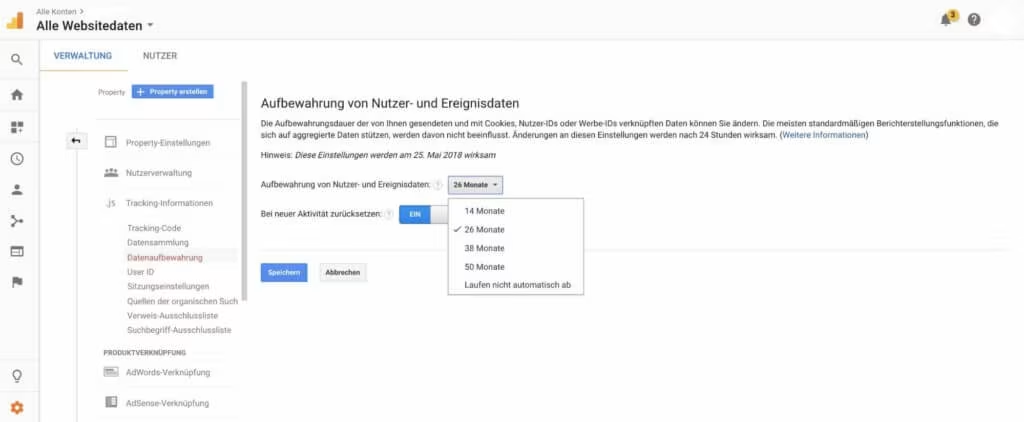
User data retention can be set to 14, 25, 38 or 50 months. Changes to these settings take effect after 24 hours.
Data retention feature at a glance:
- Google Analytics Free defaults to a retention period of 26 months
- With Analytics 360, the limited retention period is not preset
- Setting options: 14, 26, 38, 50 months and “Do not expire automatically”
- The setting is in addition to other methods of data deletion (i.e. deletion upon account termination, PII deletion requests, and the new User Deletion API).
- Reset on new activity “Yes” means: For example, if data retention is set to 14 months, but a user initiates a new session every month, their user ID will be updated every month and never reaches the 14 month expiry. If the user does not initiate a new session before the retention period expires, their data will be deleted.
- The retention period setting can also be set programmatically via theManagement API(with the fields “dataRetentionTtl” and “dataRetentionResetOnNewActivity”) can be adapted to be able to manage many properties.
Deletion of all data related to the user
According to the GDPR, every data subject has the right to have their data deleted (https://www.datenschutz-grundverfassung.eu/grundverfassung/art-17-ds-gvo/). Below we explain the different options that Google Analytics free and Google Analytics 360 offer for this.
User Deletion API – option 1
The User Deletion API is a way to delete user data if necessary. The Google Analytics User Deletion API can be used to delete user-related data that is linked to a specific user ID. This means that a specific user ID’s data can be removed from a project or web property.
User Deletion API at a glance:
- Allows you to delete all data associated with an individual user based on User ID, Client ID, or App Instance ID.
- User deletion requests can be made using Firebase Projects or Google Analytics Properties
- Deletion requests are processed at the property level, i.e. deletion occurs in all data views
- Removes all historical data associated with the user, but does not prevent future tracking of that user. It is possible to request deletion again.
- Does not affect reporting based on aggregated data
Further information about using the API can be found here:https://developers.google.com/analytics/devguides/config/userdeletion/v3/
Delete user data directly via the user interface – option 2
This very simple method uses the Google Analytics “User Explorer” report. Here the user is searched for using the client ID, user ID or app instance ID and the data can then be deleted directly in the dialog box.
Here using the client ID as an example:
Step 1:
Open User Explorer:Reports → Audience → User Explorer
and select the desired period.
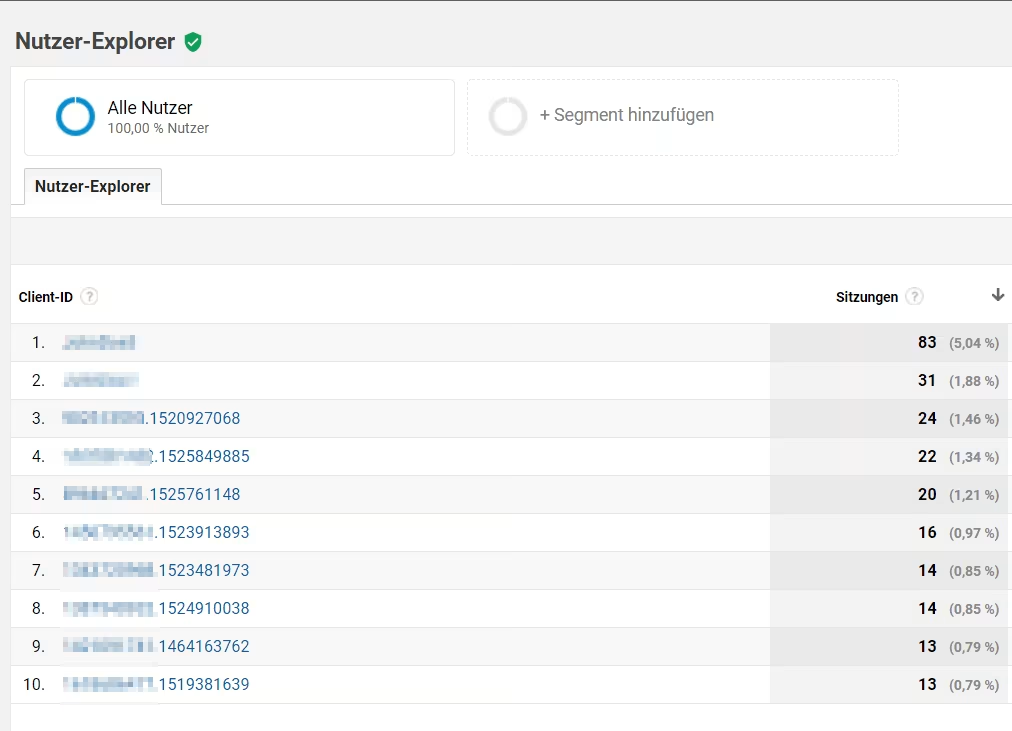
Step 2:
Search for the user based on his clientID

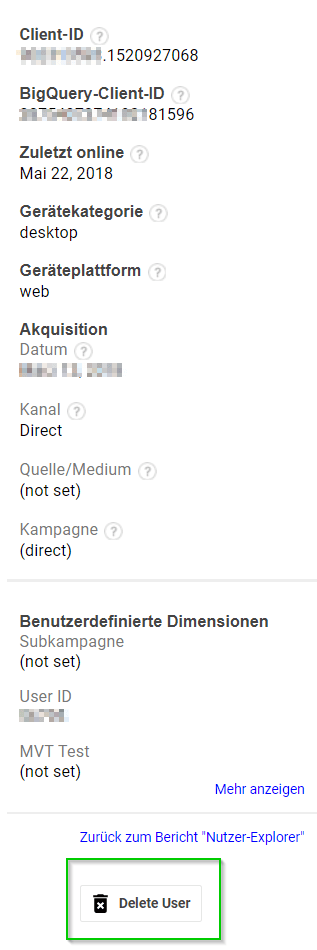
Step 3:
Delete the user using the new “Delete User” button
The following message then appears in Google Analytics:
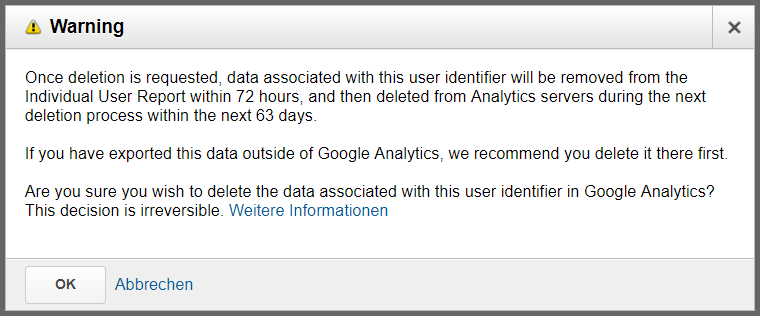
This means it takes 72 hours until the user is removed from the User Explorer and after 63 days at the latest, all data related to this user will be deleted.
At this point we would like to point out again: This process has no influence on aggregated reports!
bonus
Analytics now also shows the BigQuery client ID. This means that Google Analytics 360 users who also use BigQuery can process a deletion request there too!
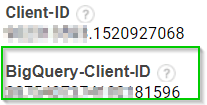
You can find more information at:
https://e-dialog.group/dsgvo-faqs/
https://e-dialog.group/webanalyse/google-analytics-audit-auf-personalfutter-gemaess-dsgvo/




