
Event Tracking With Transport Beacon

Management Summary
What does event tracking mean?
Events are user interactions with web content that can be recorded in Google Analytics regardless of whether a website is loading. Examples are:Link clicks, downloads, scroll depth, interactions with videos, etc.Implemented via the Google Tag Manager, individual events become measurable and interpretable. Events can also serve as goals and mark a specific event as a conversion.
Common problems in event tracking
In practice, a common problem arises with events that…triggered (fired) shortly before the break. Such as:
Case #1 → Events based on link clicks, for example:
Transactional events
Especially if these are not triggered on the thank you page, but rather when you click on a button (e.g.: “Buy now”) on the last page of the checkout.
Case #2 → Events based on the browser beforeunload event, for example:
scroll event
The scroll depth of a page is sent to Google Analytics as an event before a new page is loaded.
In both cases, the browser may no longer send the hit to Google Analytics because the event is only triggered shortly before the page change and may be canceled by the change.
For theCase #1There is the possibility that the GTM only opens the clicked links when all tags have been triggered (fired).

However, this has the disadvantage that opening the link is delayed and, in the worst case, errors can occur on the page. Even the GTM points out that this functionality needs to be tested.
Solution: Send the events using the beacon method
However, both problems can be solved with theField named “transport”solve in Google Analytics (GA)!
Instead of an XHR request, the browser’s navigator.sendBeacon() API is used. With this method, the events are sent asynchronously to the Google Analytics serverthe request is not canceled even if the new page is already loaded. In addition, this happens without any artificial delay, which is caused, for example, by the “Wait for tags” functionality in GTM.
This API is currently offered by around 86% of browsers. Here you can find an overview of which browser versions support the API:https://caniuse.com/#search=beaconIf the API is not supported by the browser (i.e. in the remaining 14%), Google Analytics falls back to the standard and the hit is sent as usual via XHR.
Field names for configuration:
| FieldName | Protocol parameters | Value type | Default value | Max Length | Supported Hit Types |
| transport | None | text | none (automatically determined) | None | all |
Example value: beacon
Example usage:
ga(‘send’, ‘event’, ‘click’, ‘download-me’, {transport: ‘beacon’});
Source:developers.google.com
Application of the transport beacon in practice
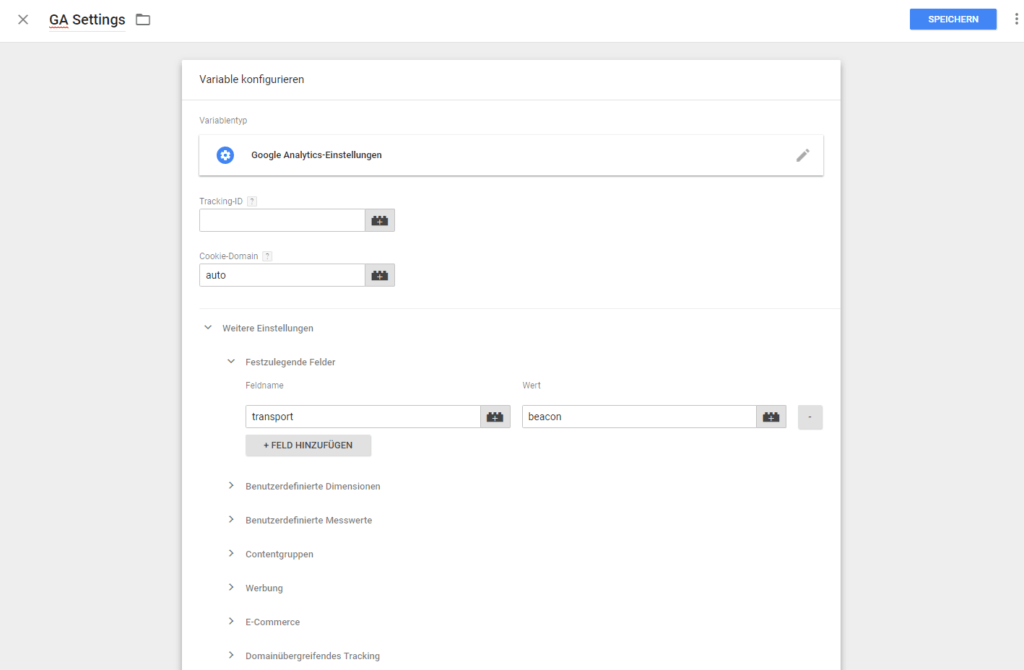
This functionality is set in Google Tag Manager (GTM) as follows:
Variable type:“Google Analytics Settings”
Fields to be set:Field name “transport”, value “beacon”
It is also possible to use the “transport” field with the value “beacon”directly in a Google Analytics event tagto set.
Disadvantage of the method
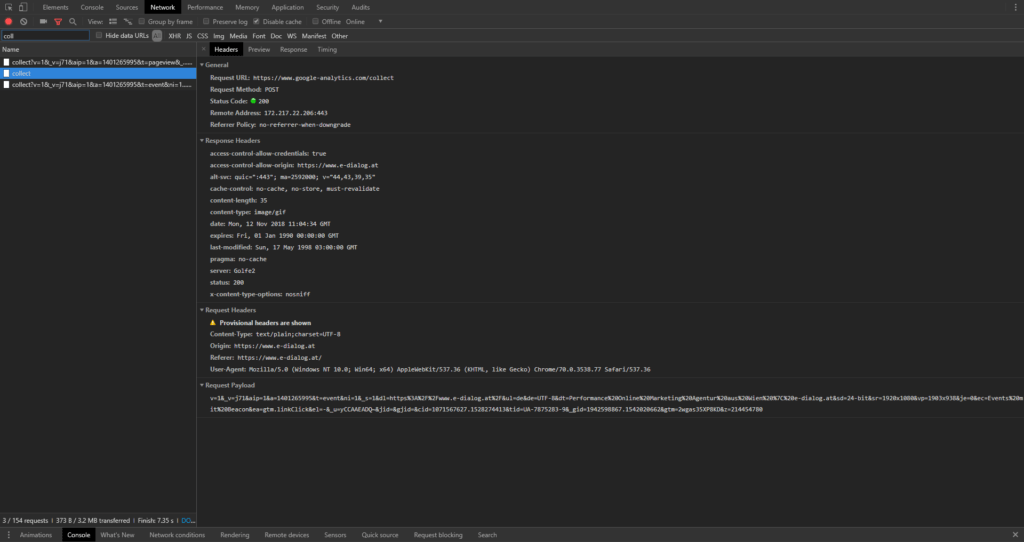
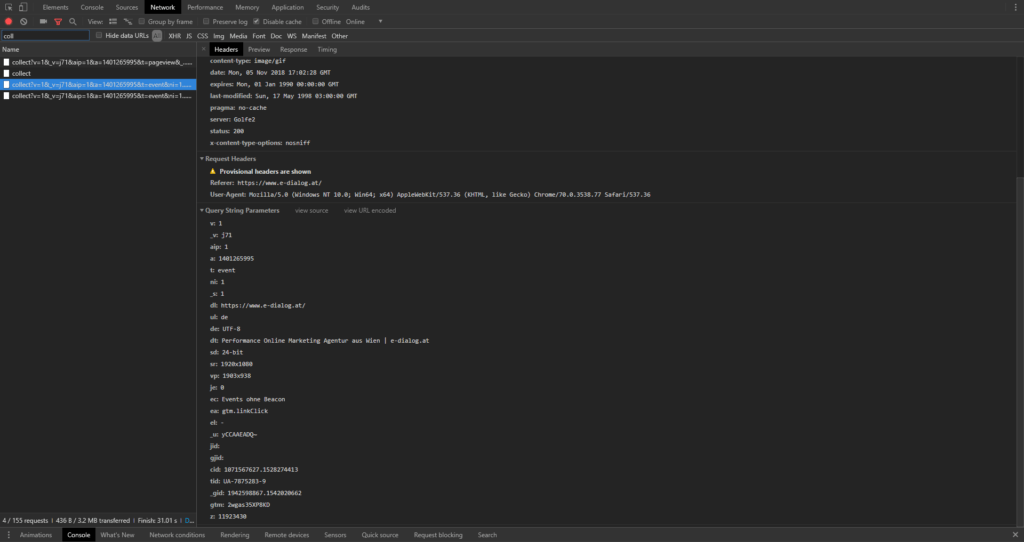
There is nothing wrong with using this setting for all Google Analytics tags. The only downside is that it makes debugging a bit difficult. The reason for this: Beacon requests only use HTTP POST andnot like almost always GET. This means that in the developer tools you can see the payload written together (first picture) and not broken down with parameters as usual (second picture).
Do you need support in implementing advanced tracking solutions? Would you like to be able to evaluate certain data in Google Analytics and do you need support installing it on your website?




