
Keyword Research Tips 038 Types Of Search Queries

Management Summary
The goal of keyword research
Websites, individual landing pages and SEA campaigns should (in the best case scenario) achieve clearly defined goals. Comprehensive and strategically oriented keyword research forms the basis for this. What are the problems behind the solutions I offer? What and how do you search for it? Which search terms are used for this? The right keywords can get your website and ads in front of the right users.
Keyword types from the user’s perspective
Keywords are search queries from users. If you look at the search intent, there are several types:
- Informational
- Navigational
- Transactional
as well as
- Long tail
- Short head
- Unique searches
Informational searches
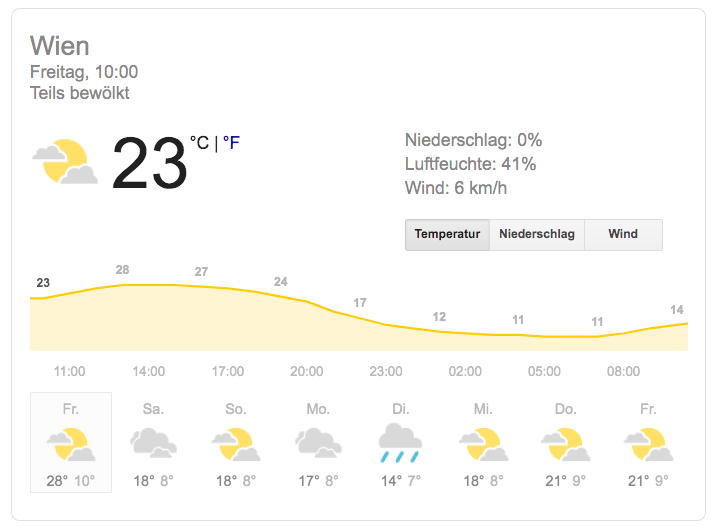
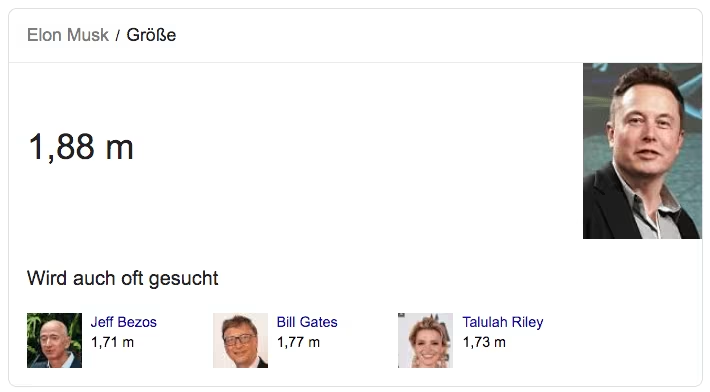
With this type of search query, the user wants to receive very clear information on a specific topic or have specific questions answered. A classic informational search result is a Wikipedia entry or a blog or forum. Google is increasingly answering informational queries directly. For example, the Google Knowledge Graph or Featured Snippets / Answer Boxes are known right at the so-called position zero as the first search result before paid or organic results.
Navigational searches
As the term suggests, the user tries to use a navigational search query to go directly to a website that they know or assume exists. Examples include specific searches for brands, companies, events and local search queries. Locally, navigational searches are often linked to brands.
Transactional searches
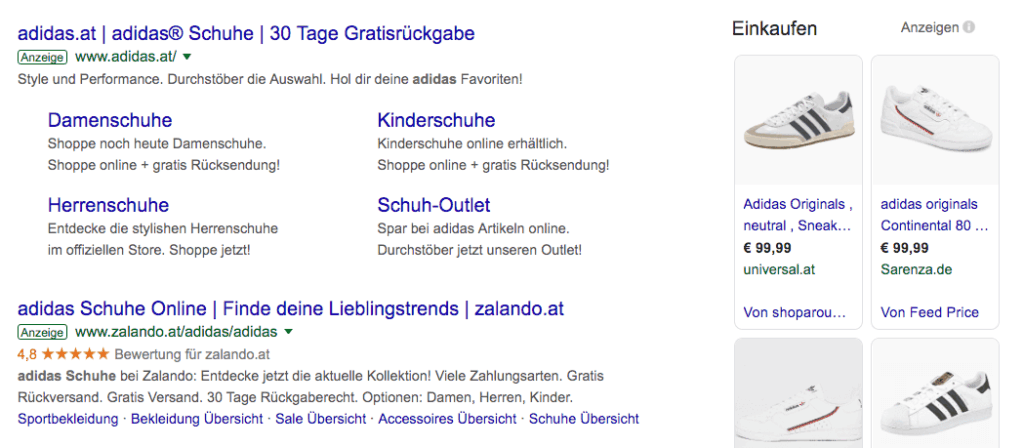
Transactional search queries are typically based on a purchase intent or another conversion intent, such as a download or a contact request. This is also where the variety of paid advertising spaces among the search results is greatest. Google Shopping Ads are also often played out, in which the user receives information about the product directly in the search.
Long tail keywords vs. short head keywords
AsShort head keywordsare short, very general search queries. So-called generic keywords are characterized primarily by a high search volume and usually also a very high level of competition. So if you rely on such rather unspecific terms in your campaign or when optimizing your website, you have to be prepared for a high level of competition. The search intent cannot always be clearly assigned. The user intent can be informational, navigational or transactional.
e-dialog SEA expert tip:Is it worth bidding on general, generic keywords?
Yes! Depending on the goal of the campaign (e.g. branding or image campaigns), we like to address the user at the beginning of the customer journey or want to reach them here!
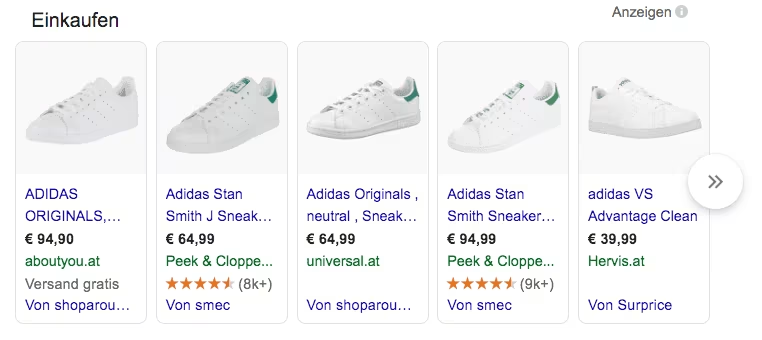
Long tail keywordsHowever, they behave more specifically. The search intent is usually clear and the answer/advertising message can be formulated in a targeted and relevant manner. A classic example would be a transactional search query for a certain model of shoes:“Adidas Stan Smith white”
Unique searches
Google receives trillions of searches every year. 15% of all daily search queries are new and have not been done before! Many of these daily new searches are unique searches. They usually arise from our own individuality. For example, you can refer to some regional event that we have heard about but cannot name, or specifically refer to an item number for an unusual spare part. These unique search queries are usually long-tail keywords – the combination of many individual keywords strung together. If I know the individual variants and search patterns, I can cover them very well.
Relevance of the keywords
We would like to explain the relevance of these unique keywords using an e-dialog campaign example.
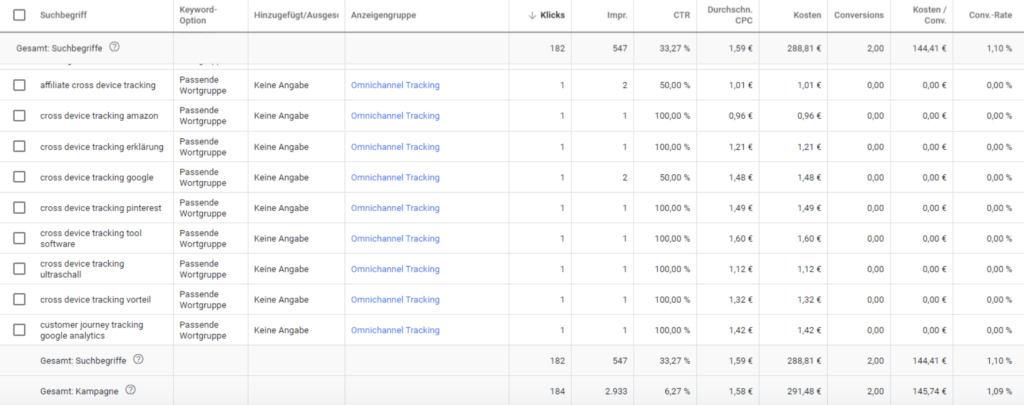
The entire campaign generated almost 3,000 impressions. However, the user’s corresponding search terms are only displayed for 547 impressions, which in turn led to 182 ad clicks. However, the total number of clicks in the campaign (184 clicks) is almost identical. This means that there are a large number of unique search queries for which no search terms are displayed in the interface.
Keyword research process
#1 – Keyword Search
In the first step of keyword research, we look for as many relevant terms as possible related to our website or campaign topic. There are some very good tools available for this (some of them free).
Basically, the following sources should be taken into account in the research:
- Own ideas. Ponder!
- Keyword tools (see next section)
- Evaluation search function – Google Search Console
- Web analysis tools such as Google Analytics
- Specialist magazines, specialist books, Wikipedia
- Competitors
- Technical language vs. layman’s language
- Synonyms, appendages, abbreviations
1. The Google Keyword Planner
With Google’s keyword research tool – the Keyword Planner – you can find out how often a specific word was searched for and how the search volume has changed over time. With this information you canTerms, synonyms or related topics researchedand their importance and relevance in relation to the search volume are assessed and included in the keyword list.
Search criteria:
- Target region
- Language
- Search Network
- Desktop and mobile search
- temporal progression
- average search queries per month (exact data for active campaigns)
- Bid amount
- Competition

2. keywordtool.io
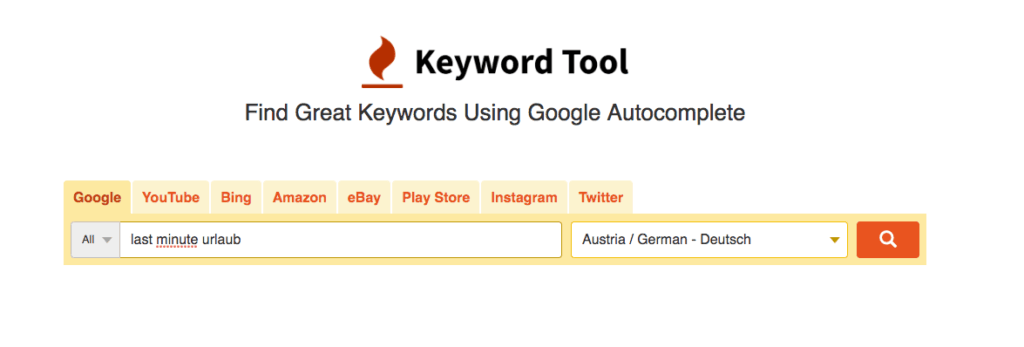
With keywordtool.io you can do keyword researchacross multiple search channelsbe performed.
Search networks
- Bing
- Amazon
- Youtube
- eBay
- Play Store
3. answerthepublic.com
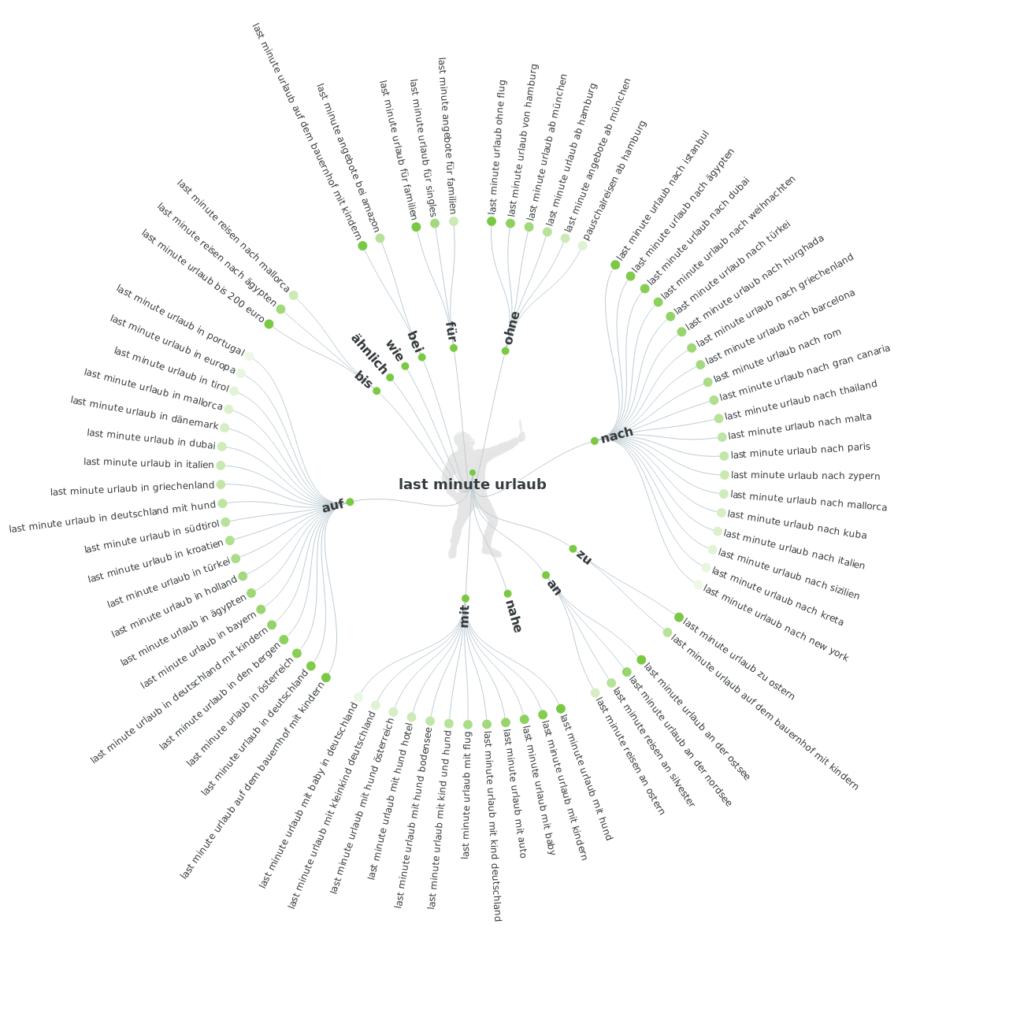
The Answer The Public tool is based on the principle ofW-questions. It lists possible and frequently used questions surrounding a search term and thus provides many ideas for campaign targeting and content creation.
4. ubersuggest
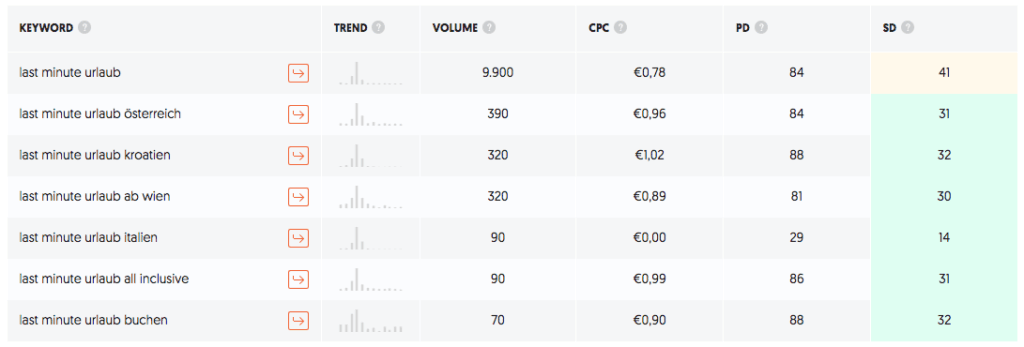
The free oneKeyword tool by Neil Pateloffers the decisive advantage that, in contrast to the Google Keyword Tool, it provides precise keyword data even without active campaigns. Interesting tools for content analysis of the competition are also offered.
5. Metrics Tools
With the extensive SEO tool, rankings can be monitored and optimized, competitors checked and keyword potential discovered. The search can be sorted according to priority and proximity to the search term.
Disadvantage:Registration required!

#2 – Categorizing the keywords
After extensively searching for relevant keywords, we are faced with a long list of words and ideas. So what do we do with this mass of keywords? Correct! Divide and structure. This should be done according to clear criteria. We recommend assigning keywords along the conversion funnel.
Distribution of keywords along the conversion funnel
When we talk about the breakdown of keywords along the conversion funnel, a clear picture emerges regarding search volume.
In the upper part of the funnel are the generic, short head keywords. These are the keywords with high search volumes and high competition – this is about awareness and addressing the customer at a very early stage of the customer journey.
Experience has shown that the further down the conversion funnel we move, the lower the search volume becomes and the longer the keywords to be assigned become. The search queries can go down to specific item numbers. These are already very close to conversion and should therefore be assigned to the last stage of the funnel.
Combining general keywords with remarketing lists
Target groups can be stored in search/shopping campaigns and a distinction can be made between the targeting and observation options:

“Observe” is usually the selected option and is therefore only active for bid adjustments but without any restriction on the range.
The “Alignment” option can severely limit the reach of the campaign if the list size is small, e.g. explicitly target users in the remarketing list and only show them the advertising for the keywords.
Maximize content relevance
Targeted messages can now be created for each individual funnel stage. By assigning it to the individual conversion phases, it is possible to maximize relevance for users.
#3 – Define KPIs
Once the keywords are categorized along the funnel, it is important to adjust the metrics accordingly. Different KPIs should be assigned based on the funnel stages and the goals. For example, impressions in the awareness stage and the conversion rate or return on advertising spend (ROAS) at the end of the funnel.
#4 – Search query analysis
Once the concept is in place and the campaigns are set up and running, the next optimization steps need to be initiated. In addition to excluding irrelevant search queries that are immediately obvious, we also examine the individual components of a search query – the so-called “n-grams”. Individual components can occur in different combinations and cannot be classified as irrelevant due to the lack of traffic, but overall do not make a positive contribution to overall success.




