
Do I Have A Single Page Application

Management Summary
Background – Single Page Applications and web analysis
In order to recognize the effects of a single page application on web analysis, we need to understand the function of Google Analytics Basic Tracking. Google Analytics basic tracking or page view tracking automatically sends a page view hit to Google Analytics for every new page a user visits. This data is the basis for further analysis processes.
However, this logic only works for websites that actually reload every new page the user accesses from the web server. Only this “reload of the page” is recognized by the Google Analytics tracking library and then triggers a page view hit.
Websites that only reload the first page of a website and only “reload” other pages are called Single Page Applications / SPA. In this case, Google Analytics basic tracking does not work and must be specially adapted.
How do you know whether your website is a SPA (Single Page Application)?
The following steps will help:
- Open website in browser (recommendation: Chrome)
- Open developer tools
- Open the Network tab in the developer tools
- Make sure “Preserve log” is disabled
- It is best to select the “Doc” option
- And now open various pages on the website
If the views in the Network tab are deleted and displayed again every time a new page is accessed, it is not a SPA.
If, on the other hand, the number of views in the Network tab becomes longer and longer, then it is a SPA.
As an example of a SPA, we visited the website kurier.at and carried out the following steps:
Open the kurier.at/sport section
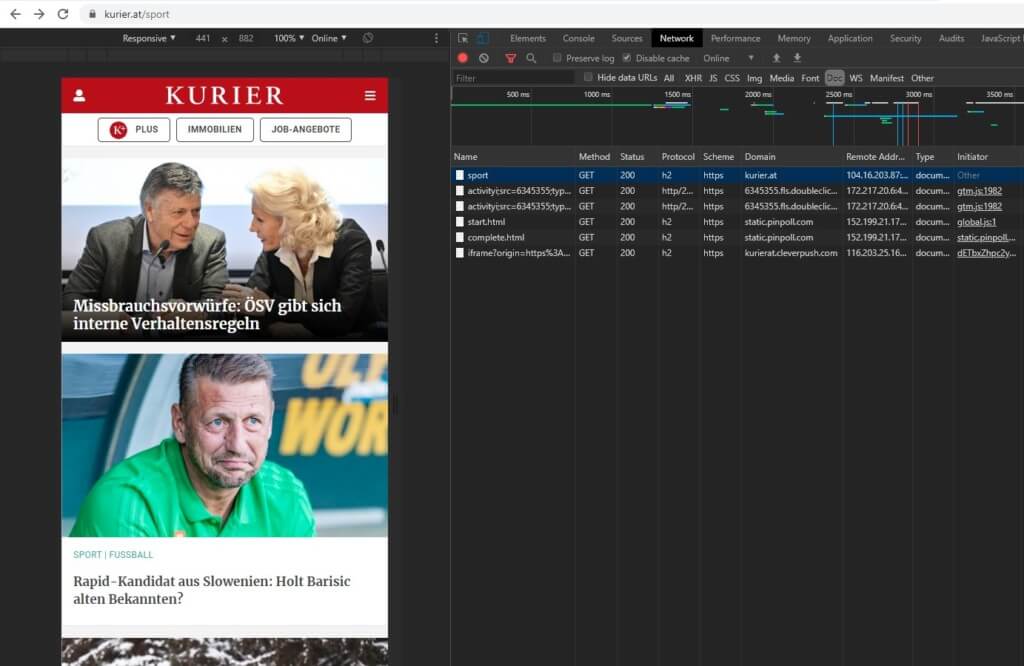
Click on the first article

Click on the back button in the browser
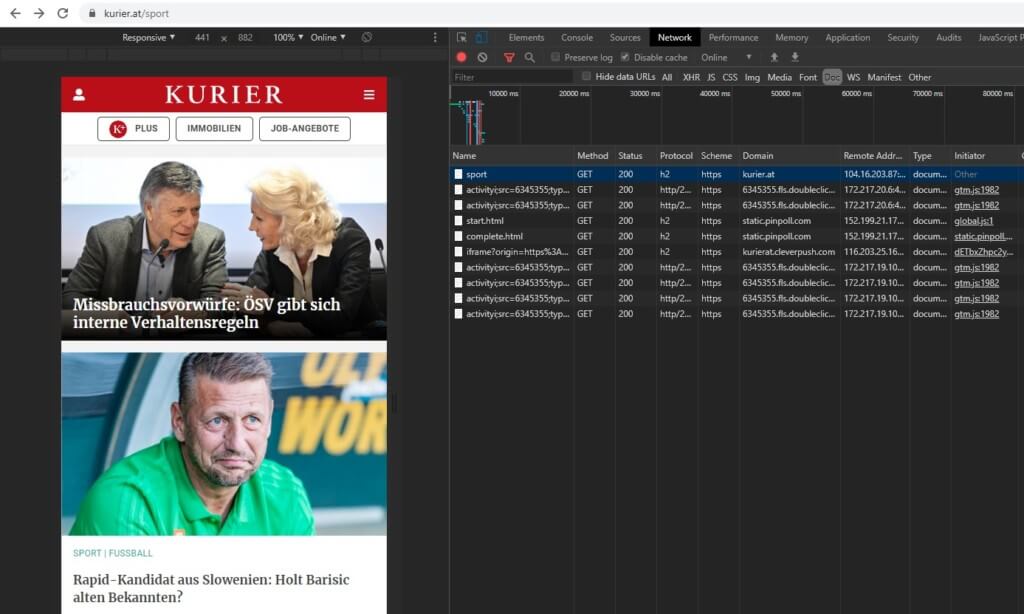
Click on the second article
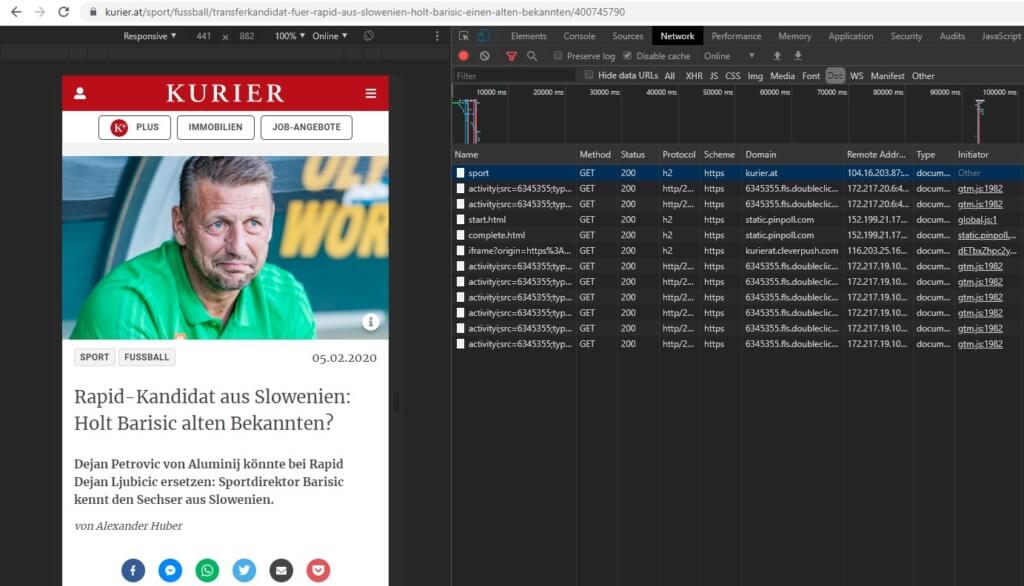
As you can see in the individual pictures, the list of views is getting longer and longer, which speaks for a SPA.




