
Gtm Advanced Techniques For Simplifying Tracking Setups

Management Summary
In this article, discover advanced JavaScript techniques that you can use for your tracking setup in Google Tag Manager and thus simplify your setup! This blog article presents two methods that are particularly helpful for more complex tracking setups in a variety of applications and collaborating teams.
Currying functions
Currying is a JavaScript technique that allows functions with multiple arguments to be transformed into a chain of functions with one argument each. The result is a nested function structure with inner and outer functions, where the output value of an inner function represents the parameter of the outer function. This allows functions to be dynamically created and reused by configuring parts of their logic separately. In a complex tracking setup that involves many variable parameters, currying can provide an elegant solution to simplify DRY (Don’t repeat yourself) functions and avoid redundant code blocks.
In Google Tag Manager you implement such reusable functions by returning a function in a custom JS:
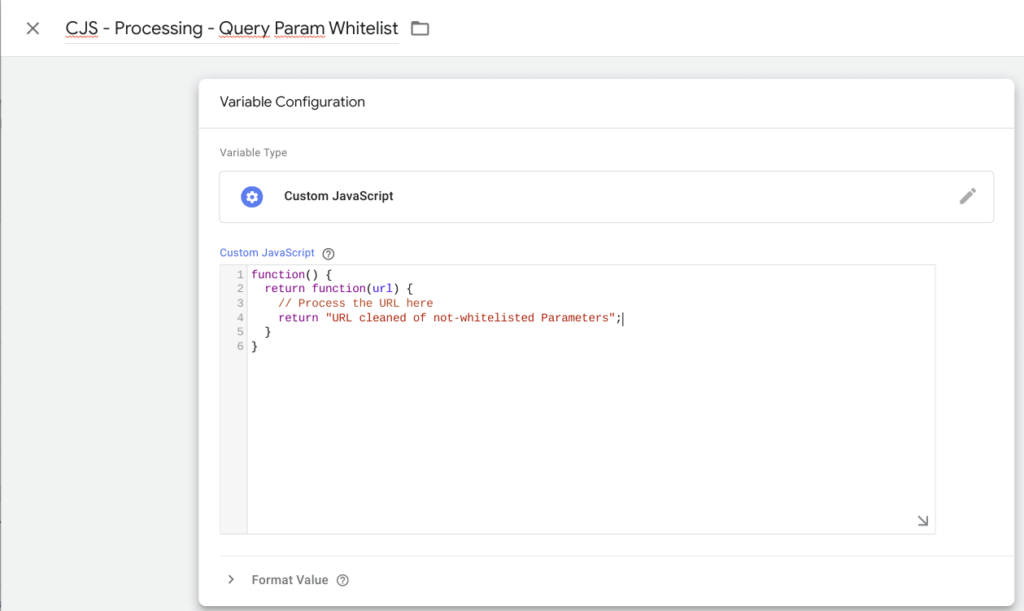
Variable Configuration, source: e-dialog
In practice, currying is particularly helpful when implementing processing functions, for example when cleaning PII from URL-based parameters. In this case, the first function in the currying chain could take the original URL variable as an argument and start a process to extract the relevant (not whitelisted) query parameters (see previous image). The result can then be passed on to the next function in the currying chain, which then takes care of the path and processes it accordingly. This function could look like this:
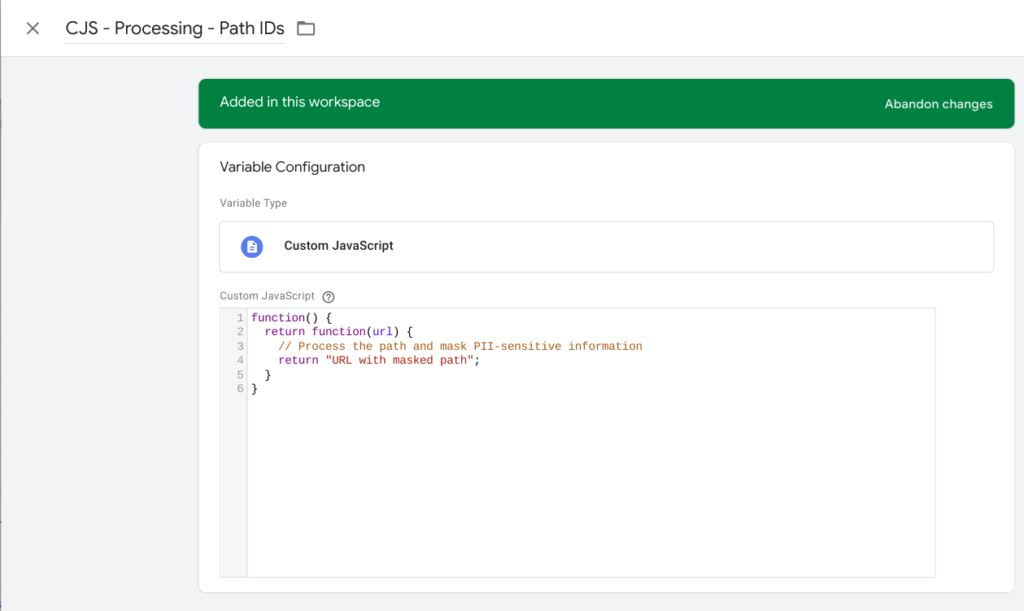
Added Variable Configuration, source: e-dialog
This approach allows you to break URL parameter processing into separate, easy-to-understand functions, and extend or change behavior as needed by simply adding more functions into the currying chain.
Applied to the Page URL variable it looks like this:
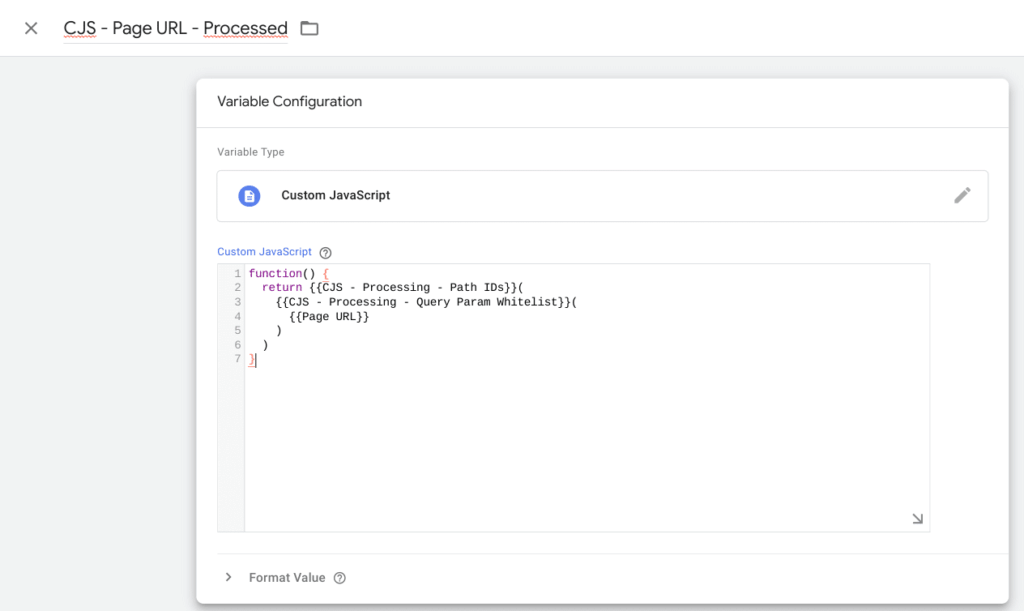
Page URL – Processed, source: e-dialog
First, the Query Param Whitelist function is called, which contains the page URL as a parameter. The output value of this function is in turn fed into the outer Path IDs Processing function. The result is a unique definition of logic using multiple functions that can be called as needed in different scenarios. To stick with this example: Instead of setting up the processing twice for the page location and the referrer and thus working on two different variables, you define a series of currying functions that you only call for the page URL and referrer. This means that work and maintenance only has to be done in one place, which saves code and reduces the risk of errors.
In addition, currying can also be used for general data processing in a complex tracking setup. For example, if you have a set of tracking data that requires specific filtering or transformation logic, you can create a currying chain of functions that are applied to the data sequentially. This allows you to clearly structure the processing logic and simplify the code by splitting and reusing the individual steps.
Targeted tracking through the use of zones (360 feature)
In a complex tracking setup, it is common to have different tags, triggers and variables working on different parts of a website. However, it is not always necessary to run these elements site-wide as this could potentially impact site performance. Zones in Google Tag Manager offer a solution to this challenge by allowing specific limits to be set on the execution of these elements to enable targeted and efficient tracking. Parts of the tracking can be excluded or included based on various criteria such as certain URLs, page names or variables. Zones also provide the ability to link different containers together. If you use multiple Google Tag Manager containers on your website, you can specifically control the collaboration and data exchange between the containers. In summary, it allows you to implement unified tracking strategies and synchronize analysis across different containers.
Zones are implemented through the integrated interface in the GTM. This looks like this and offers the configuration options mentioned above:
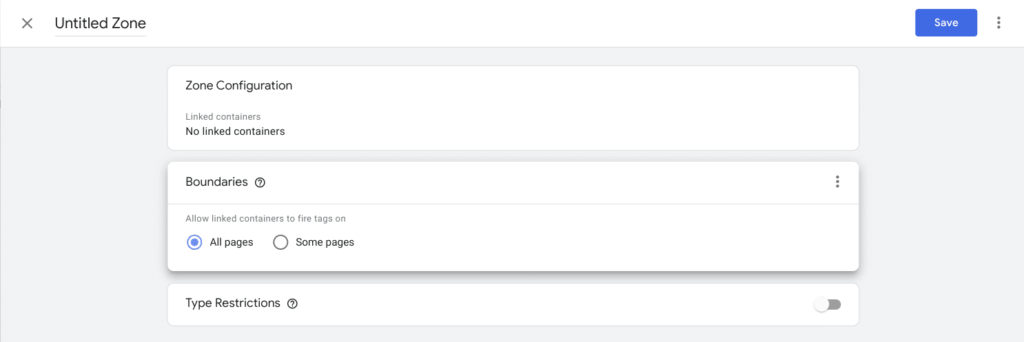
Zone Configuration, source: e-dialog
Conclusion:
Overall, Currying and Zones in JavaScript and Google Tag Manager enable targeted and efficient processing of tracking data, resulting in leaner, more precise and more maintainable tracking setups and optimizing site performance.




