Invisible Tracking: Where Have the Collect Requests Gone?

Management Summary
The collect requests can no longer be found in the network console? There is no cause for concern, as the data is still being captured—now just via Service Workers. We explain how this works.
There are various technical analysis options for verifying whether a tracking setup is functioning correctly. One of the most common methods is checking the so-called “collect” requests in a web browser’s developer console (e.g., Chrome DevTools, Firefox Developer Tools). These requests are sent by the browser to transmit data to the tracking servers. The browser’s network console enables verification of all relevant parameters that were actually sent from the browser to the tracking server.
Various browser extensions offer additional analysis capabilities. These extensions examine both network requests and the correct execution of desired tracking functions. In addition to analyzing network requests, they also provide insight into the origin of the tracking data, namely the data layer (the DataLayer).
However, only the tracking requests can provide reliable information about whether a tracking call was sent correctly, contains the correct data, and was processed by the tracking server. If these requests do not arrive at all or arrive incorrectly, this can lead to significant problems with data collection and result in incorrect conclusions about activity on a website in the analytics tool.
Service Workers
Service Workers have been introduced by Google for all Google pixels. But don’t worry: only when a server-side Google Tag Manager is in use. When using server-side tracking in conjunction with Google pixels, tracking requests are now sent to the server-side GTM via Service Workers. Which pixels are we talking about specifically?
- Google Analytics 4
- Google Ads Conversion & Remarketing
- DoubleClick Floodlights
What Are Service Workers?
A Service Worker is a script that can intercept network calls and cache their data. This allows these calls to be sent to the server later, for example, if the internet connection was interrupted.
Suppose a website remains open in a browser on a mobile device for a very long time and the internet connection is lost. The user performs interactions, such as scrolling the web content, during a time when no internet connection exists. The GA4 “scroll” event is intercepted by the Service Worker and sent as soon as the internet connection is restored. Without the Service Worker, the request would be sent immediately by the browser when there is no internet connection and would result in a timeout, since no internet connection exists.
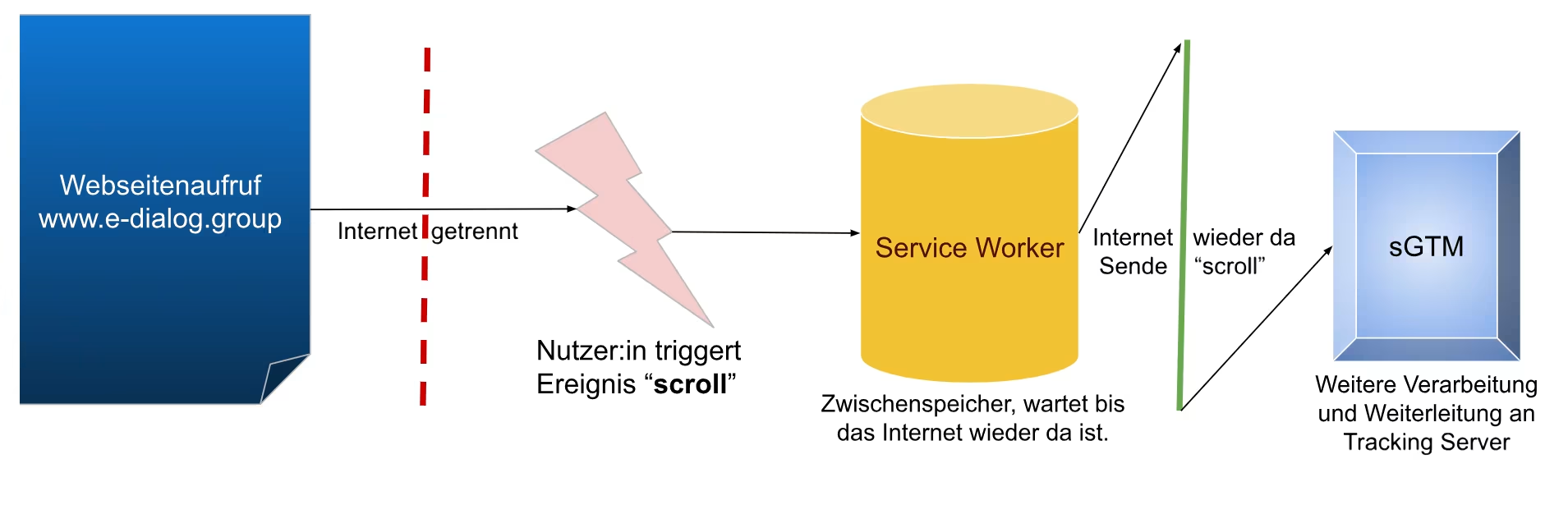
Where Have the Collect Calls Gone?
Because Google pixel tracking calls are intercepted by Service Workers, they no longer appear as usual in the browser network console. This can make debugging more difficult, as the tracking calls become almost “invisible” in the browser.
The server-side GTM does not inject Service Worker scripts into the website on its own. Service Workers are automatically activated as soon as at least one Google pixel is present on the website and the request is to be sent to the server-side GTM.
When the Service Worker script is used, it influences the requests before they reach the server-side GTM, ensuring that the tracking data is more reliable.
The disadvantage, however, is that analyzing tracking calls via the network console is no longer possible as it was before.
How Can I Still Validate My Tracking?
It may be that tracking calls are still partially visible via the network console and in special cases are not. The Google script decides for itself which requests run via the Service Worker and which are sent directly.
Since the “collect” requests no longer appear completely and not always in the network console, an alternative method must be used for validating the tracking setup.
The server-side GTM (sGTM) preview mode is best suited for this. To open the sGTM preview mode, the “Preview” button must be clicked in the sGTM interface.

If the sGTM is used by multiple domains, the correct domain must be selected from a list before clicking the button.
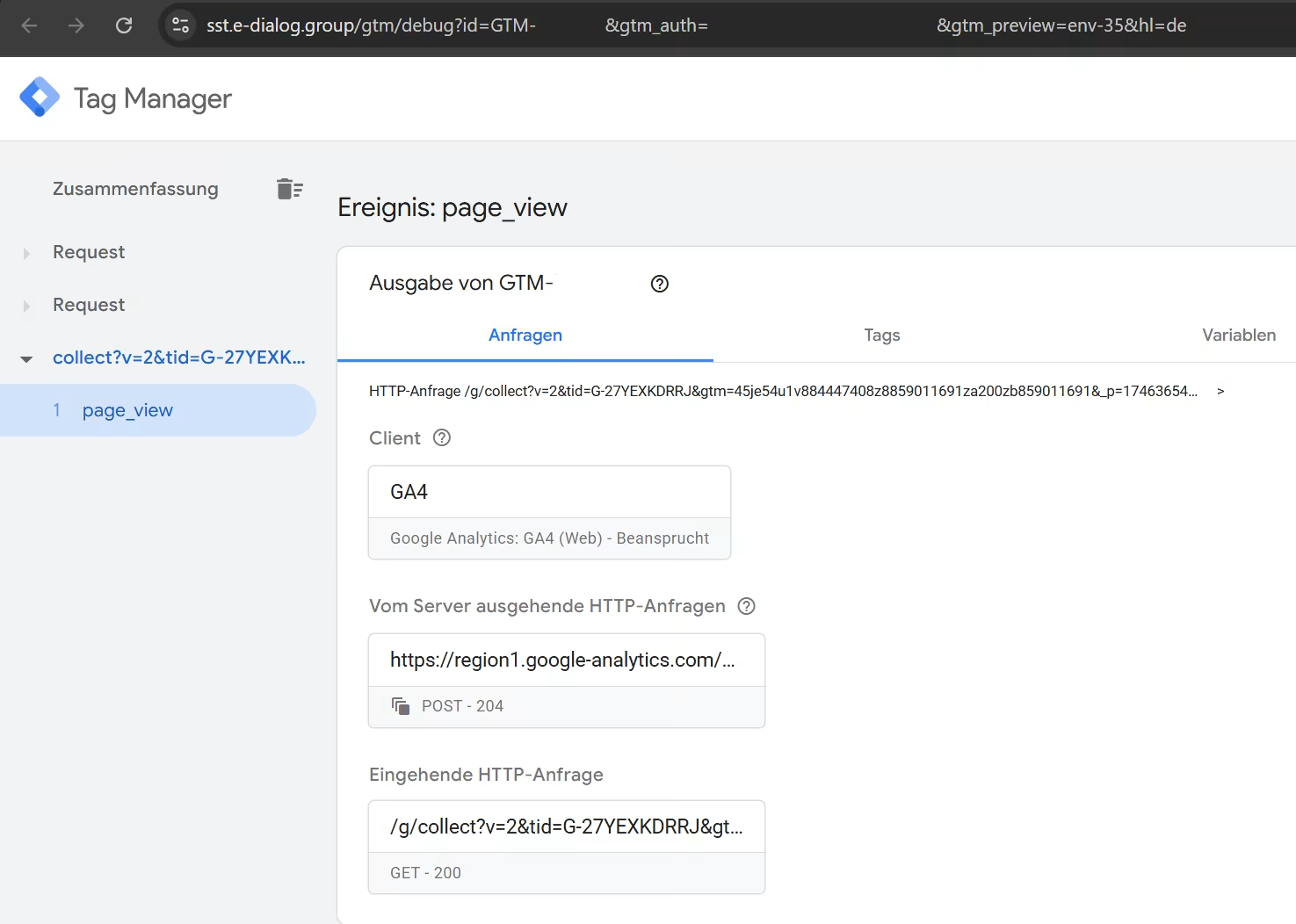
Instead of using the network console, every tracking call sent from the website can be directly inspected in the sGTM preview mode, regardless of whether it came via the Service Worker or directly:
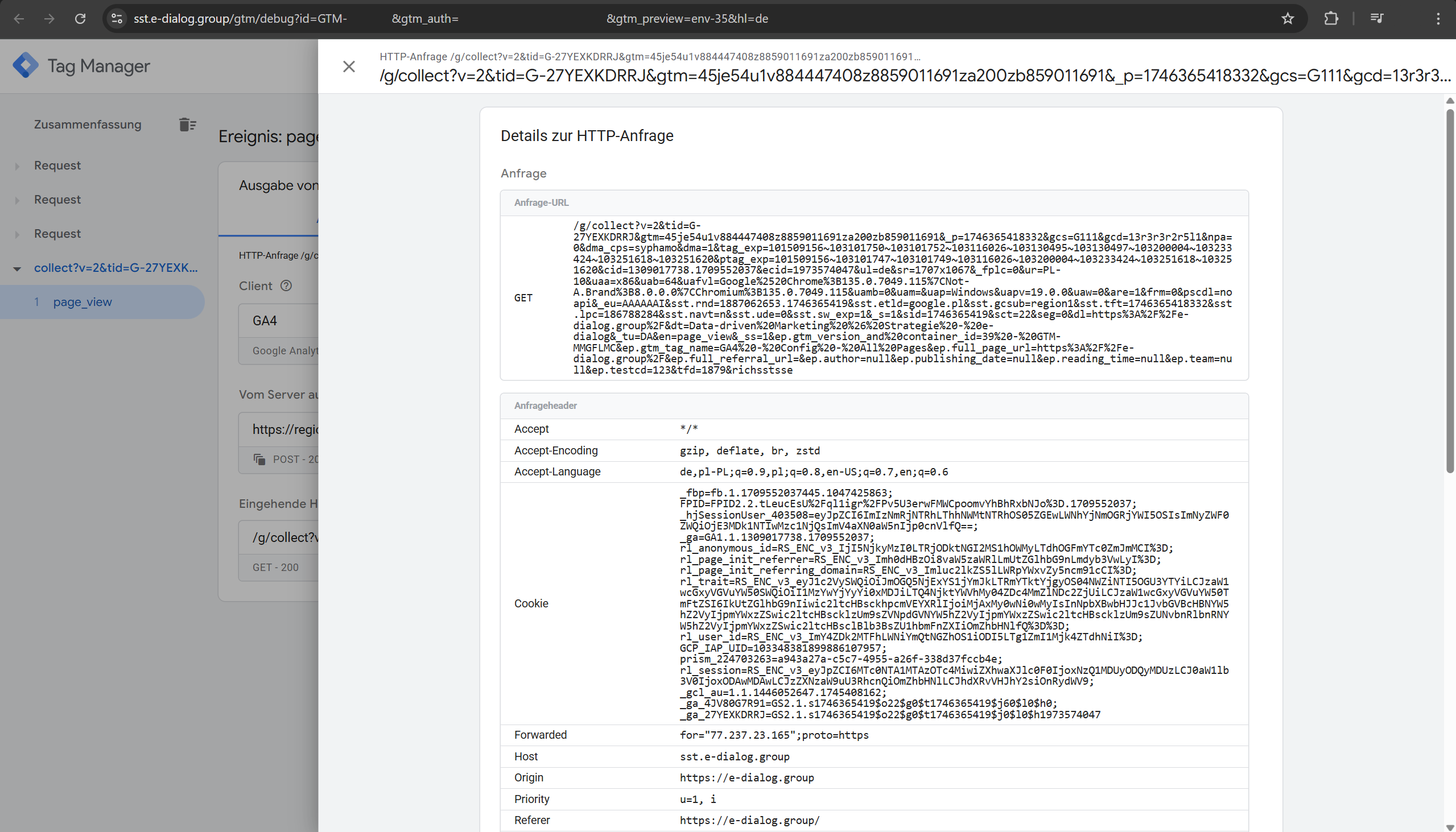
Thanks to the server-side GTM preview mode window, every tracking call can be checked and validated.
All parameters can be checked for correctness. For new tracking functions, the sGTM preview mode can be activated at any time to test the new functionalities.
How Do I Recognize If a Service Worker Is Active?
Whether a Service Worker from Google is in use on my website can also be checked via the developer tools, via the network console. However, the name of the Service Worker script is not fixed. It can be freely renamed by developers. However, Google has settled on the following designations:
- sw_iframe.html
- /_/service_worker/XXX/sw.js -> XXX dynamically populated by Google
- sw.js
- gtm-sw.js
- gtag-sw.js
- google-tag-sw.js
If one of these designations appears in the network console, Service Worker scripts are in use.
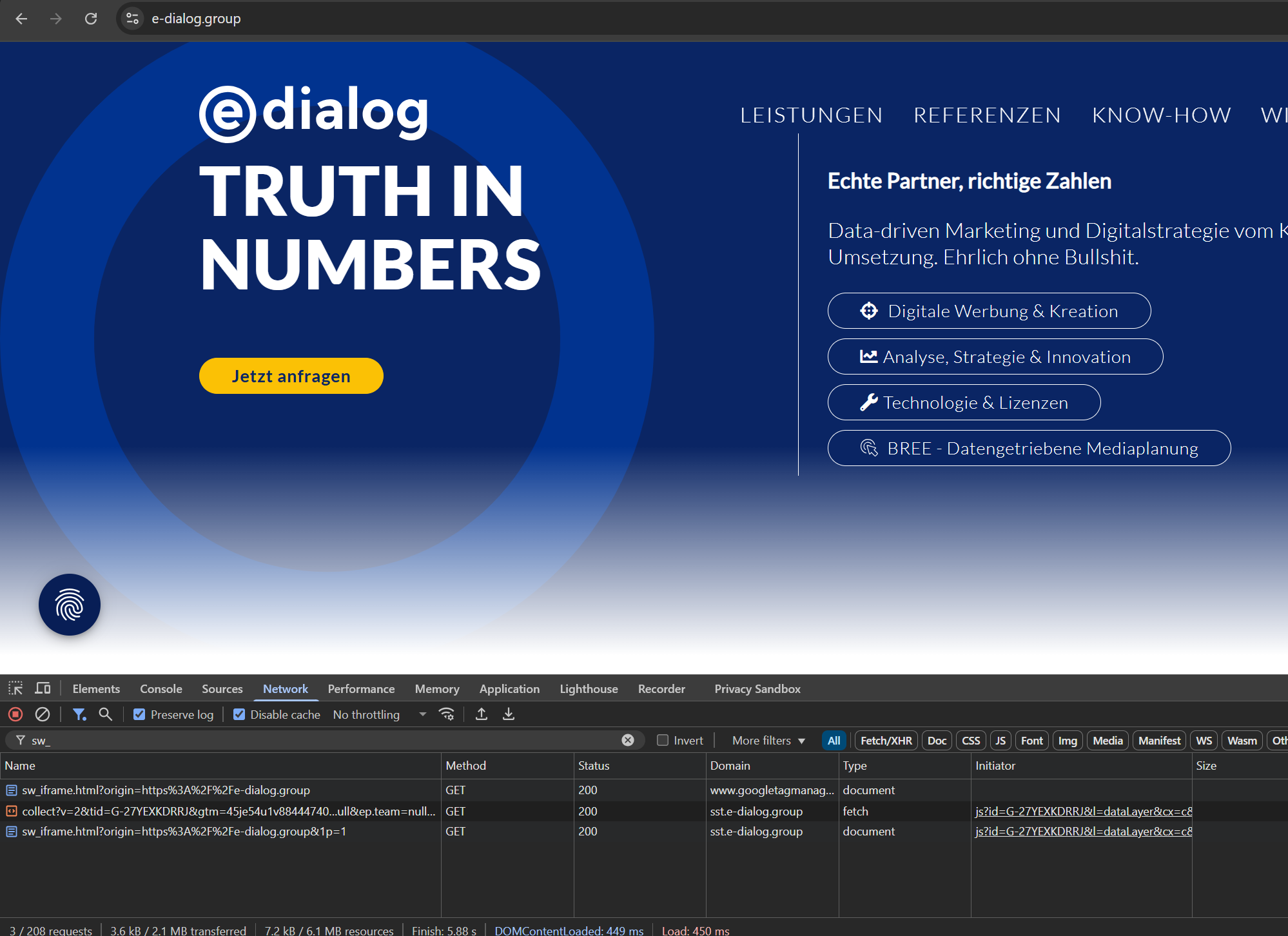
It would be even easier via the “Application” tab in the developer tools. When clicking on “Service workers” in the menu under “Application,” it immediately shows which Service Workers are active and for which domain:
There are various other options here, such as the “Network Requests” button, which activates the “is:service-worker-intercepted” filter in the network tab. This should make requests sent via Service Workers visible again in the network console. In real-world environments, however, not every request is shown here, so we recommend using the server-side GTM preview mode for debugging.
Does Anything Need to Be Set Up for Service Workers?
The Service Worker script, as long as it is automatically inserted and deployed by Google, requires no intervention in the website’s source code or any scripts from the website operator. The only thing that could interfere with the Service Worker would be a website’s Content Security Policy (CSP). If scripts are blocked by the CSP, this could lead to malfunctioning of tracking with Service Workers.
Conclusion
The absence of “collect” requests in the network console may indicate the use of Service Workers in conjunction with sGTM. In this case, tracking validation should be performed via the server-side GTM preview mode.