
Programmatic Deals In Dv360 8211 Everything You Need To Know

Management Summary
What types of deals are there? How do I get a deal? How do I set this up in my campaign? What do I do if my deal doesn’t deliver?
We will address these questions in the following lines.
Programmatic deals in DV360
A programmatic deal is an automated purchasing method that allows publishers to sell premium inventory to advertisers. These deals come with certain conditions. For example, a certain number of impressions is guaranteed or there is a set price (fixed CPM).
As an alternative to traditional IO bookings, they have the following advantages:
- Trafficking without tags
- expanded targeting options that can be controlled by the advertiser
- Evaluation & Controlling frequency caps across multiple campaigns & Publisher
- consolidated reporting and billing
This requires an agreement between the publisher/marketer and the advertiser. As soon as the terms of the deal have been agreed, the advertiser can control and optimize the campaigns independently.
Overview of the types of programmatic deals
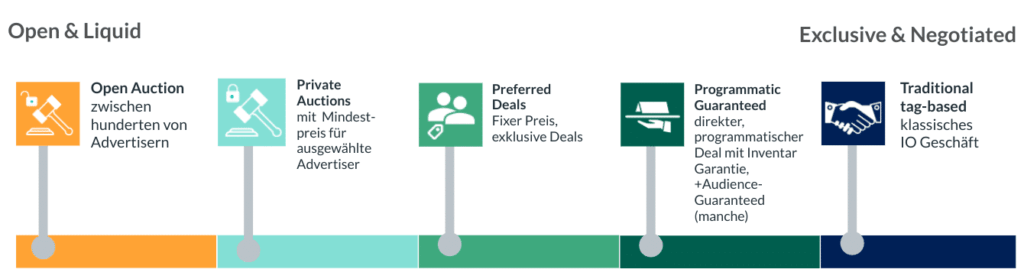 Overview of programmatic deal types, source: e-dialog
1. Open Auction
In the case of Open Auction, the publisher’s advertising inventory is freely accessible. Anyone who has a DSP (Demand Side Platform), such as DV360, can control the advertising inventory. The advertising contract will be awarded via auction – inventory availability is not guaranteed.
Open auction is therefore the classic programmatic business for which no deal is necessary.
2. Private auction
In the case of a private auction deal, the publisher sets a minimum price (the so-called floor price) for selected advertisers. The publisher thus favors these advertisers and can better control how its inventory is sold. There is no guaranteed inventory availability here either.
3. Preferred deal
A preferred deal is an exclusive relationship between an advertiser and a publisher for the specified purchase of inventory in brand safety environments. The publisher sets a fixed CPM and gives the advertiser exclusive access to their inventory. Again, there is no guaranteed inventory availability.
4. Programmatic Guaranteed
Programmatically guaranteed deals reflect the programmatic equivalent of classic fixed placements. The publisher agrees with the advertiser on a guaranteed inventory (e.g. 10,000 impressions) at a fixed price (CPM). There is therefore an acceptance agreement.
The advantage over the classic IO business is that no manual procedures are required. There are no tags to replace, discrepancies to correct, or invoices to process. You can also use target group targeting to specify that the ads should only be shown to certain users.You can find out more about Programmatic Guaranteed here.
5. Classic IO business (traditional tag-based)
A classic insertion order or fixed placement is an advertising order for an advertising or display banner that is placed directly between the advertising customer or the responsible agency and the publisher. It is characterized by a high level of commitment for both sides. Here, too, as with Programmatic Guaranteed, inventory is guaranteed at a fixed price.
How do you get a deal?
In contrast to the Open Market, deals require direct contact with the publisher in order to agree on the terms of the deal.
If you know the market and the publishers, you can contact them directly. For new or unknown markets (countries), DV360 offers the Marketplace, a tool with which you can find relevant publishers.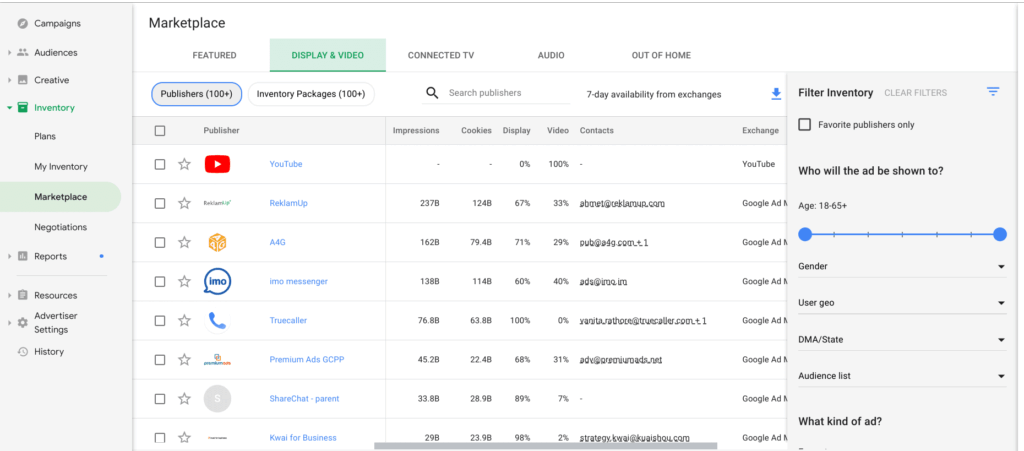 Insight into DV360 Marketplace, source: e-dialog
How do I set up a deal in DV360?
Deals in DV360 can be created at both the partner level (for all advertisers below) or at the advertiser level.
UnderDV360 Partner → Inventory →My Inventoryyou will find a list of all existing deals. This also includes deals that have already been automatically generated by the system. In this area it is also possible to set up a new deal under “New”.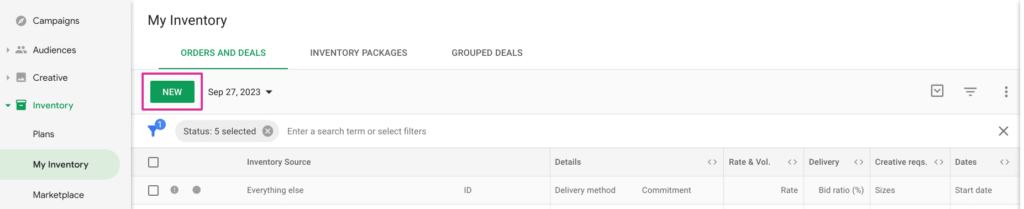 Setting up deals in DV360 – setting up a new deal, source: e-dialog
In the first step, the publisher has to set up the deal. To do this, he needs the Seat ID (= DV360 Partner ID) and name as well as information about which DSP an advertiser uses.
Depending on the AdExchange/SSP used by the publisher, an alternative Seat ID may be required. You can find these underPartner → Partner Settings → Basic Details → Exchanges(click on edit) see:
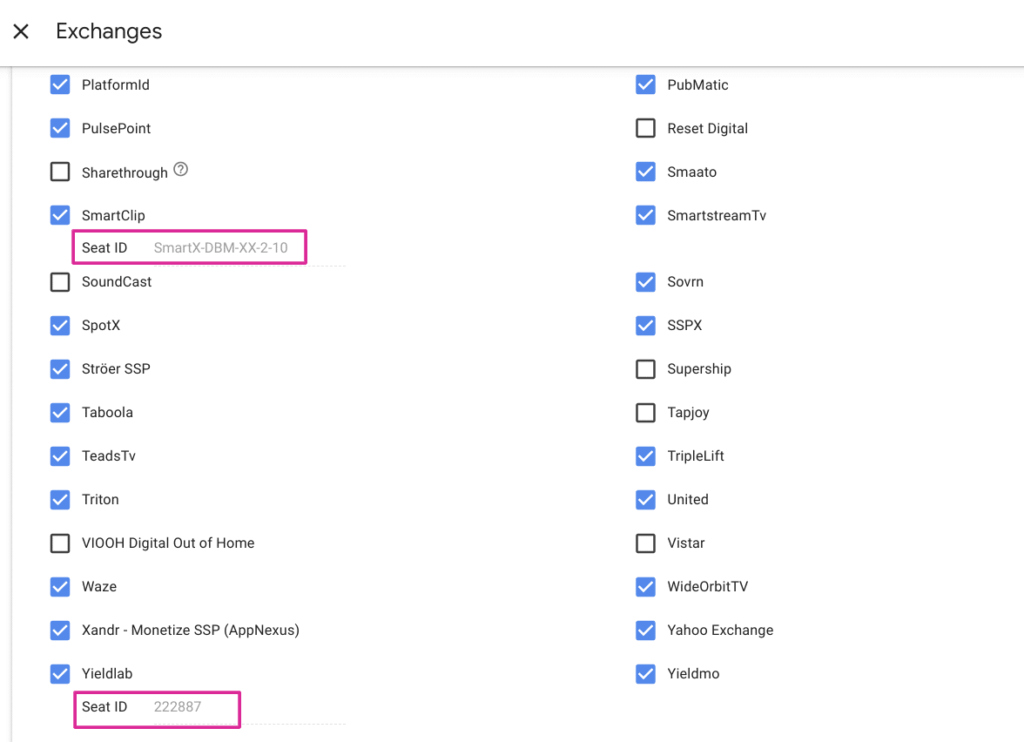 Setting up deals in DV360 – Find Seat ID, source: e-dialog
The publisher then creates the deal in the SSP and sends the deal ID to the advertiser. There are now two options here:
- Option 1: The publisher sends the deal information via email and the deal is created manually in DV360.
- Option 2: The publisher pushes the deal directly into DV360 and the deal only needs to be checked and accepted.
Once the deal has been created, all you have to do is add it to the campaign.
To add the deal to a campaign, select the corresponding inventory at line item level (Line Item Details → Deals and Inventory Packages).
By default, Public Inventory is preselected. If you only want the line item to access the deal, these inventory sources must be excluded and the deal must be selected under Deals and Inventory Packages.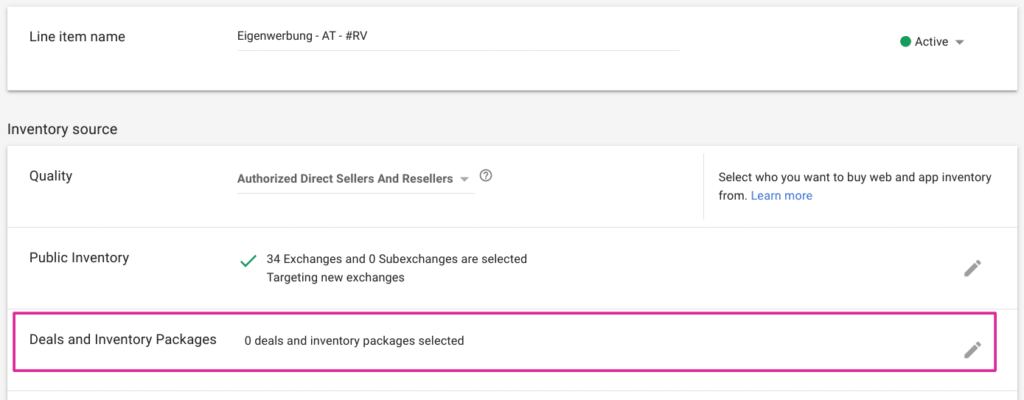 Setting up deals in DV360 – selecting inventory, source: e-dialog
What do I do if my deal doesn’t deliver?
Sometimes it happens that deals do not deliver immediately at the start of the campaign. The first step should be to check the setup.
If the deal does not come through Google Ad Manager, i.e. the publisher uses a different SSP, the data entered should be checked for accuracy: deal ID, floor price, SSP, assigned advertisers.
It is also important to check whether the correct deal type has been selected.
If everything is set up correctly, you should contact the publisher and ask them to check the installation on their site. If both parties have done their homework, a detailed look at the campaign must be taken.




