
Checking The Consent Mode In Google Analytics 4

Management Summary
This article provides an introduction to the “Consent Settings” extension in the settings of Google Analytics 4 (GA4), in which you can now check whether theConsent fashionwas implemented correctly.
New Consent Settings feature
In GA4 under “Admin”->“Data Steam”->“Consent settings” you can now check whether the user has consented to tracking and data collection or not.
In the following example, the message “not detected” appears – the consent mode is therefore not recognized:
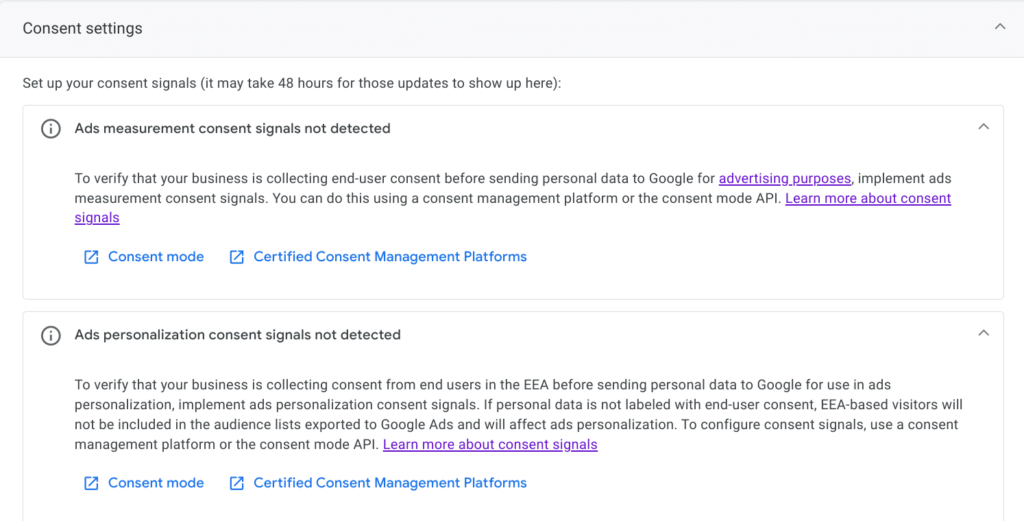
This can have various causes:
- Missing or incorrect implementation: It is possible that the implementation was not embedded at all or was embedded incorrectly.
- Delay in detection: It may take up to 48 hours for the change to become visible in the GA4 settings.
- Consent tool settings: If a consent management tool is used, it is important to ensure that it is configured correctly and the information is sent correctly to GA4.
In another example, ad measurement consent signals are not collected while ad personalization consent signals are active:
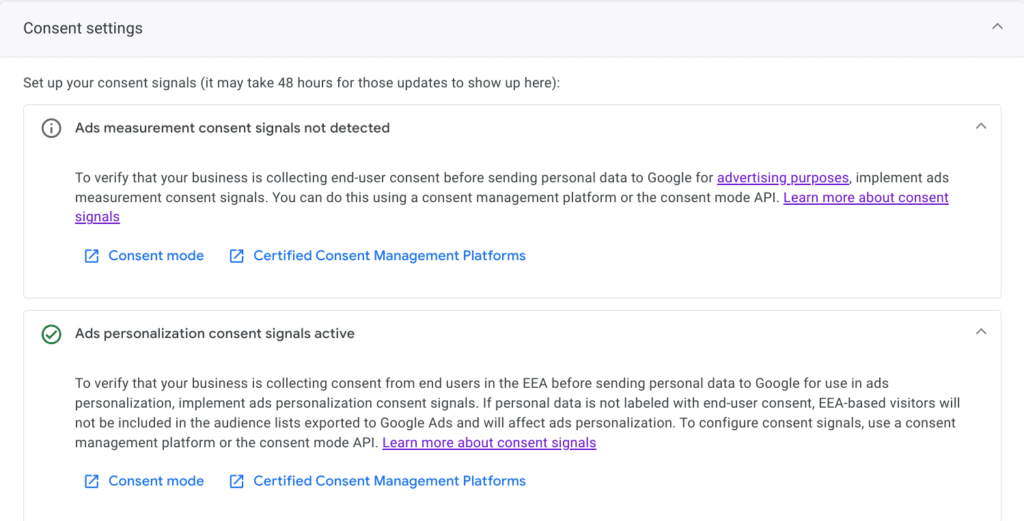
- “Ads measurement consent signals not detected”: GA4 has not yet received any consent signals for measuring ads. This means that in the future conversions could no longer be counted in tools such as Google Ads, SA360 and DV360
- “Ads personalization consent signals active”: In this case, GA4 received a clear signal of approval for ad personalization. Remarketing target groups can still be used, otherwise no new users would be added to the audiences.
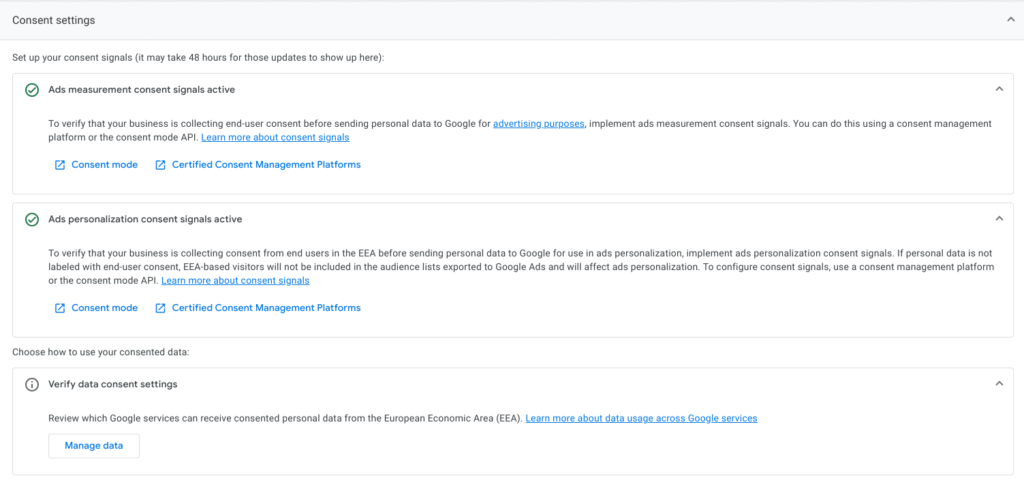
When consent mode data arrives, both hooks turn green:
What restrictions apply if Consent Mode has not been implemented?
The lack of implementation of consent mode leads to restrictions in the use of marketing functions. This concerns the use of GA4 remarketing target groups as well as the import and counting of GA4 conversions in Google Ads, DV360, etc.
The change is not absolutely necessary if no remarketing target groups or conversions are currently used.
Conclusion:
Overall, the consent settings in GA4 offer an intuitive and easily accessible interface that allows even less technical users to see whether consent mode has been implemented. More detailed examination is still required.
The ability to customize your choice of Google services provides additional control over data sharing and supports full privacy compliance.
Without consent mode, however, the signals are completely missing and that will be a problem from March 6th. If you still want to benefit from retargeting and conversions, you should implement consent mode as quickly as possible.




