Why GA4 Data Transfer Is Underestimated

Management Summary
The GA4-BigQuery export has been available for quite some time and offers important capabilities for storing data long-term and gaining deep insights into your own data. Some time ago, GA4 Data Transfer for BigQuery was introduced, which often raised the question of what added value this method offers when the raw data export is already available.
The answer is: If you lack the resources to transform the export into usable reports for Data Studio, or if you want to avoid the costs of expensive third-party ETL tools to export marketing data, then Data Transfer is a good alternative for saving key metrics directly. This increases data sovereignty and reduces query costs in BigQuery. However, many decision-makers have so far overlooked—and often underestimated—the value of custom reports.
Before we turn to the reports, here’s a brief introduction:
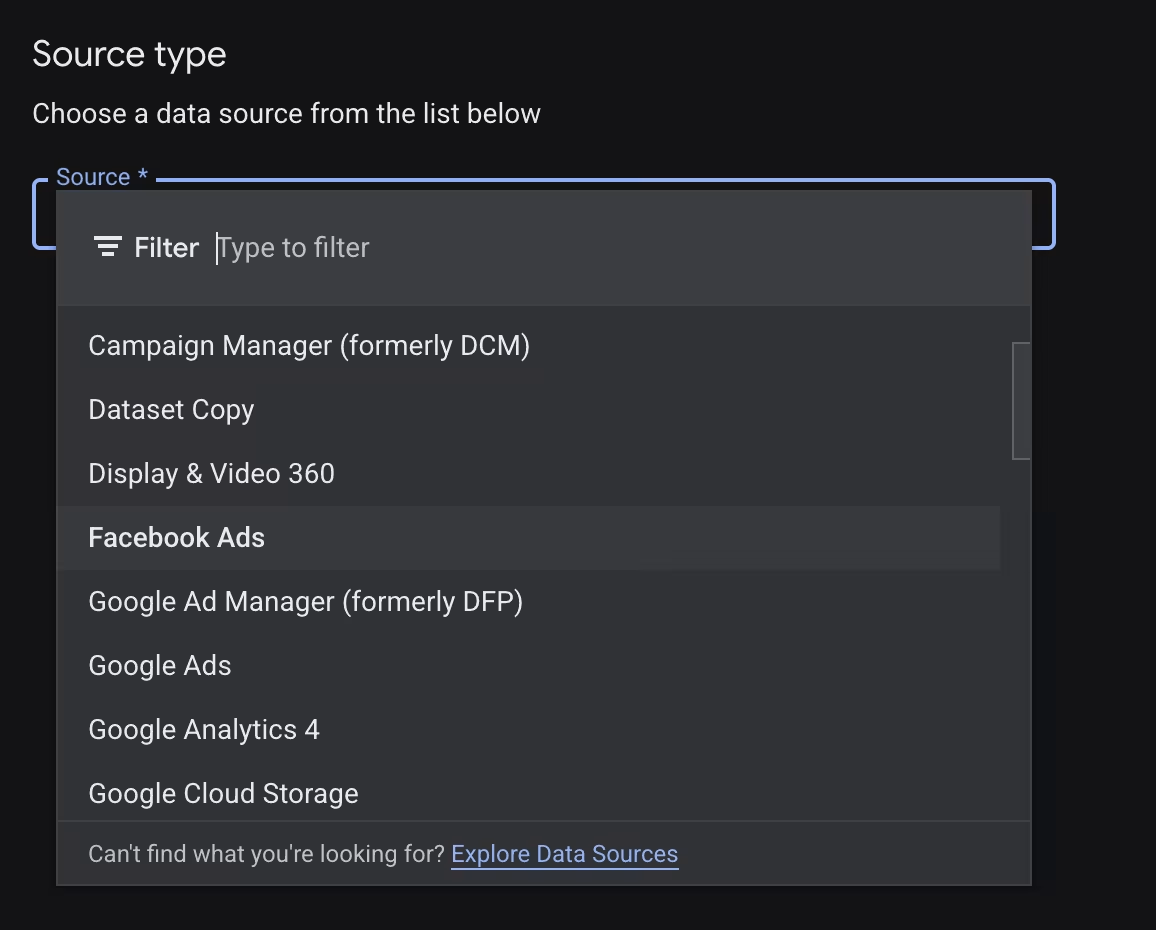
What Are Data Transfers?
Before we turn our attention to the specific reports, it’s helpful to briefly explain the technology: Data Transfers are native connectors—similar to the connections in Data Studio—that automatically transfer data to BigQuery.
The list of supported sources has grown quite long. It includes almost all Google products as well as major cloud databases. The key advantage: There are no additional fees for third-party tools to use these interfaces.
But how do I configure the GA4 data transfer?
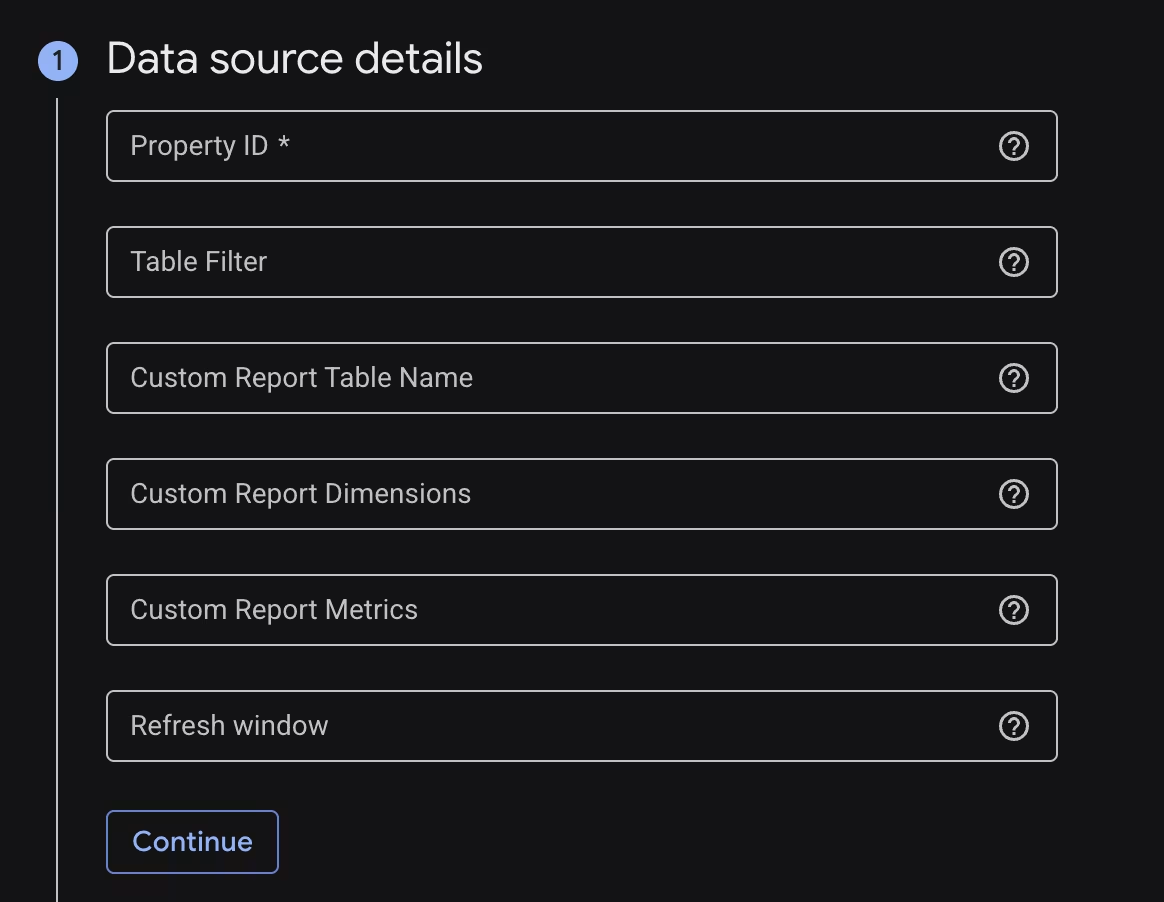
1. Configure Data Source Details
First, you must configure the data source:
Property ID: Enter the unique ID of the respective GA4 property here.
Table Filter: If not all tables in BigQuery are needed, you can narrow down the selection here. Enter the desired tables separated by commas. To exclude specific tables, use a leading hyphen (“-”). For more details, see the official Google Cloud documentation.
Custom Report Name: If you want to create a custom report, enter a unique name for the target table here.
Custom Report Dimensions & Metrics: The desired dimensions and metrics are defined in these fields. The interface lacks a simple drop-down menu or glossary; the exact API names must be entered manually.
Refresh Window: This value determines how many days back the data transfer is retroactively updated. A setting of at least three days is recommended to capture data corrections made in the backend.
2. Configure BigQuery destination settings and scheduling for the data transfer
After setting up the data source, the next step is to configure the destination within BigQuery:
Dataset: A BigQuery dataset must already exist or will be created from scratch during this step.
Transfer Config Name: A name of your choice that will later uniquely identify the transfer in the interface.
Schedule Options: This option controls the timing of the daily transfer. The selected time should not be too early in the morning. The GA4 data in the Google backend may not yet have been fully processed at such early hours.
Service Account: It is recommended that you set up a dedicated service account for data retrieval. While it is technically possible to use a personal account, a service account ensures clear and transparent logging in the cloud logs.
Notification & Advanced Options: Error notifications and advanced encryption options can generally be left at their default settings.
The Key to Success: Custom Reports
So far, the setup has been straightforward. However, the interface’s true strength lies in the custom reports. Important to note: As soon as a name is entered in the “Custom Report Table Name” field, the transfer no longer loads the default tables. Only the configured, user-defined table is populated.
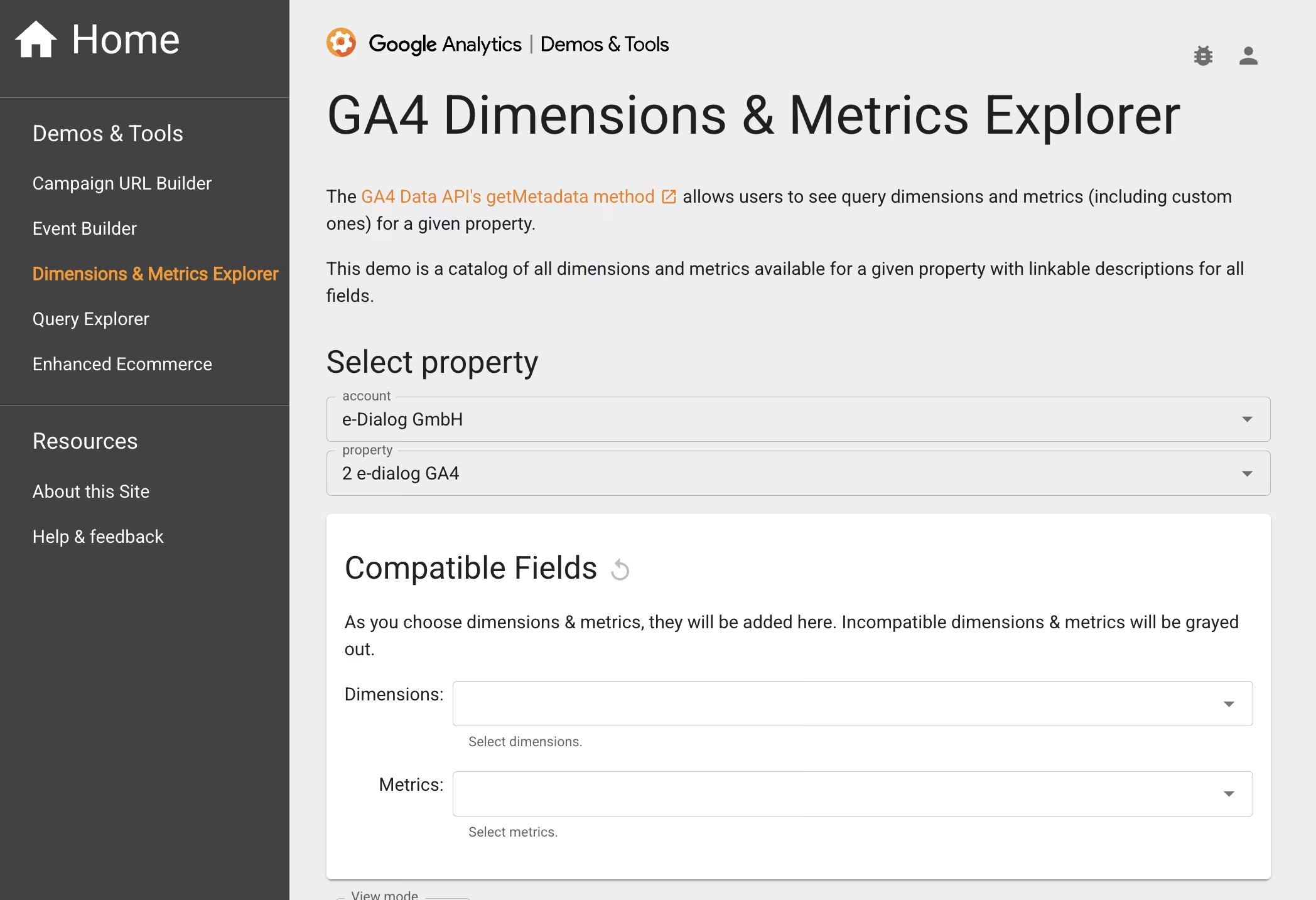
But where do the exact technical names for the dimensions and metrics come from? Behind the scenes, data transfer is based on the standard GA4 Data API. Google provides an excellent interactive overview with the GA Dev Tools.
After logging in, you can flexibly customize the desired report using a drop-down menu. The tool immediately indicates if certain combinations are incompatible. This prevents error messages from occurring later during the actual data transfer.
-
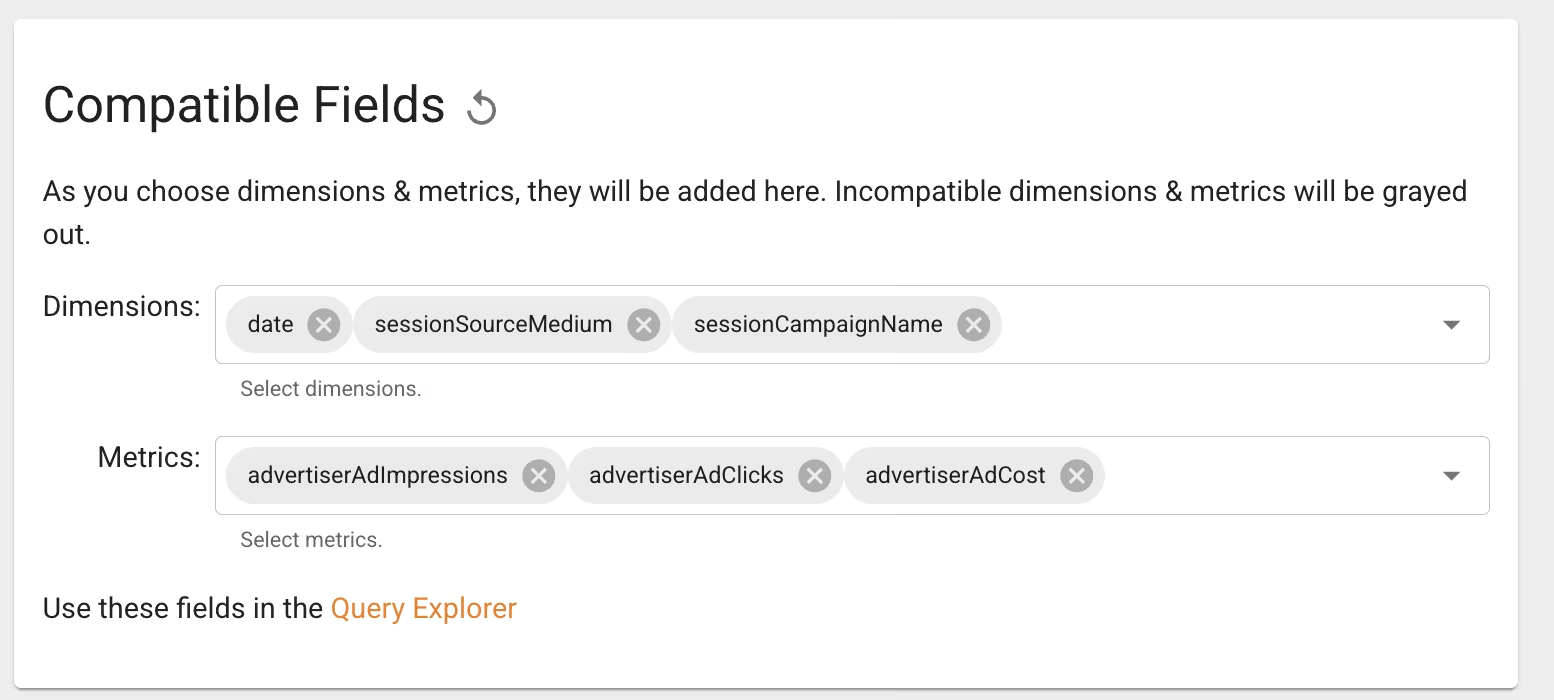 Für unseren Ads Cost Export würde das so aussehen.
-
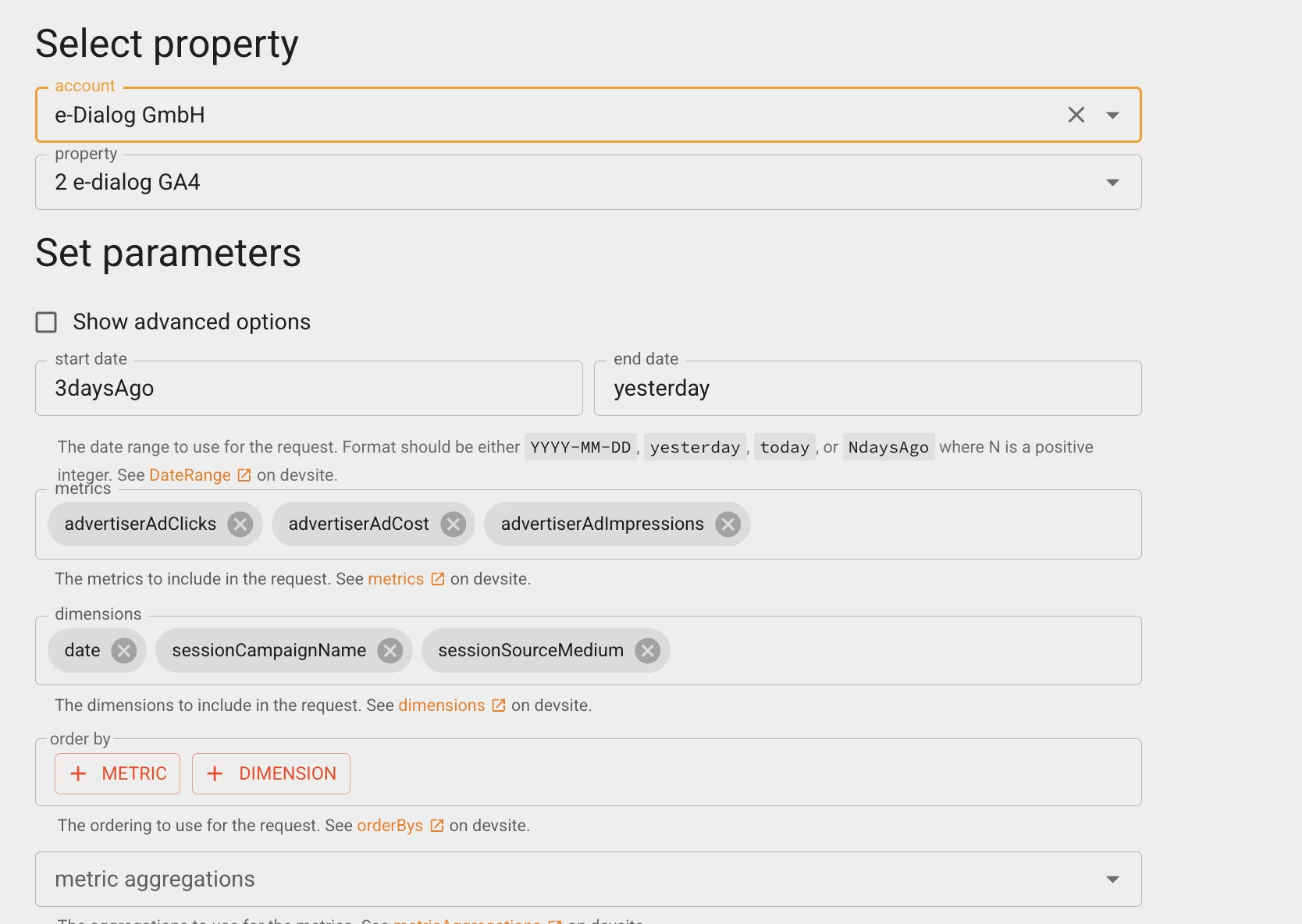 Praktischerweise kann man sich hier auch direkt die Daten ansehen, wenn man per Klick “Use these fields in the Query Explorer” aktiviert.
-
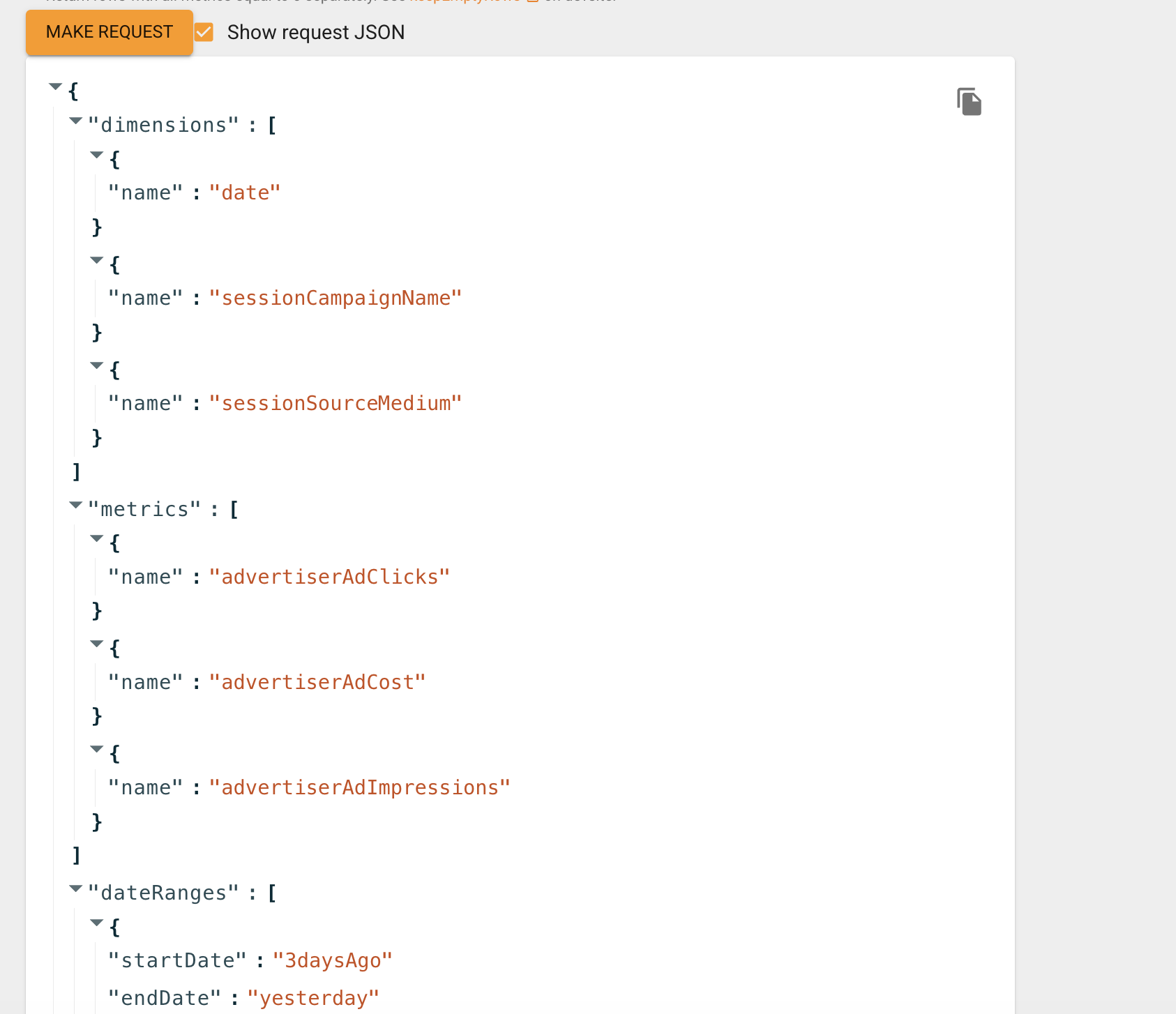 Klickt man hier auf “Make Request” …
-
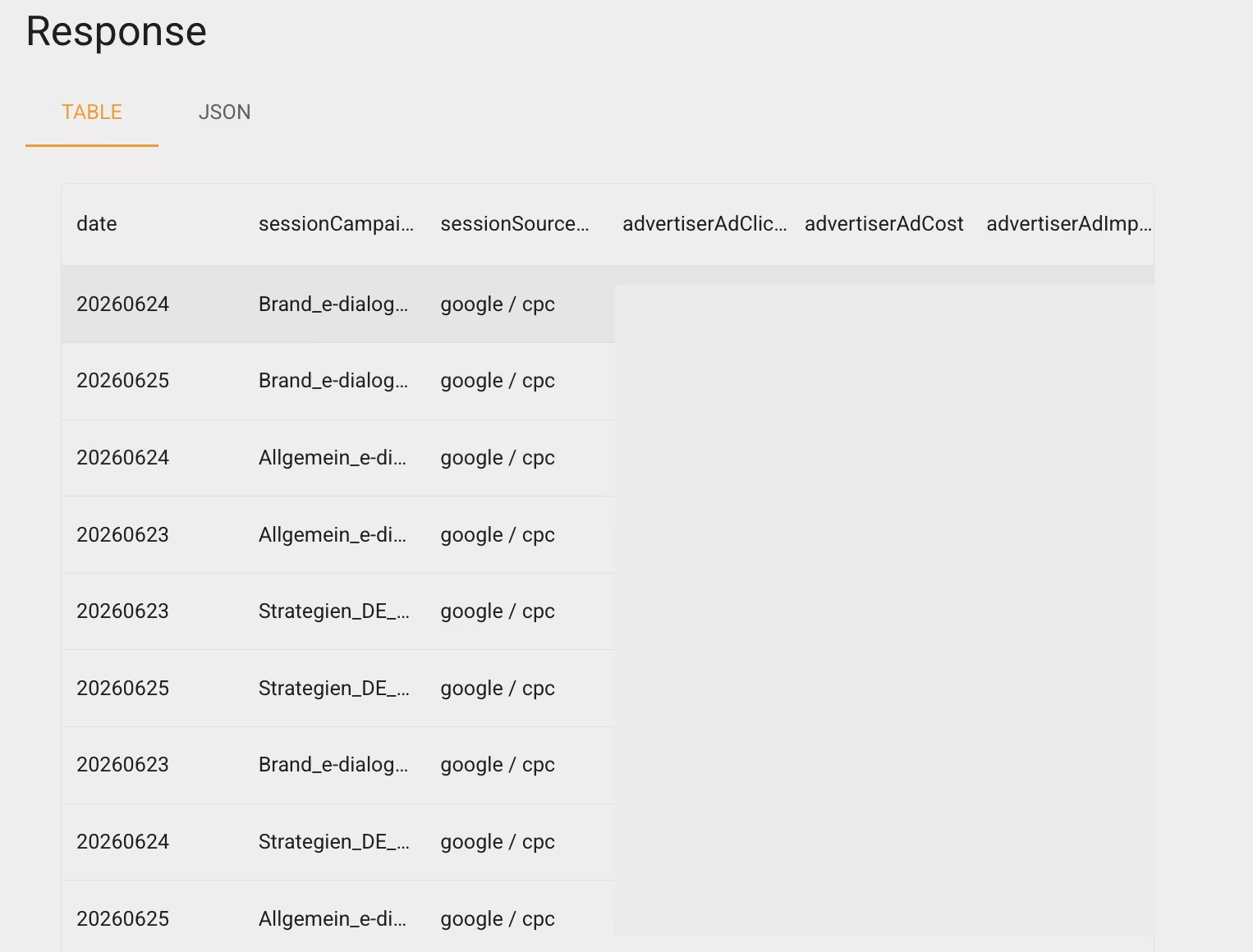 … generiert die API die vorher definierten Datentabellen, die als Zielstruktur für den Data Transfer dienen.
-
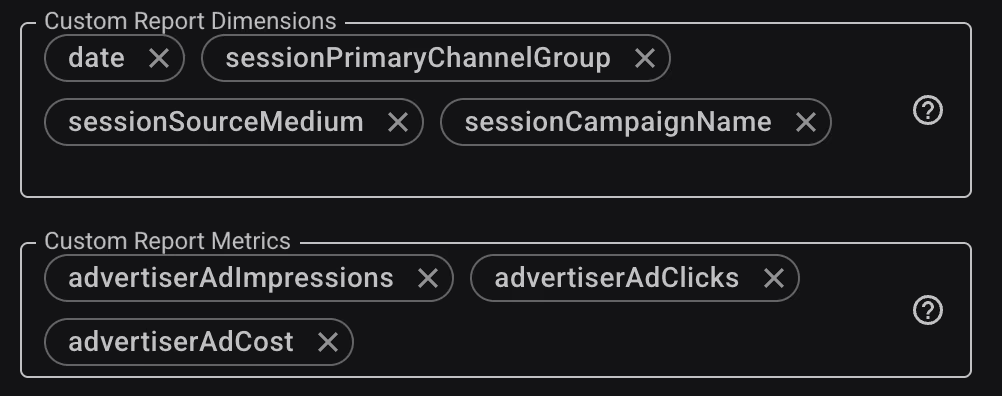 Möchte man diese Tabelle als Transfer generieren, fügt man wie im Screenshot oben zu sehen ist, die jeweiligen Namen in die Felder ein.
-
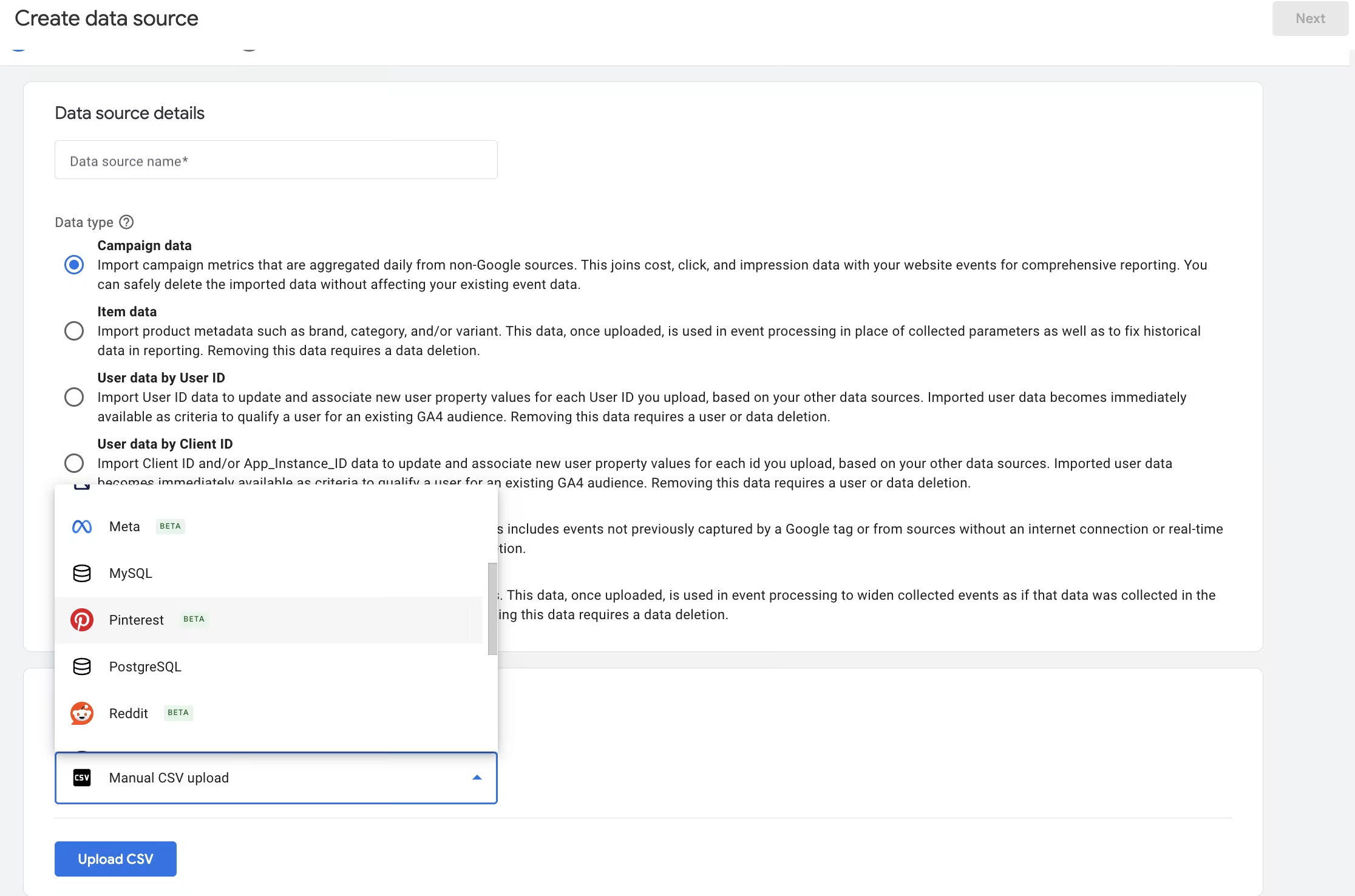 Ein wesentlicher Vorteil dieser Methode liegt darin, dass diese Felder nicht nur Google Ads Spend wiedergeben, sondern auch weitere Marketing Daten, wenn man die neuen Campaign Data Imports nutzt.
Google has significantly expanded this feature, broadening the options for importing marketing data. Previously, importing accurate cost data into BigQuery often required purchasing services from expensive ETL providers. Now, everything is consolidated in Analytics and will be exported through that platform.
Demographic data, DDA conversion data, or standard reports can also be saved using the same method. This process can be repeated multiple times to generate different tables. When setting this up, however, it is important to note that existing quota limits may be reached. Additionally, there is a risk of data sampling if the selected combinations of dimensions and metrics are too complex.
Conclusion
GA4 data transfer is more flexible than it seems at first glance and offers some practical possibilities. To gain a comprehensive view of your marketing data, it’s recommended to set up a few additional transfers in addition to the standard export to expand use cases such as ROI analysis or multichannel reporting and turn BigQuery into a true marketing data warehouse. The costs are manageable and can even replace existing, costly tools.