
Verification Reports Brand Safety Insights Made Easy

Management Summary
Verification reports assess the quality of purchased impressions and provide brand safety insights. This article provides an overview of the qualitative criteria that can be evaluated with the Verification feature in Campaign Manager.
Which criteria can be evaluated in verification reports?
CM offers very granular insights (advertiser to subdomain level) for the following areas:
- Active view
- Content
- Geography
- tags
- Mobile app
- video
Active view
Here you get a quick overview of viewability without having to pull a separate report.
The granularity can be set to any advertiser, campaign, site, placement, domain/app, domain or subdomain.
The following metrics are available to choose from: Impressions, Eligible Impressions, Measureable and Viewable Impressions and Viewability in %: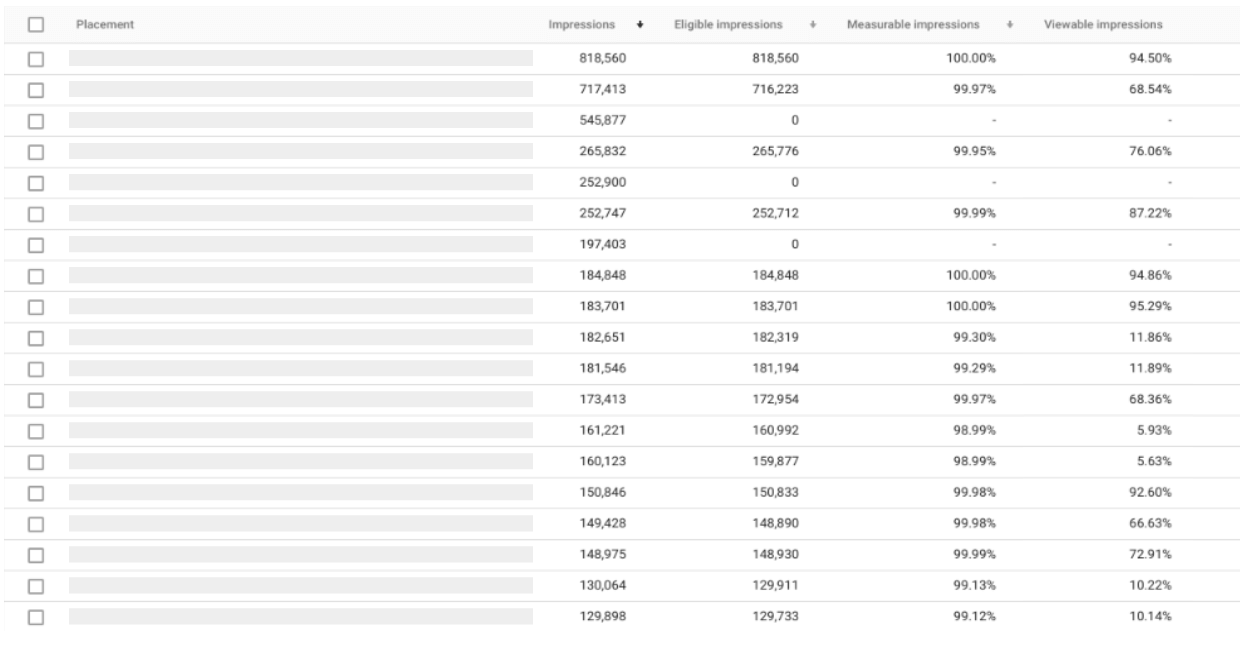
Content
keywordBrand safety: Here you can quickly get an overview of potentially undesirable environments.
More specifically, the “Content” area provides information about how much the “Sensitive Categories” defined by Google play in the campaign. For example, if a sensitive category is recognized too often for certain domains or placements, this will have a negative impact on the content score (severe = many impressions for sensitive categories).
Tip: Put domains that are classified as “severe” on the blacklist straight away.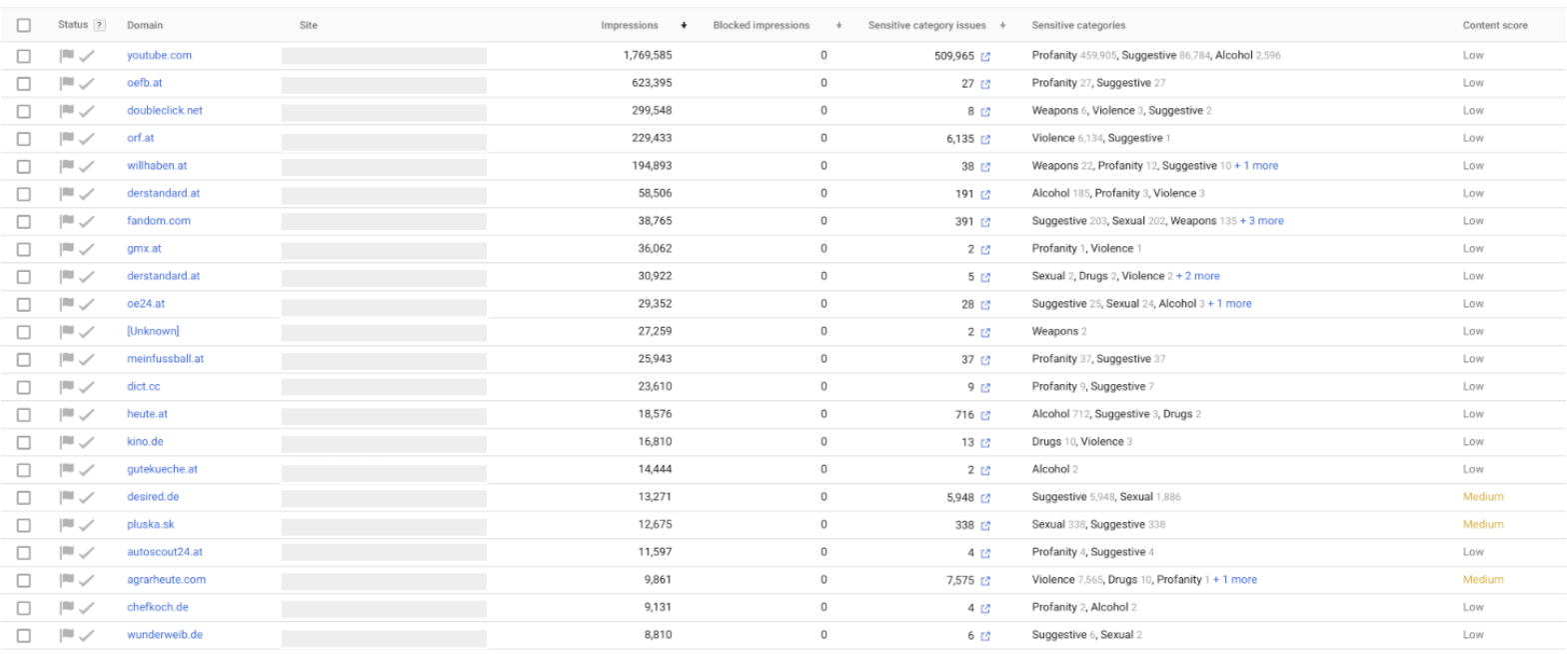
Geography
Does my or the publisher’s geo targeting actually work? This question can be solved with a quick look at the “Geography” section.
You can immediately see what percentage of the “Outside Geotarget” impressions were played. This information is interesting, for example, for non-programmatic campaigns or programmatic deals, as they are not always automatically only displayed in the desired region.
The necessary granularity can also be selected here: Advertiser, Campaign, Site, Placement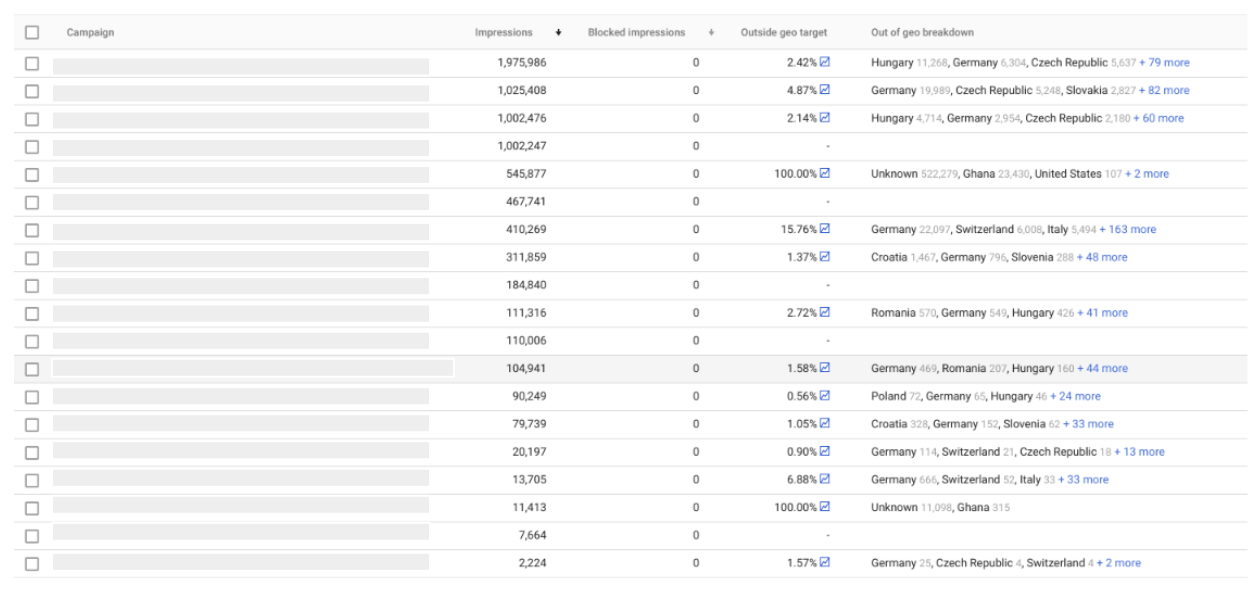
tags
Have you ever wondered whether there is somewhere where you can clearly see whether ALL of my advertising materials have been booked in correctly? This is possible under “Tags”, where all placements with problems are displayed in a list. If you click on the placement you will also get a detailed description of the problem including a suggested solution: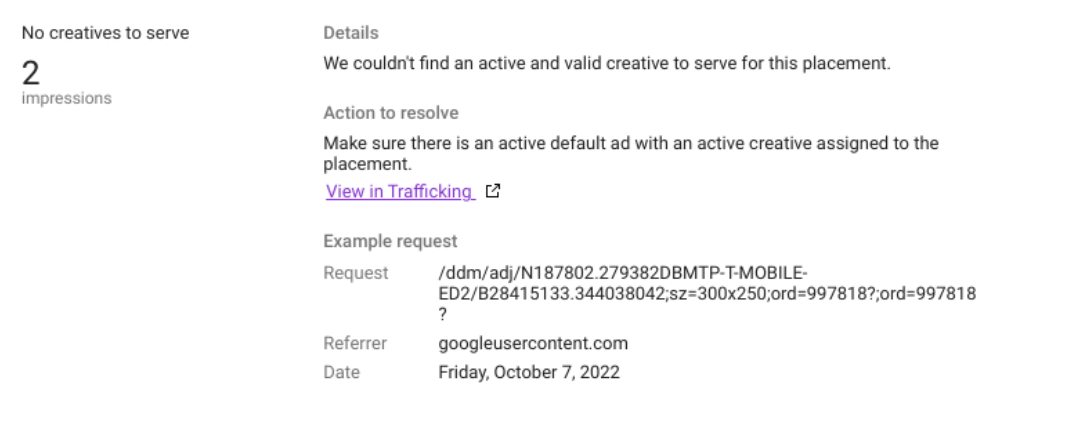
Mobile app
In which apps will my advertising actually be shown? And what is the split between Android and iOS?
If you want to know how many impressions are played in which app and on which mobile platform (Android or iOS), you’ve come to the right place.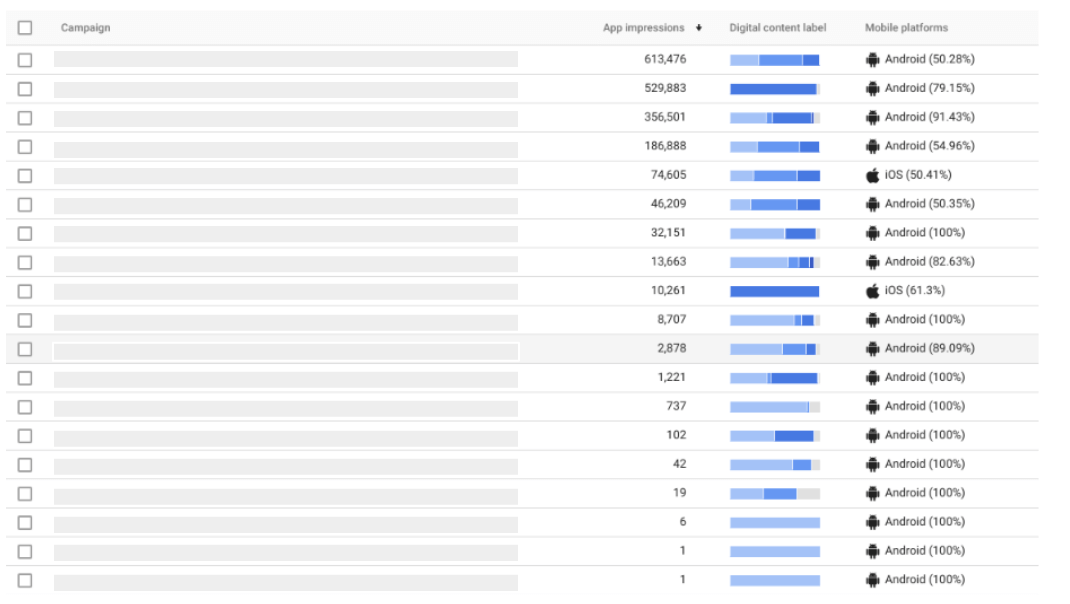
video
In this area you will find some interesting insights into the quality of video campaigns. In addition to impressions, prominence is also shown.
Here is an example of what you can imagine: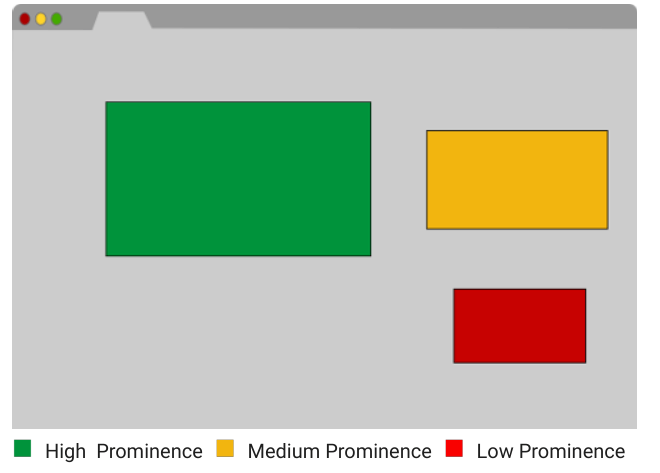 Depending on the positioning and size of the player on the website, the prominence score is given as high, medium or low.
Data on audible impressions, player size and relative measurability of the player location are also available.
Conclusion
CM Verification = Qualitative Insights Made Easy.
The verification reports in CM are a good way to better assess the quality of the purchased impressions in addition to performance. With just a few clicks you can get a good overview of whether it is anywhereNeed for optimizationin view ofBrand safety, viewability, geo-targetingetc. there.
If necessary, all verification reports can also be exported directly from the interface.




