
Ua Sunset Automigration Or Opt Out

Management Summary
In the following article we explain why it’s best to go for it nowmanualSet migration of your Universal Analytics account.
Countdown to UA Sunset – Automigration or Opt-Out?
At the moment it really can’t be overlooked: If you open your aging UA property these days (and don’t yet have an Analytics 4 setup), the countdown to sunsetting literally jumps in your face (Figure 1). Google wants to make sure that all users think about switching to GA4 in good time. And that’s a good thing: missing this would ultimately have far-reaching consequences for your web analysis. In order to prevent possible data loss, Analytics implements automigration of the UA property into the new GA4 by default (!). This option is at least better than the alternative mentioned. However, automigration also has its pitfalls and should under no circumstances be the first choice when switching to GA4.
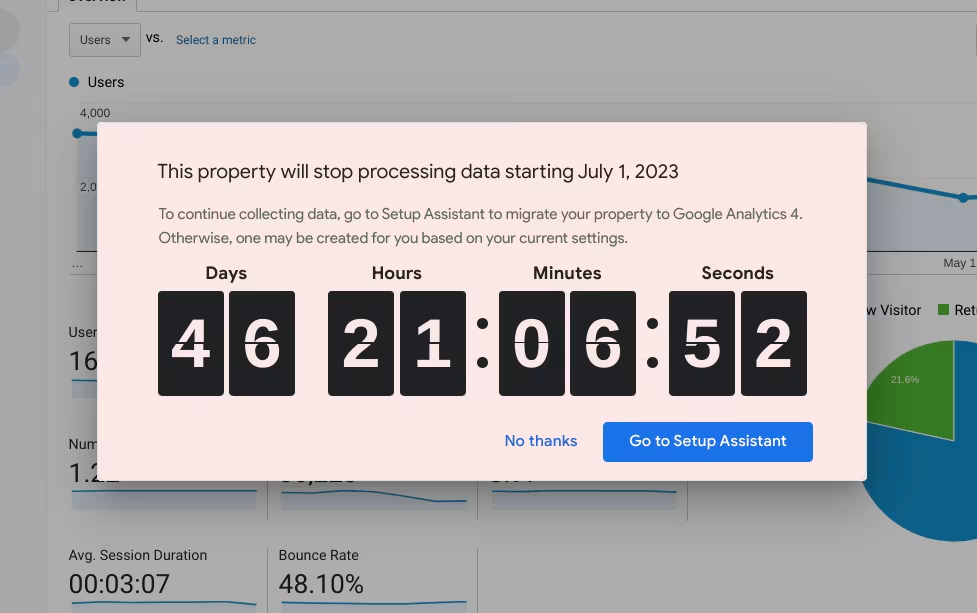
Fig. 1 / Sunset countdown in the UA interface, source: e-dialog
Automigration – Be careful with metrics and KPIs
During automigration, a GA4 property is automatically created and the settings from UA are transferred to GA4 (goals, conversions, audiences, links to Google Ads, users, etc.). In general, caution is advised here: Because the data model underlying GA4 differs from UA, many of the well-known metrics and KPIs cannot be replicated 1:1 (more about that here). Since in this case there is no individual individual consideration of the setup, the optimal formatting and evaluation of the data can no longer be guaranteed with a generalized transfer.
Theclear recommendationis therefore: Set up your new GA4 property manually. The professional setup can therefore be tailored to each individual case and has many obvious advantages for the future of your tracking.
Choose Opt Out and connect properties
The following steps are necessary as a basis for manual migration to GA4:
Case 1: GA4 Property exists and is connected to UA
Now the automigration must be deselected using Opt Out in the GA4 Set Up Assistant of the UA Property. To do this, go to the admin area. In the GA4 Set Up wizard under “Automatically set up a basic Google Analytics 4 property” set the switch to off (Figure 2). In principle, you have opted out and no configurations from the connected UA property will be adopted, regardless of whether they were marked as complete or not (see case 3).
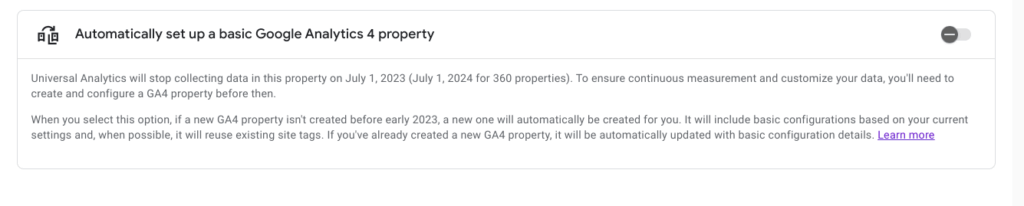
Fig. 2: Auto-migration settings in the UA Property admin, source: e-dialog
Case 2: GA4 Property exists but is not connected to UA
To connect your new GA4 property with your old UA property, select the GA4 setup assistant in the UA property admin area and connect the existing GA4 property there. The UA property then appears at the top of the GA4 setup assistant, marked green, as a connected property. Proceed as in case 1.
Case 3: GA4 Property exists, but should only adopt individual settings from UA
To connect the properties, proceed as in case 2. We then recommend ticking the desired opt-out in the setup wizard for the existing GA4 property: “Mark as complete”. The checked points are no longer taken into account during automigration (Figure 3). You have now successfully completed the process and can begin with the rest of the manual migration or the configuration of your new setup. As an alternative to case 1, you are of course free to set everything to “Mark as complete”.
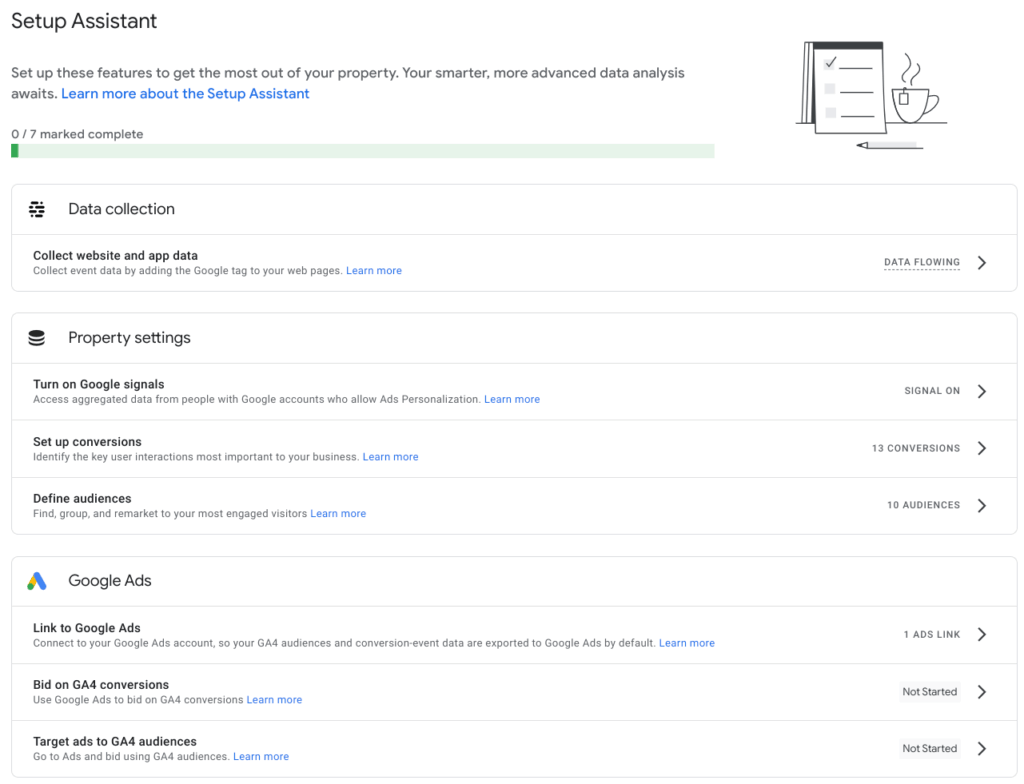
Fig. 3 Setup wizard in the GA4 property, source: e-dialog
Additional tips for a successful workflow
- Don’t forget the link: If GA4 has already been set up manually in your account in the past, then don’t forget to follow the steps mentioned.
- Different sunsettings for UA & UA360: If you are currently managing a 360 account and also use standard properties in it, two deadlines are relevant to you. In this case, the standard properties are subject to the sunsetting date of July 1st, 2023, the 360 account to that of July 1st, 2024.
- For thesimultaneousOpt out of multiple propertiesdo you think …? Findherefurther information.
Conclusion:
In any case, when deselecting automigration, you should take into account the lead time that manual data migration requires. GA4 brings many innovations and, in the best case scenario, the transfer can be used as an opportunity to optimize and rethink individual tracking approaches of the old UA setup. However, you should say goodbye to a detailed copy of all KPIs from UA for the reasons mentioned. For a successful and innovative future of your web analysis, the motto ‘Kill your Darlings’ applies here at least in part.
All current information aboutSunset by Universal Analyticsfind outhere.
OursGuide for creating a GA4 propertydo you think …? Findhereas well as manyTips and best practices for Google Analytics 4 on our blog




