Stop Tracking Errors: AI-Powered Testing for Reliable Analytics Data

Management Summary
Every analyst or data engineer knows that queasy feeling in the pit of their stomach. A glance at the dashboard on Monday morning reveals that the e-commerce conversion rate suddenly plummeted by 80% over the weekend.
What happened? A front-end developer rolled out a small hotfix to the checkout on Friday afternoon. In doing so, they unintentionally altered the structure of the data layer.
In the best-case scenario, the error is noticed on Monday. Often, however, such “silent failures” go undetected for weeks. The website works perfectly, but tracking breaks down in the background. This skews reports, undermines algorithms in performance marketing, and wastes money.
The traditional solution? Analysts manually click through the Google Tag Manager (GTM) Preview mode after every release. With agile development cycles involving multiple deployments per day, however, this approach is no longer scalable.
The Foundation: Deterministic Testing
Before we talk about artificial intelligence, we need to lay the groundwork. Modern tracking testing is based on headless browsers. Frameworks like Playwright or Cypress control these browsers remotely. They simulate user journeys fully automatically. They click buttons, fill out forms, and navigate through the online store.
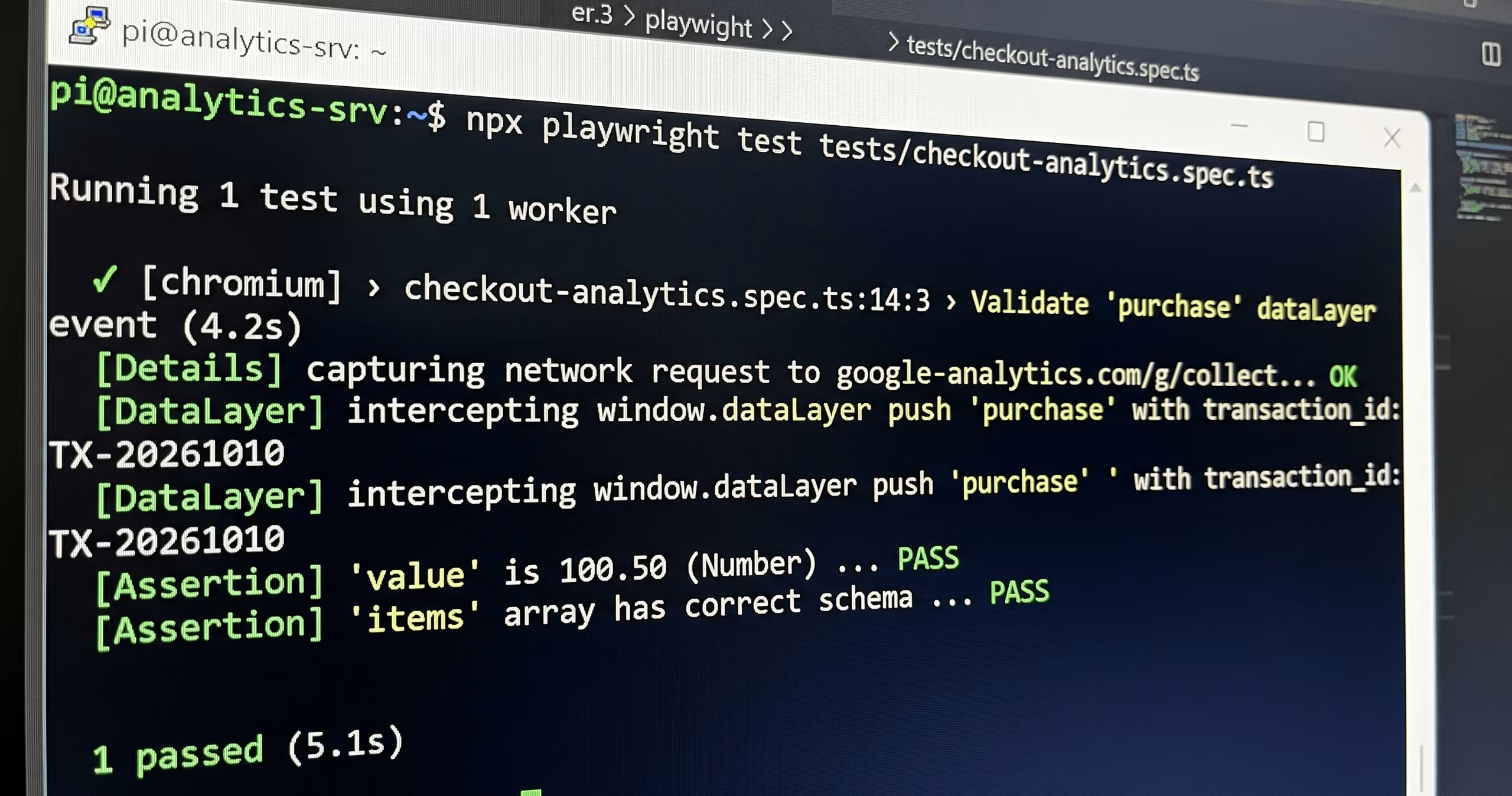
Image: Tracking Testing
For us in the analytics field, three technical concepts are crucial:
dataLayer-Interception
The test script doesn’t just wait for the “thank you page.” It reads the page’s JavaScript context—specifically, the `window.dataLayer` array. This allows teams to precisely validate which variables were available at the time of the event—regardless of how the tag manager subsequently processes them.
Network Request Mocking
No one wants to contaminate production GA4 data with test traffic. Automated tests intercept outgoing HTTPS tracking requests. The script checks the payload for correctness and then blocks the request. Although the browser triggers the request, the test script intercepts it before it leaves the network. Nothing reaches GA4.
Consent Handling
Tracking generally does not fire without consent. The test script therefore first handles the consent banner and, ideally, checks both scenarios: Are all tags triggered after consent is granted, and do the corresponding requests actually fail to fire after consent is denied?
The AI Factor: How Artificial Intelligence Enhances Testing
Traditional end-to-end tests have a major weakness: they are extremely fragile. If a developer changes the CSS selector of an “Add to Cart” button, the test fails immediately. The tracking actually still works, but the test triggers a false alarm.
This is where modern AI-powered testing tools provide the decisive breakthrough:
Self-Healing Tests
AI testing platforms capture website elements holistically. They do not rely on a single ID. If a CSS selector changes, the AI recognizes the button based on its visual context and text. It automatically repairs the test script (“self-healing”). This drastically reduces maintenance efforts. It’s important to note, however, that self-healing can also mask actual errors—for example, if a button’s function has actually changed. Automatic repairs should therefore be logged and regularly reviewed by a human.
Anomaly Detection in the Payload
Traditional scripts use rigid “if-then” rules. Machine learning models, on the other hand, learn the “normal state” of a tracking payload. If the array of passed products suddenly exhibits an atypical structure, the system triggers an alert. This allows teams to identify errors for which they have never written an explicit test. Since such models require historical data, they are particularly effective in monitoring live operations. For pre-release testing, schema validation of the payload—for example, using JSON Schema—serves as a suitable deterministic intermediate step.
In Practice: A Test Setup for the Most Important Event
What does this kind of validation look like in practice? Let’s take the most critical of all events: the purchase.
An automated script runs through the checkout process. It intercepts the dataLayer push. The system then triggers so-called assertions (strict checks):
- Existence: Did the event named “purchase” even arrive?
- Transaction Data: Does the `transaction_id` parameter exist? Is it a string (text) and not “undefined”?
- Data Types: Does the system pass the sales amount (value) strictly as a number? A string such as “100.50€” instead of 100.50 causes many problems in Analytics.
- Currency: Is the “currency” parameter (e.g., “EUR”) passed along with “value”? Without it, GA4 will not process the revenue correctly.
-
Array Integrity: Does the item array contain exactly the product attributes (ID, name, price) that the script previously added to the shopping cart during the simulation?
Are any parameters missing that the tracking tool specifies as required fields?
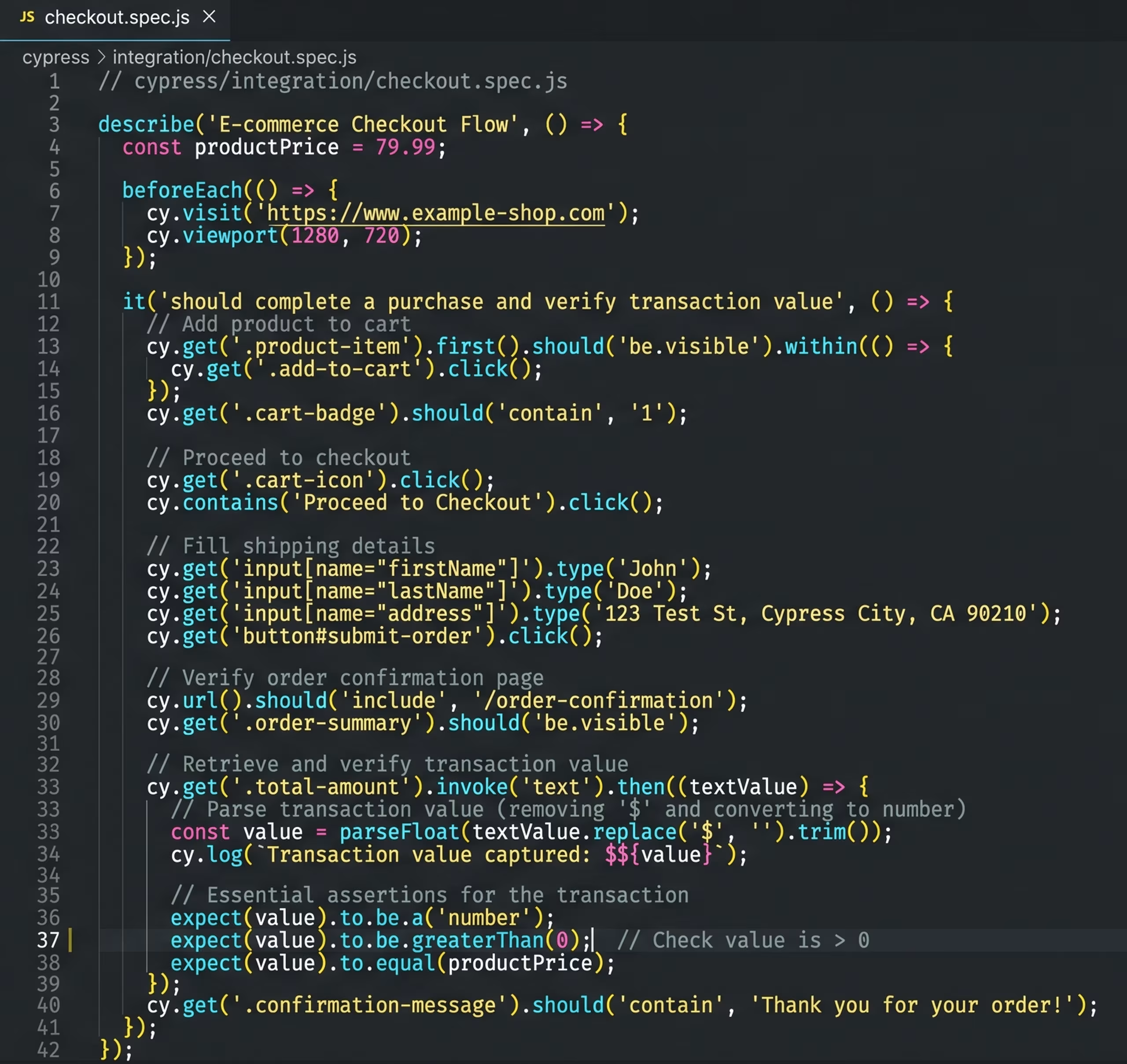
Image: Example of an automated test script
Automated Quality Testing: Stop Errors Before the Website Goes Live
Even the best test script is completely useless if it just sits unused on an analyst’s laptop. The key is to firmly integrate these checks into the software developers’ daily workflow.
In the IT world, this approach is called “Shift-Left”: errors are identified and fixed as early as possible—that is, at the very beginning of the chain, while the code is still being written, rather than only after the website is already live and visible to all visitors.
The principle is similar to an automated checkpoint in a factory. In software development, this checkpoint is called the CI/CD pipeline. Here’s how the process works:
-
01
The change lands behind the barrier
Until the change becomes visible to real customers, the barrier remains closed. The entire page containing the change is first loaded into an isolated, hidden test environment (staging/lab environment).
-
02
The Automatic Test
Now our tracking test starts running completely automatically in the background. It pretends to be a customer and checks whether all data is still flowing correctly in the background.
-
03
Found an error? Stop the rollout!
If the test detects that the change would break the tracking, the system immediately sounds the alarm. The new code is blocked and cannot go live. The team immediately receives a message (e.g., via Slack, Telegram, or email): “Warning: The new order button is corrupting our tracking data!” The developer must first fix the issue.
-
04
Everything looking good? Go live!
Only when the test gives the green light and proves that all data is still being collected without errors does the gate open. The change goes live.
Of course, this same mechanism can be applied not only to tracking but to all areas of a website or app.
Thanks to this invisible safety net, developers can work on the website without worry, while the marketing and data teams can rest assured that our measurement data remains complete and intact.
Important: Changes made in Google Tag Manager bypass this safeguard. Publishing a new GTM container does not trigger a code deployment, so the pipeline doesn’t start at all. As a supplement, we therefore recommend regular automated tests against the live website—for example, hourly or daily. This way, errors caused not by new code but by changes to the tag configuration will also be detected.
Conclusion
The days of hoping for the best and worrying after every website release should be a thing of the past. High data quality doesn’t happen by chance. It’s the result of solid technical processes. By securing your setup with deterministic testing, using AI tools, embedding analytics into the development pipeline, and continuously monitoring live operations, you protect the data integrity of the entire company.